
01Who this is for
- Community managers benefit because nudges turn course launches into ready made announcements, saving time on manual posting.
- Course instructors gain a simple way to highlight learner achievements, encouraging peer motivation without extra effort.
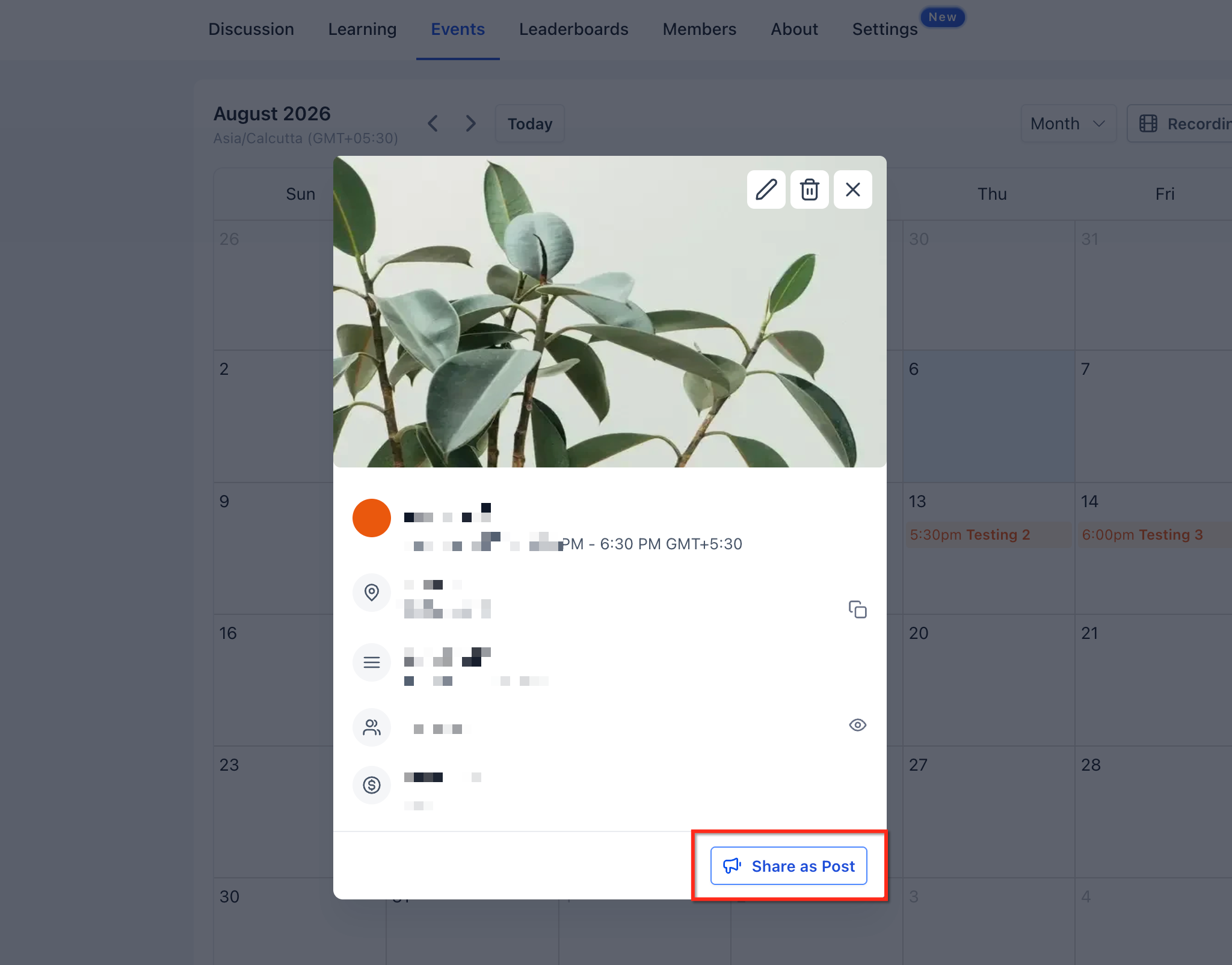
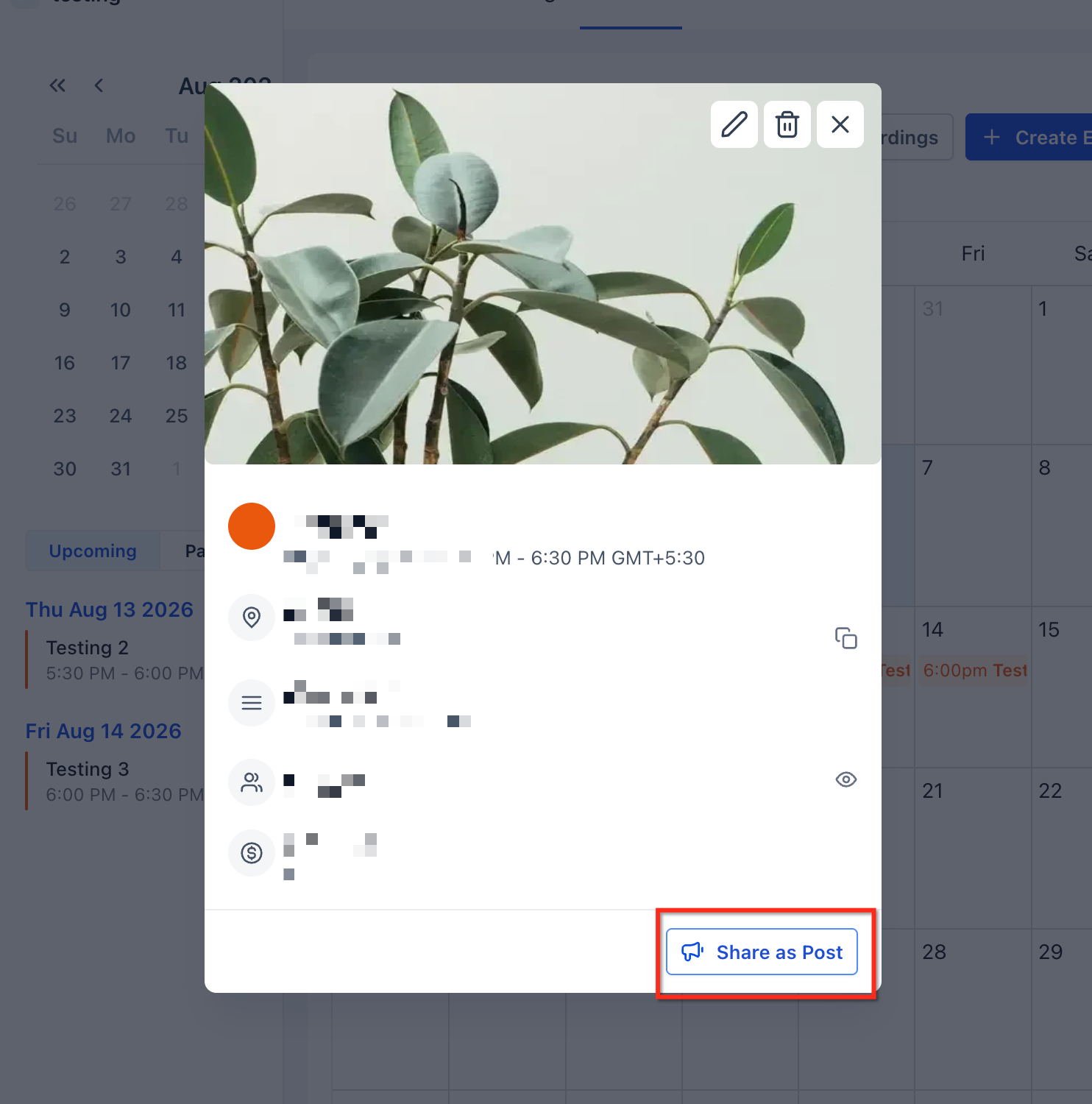
- Event organizers can right away broadcast new workshop or live session details, increasing visibility at the moment of creation.
02Post creation nudges, explained
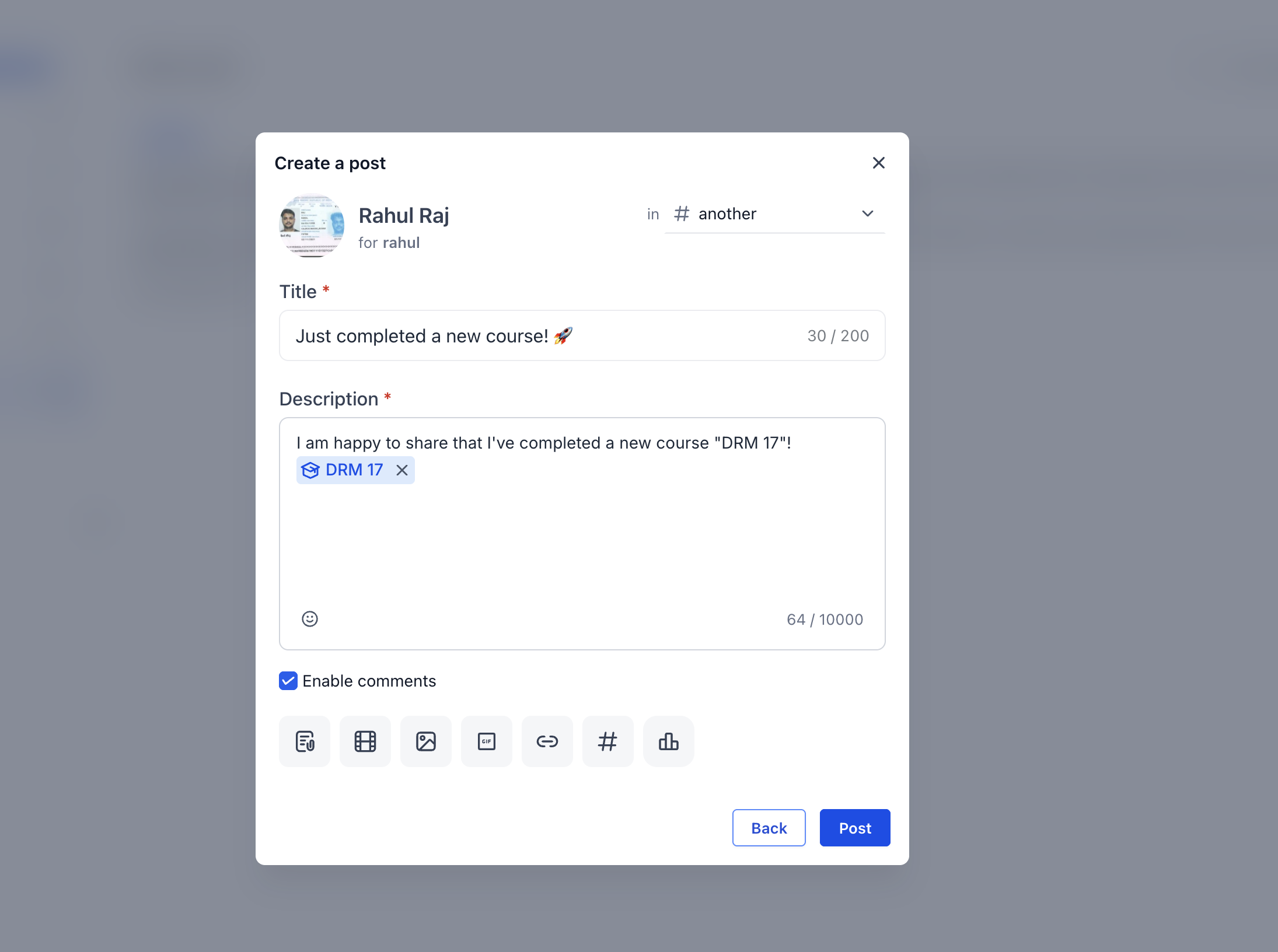
Post Creation Nudges are built in prompts that show up inside the GoKollab Communities UI right after a qualifying action. When an admin creates a course, an event, or a learner completes a course, a modal appears with a pre filled post that includes the course or event mention.
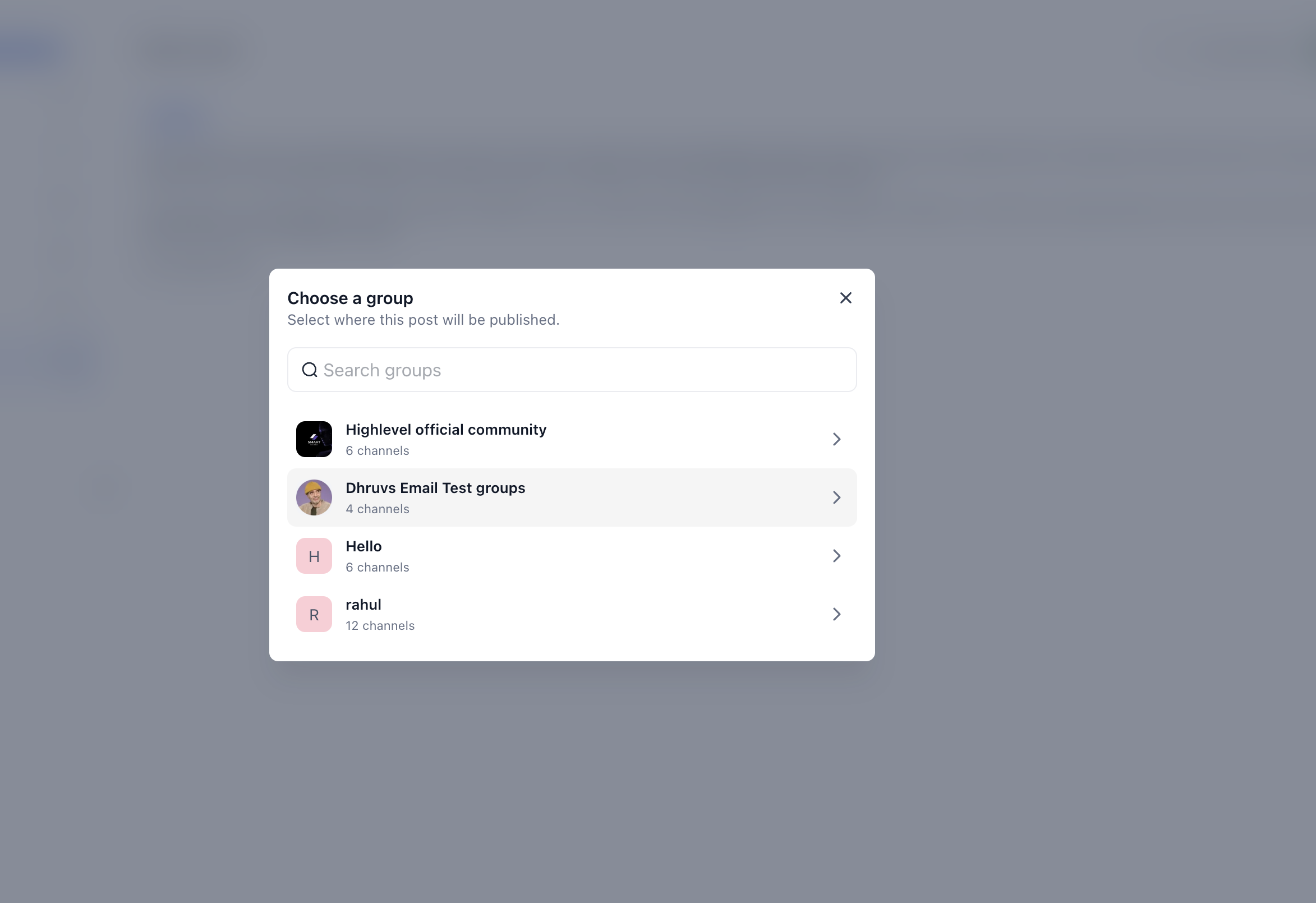
The prompt uses the standard community post composer, so users edit the headline, add media, and select the target group and channel just like any other post. Publishing is a single click, and the content then appears in the chosen community feed.
Nudges work automatically in the new Communities UI. No separate configuration screen is required, but the community, its groups, courses and events must exist for the prompts to fire.
03How businesses use post creation nudges
- Online education platform. When a new course is added to a community group, the admin sees a Share as Post prompt with the course title already inserted. They edit the message if needed, pick the Announcements channel, and publish the post so members right away notice the new offering.
- Coaching mastermind group. A group owner creates a live workshop event, saves it, and immediately receives a Share as Post modal containing the event details and a link. They adjust the copy, choose the Events channel, and post to alert members and drive registrations.
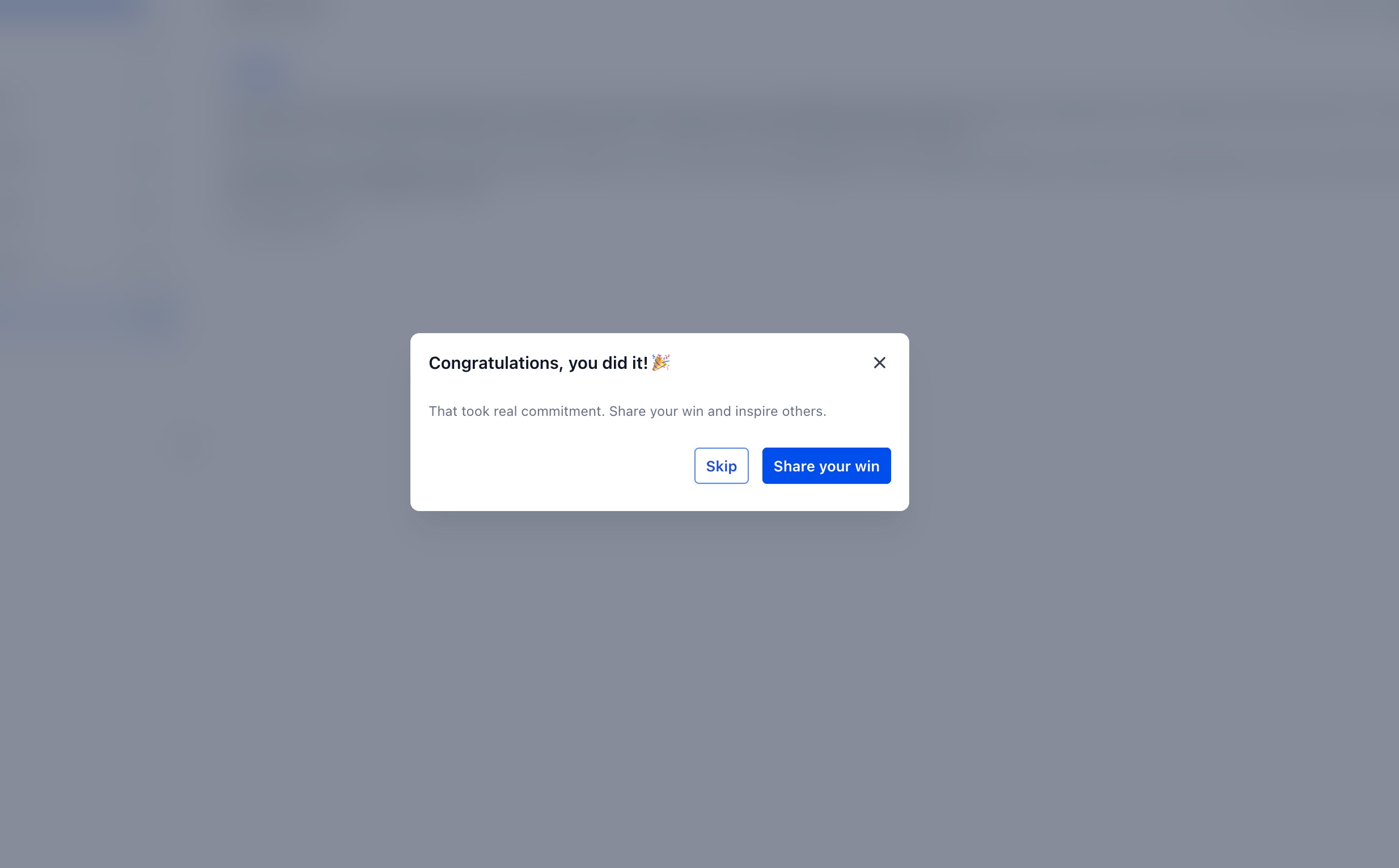
- Fitness studio community. After a member finishes a nutrition course, the platform presents a congratulatory Share as Post prompt. The learner customizes the text, selects the Success Stories channel, and posts, showcasing the achievement to fellow members.
04The numbers and rules that matter
- Supported actions: Add a new course, create a Community Event, complete a course.
05Before you start
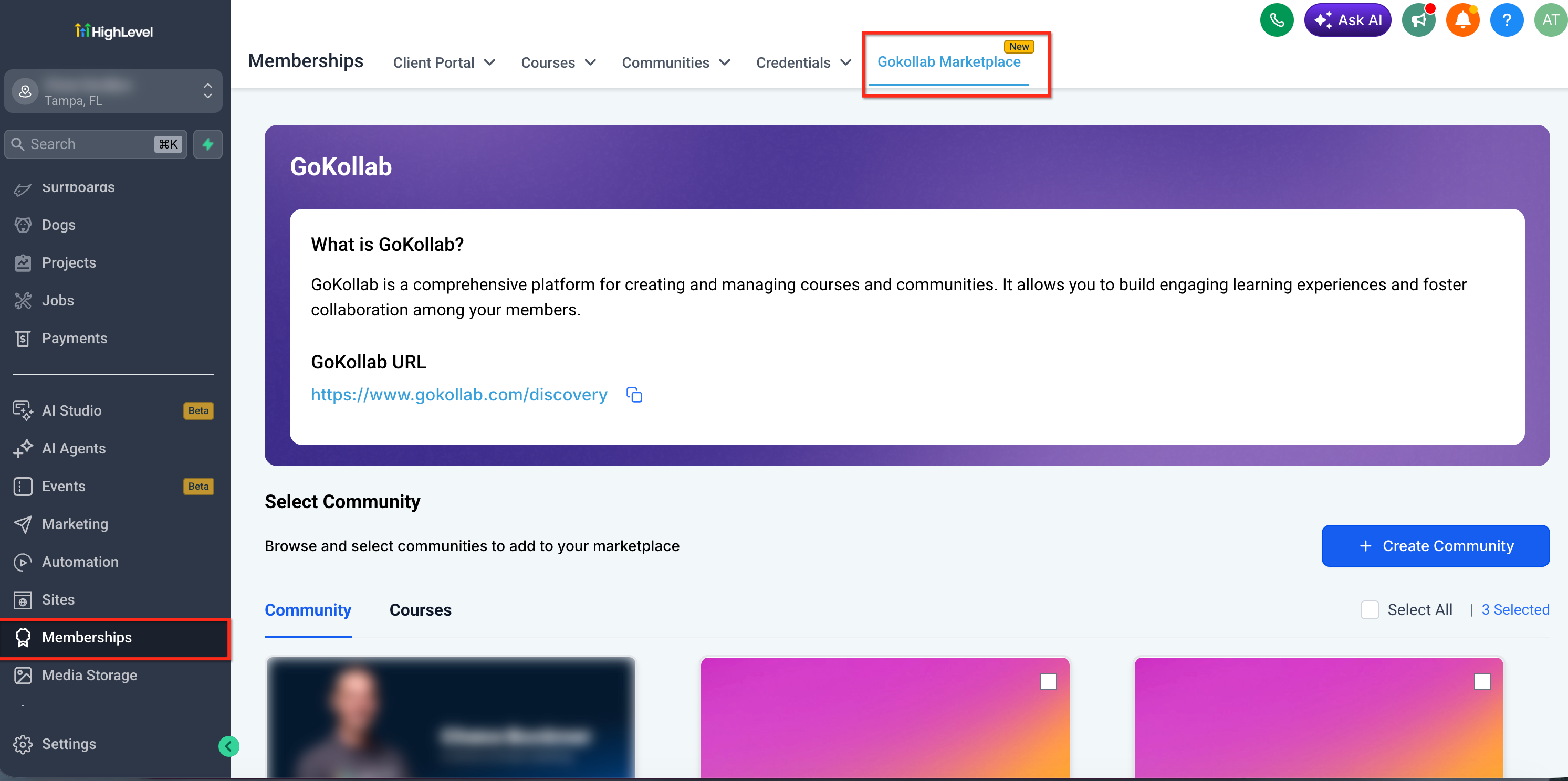
- Confirm you are using the GoKollab (New Communities UI) experience in Kollab Studio.
- Create a community with groups and channels, and be an owner or admin.
06How to set up and use post creation nudges in HighLevel
Set up post creation nudges
- Verify you have access to the GoKollab (New Communities UI) in Kollab Studio.
- Create a community and set up its groups and channels, ensuring you have admin rights.
- Add a new course to the community or attach an existing course to a group.
- Create a Community Event with all required details and visibility settings.
- Enroll a test member in a course, complete the course, and confirm the completion nudge appears.
- Incorporate nudges into your engagement plan by deciding which groups and channels will receive course, event and completion posts, and inform moderators to use the nudges consistently.
07What it looks like in HighLevel
08Things to know before you rely on it
- Nudges are only available in the GoKollab (new UI/Beta) version of Communities.
- Only users with the appropriate permissions, group admins/owners for courses and events, learners for completions, see the prompts.
- The Share as Post prompt does not publish automatically; the user must click Post to make the content live.
09How it connects to the rest of HighLevel
- Guide to creating and managing a HighLevel community Manage communities
- How to create channels, posts and manage community content Channel and post management
- Setting up and selling paid courses inside communities Paid courses
Michael's take

Post creation nudges are handy for anyone who wants to keep community chatter lively without extra steps. If you run a course centric community, this feature can save a lot of manual posting.
Skip it if you don’t have a GoKollab (new UI) community or if your members never create courses, events, or completions that need promotion.