
Gamification in Communities just got a major upgrade. Admins can now define custom levels, configure how members earn points, and reward the behaviors that matter most, all from a single settings page.
Michael's take
My first take is that this is a solid quality of life update rather than a brand new feature set. It adds depth to the gamification you already have without overhauling anything.
If you’re already using Communities, you now have a single place in Settings > Gamification & Rewards where you can rename levels and set the point thresholds that move members up the ladder.
I’d spend a few minutes tweaking each of the five point source categories to make sure the values match the behavior you actually want to encourage and to turn off anything that could backfire, like rewarding reactions too heavily.
In practice I’d set a modest point award for text posts, a higher one for media, and a penalty for spam that an admin flags. Then I’d watch a few members level up and see if the new thresholds feel right.
I think tools should make it easier to steer community culture, not add another layer of complexity. This lets you shape the incentives without writing any code.
If you already have a community, this update is definitely worth a look.
** What’s New?
Custom Levels **
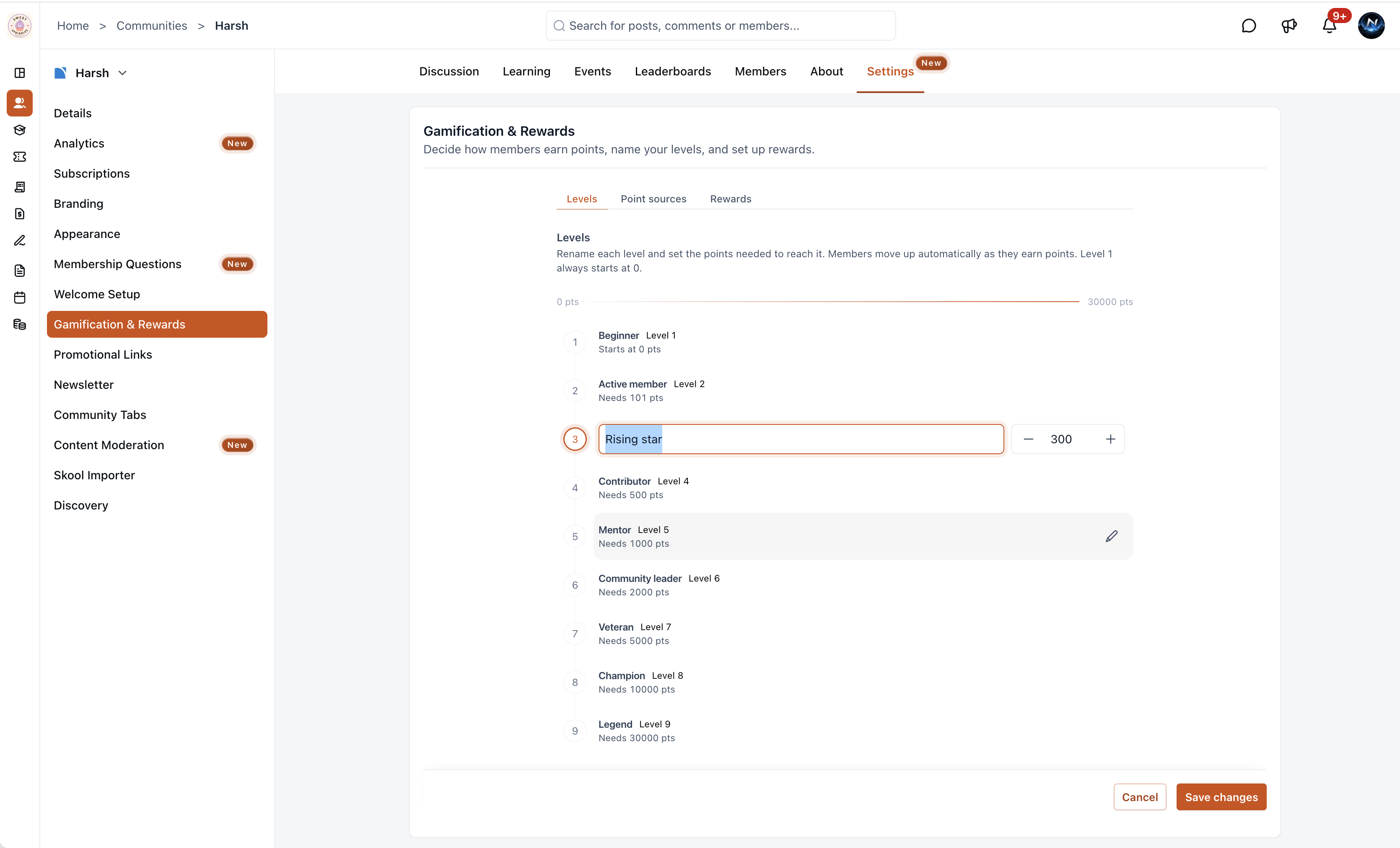
Define up to 9 levels for your community, each with a custom name and point threshold. Members progress through levels automatically as they earn points. Default levels range fromBeginner(0 pts) toLegend(30,000 pts), every name and threshold is fully editable to match your community’s culture.
What changed
Configurable Point Sources
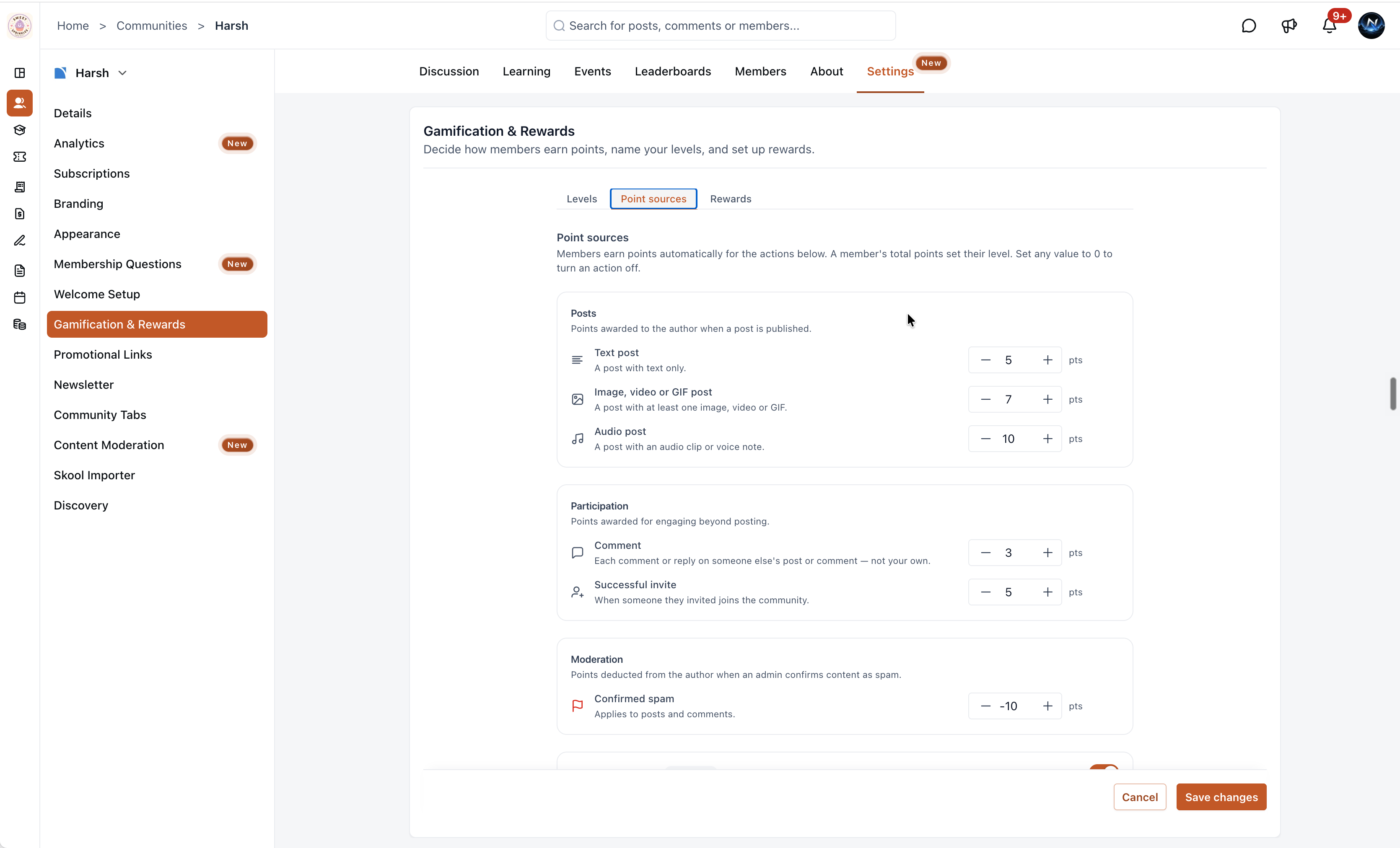
Control exactly how members earn (or lose) points. The Point Sources tab lets admins assign point values across five categories:
- Posts, Reward members for publishing content, with different values for text, media, and audio posts.
- Participation, Award points for commenting and successful referral invites.
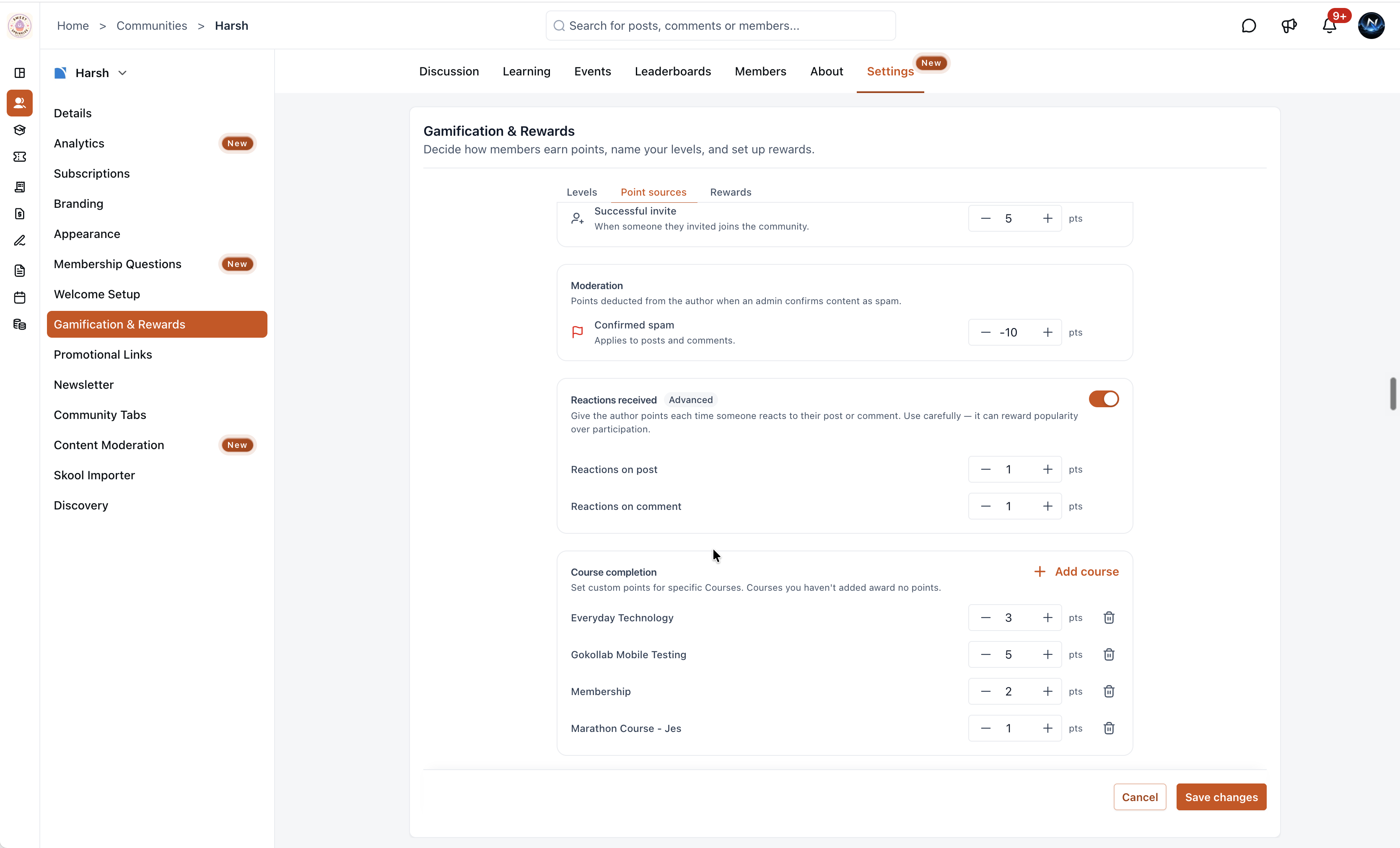
- Moderation, Deduct points when an admin confirms content as spam.
- Reactions Received(Advanced, toggleable), Optionally award points when someone reacts to a member’s post or comment. Use carefully, it can reward popularity over participation.
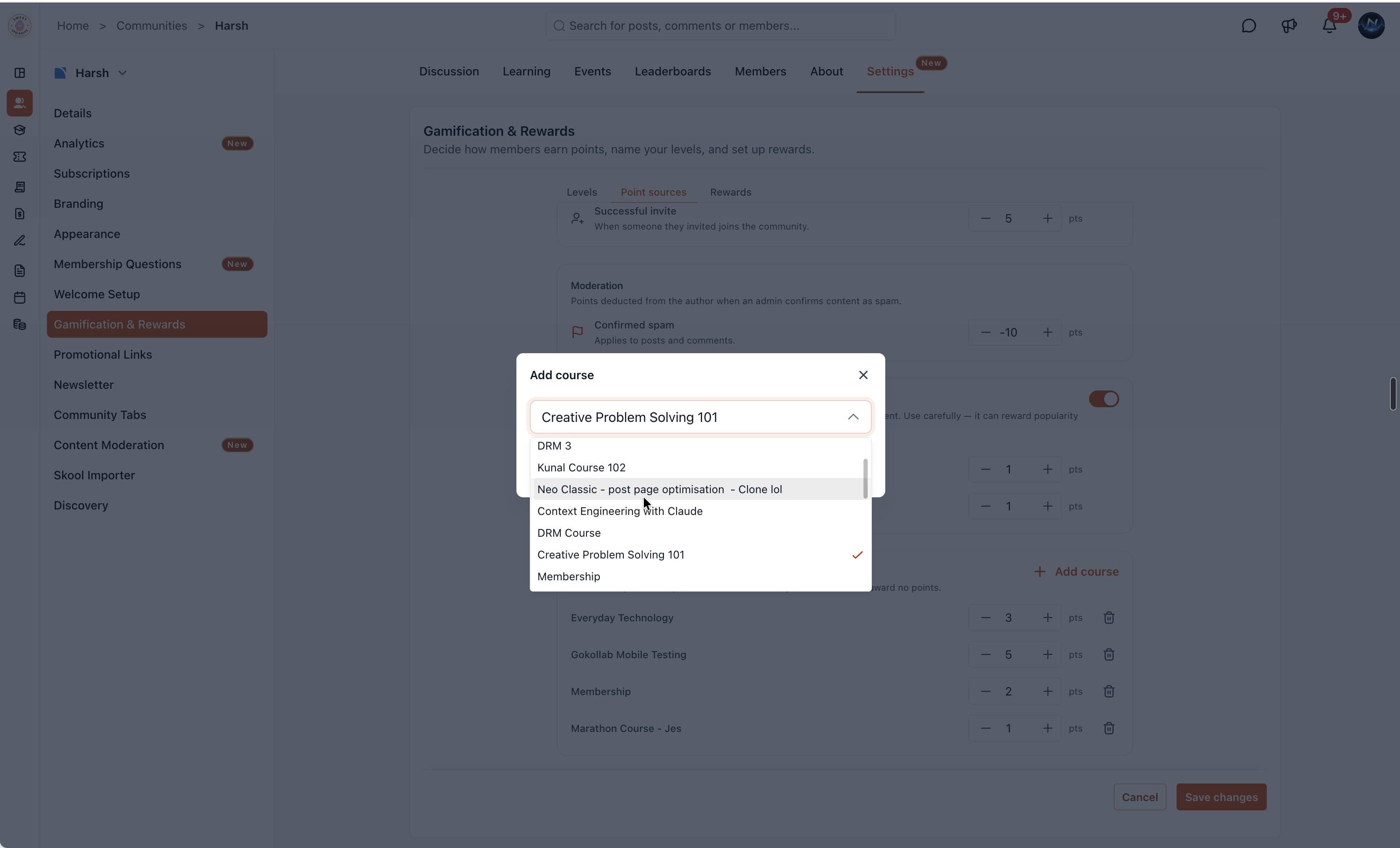
- Course Completion, Assign custom point values to specific courses. Use +Add courseto select courses and set points individually.
Set any value to 0 to turn that action off entirely.
How to turn it on
- Navigate toSettings > Gamification & Rewards.
- Levelstab, Rename levels and adjust point thresholds to fit your community.
- Point Sourcestab, Set point values for each action category. Set any value to 0 to disable it.
- Optionally toggle on Reactions Received and add courses with custom completion points.
- ClickSave changes.
Why it matters for Founders
Active communities don’t happen by accident, they’re built by recognizing and rewarding the right behaviors. Custom Levels & Point Sources give admins a full gamification toolkit to incentivize posting, engagement, referrals, and course completions, while penalizing spam. Members see their progress, level up as they contribute, and have a reason to stay engaged.
Notes and availability
- All point values and level thresholds are fully customizable.
- Members move up levels automatically as their total points change.
- Course completion points are set per course. Courses not added award no points.
- TheRewardstab configuring is an upcoming change.
Questions Founders ask
What did HighLevel release in "Custom levels & point sources in Communities"?
Gamification in Communities just got a major upgrade. Admins can now define custom levels, configure how members earn points, and reward the behaviors that matter most, all from a single settings page.
What should a Founder do with Custom levels & point sources in Communities?
Open Settings > Gamification & Rewards and configure at least one custom level and point source this week. Any Founder or agency owner who runs a HighLevel community and wants more control over how members are rewarded.
How do I turn on Custom levels & point sources in Communities in HighLevel?
In HighLevel: Navigate to Settings > Gamification & Rewards. Then Levels tab: Rename levels and adjust point thresholds to fit your community. Then Point Sources tab: Set point values for each action category. Set any value to 0 to disable it. Then Optionally toggle on Reactions Received and add courses with custom completion points. Then Click Save changes.
Why does Custom levels & point sources in Communities matter?
Active communities don’t happen by accident, they’re built by recognizing and rewarding the right behaviors. Custom Levels & Point Sources give admins a full gamification toolkit to incentivize posting, engagement, referrals, and course completions, while penalizing spam. Members see their progress, level up as they contribute, and have a reason to stay engaged.
How do I get this feature with setup help?
Start a free HighLevel trial through Michael Reimer's link and the CRM Pros team helps with setup in your first 7 days, with an onboarding call, three live calls every week and the affiliate community included.
Get More InformationOpens in a new tab Published November 9, 2026. Screenshots belong to HighLevel.