
Home/HighLevel/AI/AI receptionist setup
HighLevel AI · Setup
Set up an AI receptionist in HighLevel, end to end.
This is the GoHighLevel AI receptionist setup: which screens, which settings and in what order, so your AI receptionist answers on your number, books on your calendar and follows up. For the bigger picture on AI receptionists, see the complete guide.
The short answer
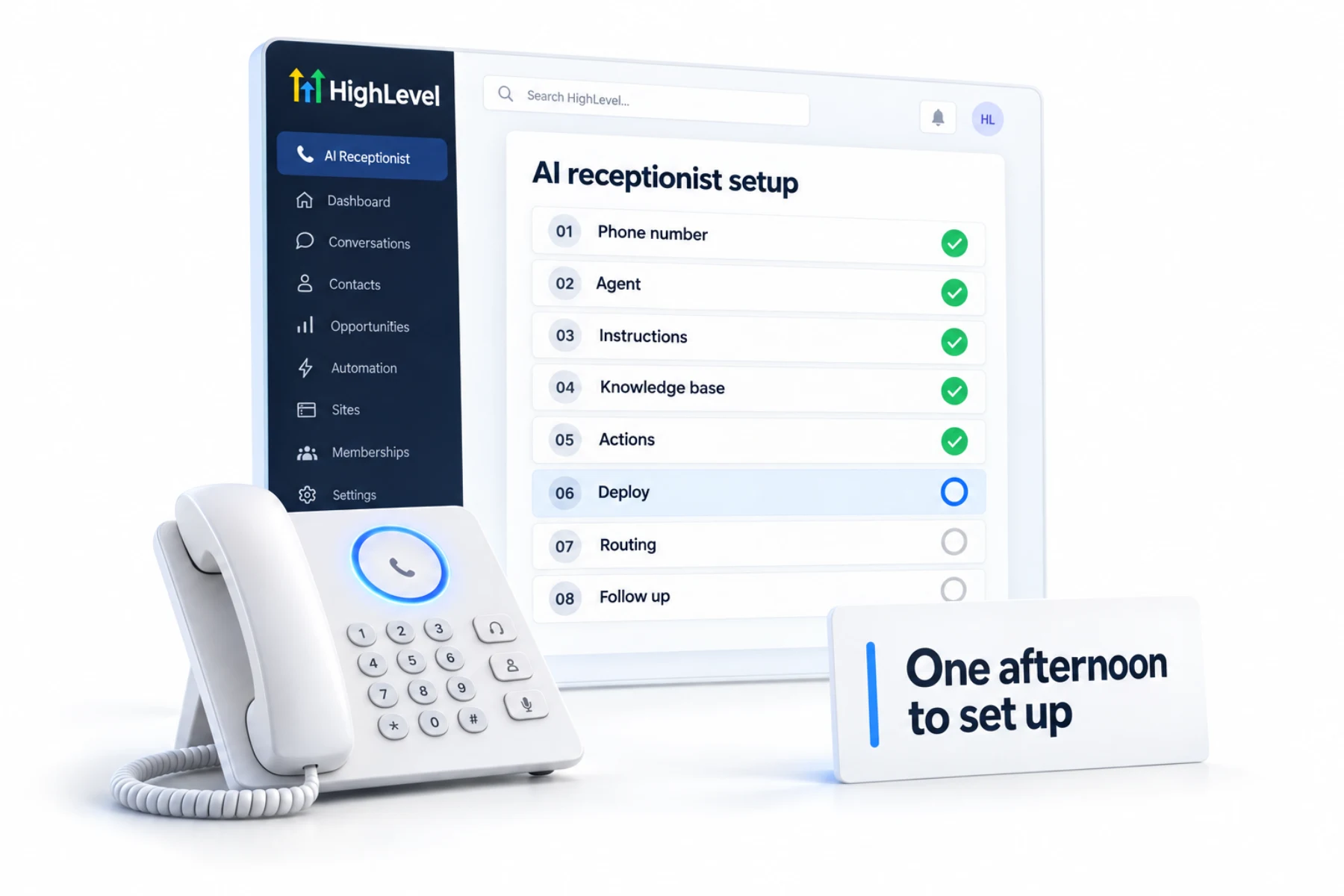
To set up an AI receptionist in HighLevel, get a phone number, create a Voice AI agent with a greeting and instructions, add a knowledge base, add booking and transfer actions, assign the number and working hours in the Deploy tab, set the routing in call forwarding, then add a follow up workflow and test.
Michael is a sponsored HighLevel affiliate. Links to HighLevel use his partner link at no extra cost to you. HighLevel prices and product facts on this page come from HighLevel's own pricing page and help center, checked on the date above.
The steps
Eight steps, in order.
- Phone number. In Settings, Phone System, buy or port a number. Voice AI needs a HighLevel phone system or Twilio number.
- Agent. Go to AI Agents, Voice AI, and create an agent from scratch or a template.
- Instructions. Write the role, greeting, booking rules and handoff rules.
- Knowledge base. Add your website, FAQs and documents.
- Actions. Add appointment booking with your calendar and a call transfer to your team.
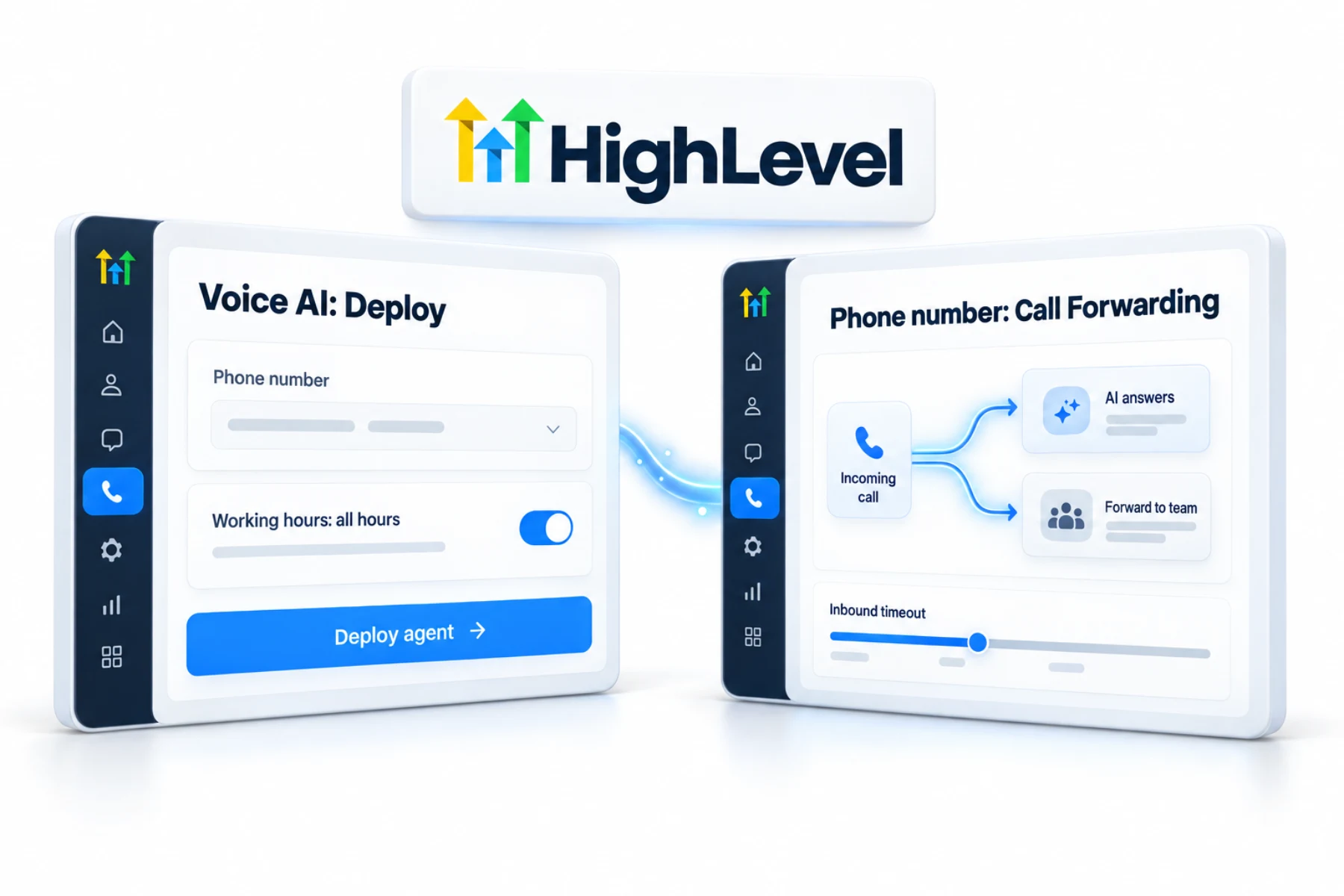
- Deploy. In the Deploy tab, assign the number and set working hours: all hours or a custom schedule.
- Routing. In the number's Edit Configuration, Call Forwarding, choose how calls reach the AI and set the inbound timeout.
- Follow up. Build a workflow for after the call: confirmation text, contact update and a task for anything unresolved.
Routing
Get the routing right.
- To have the AI answer every call: do not use your default subaccount number for the agent, and do not set call forwarding on that number.
- To have your team answer first: forward to your team and set the inbound timeout so the AI picks up before the call goes to voicemail.
- To cover only after hours: use custom working hours on the agent.
Test
Test before customers call.
- Run web test calls from the agent screen
- Call the number from your own phone at different times of day
- Try a booking, a pricing question, an urgent request and asking for a person
- Check the call log, transcript and summary for each test
- Confirm the follow up workflow fired
After launch
What should the first week of tuning look like?
The agent you launch is a first draft. The agent you have a week later, after reading real calls, is the one that earns its keep. Set aside fifteen minutes a day for the first week.
- Read every transcript. The call log shows the transcript and summary for each call. Look for the moment a caller got confused or repeated a question.
- Fix knowledge first. If the agent did not know an answer, add it to the knowledge base. Do not patch facts into the instructions.
- Then fix behavior. If the agent knew the answer and handled it badly, add one rule to the instructions.
- Check the bookings. Confirm each appointment landed on the right calendar with the right details.
- Check the transfers. Make sure calls that asked for a person reached one.
- Confirm the follow up. Each call should have triggered the workflow you built in step eight.
By the end of the week the list of fixes gets short. After that, a weekly review is enough.
Instructions
What should an AI receptionist's instructions include?
Keep the instructions about behavior and let the knowledge base hold the facts. A receptionist prompt needs six things: who the agent is and that it is an AI assistant, the one goal of the call, the questions in order, the rules for tone and topics to avoid, the exact situations that trigger a transfer, and how to close.
The voice agent prompt framework explains each part, and AI receptionist scripts gives you wording to adapt. If you are still setting up the phone side, the LC Phone setup guide covers numbers.
Cost
What does an AI receptionist cost to run in GoHighLevel?
Voice AI is billed per subaccount. On pay per use you pay by the AI minute. AI Employee Growth at $50 a month includes 100 Voice AI minutes, and AI Employee Unlimited at $97 a month makes the minutes unlimited under fair use. Phone system charges apply to every call on top of that, whatever the plan. For a business that answers calls all day, Unlimited is usually the simplest choice. AI receptionist cost covers the wider picture, and the Voice AI call planner helps you plan the calls before you build.
Plan details are in the GoHighLevel AI plans overview. Agencies that resell the receptionist can follow the Founder Plan setup guide for the account side. You can build all eight steps during a 30 day trial through Michael's link.
Want to test before you pay? Read about free AI receptionist options.

The step people skip is the follow up workflow. The AI books the appointment; the workflow is what makes the customer feel looked after.
Questions
Common questions.
How do I set up an AI receptionist in GoHighLevel?
Get a number, create a Voice AI agent, add instructions and a knowledge base, add booking and transfer actions, assign the number and working hours, set the routing and add a follow up workflow.
Where is Voice AI in HighLevel?
Voice AI is in the subaccount, under AI Agents, Voice AI. That is where you create the agent, write its greeting and instructions, add the knowledge base and actions, and use the Deploy tab to assign the phone number and working hours.
How do I make the AI answer every call?
Assign the agent a number that is not your default subaccount number, and do not set call forwarding on that number. With that routing, every call to the number goes straight to the AI receptionist. Test it by calling from a phone that is not in the system.
Can the AI answer only after hours?
Yes. Set custom working hours for the agent in the Deploy tab. During those hours the AI receptionist answers, and outside them your normal call routing applies. It is a low risk way to start: the AI covers evenings and weekends first, and you extend its hours once you trust it.
How long does it take to set up an AI receptionist in GoHighLevel?
The eight steps fit in an afternoon. Plan a further week of reading transcripts and tuning before you consider it finished.
What does an AI receptionist cost in GoHighLevel?
Voice AI is pay per use, or included through AI Employee Growth at $50 a month with 100 minutes, or Unlimited at $97 a month under fair use. Phone system charges apply to every call.
What should I do in the first week after launch?
Read every call transcript, add missing answers to the knowledge base, add a rule for each behavior problem and confirm bookings, transfers and the follow up workflow.
Can GoHighLevel act as an AI receptionist?
Yes. A GoHighLevel Voice AI agent answers calls on your number, answers questions from a knowledge base, books appointments on your calendar and transfers to a person when needed. A follow up workflow runs after each call. It is billed pay per use or through an AI Employee plan, plus phone charges.
How do I build one AI receptionist that handles several caller intents?
Give one Voice AI agent clear instructions for each reason people call, then add an action for each. Booking can choose between eligible calendars based on the caller's intent, and transfers can go to a person or to another Voice AI agent. Keep the facts in the knowledge base, and test each intent with real calls.
Next step
See it in your own account. Thirty days, every feature.
Start a trial, build the first system and test it before the first invoice. Usage fees for phone, SMS, email and AI can apply during the trial.
HighLevel has three plans at a flat monthly price, each with unlimited users and contacts. See what each one includes and what it costs.
Compare the PlansStarter, Unlimited and Founder