
01 · Run your business
For a Founder with one company
Capture, convert, book, deliver and follow up without a developer. One account, your team, your numbers.
Home/HighLevel
HighLevel for Founders
GoHighLevel, officially named HighLevel, is one platform that runs a business's whole customer journey: contacts and pipelines, one inbox for texts, email and calls, calendars, websites and funnels, workflows, reviews, payments and AI agents, all in one account. People also write it as Go High Level or GHL. It is the same platform. This page is the complete overview: every feature area, pricing by plan, the trial, strengths and limits, and how to start. Michael Reimer and CRM Pros build on it every day.
HighLevel has three plans at a flat monthly price, each with unlimited users and contacts. See what each one includes and what it costs.
See Pricing and PlansPlans, prices and usage rates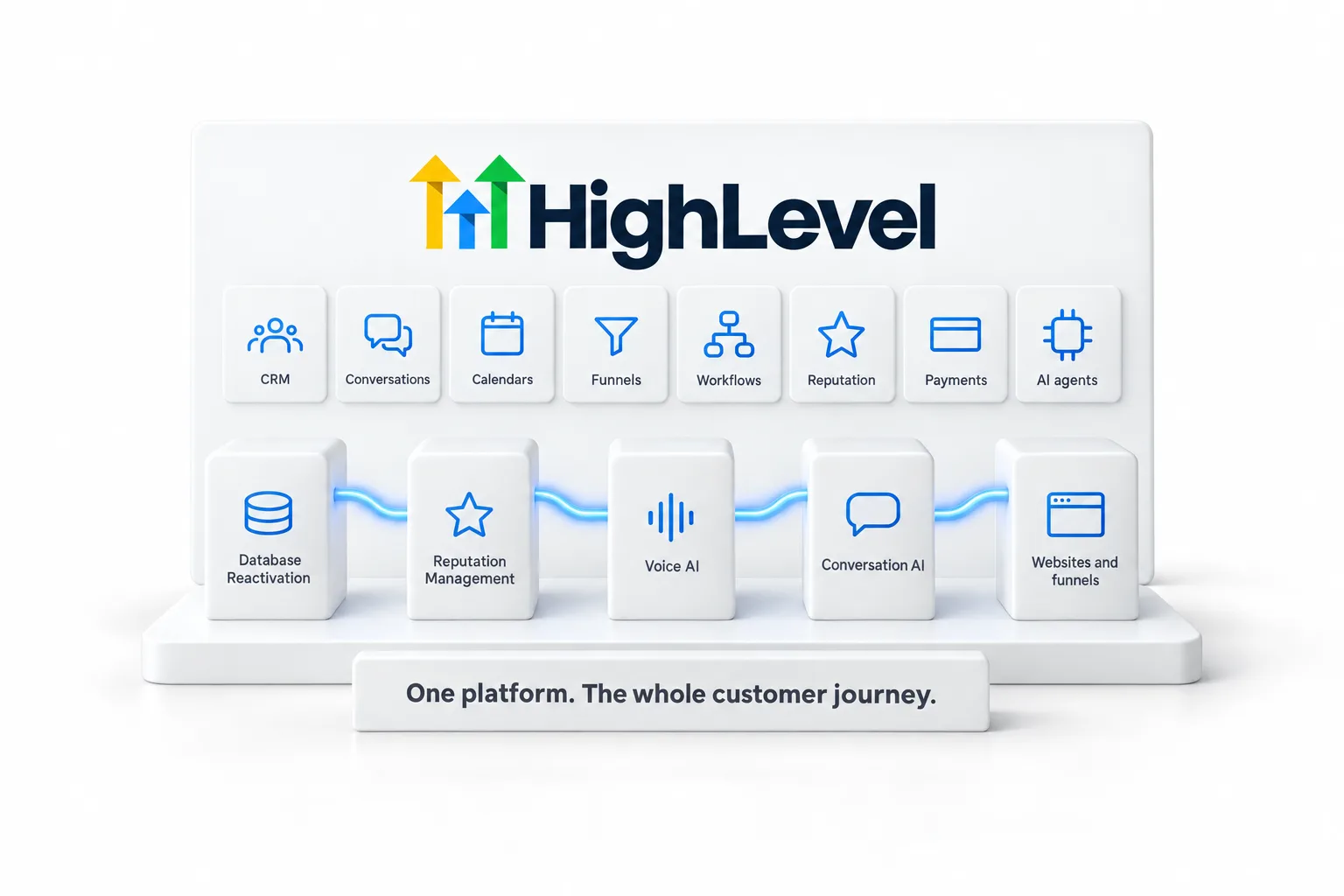
What it is
Most companies run their customer journey across six or seven subscriptions that do not talk to each other. HighLevel puts the journey in one place, so a lead captured on a website lands in the CRM, gets a reply from an AI agent, books on a calendar, receives follow up from a workflow and shows up in one report. That is the reason Michael chose it and the reason he teaches it.
01 · Run your business
Capture, convert, book, deliver and follow up without a developer. One account, your team, your numbers.
02 · Serve clients
Unlimited subaccounts on the higher plans, white label options and rebilling. Build a system once and deliver it to every client.
03 · Start an AI agency
Package the AI systems you build and sell them as recurring revenue. The Founder Plan and Michael's playbook cover the path.
The AI Agency Launch Playbook →The Five Pillar System
CRM Pros runs every client build through five pillars. Each one maps to a part of HighLevel and each one has an AI system that creates the most value first.
01
Reconnect with the contacts you already have and turn a cold list into booked conversations.
02
Turn customer feedback into a reliable review process that builds trust where people search.
03
Answer every call, qualify the caller, book the appointment and hand the rest to your team.
04
Keep every text, chat and social message moving with useful replies and connected follow up.
05
Give visitors a clear reason to act and a direct path into the business, built in AI Studio.

How Michael uses it
CRM Pros is a 15 person team that has 2,600 agentic systems deployed on HighLevel. Michael is a HighLevel Commander and Certified Admin, works with the HighLevel development team and provides feedback on new features daily. Nearly 4,000 affiliates learn from and build with CRM Pros.
Everything on these pages comes from that work: what is live, what is still in beta, what to build first and what to leave alone until it is ready.
The Founder Plan
The Founder Plan is HighLevel's top tier at $497 a month. It is the former Agency Pro plan with an exclusive feature set, rebilling with markup, the Founders Club community and access to the HighLevel Partner Network. It is the plan Michael recommends for anyone who plans to sell AI systems to clients.
Michael is a sponsored HighLevel affiliate. Plan links use his partner link at no extra cost to you. Every opinion on these pages is his own, including where a feature is not the right fit yet.
The Founder Plan is HighLevel’s top plan at $497 a month. It is the former Agency Pro plan with an exclusive feature set, rebilling with markup and the Founders Club. The full breakdown is here.
Founder Plan GuideWhat it includes and who it is for
Explore the section
Starter, Unlimited and the Founder Plan, with the AI add ons.
Pricing and plans →Conversation AI, Voice AI, Workflow AI, AI Studio and the AI Employee.
AI →The feature directory, organized by the work it does.
Features →Practical how to guides for Founders, step by step.
Guides →What changed, what it means and what to do about it.
Updates →The name behind the app, LC Phone and LC Email.
What is LeadConnector? →Contacts, pipelines and conversations in one account.
GoHighLevel CRM →Sign up steps, the trial and what the CRM Pros team adds.
Start with GoHighLevel →HighLevel side by side with the tools people weigh it against.
GoHighLevel comparisons →Short, direct answers to common HighLevel questions.
GoHighLevel answers →How an AI receptionist works and how to build one on HighLevel.
AI receptionist guide →Connect the tools you already use, with what each connection does.
Integrations →The full picture
HighLevel is easier to understand as a set of jobs than as a list of screens. Each job below is something most businesses pay a separate tool for. In HighLevel they share one contact record, so what happens in one place shows up everywhere else.
Every lead and customer lives in one record with their messages, calls, bookings, payments and notes. Pipelines show where each deal stands. This is the part people mean when they search for the HighLevel CRM.
Texts, emails, phone calls, web chat and social messages arrive in one inbox, tied to the contact. Your team replies from the same screen. The phone and messaging service inside HighLevel carries the LeadConnector name, which is why you will see that name on the mobile app and on phone numbers.
Booking pages, round robin calendars for a team, reminders and rescheduling. A booked appointment can start a workflow, so the confirmation and the follow up happen without anyone remembering to send them.
You can build a full website, a single landing page or a multi step funnel, then connect its forms straight to the contact record. Start from a design in the website templates library, or read how the website builder and AI Studio work together.
Workflows are the automation layer. A trigger starts one, such as a form submitted or a call missed, and the workflow runs the steps you chose: send a text, wait, check a condition, assign a task. The workflows guide walks through the first ones worth building.
Campaigns, templates and broadcasts go out from the same account that holds your contacts. Sending is billed on usage, which is covered in the guides to email pricing and text and call pricing.
Business numbers, call recording, a browser dialer, a phone menu through IVR, and missed call text back, which replies by text when nobody can pick up.
Send review requests after a job, watch new reviews come in and reply from one place. See reputation management for the setup.
Take payment on a form, a funnel or an invoice, and send proposals and contracts for signature. The documents and contracts page shows how that fits a sales process.
You can host courses and a member community in the same account, which matters if you teach or coach. The comparison with a course platform is on the HighLevel vs Kajabi page.
HighLevel's pricing page lists Conversation AI, Voice AI, Content AI, Funnel AI and Reviews AI among its core features. In plain terms: an agent that answers messages, an agent that answers the phone, and help with writing, pages and review replies. Start with the HighLevel AI overview, then the guides to Voice AI and Conversation AI.
A snapshot copies a working setup from one account into another. Snapshots explained covers what transfers. For agencies, the Unlimited plan adds a white label desktop app and the Founder plan adds SaaS mode, which lets you resell the platform under your own brand. The white label guide goes deeper.
There is an API for custom work and an app marketplace for add ons built by other developers. Browse the apps section for what is worth installing.
Pricing
HighLevel lists three plans with public prices and one enterprise tier. These figures were read from HighLevel's own pricing page on November 16, 2026.
| Plan | Monthly price | Built for | What it adds |
|---|---|---|---|
| Starter | $97 | One business or a few clients | Workflows, campaigns, two way text and email, the app marketplace and all core features |
| Unlimited | $297 | Agencies managing unlimited clients | Everything in Starter, plus a white label desktop app, basic API access and pass through billing for usage and add ons |
| Founder | $497 | Founders, agencies, consultants and service providers who want to scale | Everything in Unlimited, plus SaaS mode with unlimited reselling, ready made industry solutions, project management, meeting rooms and events |
| Enterprise | Not listed | Larger organizations | Dedicated account management and premium support, arranged with HighLevel's team |
Starter is also listed at $970 for a year. Every plan is priced by plan, not by contact or by seat.
The plan price is not the whole bill. HighLevel marks these as subject to usage charges: Conversation AI, Voice AI, Reviews AI, email and text marketing, and inbound and outbound calling. Phone numbers are billed too. The AI Employee is a separate add on, listed at $50 a month per subaccount for the Growth plan and $97 a month per subaccount for the Unlimited plan.
For the full breakdown see GoHighLevel pricing, the Starter plan page, the Founder Plan guide and usage fees.
Prices and plan contents can change. HighLevel's pricing page is the source of truth.
The trial
Yes. HighLevel's pricing page offers a 14 day free trial on any plan, and billing starts automatically when the trial ends unless you cancel. Usage charges for phone, text and similar services can apply during a trial.
Through Michael's link the trial is 30 days, on a signup page that HighLevel hosts for him as a partner. The plans and prices are the same. The difference is time: two extra weeks to connect a number, build one workflow and test it with real customers before the first bill.
Read how the standard GoHighLevel free trial and the GoHighLevel 30 day trial work, what the signup bonus includes and why sign up through Michael.
Wondering about a seasonal offer? The GoHighLevel Black Friday page tracks what HighLevel has published and the date it was checked.
Fit
The longer version is on who should not use HighLevel.
An honest view
| Strengths | Limits |
|---|---|
| One contact record across messages, calls, bookings and payments | There is a lot to learn, and the first week can feel like too much |
| Priced by plan, with unlimited contacts and users | Texts, calls, email and AI are billed on usage on top of the plan |
| Automation and AI agents work on the same data | It does nothing until you build it, or have it built |
| Agencies can copy a setup with snapshots and resell under their own brand | Some single purpose tools go deeper in their one area |
| New features ship often | Menus and names change, so guides go out of date |
Michael is a sponsored HighLevel affiliate and uses it every day, so read this as the view of someone who likes the product and has also hit its rough edges. The full GoHighLevel review and the pros and cons page go further, and mistakes to avoid lists what trips up new users.
Comparisons
Better depends on the job. Each tool below is built around one main idea. HighLevel is built around running the whole customer journey in one account. If the single idea is all you need, the other tool may suit you more.
| Compared with | What that tool is built around | Read the comparison |
|---|---|---|
| HubSpot | Marketing, sales and service sold as separate hubs | GoHighLevel vs HubSpot |
| ClickFunnels | Sales funnels | HighLevel vs ClickFunnels |
| Kajabi | Courses and creators | HighLevel vs Kajabi |
| Keap | Sales and marketing automation for small business | HighLevel vs Keap |
| Pipedrive | The sales pipeline | HighLevel vs Pipedrive |
| Mailchimp | Email marketing | HighLevel vs Mailchimp |
| Salesforce | Enterprise sales teams with heavy customization | HighLevel vs Salesforce |
All comparisons live in the compare section, including GoHighLevel alternatives. Moving from another tool? Start with switch to GoHighLevel.
Getting started
Most people who give up on HighLevel tried to build everything in the first weekend. This order works better.
The step by step version is in start here, your first 30 days and the GoHighLevel tutorial for Founders. If you would like it built with you, see setup help. Trouble getting in? The GoHighLevel login guide covers the common causes.
In practice
Features make more sense when you follow one person through them. Picture a homeowner who needs a repair and finds a local company on a Tuesday evening.
Six steps, and at no point did someone copy a name from one tool into another. That is the whole idea of the platform. Each step is also something you can build on its own and add to later. Michael calls the five core systems behind this the Five Pillar System: Database Reactivation, Reputation Management, Voice AI, Conversational AI and Website Optimization. AI for small business explains them in order.
Vocabulary
Every term has its own entry in the HighLevel glossary, and what is an AI Employee covers the last one in full.
Names
GoHighLevel includes a CRM: contacts, pipelines and a record of every conversation. It is also the phone system, the booking tool, the website builder, the automation layer and the AI agents, which is why calling it only a CRM undersells what you are paying for. If the CRM part is what you came for, the HighLevel CRM page covers it on its own.
GHL is short for GoHighLevel. The company's name is HighLevel, its website is gohighlevel.com, and users shortened that to GHL. Go High Level, GoHighLevel, HighLevel and GHL all mean the same platform. There is more on the name in GHL: what it stands for and what the platform does.
Wondering whether the company is real and safe to use? See is GoHighLevel legit. New to the idea altogether? What is GoHighLevel is the plain English starting point.
Questions
HighLevel is an all in one platform for running the customer side of a business: CRM and pipelines, conversations across SMS, email, phone and social, booking calendars, funnels and websites, workflow automation, reputation management, payments, courses and communities, with AI agents built in. Agencies use it to serve clients and Founders use it to run their own company.
Both. Agencies resell it and manage many client subaccounts. A Founder can run a single business on it, and a Founder who wants to start an AI agency can use the same account to deliver systems for clients. The Founder Plan is built for that second path.
CRM Pros has 2,600 agentic systems deployed on the platform. Michael builds his own AI agents in it, teaches it on stage and online, and works with the HighLevel development team with early access to new features. His full assessment is in the HighLevel review.
Conversation AI answers and books across text channels, Voice AI handles inbound and outbound calls, Workflow AI makes decisions inside automations, AI Studio builds websites and applications, and Content AI and Reviews AI handle writing and review replies. See the AI page for the full map.
Yes. HighLevel's standard free trial is 14 days, and Michael's link gives you 30 days. Usage based fees for phone, SMS, email and AI can apply during the trial. See the 30 day trial page for what you get, and the plans compared before you pick a plan.
Yes. HighLevel is the product name, and GoHighLevel is the name of its website, which is why so many people search for it that way. You will also see it written as Go High Level or shortened to GHL. Every one of those names means the same platform. For a longer introduction, read this plain language guide to the platform.
Next step
Start a trial, read the Founder Plan guide or bring your bottleneck to a conversation with Michael and the CRM Pros team.
Have a question about HighLevel, the Founder Plan or building an AI agency? Send a message. A person reads every one.
Talk to CRM ProsOpens the contact form