
Requests
Review requests by text and email
Sent from a workflow, from Quick Actions or from the Requests tab. Each request shows a status.
Home/HighLevel/Features/Reputation management
HighLevel features · Reputation
This kind of software handles the review side of a business: asking for reviews, collecting them, replying and reporting. GoHighLevel builds those tools into the same account as your contacts, calendar and automation. Here is what is included, how each part works, what it costs and when a dedicated reputation tool is the better choice.
The short answer
Reputation management software asks customers for reviews, gathers the reviews in one place, helps you reply and reports the results. GoHighLevel includes it on every plan: review requests by text and email, a review widget for your website, replies from one screen, Reviews AI, a Google Business Profile connection and a reputation dashboard.
Michael is a sponsored HighLevel affiliate. Links to HighLevel use his partner link at no extra cost to you. HighLevel prices and product facts on this page come from HighLevel's own pricing page and help center, checked on the date above.
The basics
It does five jobs: ask, collect, reply, show and measure. It asks customers for a review at the right moment. It pulls the reviews from sites such as Google and Facebook into one list. It helps you answer each one. It puts the reviews on your website. It shows whether ratings and review counts are moving. A business can do all five by hand, but asking is the job that gets forgotten. The software makes the ask happen after every job.
| Job | What it means | Where it lives in HighLevel |
|---|---|---|
| Ask | Send each customer a request with a link to the review page | Send Review Request, by workflow or by hand |
| Collect | See reviews from connected sites in one list | Reputation, Reviews |
| Reply | Answer every review, good or bad | Reputation, with Reviews AI drafts |
| Show | Put real reviews in front of website visitors | Review widget |
| Measure | Track requests, ratings and sentiment over time | Reputation, Overview |
HighLevel, which you may know as GoHighLevel or Go High Level, is one of many tools that do this. The difference is that its review tools sit inside the same account as your contacts, calendar, invoices and automation. Reputation is one entry on the full list of GoHighLevel features.
What is included
GoHighLevel includes six review tools in the subaccount: review requests, a review widget, replies from one screen, Reviews AI, a Google Business Profile connection and a reputation dashboard.
Requests
Sent from a workflow, from Quick Actions or from the Requests tab. Each request shows a status.
Widget
A review widget that pulls Google and Facebook reviews and updates on its own.
Replies
Read and reply to reviews from connected pages inside Reputation.
Reviews AI
Drafts replies for you to approve, or posts them by the rules you set.
One connection supplies the review link and brings Google reviews in.
Reporting
Reviews received, average rating, sentiment and request trends.
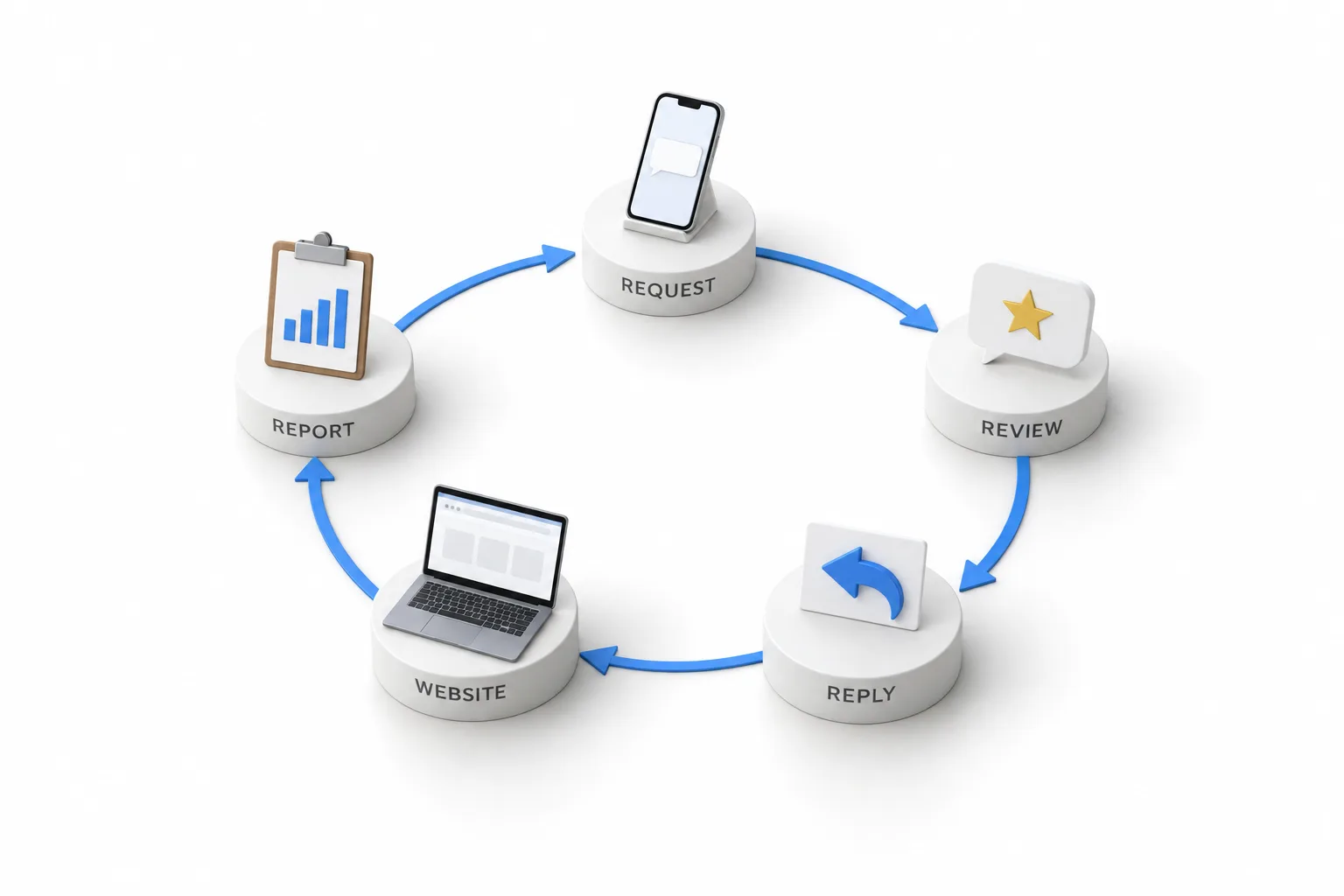
HighLevel's help center also documents QR codes that open a review page and video testimonials. The six tools above are the core.
Asking
A review request is a short message with a link to your review page. There are three ways to send one. A workflow sends it when a job is done, such as an appointment marked showed or an invoice paid. A team member sends it from Quick Actions. Or you send it from Reputation, Requests. The channels are SMS and email.
You set the link once. Review Balancing spreads requests across your connected platforms, or a Custom Link sends everyone to one page. You can also set retries, and they stop for a contact once the review link is clicked. Every request shows one of four statuses.
| Status | Meaning |
|---|---|
| Queued | Waiting to send, or set to send later |
| Sent | HighLevel sent the request |
| Delivered | The carrier confirmed SMS delivery. Email providers may not report this |
| Failed | Not delivered, often an invalid number |
Source: HighLevel help center, How to Send Review Requests and Review Request Balancing Across Platforms, checked November 2026.
Text only the customers who agreed to receive texts, and use email for the rest. For the short version, read the answer to can HighLevel handle reviews.
Setup
Setup takes seven steps, and the Google connection comes first.
For the trigger choices and a test plan, follow the guide on how to build a review request workflow.
Replying
Once a review source is connected, reviews appear in Reputation and you reply there. Google and Facebook are the two sources most businesses connect, and they are the two Reviews AI covers.
Reviews AI writes the replies. It has three modes: Off, Suggestive and Auto Responses. In Suggestive mode it drafts up to four replies per review, and a person picks one, edits it and posts it. In Auto Responses mode it posts on its own by rules you set for star rating, wait time and source. Agencies can set the mode for many subaccounts at once.
The guide to GoHighLevel Reviews AI covers the rollout in detail.
Reporting
The Overview tab in Reputation reports reviews received, average rating, sentiment and request trends for the date range you pick.
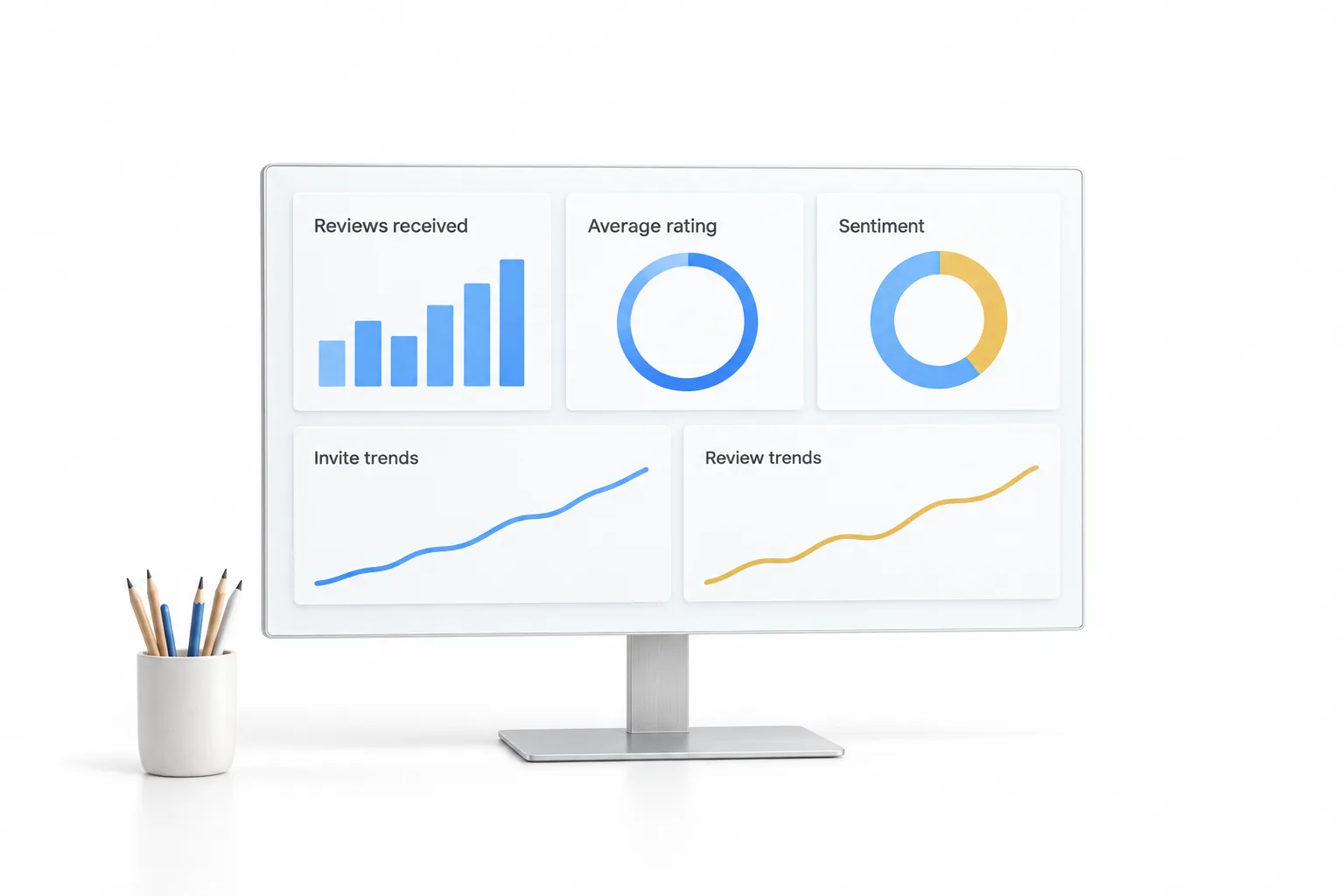
An owner can read this once a week. An agency can put the same numbers in a client report.
Source: HighLevel help center, Reputation: Breaking Down the Reputation Overview Dashboard, checked November 2026.
Cost
The review tools cost nothing extra. They come with the platform, which is $97 a month for Starter, $297 a month for Unlimited and $497 a month for the Founder Plan. Two things are billed on top: the texts and emails you send, and Reviews AI if you want the replies written for you.
| Item | What you pay |
|---|---|
| Review requests, replies, widget and dashboard | Part of every plan, from $97 a month |
| Texts and emails for requests | Billed as usage on every plan |
| Reviews AI on AI Employee Growth | $50 a month per subaccount, unlimited under fair use |
| Reviews AI on AI Employee Unlimited | $97 a month per subaccount, unlimited under fair use |
| Online listings management | Add on, $30 a month per subaccount |
| Free trial | 30 days through Michael's link (the standard public trial is 14 days) |
Source: HighLevel pricing page, checked November 2026. AI Employee plans are billed per subaccount.
The GoHighLevel pricing page lays out the plans, usage rates and add ons.
An honest comparison
A dedicated reputation tool fits better when reviews and listings across many locations are the whole job. HighLevel, which some people shorten to GHL, is a broad platform, and reputation is one part of it.
| A dedicated tool may fit when | HighLevel fits when |
|---|---|
| You run a brand with many locations and reputation across all of them is the main job | You want the review request tied to the finished job, invoice or appointment |
| Listings accuracy across a long list of directories is a core need | You want a CRM, booking, texting and funnels in the same account |
| You only want review tools and already have a CRM you will not replace | You want a published price with unlimited users and contacts |
| You want surveys and customer experience reporting from the same vendor | You are an agency that manages reviews for many local businesses |
Know the limits before you choose. HighLevel does a lot, so there is more to learn at first. Texting customers in the US needs A2P 10DLC registration, and listings management is an add on. For a side by side with one dedicated product, read GoHighLevel vs Birdeye.
The bigger system
Reputation Management is the second pillar of the Five Pillar System: Database Reactivation, Reputation Management, Voice AI, Conversational AI and Website Optimization. The pillar comes down to two habits. A review request goes out after every job, and every review gets a reply. The Five Pillar System guide covers all five.
You can connect a profile, send yourself a request and read the Reviews AI drafts during a 30 day trial through Michael's link. Usage fees for texts, email and AI can apply during the trial.
Using Birdeye today? Read Birdeye alternatives compared.

Send the request while the customer is still smiling. Same day beats next week.
Questions
Reputation management software is a tool that asks customers for reviews, collects the reviews from sites such as Google and Facebook in one place, helps the business reply and reports on ratings over time. Some products do only this. Others, such as GoHighLevel, include it inside a wider CRM and marketing platform.
Yes. GoHighLevel has a Reputation area in the subaccount. It sends review requests by text and email, tracks each request, shows reviews from connected sources, lets you reply, drafts replies with Reviews AI, shows reviews on your website with a review widget and reports on ratings and sentiment.
The review tools are part of the platform on every plan, starting with Starter at $97 a month. Texts and emails are billed as usage. Reviews AI is unlimited under fair use on the AI Employee Growth plan at $50 a month or the AI Employee Unlimited plan at $97 a month, each per subaccount. Online listings management is an add on at $30 a month per subaccount.
Yes. Connect Google Business Profile, turn on review requests, then add the Send Review Request action to a workflow that fires when a job is done, such as an appointment marked showed or an invoice paid. The request goes by SMS or email, and its status shows in Reputation, Requests.
Yes. The review widget pulls reviews from Google and Facebook and updates on its own. You can filter it by rating and style it to match your brand. Then copy the embed code and add it to your website.
Next step
Start a trial, build the first system and test it before the first invoice. Usage fees for phone, SMS, email and AI can apply during the trial.
HighLevel has three plans at a flat monthly price, each with unlimited users and contacts. See what each one includes and what it costs.
Compare the PlansStarter, Unlimited and Founder