
Home/HighLevel/Start here/Demo
Start here · See it first
Want a GoHighLevel demo? Use the real thing for 30 days, with help.
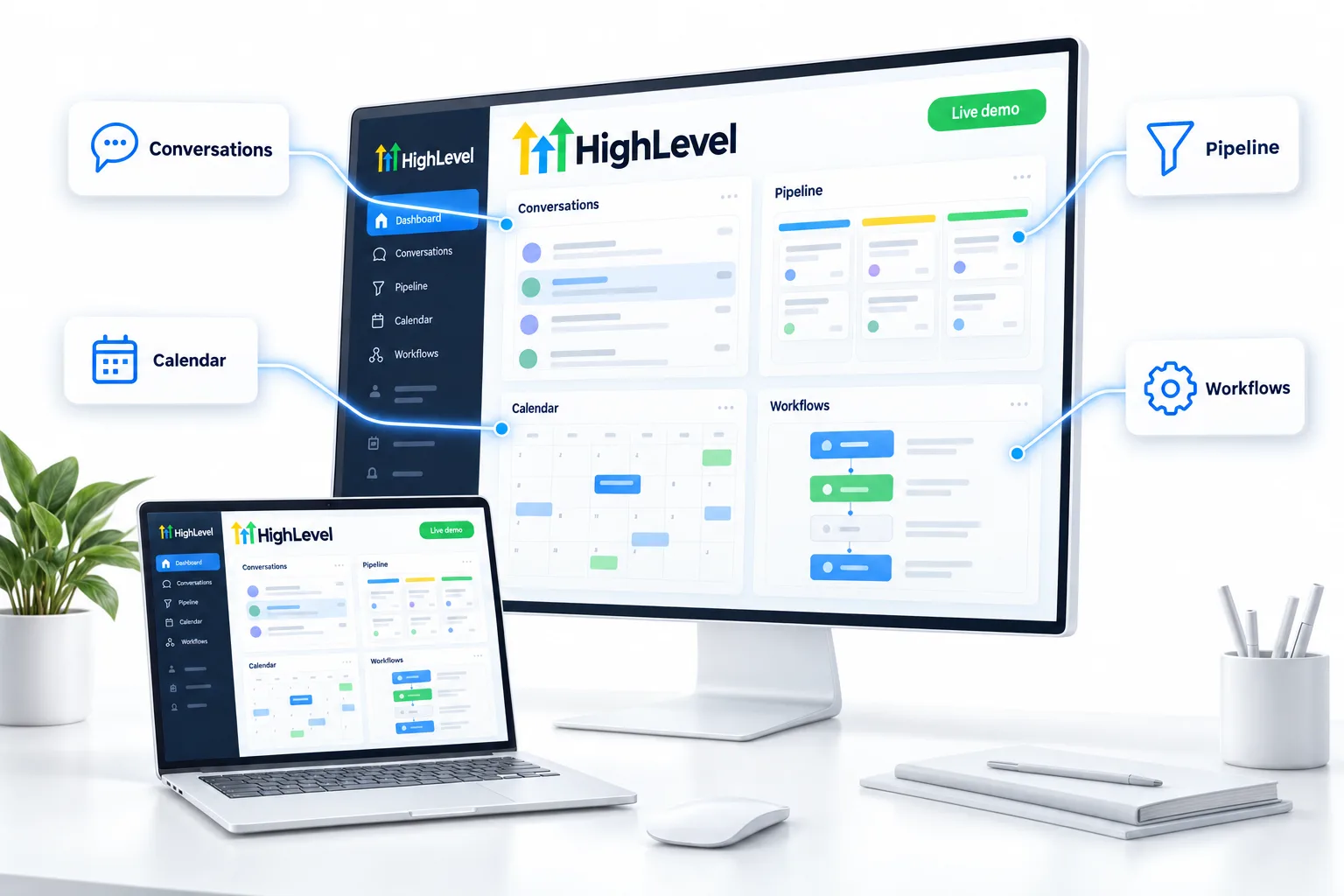
The best GoHighLevel demo is the product itself. Through Michael's link you get a 30 day trial and use the real platform, with your own leads, for a full month. You are not alone in it. The team walks you through the account on an onboarding call, and three live calls run every week.
The short answer
The best GoHighLevel demo is the 30 day trial through Michael's link: the real platform in your own account, not a recording. It comes with one onboarding call, where the team walks you through the account, and three live calls every week, so you can ask questions while you build.
Michael is a sponsored HighLevel affiliate. Links to HighLevel use his partner link at no extra cost to you. HighLevel prices and product facts on this page come from HighLevel's own pricing page and help center, checked on the date above.
Six ways
How can you see a HighLevel demo?
Start with the first three. They put you inside the real product with people to ask. The other three fill in the gaps.
Try it
The 30 day trial
The real platform in your own account for 30 days through Michael's link.
The 30 day trialGet walked through
Your onboarding call
The team walks you through the account and shows you around.
What the call coversAsk live
Three calls every week
A tech call, a sales call and Michael's own call, every week.
The live callsWatch
Video walkthroughs
Videos that show the main tools in use.
Video libraryRead
Step by step guides
Written guides for each build, one step at a time.
The guidesSee the offer
What comes with it
Everything included when you start through Michael's link.
The full offerA month, laid out
What does a month of help look like?
A recorded demo shows you someone else's account. The trial gives you your own, and the help is built around it. Here is what the 30 days include if you show up for all of it.
| Call | When | In a month |
|---|---|---|
| Onboarding call | Once, when you start. The team walks you through the account and can show you around. | 1 |
| Build & Ship: The AI Systems Lab | Tuesday. The tech call. | About 4 |
| Pipeline & Close: The Revenue Engine | Wednesday. The sales call, run by Brian Koch. | About 4 |
| The Commander's Briefing | Thursday. Michael's own call. | About 4 |
That is about twelve live calls in a month, plus the onboarding call. They are working sessions. You bring a question from your own account and leave with the next step. The times are on the live training calls page.
Between calls you have the resources: the step by step guides, the video walkthroughs, the snapshots and workflow templates, and the community, where other members are building the same things.
What to look at
Five things to test first.
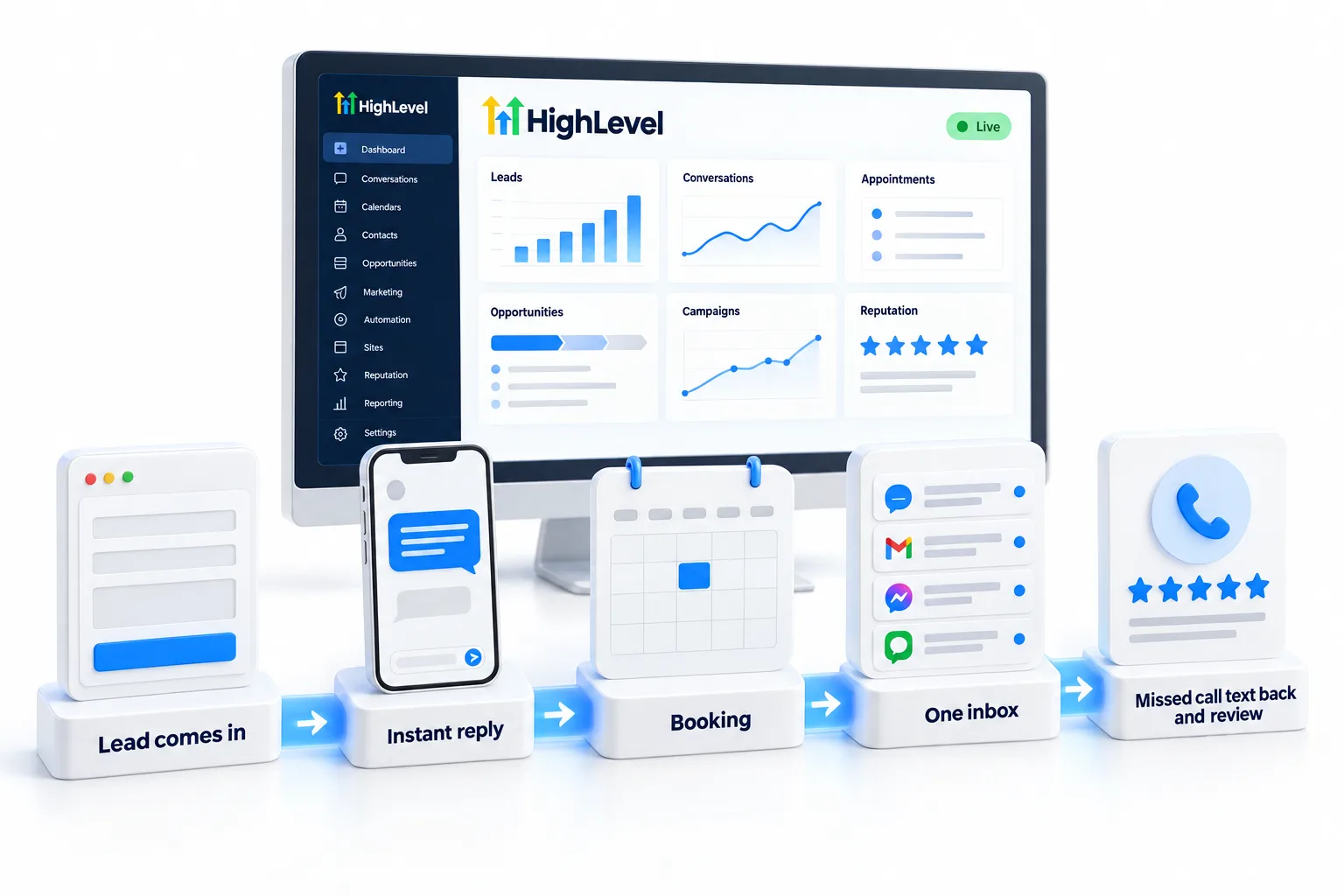
Any good demo of HighLevel shows these five things. In the trial you see them happen with your own leads.
- A lead coming in from a form and landing in your contacts
- An instant text and email reply from a workflow
- The lead booking on a calendar with reminders
- Every conversation in one inbox: SMS, email, calls and social
- Missed call text back and a review request after the job
Do it yourself
How to run your own demo in the trial.
A demo you run yourself beats one you watch. Once the trial account is open, this short script shows the five things from the list above in your own business.
- Build a form with a name, email and phone field.
- Build a workflow that sends an instant reply when the form is submitted.
- Add a booking calendar and put its link in the reply.
- Submit the form as a test lead and book a time.
- Open Conversations and watch the whole exchange land in one inbox.
Texting US mobile numbers from a local number needs A2P registration first, and approval can take days. Start it early and use the email step for your first test.
The 30 day trial through Michael's link gives you the account to run it in, and what comes with signing up here includes help from the CRM Pros team.

Watch one walkthrough, then start the trial. Ten videos will not tell you as much as one lead running through a system you built.
Through my link
Start HighLevel through my link and the CRM Pros team comes with it.
Same HighLevel price. The difference is who is in your corner for the first ninety days.
- Setup help in your first 7 days
- Your onboarding call with Michael’s team
- Three live calls every week: tech, sales and Michael’s own call
- The private affiliate community
- Snapshots, templates and email swipes
- Four apps: Prompt, Demo, A2P and Sales On Demand
Planning to sell AI systems under your own brand? Read the Founder Plan guide before you pick a plan.

For agencies
Demoing HighLevel to your clients.
If you are an agency, your clients want a demo too. Demo On Demand, one of the four apps included with signing up through my link, helps you build AI demos for prospects, so they see their own business running on the system before they buy.
Two videos show what a client demo can look like: how to turn a Voice AI test call into a branded demo and a HighLevel MCP server voice agent demo.
The honest part
What a trial will not show you.
Thirty days in the real product tells you a lot, but not everything. Three things are worth knowing before you start.
- It will not tell you what your usage will cost. Check the usage fees first.
- It will not show the work of moving from another tool. Read migration help if you are switching.
- Some things take waiting, such as texting registration. Start those early.
Knowing those three things up front is what makes the trial a fair test. Still deciding whether you need a platform like this? Read what GoHighLevel is. Want to talk it through before you start? You can book a strategy call with the team. Already signed up? See how to claim your GoHighLevel signup bonus.
Questions
Common questions.
Does GoHighLevel offer a demo?
The most complete demo is the trial. Through Michael's link it runs 30 days in your own account, with an onboarding call and three live calls every week.
Is there a GoHighLevel demo account?
The trial gives you your own account with every feature of your plan. It runs 30 days through Michael's link. HighLevel's standard public trial is 14 days.
Can someone show me HighLevel for my business?
Yes. On your onboarding call the CRM Pros team walks you through your account and can show you around. You can also ask on any of the three weekly live calls.
How many live calls can I attend in a month?
Three run every week, so about four of each in a month: the Tuesday tech call, the Wednesday sales call and Michael's Thursday call.
Is a GoHighLevel demo free?
The trial has no subscription charge for 30 days through Michael's link. Usage such as texts and calls is billed as you use it. The guides and videos on this site are free.
Do I need a payment method to start the trial?
Yes. HighLevel asks for a payment method at signup so the plan can start when the trial ends and usage can be billed.
What should I test first in a trial?
One full path: a form, an instant reply, a booking and a reminder. That shows more than clicking through every menu.
How do I demo HighLevel to my clients?
Build a sample system in a subaccount, or use Demo On Demand to create AI demos for prospects.
Next step
See it in your own account. Thirty days, with help.
Start the trial through Michael's link, book your onboarding call and build the first system before the first invoice. Usage fees for phone, SMS, email and AI can apply during the trial.
Not sure which plan fits? HighLevel has three plans. Each one is a flat monthly price with unlimited users and unlimited contacts. The pricing page shows what each plan includes and who it suits.