
Home/Videos/HighLevel MCP voice demo

Video walkthrough · HighLevel MCP

Calling Your CRM: A HighLevel MCP Server Voice Agent Demo

A short live call to a voice assistant that looks up a contact through HighLevel's own MCP server.
The video plays here, loaded from YouTube when you press play.Watch on YouTube

In this short video Michael Reimer demos the GoHighLevel MCP server, which HighLevel released the day before he recorded. He calls a voice assistant connected to it, asks it to find a contact by phone number and has it name the pipeline and stage. It is for builders who want AI tools working inside a HighLevel account.

The video is three minutes long and most of it is one phone call. Michael had been asked whether he could repeat an earlier demo, where he called a voice agent and had it do work in the CRM through a third party automation tool. He rebuilt it on the new server and says it was fairly easy. Then he dials the assistant so you can hear it for yourself.

What is the HighLevel MCP server?

It is an MCP server that HighLevel provides directly. Michael's description is brief. You can use it for a number of tasks, such as adding contacts, changing contacts and looking up contacts. There is a whole list of operations, and HighLevel has a help doc that goes over each one.

The practical meaning is that an AI tool can run those operations in your GoHighLevel account without a separate layer in between. For a written guide to connecting an assistant this way, see Claude with the HighLevel MCP.
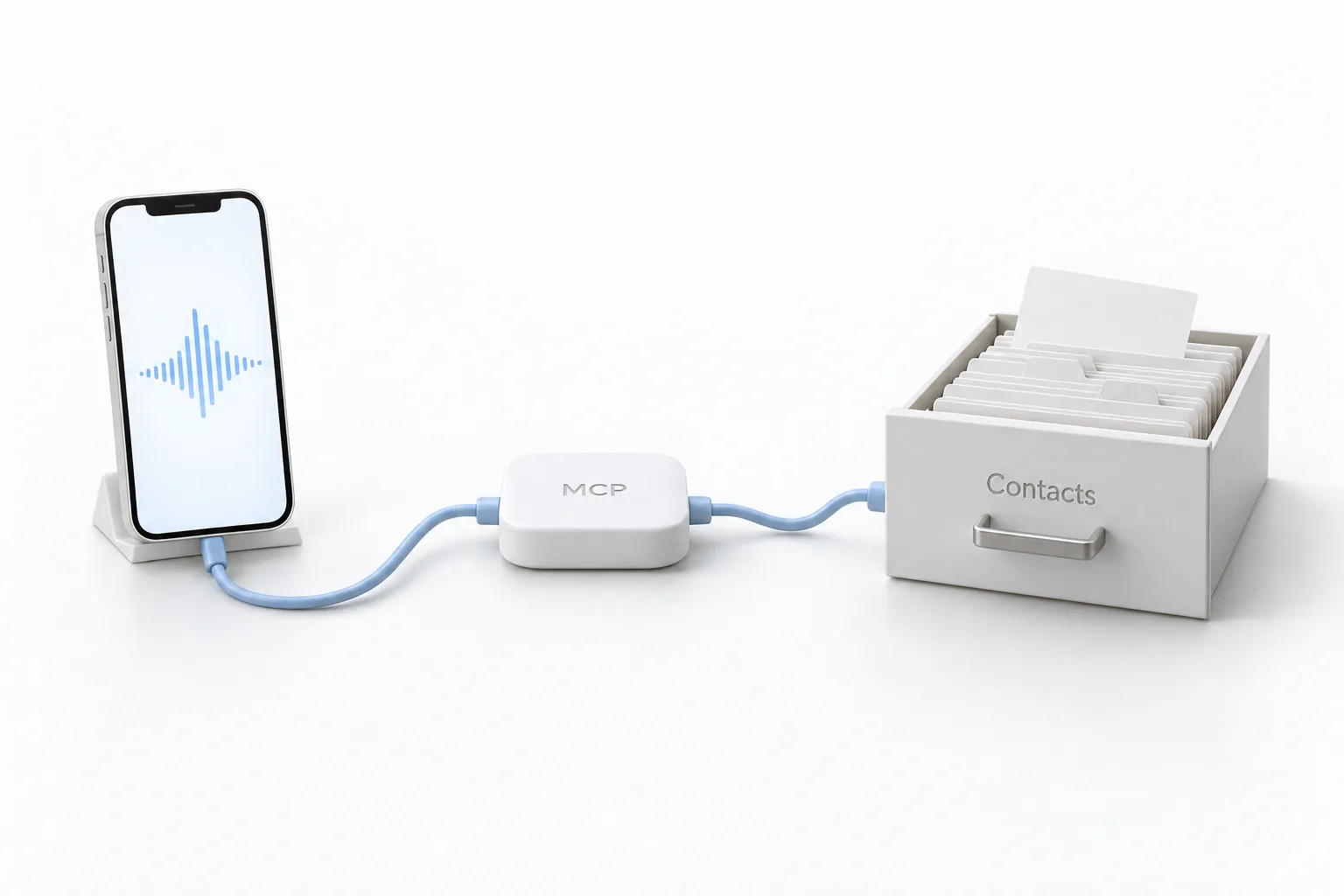
White phone with a sound wave on its screen wired to a small hub labeled MCP, which is wired to a card drawer labeled Contacts

What happens when Michael calls his CRM?

The assistant answers as the CRM Pros assistant and asks how it can help. Michael gives it a phone number and asks for two things: the friendly name of the pipeline and the friendly name of the stage that the contact is in.

After a moment it comes back with the answer. The number belongs to a test contact named Michael Sims. He is in a pipeline called MCP Test, in a stage titled Warm.

Michael then asks for everything it has on that contact. The assistant reads back the full name, the email, the phone number, a tag, the country and a custom field. It also says what is missing: no company name, address or birthday is listed, and the contact is not assigned to anyone. It finishes by offering to update the contact or reach out to him. The assistant in the demo is set up with a sarcastic personality, which is why it jokes its way through the answers.

White pipeline board with three columns and a magnifying glass over one raised blue card in the column labeled Warm

How would you try a voice lookup like this yourself?

The video does not show the build, only the result. These are the pieces the demo relies on.

  1. Read the help doc. Open the HighLevel help doc for the MCP server to see which operations are available.
  2. Connect the assistant. Connect your voice assistant to the HighLevel MCP server.
  3. Look up a contact. Call the assistant and ask it to look up a contact by phone number.
  4. Ask for friendly names. Ask for the friendly names of the pipeline and the stage the contact is in.
  5. Ask for the record. Ask for the full contact record, including email, tags and custom fields, then decide whether to update the contact.

What changes when a voice agent can read your CRM?

Michael frames the demo modestly. He made a few calls to see what the server could do, and this one shows how to dial in to your CRM and get information. A lookup that would mean opening the app, searching for the contact and clicking into the pipeline becomes a question asked out loud.

He expects the server to be expanded so that many more tasks become possible, and says HighLevel will keep improving it. The video is from July 2025, so check the current list of operations before you build on it. Two later videos go further: Voice AI with the HighLevel MCP server and the MCP workflow for a HighLevel voice agent. If you want to build the agent itself, start with how to build a Voice AI agent.

To connect an assistant to your own account, start a GoHighLevel 30 day trial through Michael's link. If you are comparing platforms for AI work, see the best HighLevel alternatives first.

This article was written from the video transcript. Michael Reimer is a HighLevel Commander and a sponsored affiliate, which means he earns when people sign up through his link.

From the comments

Questions viewers asked.

How do you get access to the HighLevel MCP server?

You need access to the HighLevel subaccount you want to connect and a supported AI client. According to HighLevel's setup article, you add the server address for your client, sign in to LeadConnector, choose the subaccounts and approve the permissions. The connection uses an OAuth sign in, so there is no token to create or rotate by hand.

Is the HighLevel MCP server available to every HighLevel user?

HighLevel's setup article does not name a plan requirement. It says you need access to the subaccount or subaccounts you want to connect and a supported AI client. The assistant can then use only the operations your sign in and permissions allow. If you do not have an account yet, a 30 day trial through Michael's link gives you one to connect.

Is there a step by step tutorial for setting up the HighLevel MCP server?

Yes, though not in this video, which shows only the finished call. HighLevel's help center has an article called How to Setup and Use the HighLevel MCP Server. On this site, the guide to Claude with the HighLevel MCP walks through the connection in five steps, and two later videos cover Voice AI with the MCP server and the workflow behind a voice agent.

Do you need an API key or a private integration token for the HighLevel MCP server?

No, not for the current connection. HighLevel's setup article says supported AI clients connect through an OAuth sign in, and you do not need to create or rotate a token by hand. You sign in to LeadConnector, pick the subaccounts and approve the scopes. The assistant then works only inside what you approved.

Is the LeadConnector MCP server the same as the HighLevel MCP server?

Yes. The HighLevel MCP server is also called the LeadConnector MCP server. The sign in screen you see while connecting is LeadConnector, and the server addresses sit on a LeadConnector domain. Both names point to the same server that HighLevel runs for AI assistants.

Which AI assistants can connect to the HighLevel MCP server?

Claude, ChatGPT, Codex and Cursor are among the assistants HighLevel lists, and the setup article gives the server address to use for each one. Claude connects as a custom connector with an OAuth sign in. After connecting, ask the assistant to list your subaccounts or find one contact to confirm that it works.

Can an assistant on the HighLevel MCP server change records, or only read them?

It can do both where the operation is supported and your sign in allows it. HighLevel's catalog covers read, create, update and delete operations. In the video the assistant only reads a contact, then offers to update it. Start with read only requests and ask for a preview before any bulk change.

Can one HighLevel MCP connection cover several subaccounts?

Yes, where HighLevel's multi subaccount installation is enabled, which is still rolling out. You select the subaccounts during the sign in. Each request still runs against one subaccount, so tell the assistant which one to work in. Requests for a subaccount you did not select are refused.

Questions

HighLevel MCP questions.

What is the HighLevel MCP server?

It is an MCP server that HighLevel provides directly, so an AI tool can run operations in your account without a separate layer in between. Michael says you can use it for tasks such as adding contacts, changing contacts and looking up contacts, and HighLevel has a help doc that goes over each operation.

What did the voice demo do?

Michael called a voice assistant connected to the MCP server and gave it a phone number. It found a test contact, named the pipeline and the stage the contact was in, then read back the contact's details and said which fields were empty. It finished by offering to update the contact or reach out.

Will the MCP server get more operations?

Michael expects so. He says the server will be expanded so that many more tasks become possible, and that HighLevel will keep improving it. The video is from July 2025, so check the HighLevel help doc for the current list of operations before you build anything on top of it.

Can a voice agent tell you which pipeline stage a contact is in?

Yes, in this demo. Michael gave the assistant a phone number and asked for the friendly name of the pipeline and the friendly name of the stage. After a moment it answered with both: the test contact was in a pipeline called MCP Test, in a stage titled Warm.

What contact details did the assistant read back?

The full name, the email, the phone number, a tag, the country and a custom field. The assistant also said what was missing: no company name, address or birthday was listed, and the contact was not assigned to anyone. It then offered to update the contact or reach out to him.

Next step

See it in your own account. Thirty days, every feature.

Start a 30 day trial through Michael's link, build the first system and test it before the first invoice. Usage fees for phone, SMS, email and AI can apply during the trial.

HighLevel has three plans at a flat monthly price, each with unlimited users and contacts. See what each one includes and what it costs.

Compare the PlansStarter, Unlimited and Founder
⌃

Site preview

Explore the next page

This destination is reserved in the page inventory and is not built yet.