

In this video Michael Reimer explains what a model context protocol (MCP) server is and shows one running a GoHighLevel subaccount through HighLevel Voice AI. On live phone calls, the voice agent removes a tag, sends an email, looks up a contact and starts an outbound call. It is for agencies curious about voice control of a CRM.
He starts with a plain description. An MCP server is like a smart helper that keeps the parts of a computer system talking to each other the right way, by sharing information in a format they all understand. His comparison is a coach during a football game. The coach does not play. He tells each player what is happening and what to do next, so the team works together.
What can the voice agent do on a live call?
The test account has a dummy contact named John Doe with a tag called AI Off. Michael dials the agent, which answers as his GoHighLevel assistant and asks how it can help. He says to remove the tag AI Off from contact John Doe. The agent confirms it is done, and after a refresh the tag is gone from the record.
The second call is the one he pictures using on the road. He asks the agent to send an email to John Doe, gives a subject and dictates the message about a meeting at 9:00 the next morning. The agent confirms, and the email is in the inbox, sent through his Gmail.
On the third call he says search contact John Doe. The agent reads back the name, phone, email, address and company name, and mentions that the contact has a couple of open opportunities. You can have it return as much or as little data as you like. That is set in the webhook.
How do the webhook, the AI agent and the MCP client connect?
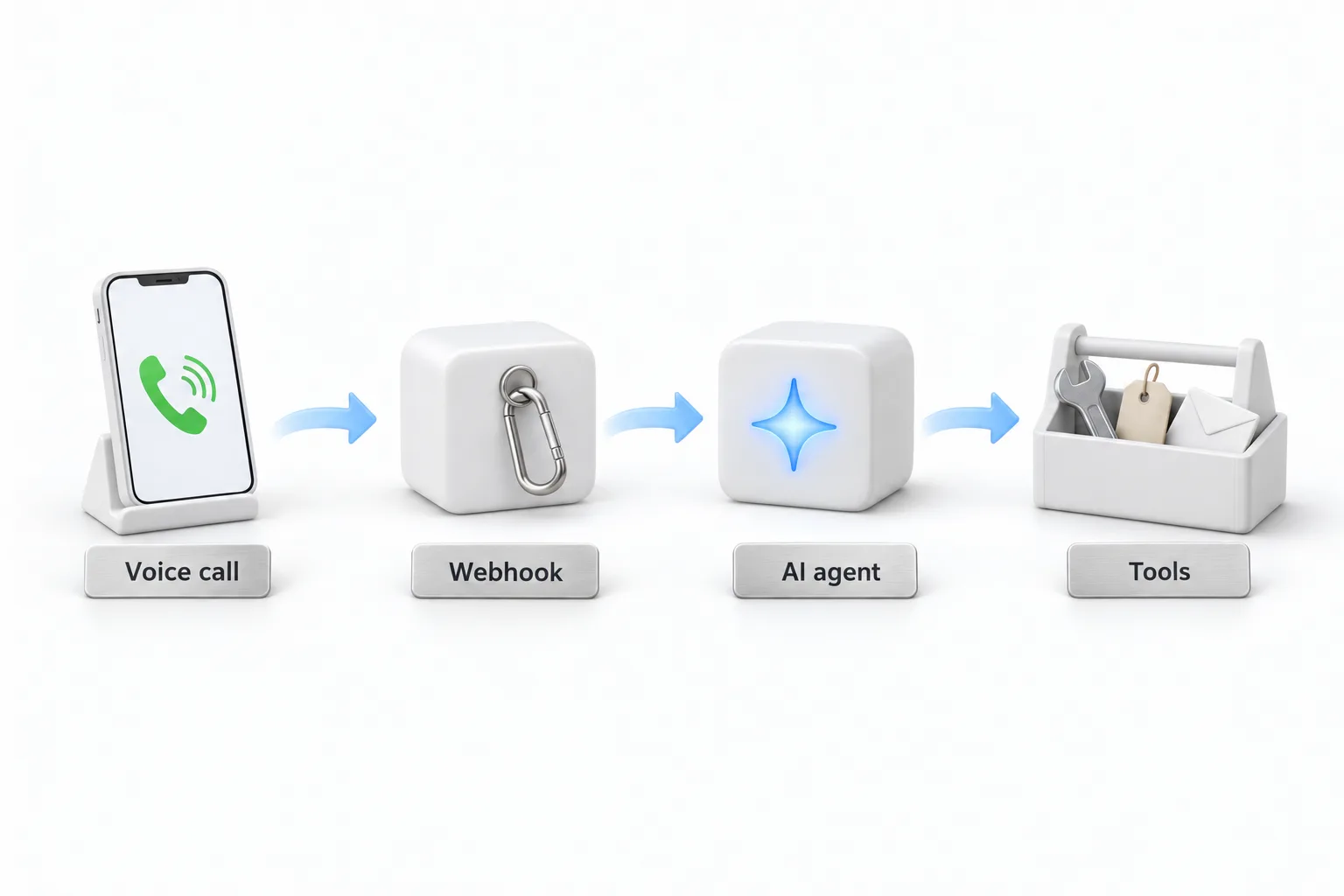
Michael uses n8n as the medium between the voice agent and the MCP server. A standard webhook comes in from HighLevel. Whenever the voice agent passes along a request, it arrives at that webhook and goes into an AI agent with an extensive prompt.
Three things hang off that AI agent. A chat model works behind the scenes to decide which tools to use. Memory keeps track of the conversation. The MCP client is what reaches out to the tools. When the tools finish, the result comes back, the workflow responds to the webhook, and HighLevel updates the voice agent, which tells you on the phone what happened. In short, the client talks to the server, the server sends the request to individual tools, and the answer travels back the same way.
Which tools does the MCP server expose?
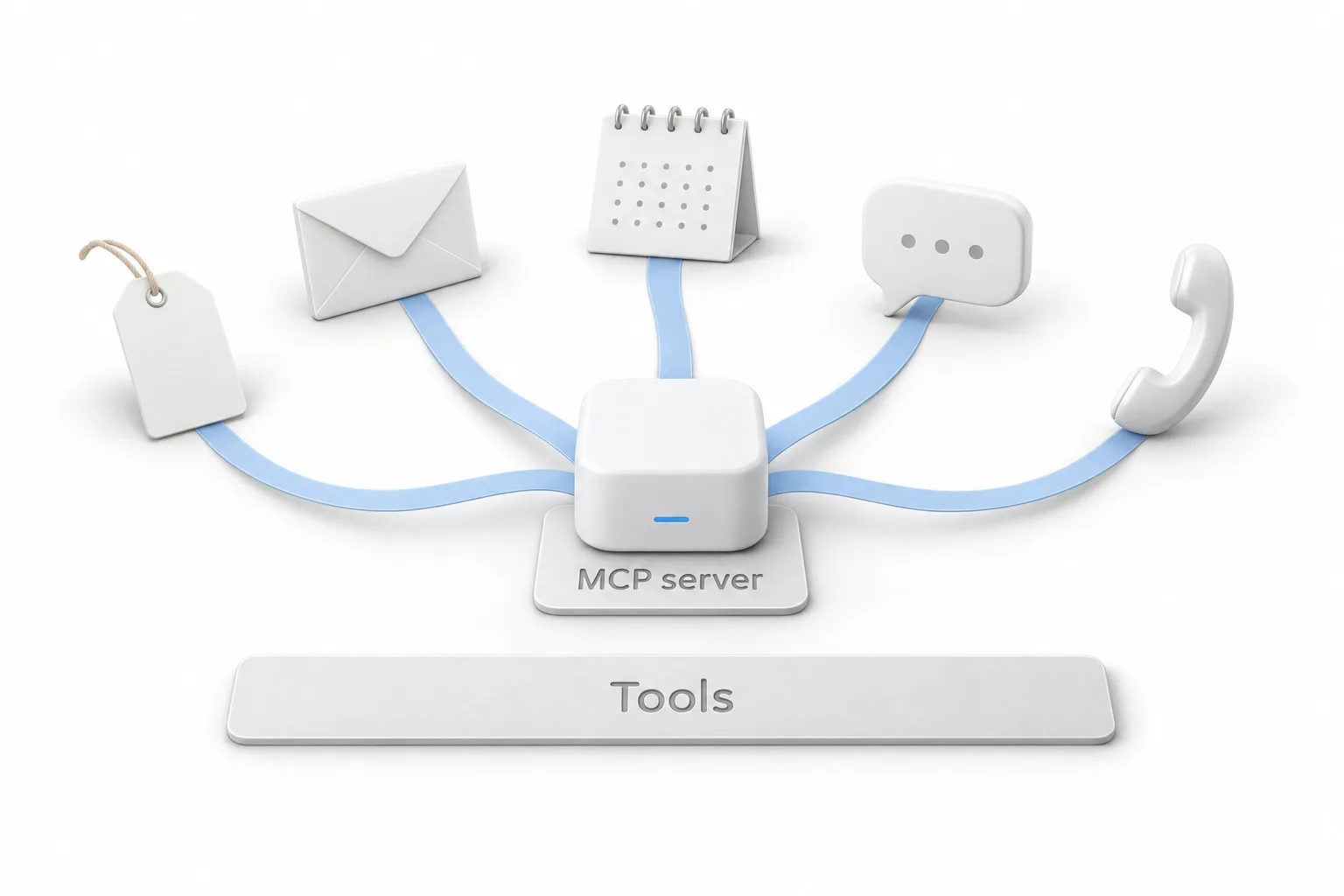
Michael zooms in on the server workflow, where all the tools sit. On the HighLevel side there are tools to search, create, update and get contacts. Task tools get, create and update tasks. Appointment tools book an appointment with a contact, get a contact's appointments and delete them. Others send an SMS, update conversations, add and remove tags, create, get, delete and move opportunities along the pipeline, and add or remove a contact from a workflow.
He singles out tags, because so much in HighLevel runs on them. Adding or removing one by voice can put a contact into a workflow or stop calls to that contact.
A few tools sit outside HighLevel. One is a maps scraper, which he could ask to collect the electricians in a zip code into a sheet. One is the Gmail tool from the second demo. The last is outbound AI calling. You can connect as many or as few tools as you want.
How is the voice agent set up inside HighLevel?
Inside the test account the voice agent is an ordinary inbound agent with a basic greeting, the one heard at the start of every demo call. The work happens in Agent Goals. The prompt there covers the greeting, what happens during the call and the flow of the call.
The most important part is a custom action that summarizes the task and sends it to the webhook. Michael notes that custom actions had only recently been added to HighLevel when he recorded this. That one action is the entire link between the phone call and the automation.
Can you start an outbound call by voice?
That is the last demo. Michael calls the agent from his cell phone and says outbound call to contact John Doe. The agent asks him to confirm, then starts it. His phone rings, and a second AI agent opens a sales conversation with him, asks two qualifying questions and offers to set up a call with a strategy team.
The outbound call is prompted dynamically. On one call you could tell it to talk about database reactivation, and on the next you could have it call a different contact about Voice AI.
How do you connect a HighLevel voice agent to an MCP server?
The build, reduced to its parts.
- Create the voice agent. Give a HighLevel Voice AI agent a clear greeting and a prompt that describes the call flow.
- Add the custom action. In Agent Goals, add a custom action that summarizes the caller's request and sends it to a webhook.
- Route the webhook. Send it to an AI agent with a chat model, memory and an MCP client.
- Connect the tools. Link the MCP server to tools for contacts, tasks, appointments, SMS, conversations, tags, opportunities and workflows.
- Return the result. Send it back through the webhook so the voice agent can confirm the task.
- Limit what is read back. Control how much contact data the agent speaks, since that is set in the webhook.
What changes when you can run the CRM by phone?
Tasks that needed a screen become something you say. Removing a tag, sending an email or checking a contact can happen while you are driving between appointments. Michael's phrase for where it can go is that the sky is the limit, because any tool you connect becomes something the agent can do.
He is also clear about the cost. He shares the workflow, the prompts and screenshots so people can import them without much heavy lifting, but he cannot provide unlimited technical support. The follow up video on importing the MCP workflow shows the file itself, and the page on n8n and HighLevel covers the platform in between.
To build the voice agent side in your own account, start a GoHighLevel 30 day trial through Michael's link. Agencies planning to offer this to clients should also read about the Founder Plan.