
In this video Michael Reimer shows how to write GoHighLevel Voice AI prompts after a voice upgrade. He uses plain markdown with no emojis, a master framework that sets the order of a call, and an AI chat tool to fill it in for a real business. It is for agencies that deploy voice agents for clients.
The video was recorded the day after GoHighLevel released the upgrade, and Michael points out some subtle prompting changes that came with it. To show the process, he builds a prompt for a med spa in West Palm Beach, Florida, from an empty framework to a working agent, and then explains how to bring older prompts up to the new format.
Why write Voice AI prompts in markdown?
Michael prefers markdown because it is basic and easy to organize. Headings use the number sign, one for the top level and more as the levels go down, much like a blog post. Bold, italics, bullet lists and numbered lists each have their own simple marks. The result looks very plain. You will not see bold text the way you would in a word processor.
Emojis are out. HighLevel does not accept them when you paste a prompt in, so he tells the AI chat tool to leave them out from the start.
What order does the master framework give a call?
The framework is a document that walks through every part of the prompt. It has the mandatory fields. Michael has added previous call history and instructions for how to spell and confirm names and emails.
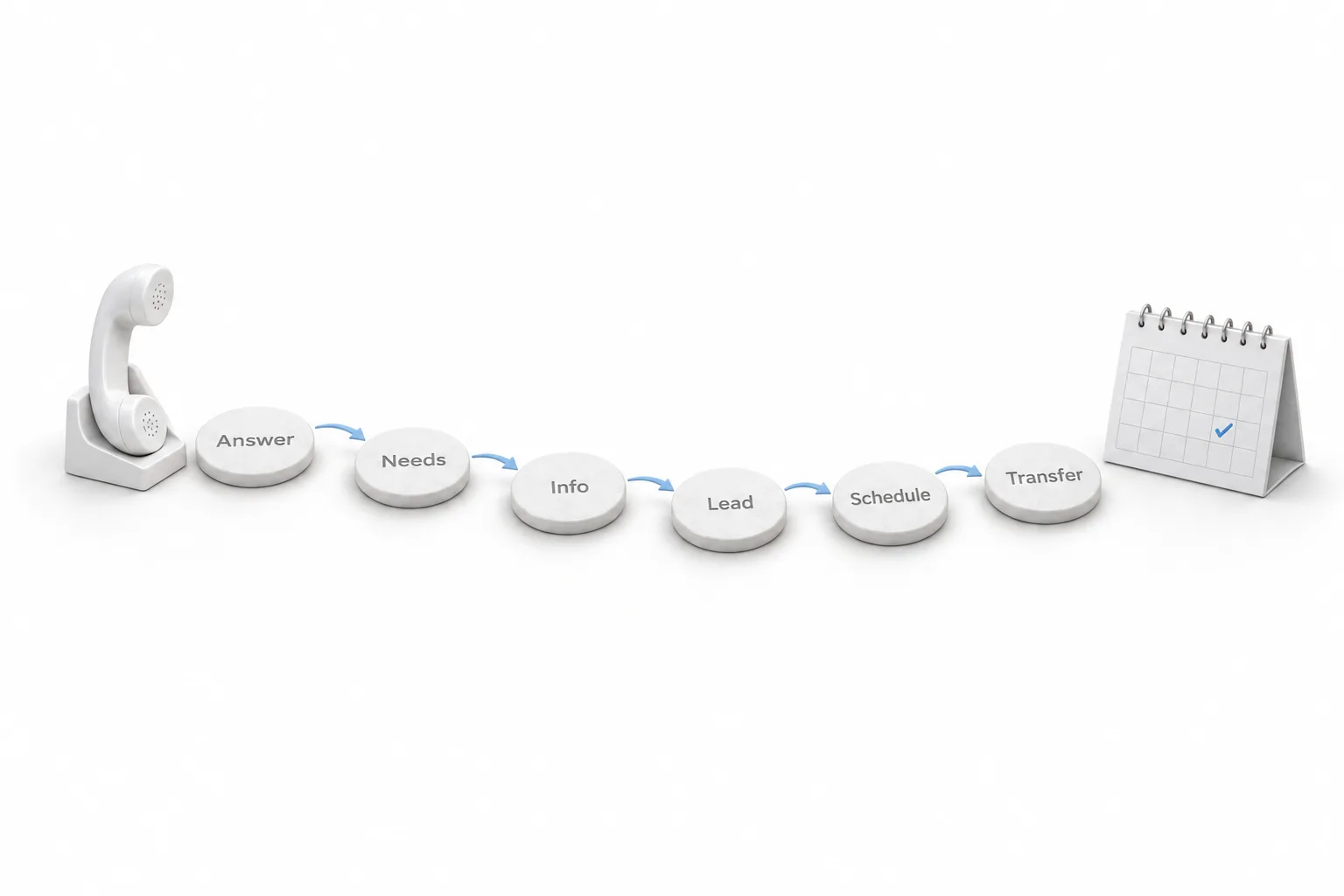
The part he calls very important is the order the voice agent works in. It answers the incoming call, identifies the caller's needs, provides accurate information, captures lead information, schedules appointments and transfers to a human if needed. The framework then covers the knowledge base, products and services, frequently asked questions, lead qualification and appointment scheduling.
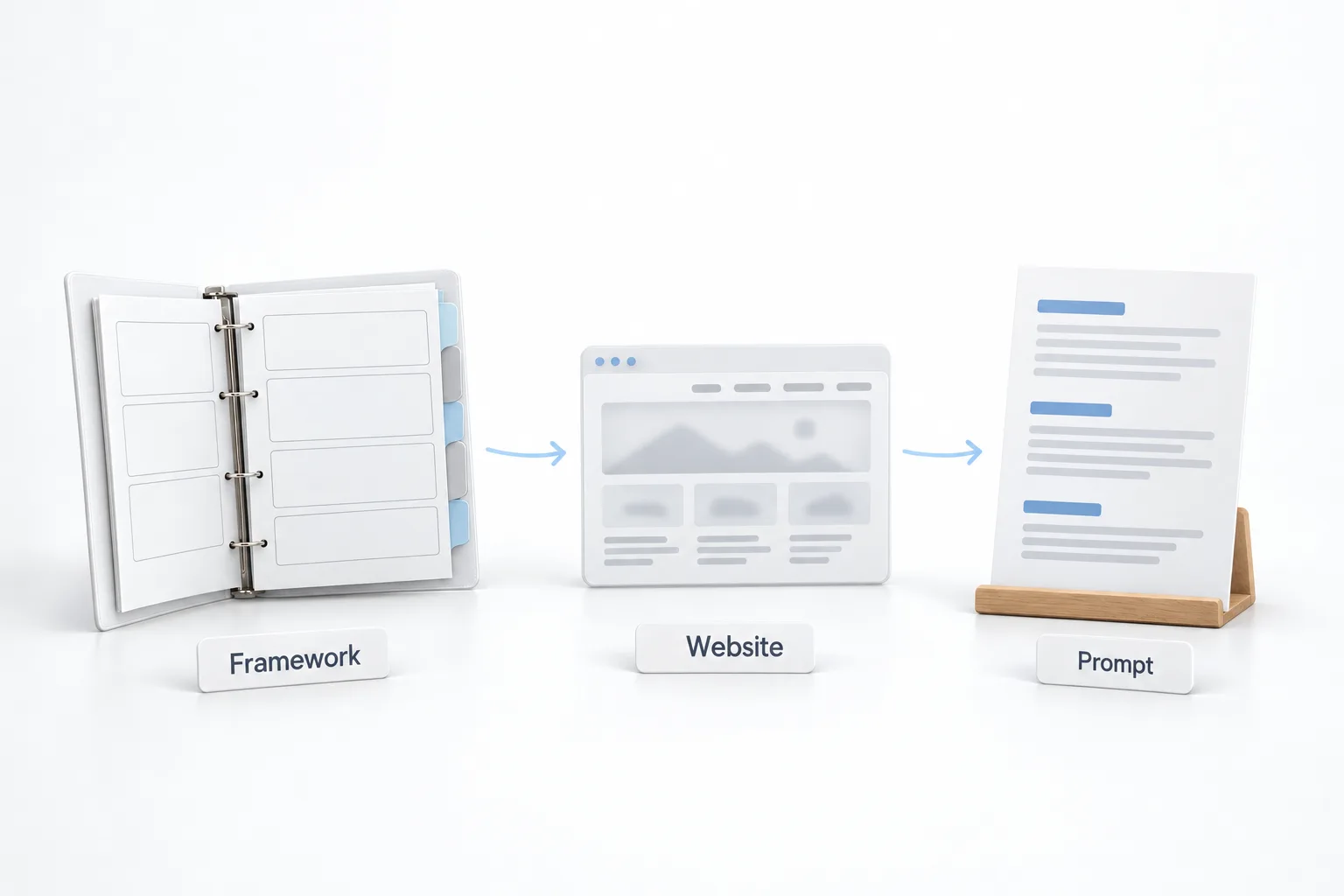
It is a guideline. You can add to it or delete from it for your use case. He also notes that it uses block formatting, which older HighLevel prompts did not, and that is the reason to run old prompts through the same process. The voice agent prompt framework on this site lays out a comparable structure.
How do you build the prompt for a specific business?
Michael opens an AI chat tool, pastes in the first instruction from his procedure and then pastes the master framework after it. The tool analyzes the framework and reports what works and what needs to be improved. He expects poor results at this point, because the prompt is still empty. That is normal, and he changes nothing yet.
Next comes the company data. He pastes the second instruction, adds the company name and adds the website, since the tool can read it. The instruction also says no emojis and to output as markdown in the main chat window. The tool then uses the framework to write the prompt. In the video it fills in the hours, the address, the email, the phone number, the treatments the med spa offers and the frequently asked questions.
Where does the prompt go in the HighLevel voice agent?
In the agent area you name the agent and choose a voice. Michael points out two things about the upgraded system. There were fewer voices at the time of recording, and some voices have a subtitle under the name. Those are the high performance voices, and he suggests using them. The agent's initial message can now include custom values and custom fields.
The prompt itself goes into Agent Goals. He pastes it in, tidies up a little leftover text, drags the box bigger so he can see what he is doing and saves. Below that are the actions, which he calls one of the most important areas: send an SMS, trigger a workflow, update contact fields, book an appointment and custom actions for outside data. Notifications are in the same place. The guide to building a voice AI agent covers those settings one by one.
How should you test a voice agent?
You do not need a phone number to test. Enter your own number in the test area and the agent calls you.
Michael tests very systematically. He makes a call and waits until there is an issue. When one comes up, he hangs up and fixes it immediately, because he knows where in the prompt the error occurred. Then he calls again. If you listen to the entire call and make 30 changes, you do not know what you have done or what you have affected down the line.
How do you upgrade an existing prompt?
He has an analysis prompt that reviews a finished prompt and suggests corrections. It works on a new prompt or an existing one. He would only do that once, because repeating it degrades the result.
For older HighLevel prompts, paste the framework first, then paste the existing prompt and ask the tool to upgrade it to the new version. Customization comes after that. His examples include personas for how the agent speaks, previous call history, updating contact fields and upselling. For an HVAC contractor, the agent books the technician and then asks whether the caller has thought about a yearly maintenance plan.
How do you write and deploy a Voice AI prompt in HighLevel?
The procedure from the video, start to finish.
- Write in markdown. Use headings, bold text and lists, and leave out emojis.
- Follow the call order. Answer, identify needs, give accurate information, capture lead details, schedule, and transfer to a human if needed.
- Fill the framework. Give an AI chat tool the framework plus the company name and website, and ask for markdown output.
- Set up the agent. Paste the prompt into Agent Goals, choose a voice and set the initial message with custom values.
- Add the actions. Set up sending an SMS, triggering a workflow, booking appointments and any custom actions.
- Test one fix at a time. Call the agent, stop at the first issue, fix it and repeat.
- Upgrade the old ones. Run older prompts through the same process.
What changes when every prompt follows the same framework?
Each agent handles a call in the same order, so nothing depends on how a prompt happened to be written that day. Michael says running old prompts through the process makes them more efficient and more on target.
It also makes the work repeatable across clients. The framework stays the same and only the company data changes, which is why he built the med spa prompt from a name and a website. If you want a head start on the wording, the voice prompt generator on this site drafts one from a few answers.
To paste a prompt into Agent Goals and run a test call, start a GoHighLevel 30 day trial through Michael's link. If you plan to deploy voice agents for clients, read who should get the Founder Plan first.