
Home/HighLevel/Integrations/Claude and MCP
Integrations · Claude and MCP
HighLevel MCP and Claude. Your AI assistant, inside your CRM.
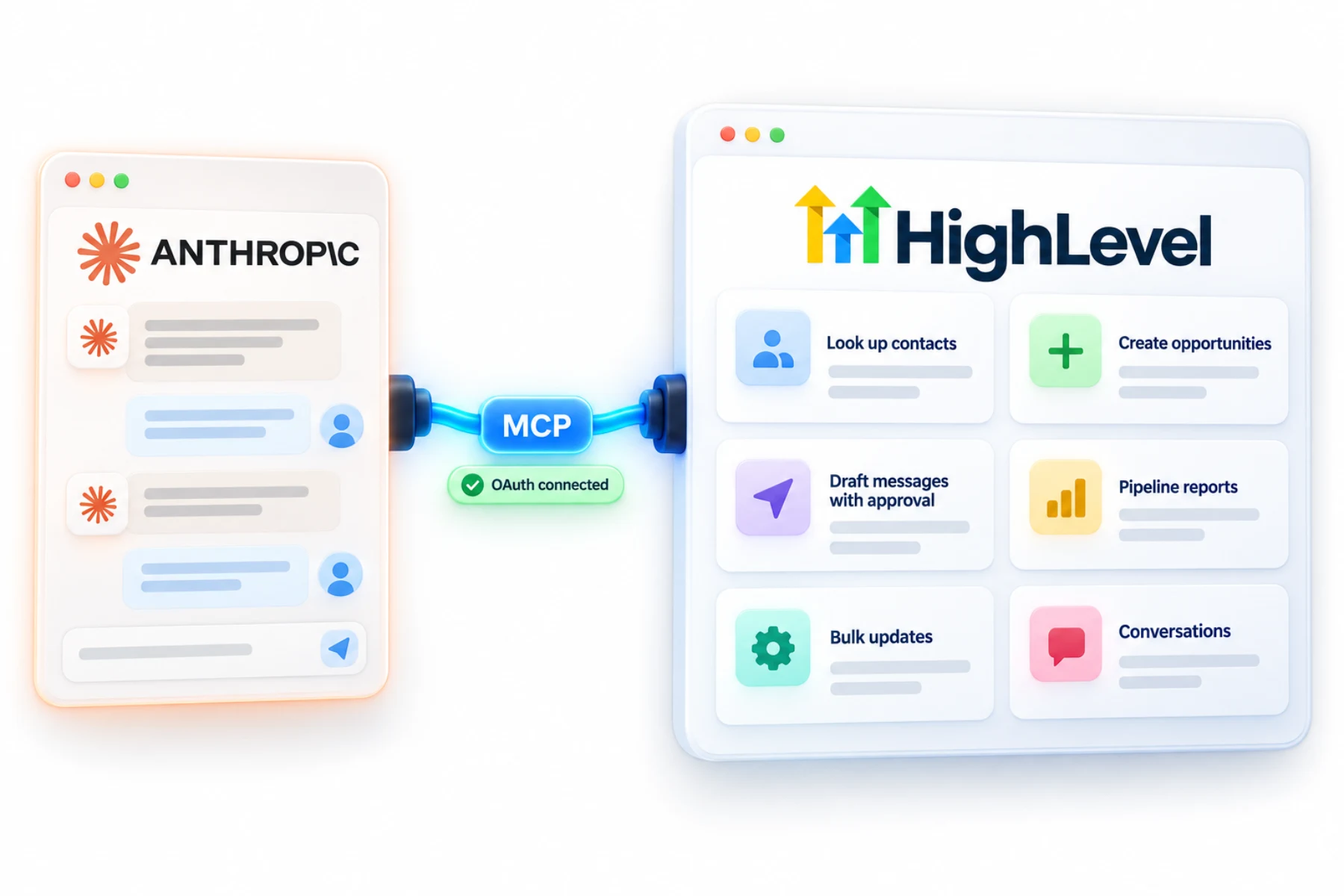
The GoHighLevel MCP server lets AI assistants like Claude work with your HighLevel account: look up contacts, update opportunities, draft messages and more, with permissions you control.
The short answer
Connect Claude to HighLevel by adding the GoHighLevel MCP server as a custom connector in Claude (the URL is https://services.leadconnectorhq.com/mcp/anthropic/v2) and signing in with OAuth. Then choose one or several subaccounts so Claude can work across 625 operations in 40 product domains within your permissions.
Michael is a sponsored HighLevel affiliate. Links to HighLevel use his partner link at no extra cost to you. HighLevel prices and product facts on this page come from HighLevel's own pricing page and help center, checked on the date above.
Connect
How do you connect Claude to HighLevel?
MCP is a standard way for an AI assistant to use outside tools. HighLevel runs an MCP server, also called the LeadConnector MCP server, and Claude connects to it as a custom connector. There is no API key to copy. You sign in with OAuth and approve what Claude may do.
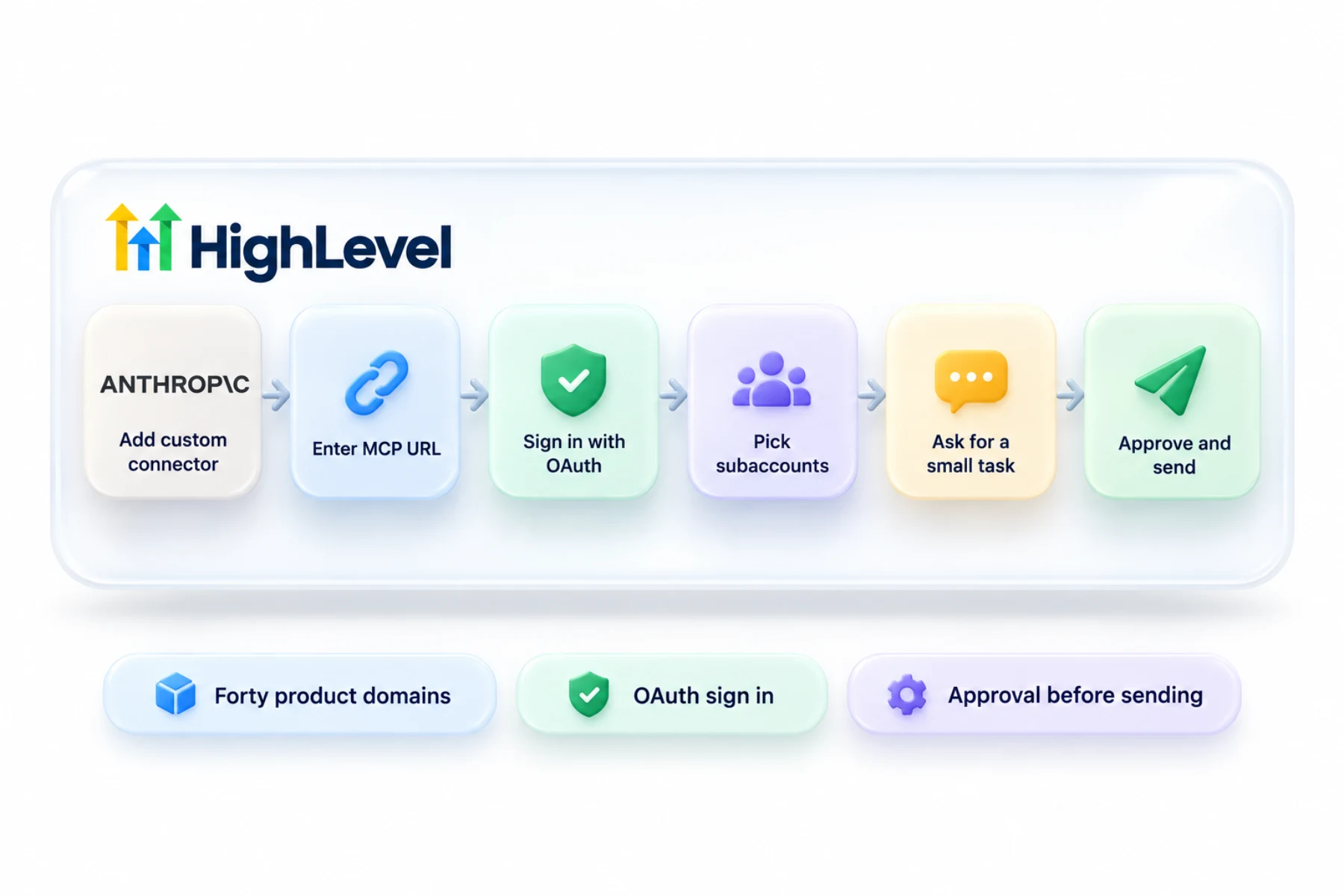
- In Claude, add a custom connector.
- Enter the HighLevel MCP URL.
- Sign in to HighLevel with OAuth and approve access.
- Select the subaccounts Claude may use.
- Ask Claude to do a small task first, such as finding a contact.
Uses
What can you do with Claude and HighLevel?
Once it is connected, you work in plain language. Ask Claude to look up a contact and summarize their history. Ask it to list open opportunities in a stage, add a note or a task, or move a deal. Ask for a count of new leads this week by source, or tomorrow's appointments.
It can also chain steps. Find everyone tagged webinar, add a task for each and draft a follow up. That is the kind of housekeeping that used to take twenty clicks.
- Look up contacts and conversations
- Create and update opportunities
- Draft and send messages with approval
- Report on pipeline and activity
- Bulk updates by instruction
Access
What can Claude reach and what can it not?
Claude can use the operations HighLevel's MCP server offers, which cover reading, creating, updating and deleting records, and only within the subaccounts and scopes you approve. Each request runs live against HighLevel.
Each request runs against one subaccount, so tell Claude which one to work in. Where HighLevel's multi subaccount installation is enabled, one connection can cover several subaccounts you select. That option is still rolling out, so you may not see it yet.
Safety
What should you be careful about?
These are real changes in a real account. Approve only the scopes you need. Start with read only questions until you trust the results. Before a bulk update, ask Claude to show you what it will change, and review the records in HighLevel afterward. Disconnect access you no longer use.
An assistant is also only as good as the data it reads. Duplicates and messy tags produce confident wrong answers, so clean up your contact data first.
In practice
What is a good first week with Claude?
Day one, ask questions only. Which leads came in this week and from where? Which opportunities have not moved in two weeks? Once the answers match what you see in the account, let it do small jobs, such as adding a task to each stale deal. Save bulk changes for later.
The longer walk through is in Claude with the HighLevel MCP server. MCP connectors also give Managed Agents access to outside tools, and for other apps a private integration token is the scoped API route.
There is also a video of the same server at work: the HighLevel MCP server voice agent demo. To test the Claude connection in your own account, use the 30 day trial through Michael's link. GoHighLevel pricing lists what each plan costs, and HighLevel plans compared shows which one fits.

Start by asking questions of your data. Let it change things once you trust what it does.
Questions
Common questions.
Can Claude connect to HighLevel?
Yes. Claude connects to HighLevel through the HighLevel MCP server, also called the LeadConnector MCP server. You add it in Claude as a custom connector, sign in with OAuth and approve what Claude may do. Then you select the subaccounts Claude may use and work in plain language.
How does it sign in?
With OAuth. There is no API key to copy. In Claude you add a custom connector, enter the HighLevel MCP URL, sign in to HighLevel and approve access. Then you select the subaccounts Claude may use. Approve only the scopes you need, and disconnect access you no longer use.
Can it access several subaccounts?
Yes, the ones you select. Each request runs against one subaccount, so tell Claude which one to work in. Where HighLevel's multi subaccount installation is enabled, one connection can cover several subaccounts you select. That option is still rolling out, so you may not see it yet.
Is there an MCP inside HighLevel?
Yes, Ask AI can use the MCP server too. MCP connectors also give Managed Agents access to outside tools. For other apps that need to reach your account, a private integration token is the scoped API route. MCP itself is a standard way for an AI assistant to use outside tools.
Do I need an API key to connect Claude?
No. The connection uses an OAuth sign in, so there is no API key to copy. You add the HighLevel MCP server as a custom connector in Claude, sign in to HighLevel and approve access. Claude then works only within the subaccounts and scopes you approved.
What is the HighLevel MCP server URL for Claude?
The HighLevel MCP server URL for Claude is https://services.leadconnectorhq.com/mcp/anthropic/v2. Add it in Claude as a custom connector, then sign in to HighLevel with OAuth and approve access. Ask Claude to do a small task first, such as finding a contact, to confirm the connection works.
Can Claude change records in HighLevel?
Yes, within the scopes you approve. The MCP server's operations cover reading, creating, updating and deleting records, and each request runs live against HighLevel. Start with read only tasks. Before a bulk update, ask Claude to show you what it will change, then review the records in HighLevel afterward.
Does GoHighLevel have an MCP server?
Yes. GoHighLevel runs its own MCP server, also called the LeadConnector MCP server. AI assistants such as Claude connect to it with an OAuth sign in and can then work across 625 operations in 40 product domains, within the subaccounts and permissions you approve.
What is the GoHighLevel MCP server?
It is HighLevel's connection point for AI assistants. MCP is a standard way for an assistant to use outside tools. Through it, Claude can look up contacts, update opportunities, draft messages and report on pipeline, with every request running live against your account inside the permissions you set.
Next step
See it in your own account. Thirty days, every feature.
Start a trial, build the first system and test it before the first invoice. Usage fees for phone, SMS, email and AI can apply during the trial.
HighLevel has three plans at a flat monthly price, each with unlimited users and contacts. See what each one includes and what it costs.
Compare the PlansStarter, Unlimited and Founder