
01
Your login email
The email you used to create the HighLevel account.
Home/HighLevel/Start here/Claim your bonus
Start here · Claim it
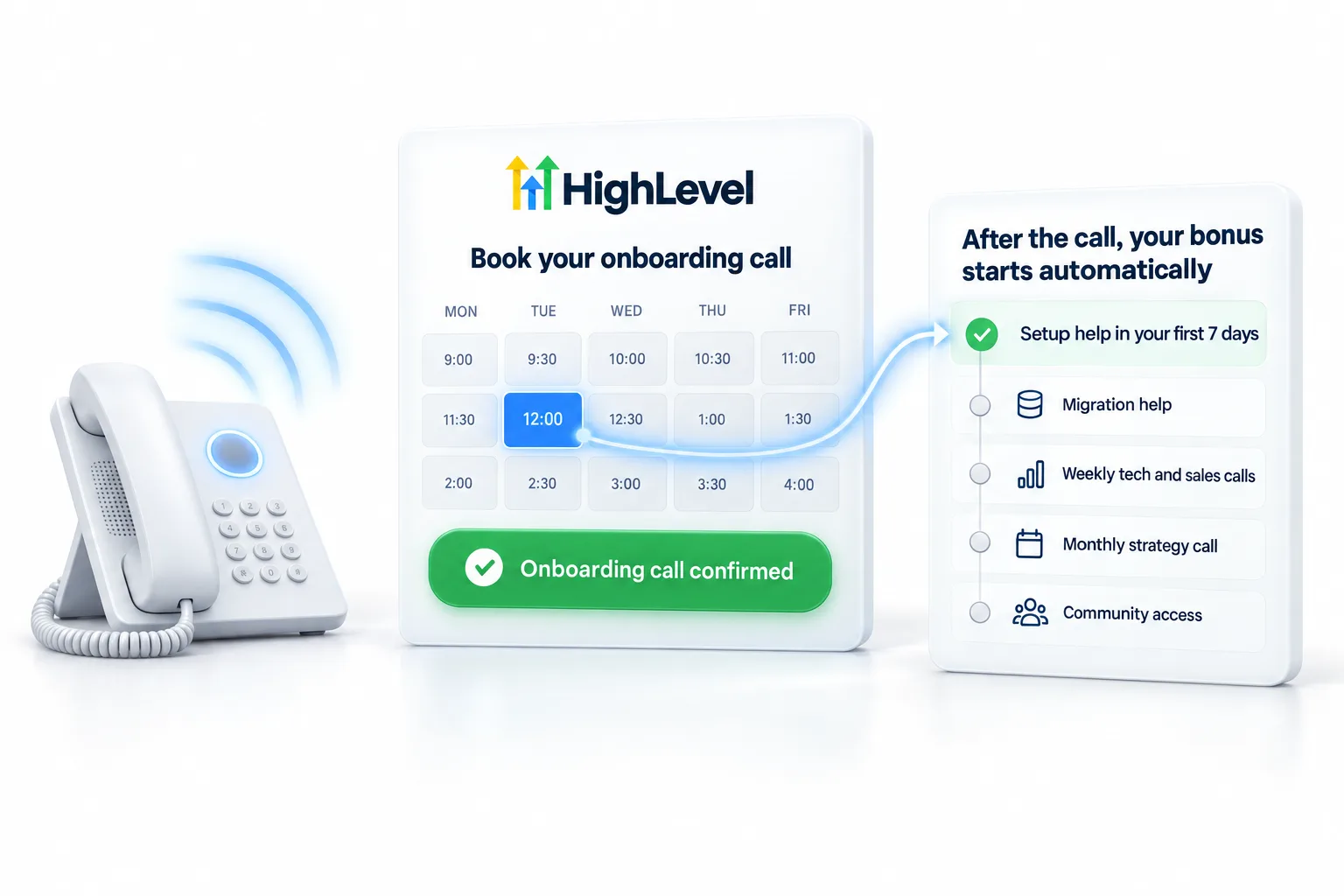
Here is how to claim your GoHighLevel signup bonus. You signed up through my link. Now book your onboarding call. That single booking is how the CRM Pros team knows you are here, and it starts your setup, migration and everything else that comes with your account.
Already signed up through Michael’s link? You are in. Now the team steps in to help. Book your onboarding call and we set up your account with you.
The short answer
To claim your GoHighLevel signup bonus, book your onboarding call after signing up or upgrading through Michael's link, and on that call the CRM Pros team confirms your account, plans your setup and migration and gets you into the weekly calls, the community, the templates and the four apps. There is nothing else to fill in.
Michael is a sponsored HighLevel affiliate. Links to HighLevel use his partner link at no extra cost to you. HighLevel prices and product facts on this page come from HighLevel's own pricing page and help center, checked on the date above.
The steps
Before the call
01
The email you used to create the HighLevel account.
02
The platform you use today and roughly how many contacts you have.
03
The one thing you want working first: leads, follow up, booking or reviews.
If something is off
Book the call anyway and tell the team. If you upgraded an existing account, mention it. If your account came through another affiliate before, the team will tell you honestly. Their offer applies to your account, and canceling to resubscribe is not something we recommend.
For anything else, email support@crmpros.ai.
Not signed up yet? The 30 day trial through Michael's link is where the package starts. GoHighLevel pricing lists the plans, and the Founder Plan page covers the top tier. Seen a longer trial advertised? The GoHighLevel 60 day trial page explains what is real and what is not.

Book the call the same day you sign up. The people who get the most out of the first week are the ones who were on the calendar before they logged in.
On the call
The call is a working session, not a welcome speech. The team confirms your account from your login email, then plans the first week with you.
The setup help page explains each part, and migration help covers the move.
Your first week
Your setup window is the first 7 days. Two things in that week involve waiting, so they start first: A2P registration, which goes through carrier review, and any DNS changes for your domain. While those are pending you build the first system and import your contacts. From week two the Tuesday tech call is where build questions go.
A worked example: someone upgrades an existing account through Michael's link on a Monday and books the call for Tuesday. On the call they mention it is an upgrade, share the login email and name their first goal, which is booking. By the end of the week the calendar, the follow up workflow and the texting registration are in place, and the next builds are listed for the weekly calls.
Three things slow people down. Waiting a week to book. Booking with a different email than the HighLevel login, so the team cannot match the account. And canceling an account to resubscribe under a different affiliate, which puts the account and its data at risk.
If you have not signed up yet, the trial through Michael's link is 30 days, against HighLevel's standard 14, and the first 30 days plan shows how to use it. Comparing offers? Read how to compare GoHighLevel affiliate bonuses fairly.
Questions
Book your onboarding call after signing up or upgrading through Michael's link.
Book as soon as you sign up so your setup help lands in your first 7 days.
Upgrades on Michael's link get the same package. Book the call and mention the upgrade.
Email support@crmpros.ai.
No. Booking your onboarding call is the only step.
Your HighLevel login email, the platform you are moving from and the first result you want working.
Yes. Book the call as soon as you sign up. Through Michael's link the trial is 30 days, so your 7 day setup window sits inside it.
Next step
It is the one step that starts everything that comes with your account.
Already signed up through Michael’s link? You are in. Now the team steps in to help. Book your onboarding call and we set up your account with you.