
Account
Business profile and settings
Names, address, time zone, language, duplicate contact rules and the compliance defaults.
Home/HighLevel/Start here/Setup help
Start here · Setup help
GoHighLevel setup help matters most in week one. The first week on HighLevel decides whether it becomes the system your business runs on or a login you stop opening. My team works with you in that week so the essentials are right and your first system is working. Here is what that covers.
The short answer
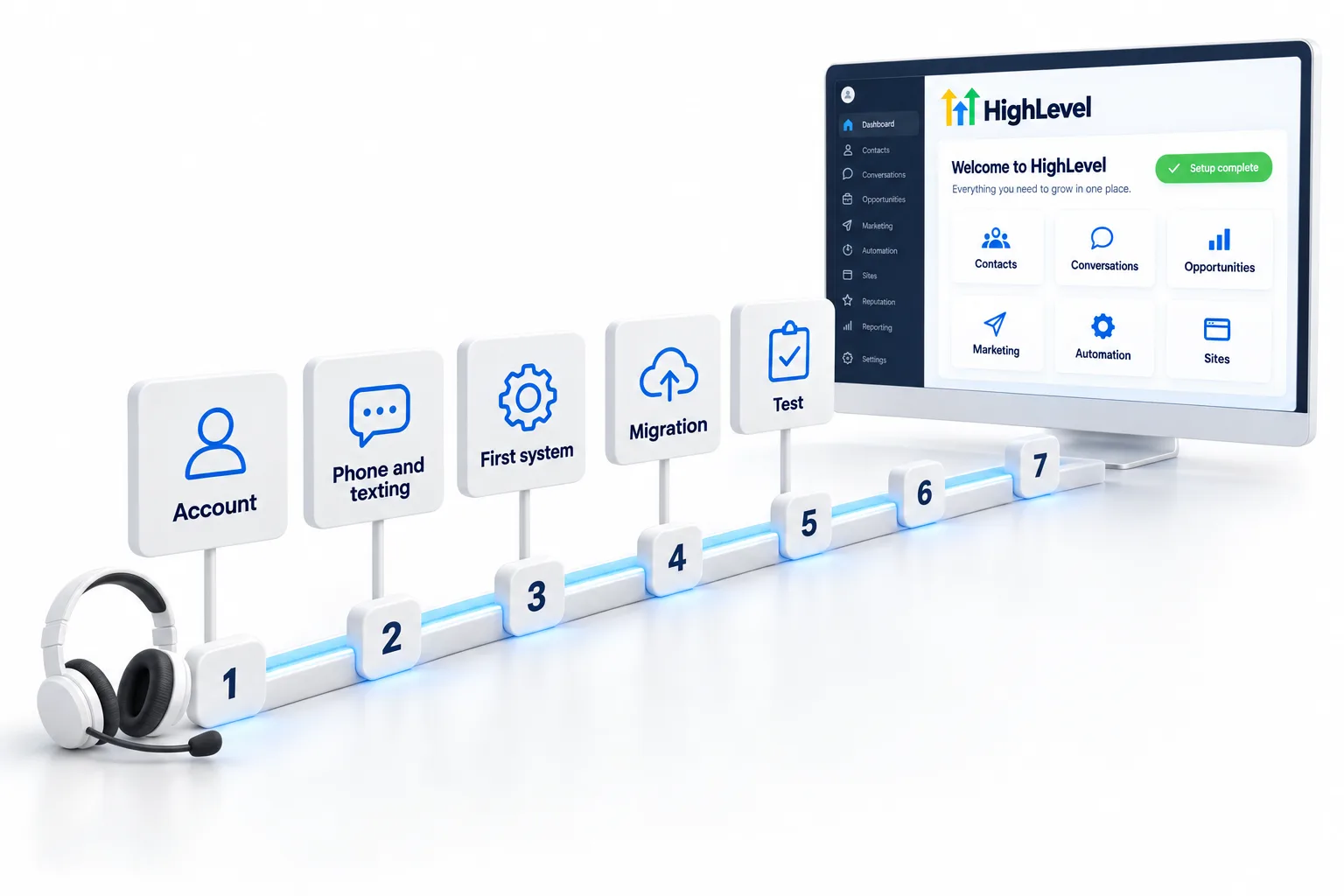
Signing up through Michael's link includes setup help from the CRM Pros team in your first 7 days: your business profile and settings, your phone number and texting registration, email sending, your first system (capture, follow up and booking) and migration from your current platform. After the first week, the Tuesday tech call is where you bring build questions.
Michael is a sponsored HighLevel affiliate. Links to HighLevel use his partner link at no extra cost to you. HighLevel prices and product facts on this page come from HighLevel's own pricing page and help center, checked on the date above.
What it covers
Account
Names, address, time zone, language, duplicate contact rules and the compliance defaults.
Phone
Your number, and the A2P registration that lets you text US mobile numbers.
Sending domain and the settings that keep your email out of spam.
First system
A form or funnel, a follow up workflow and a calendar, working end to end.
Migration
Help moving what you have from the platform you are leaving.
Plan
A short list of the next systems, in order, for the weekly calls.
Your part
After week one
After your first week, the Tuesday tech call is where you bring build questions, and the Wednesday sales call is where you bring offer and client questions. Michael’s Thursday strategy call steps back on what to build and sell next.
Setup help is not a full done for you agency build. If you want the team to build complete systems for your clients, that is a separate service; ask on a strategy call.

The most common reason HighLevel accounts go quiet is that texting was never registered and the first system was never finished. Week one fixes both.
In practice
The order matters because two steps involve waiting. Those start first, and the building happens while they are pending.
As an example, a dental office starting on Starter would use its legal business name and address for texting registration on day one, build a new patient request form with an instant reply and a booking calendar by midweek, and import its patient list only after a test lead has gone through cleanly. The HighLevel for dentists page covers that business in more detail.
Setup starts once your 30 day trial through Michael's link is open. GoHighLevel pricing covers the plans, and the full signup package lists what else is included. The CRM Pros community page shows what you join.
Common mistakes
Setup help fits best when you are new to HighLevel or moving from another tool. If you already have a HighLevel expert on your team, you may only need the weekly calls. Setup help covers your first 7 days, and through Michael's link the trial is 30 days, so the whole setup happens before the first subscription charge. HighLevel's standard trial is 14 days.
Thinking about paying someone to build it for you? Read how to hire a GoHighLevel expert.
Through my link
Same HighLevel price. The difference is who is in your corner for the first ninety days.
See the full details.
The Founder PlanSee the full details
Questions
Business profile and settings, phone number and texting registration, email sending, your first system and migration from your current platform, in your first 7 days.
It is included when you sign up or upgrade through Michael's link, at HighLevel's normal price.
Book your onboarding call after you sign up.
Setup help covers your account. Full client builds are a separate service.
Your business details exactly as they appear on legal documents, your logo and brand colors, a contact list export from your current platform and the one outcome you want first.
It varies with carrier review, so submit it early. You watch the Trust Center for approval or a request for fixes.
No. LC Phone is HighLevel's native phone system and works without a Twilio account.
Yes. Book the onboarding call when you sign up. Through Michael's link the trial is 30 days, so the 7 day setup window sits inside it.
Next step
The first 7 days start when you book.
Already signed up through Michael’s link? You are in. Now the team steps in to help. Book your onboarding call and we set up your account with you.