
Home/HighLevel/How to/SPF, DKIM and DMARC
How to · Email
GoHighLevel SPF, DKIM and DMARC setup. Land in the inbox, not spam.
Since February 2024, Gmail and Yahoo require bulk senders to authenticate email with SPF, DKIM and DMARC. In GoHighLevel that means a dedicated sending domain with three kinds of DNS record. Here is what each does and how to add them.
Land in the inbox, not spam.
The short answer
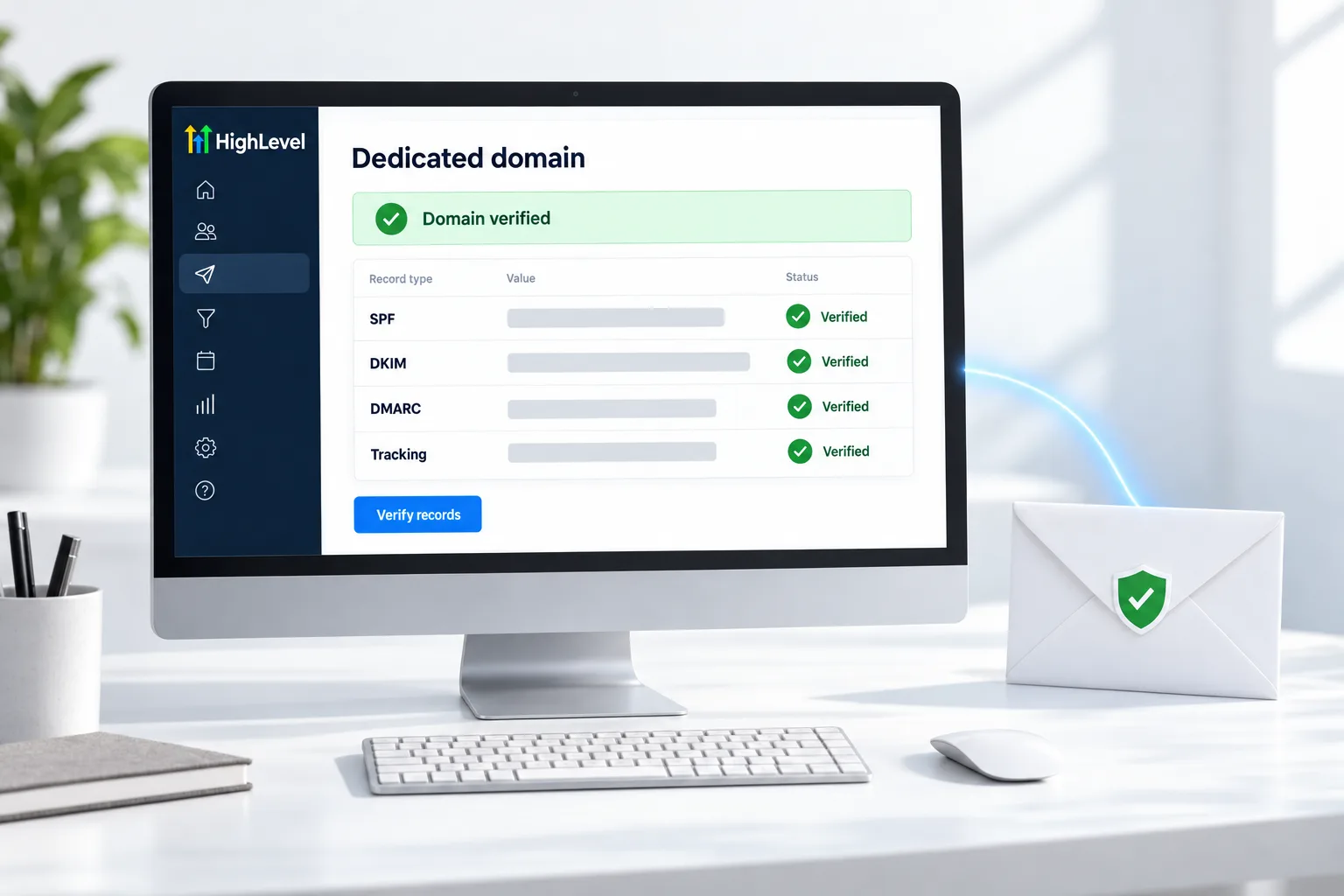
To set up SPF, DKIM and DMARC in GoHighLevel, go to Settings, Email Services, Dedicated Domain and IP, click Add Domain, enter a subdomain such as mail.yourdomain.com, add the SPF and DKIM records HighLevel shows at your DNS provider, add a DMARC TXT record on the host _dmarc, then click Verify Records. A safe starting DMARC value is v=DMARC1; p=none;.
Michael is a sponsored HighLevel affiliate. Links to HighLevel use his partner link at no extra cost to you. HighLevel prices and product facts on this page come from HighLevel's own pricing page and help center, checked on the date above.
The records
What each one does.
| Record | Job |
|---|---|
| SPF | Lists the servers allowed to send for your domain |
| DKIM | Signs each email so receivers know it was not altered |
| DMARC | Tells receivers what to do when checks fail, and sends reports |
Set it up
How do you set up SPF, DKIM and DMARC in HighLevel?
- In the subaccount, go to Settings, then Email Services, then Dedicated Domain and IP.
- Click Add Domain and enter a subdomain such as mail.yourdomain.com.
- Click Add and Verify and copy the records shown.
- At your DNS provider, add each record exactly as shown.
- Add a TXT record with host _dmarc and value v=DMARC1; p=none; if you do not already have one.
- Back in HighLevel, click Verify Records.
- Use the three dot menu to set the From name and From email.
When it fails
Common DMARC failures.
- Alignment: the SPF or DKIM domain must match the From domain
- Do not send from a gmail.com or yahoo.com From address; they reject it
- Too many SPF includes: consolidate them to stay under the lookup limit
- Records added at the wrong DNS host for the domain
Before you start
What do you need before you set up SPF, DKIM and DMARC?
This is a DNS job, so the DNS login is most of the preparation. Before you add the domain in HighLevel (GoHighLevel), confirm these.
- The login for the DNS provider that manages the domain
- A subdomain to send from, such as mail.yourdomain.com
- A check for an existing DMARC record on the domain, so you do not add a second one
- The From name and From email you will use
- A plan to warm up the domain after it verifies. See warm up a sending domain
Sending through your own provider? Read GoHighLevel SMTP and Mailgun setup.
Test it
How do you test email authentication?
Verified in HighLevel is step one. Passing in a real inbox is the proof.
- Click Verify Records and confirm each record shows verified.
- Send a test email to your own Gmail address.
- Open the original message in Gmail and confirm SPF, DKIM and DMARC all show a pass.
- Check that the From address matches the domain you authenticated.
- Send to a second mailbox provider and repeat.
Common mistakes
What mistakes should you avoid when you set up SPF, DKIM and DMARC?
- Records added at the wrong DNS host. Add them where the domain's DNS is actually managed.
- Two DMARC records. A domain should have one. Edit the existing record instead of adding another.
- A From address on a different domain. The SPF or DKIM domain must match the From domain.
- Too many SPF includes. Consolidate them to stay under the lookup limit.
- Starting with a strict policy. Start at p=none and tighten later. If checks fail, see fix SPF, DKIM or DMARC failing.

Start DMARC at p=none, watch the reports for a few weeks, then tighten it.
Questions
Common questions.
Do I need DMARC?
Yes, if you send in bulk. Since February 2024, Gmail and Yahoo require bulk senders to authenticate email with SPF, DKIM and DMARC. Add a TXT record on the host _dmarc. A safe starting value is v=DMARC1; p=none; which lets you watch the reports without affecting delivery. Check for an existing DMARC record first.
Where do I add the domain in HighLevel?
In the subaccount, go to Settings, then Email Services, then Dedicated Domain and IP, and click Add Domain. Enter a subdomain such as mail.yourdomain.com, click Add and Verify, and copy the records shown. Add each record at your DNS provider exactly as shown, then go back and click Verify Records.
Why is DMARC failing when SPF and DKIM pass?
Usually alignment. The SPF or DKIM domain must match the From domain, so a From address on a different domain fails even when both checks pass. Do not send from a gmail.com or yahoo.com From address. Check the From name and From email in the three dot menu beside the domain.
Should I use a subdomain?
Yes. HighLevel recommends a subdomain such as mail.yourdomain.com for the dedicated sending domain. Add the SPF and DKIM records HighLevel shows for it at the DNS provider that manages the domain. After it verifies, warm the domain up before you send in volume. You can practice during a 30 day GoHighLevel trial through Michael's link.
How long do the DNS records take to verify?
It depends on your DNS provider. If the records do not verify, compare each one with what HighLevel shows and try again later. Make sure you added them where the domain's DNS is actually managed. A domain should also have only one DMARC record. See fix DNS records not verifying.
What DMARC policy should I start with?
Start with p=none so you can watch the reports without affecting delivery, then tighten it after a few weeks. Starting with a strict policy is a common mistake. A domain should have one DMARC record, so edit the existing record instead of adding a second one.
Does authentication guarantee the inbox?
No. It is the entry requirement. Reputation, list quality and content decide the rest. See fix email deliverability problems and the LC Email glossary entry. For what the platform sends, see whether HighLevel has email marketing, or read the full GoHighLevel review.
Next step
See it in your own account. Thirty days, every feature.
Start a trial, build the first system and test it before the first invoice. Usage fees for phone, SMS, email and AI can apply during the trial.
HighLevel has three plans at a flat monthly price, each with unlimited users and contacts. See what each one includes and what it costs.
Compare the PlansStarter, Unlimited and Founder