
Home/HighLevel/Features/Website templates
HighLevel features · Website templates
GoHighLevel website templates. Where they live, and what they cost.
Website and funnel templates sit inside every HighLevel account, on every plan. Here is where to find them, what they cost, and the other ways to start a site: AI Studio, a snapshot or a template you buy from someone else.
The short answer
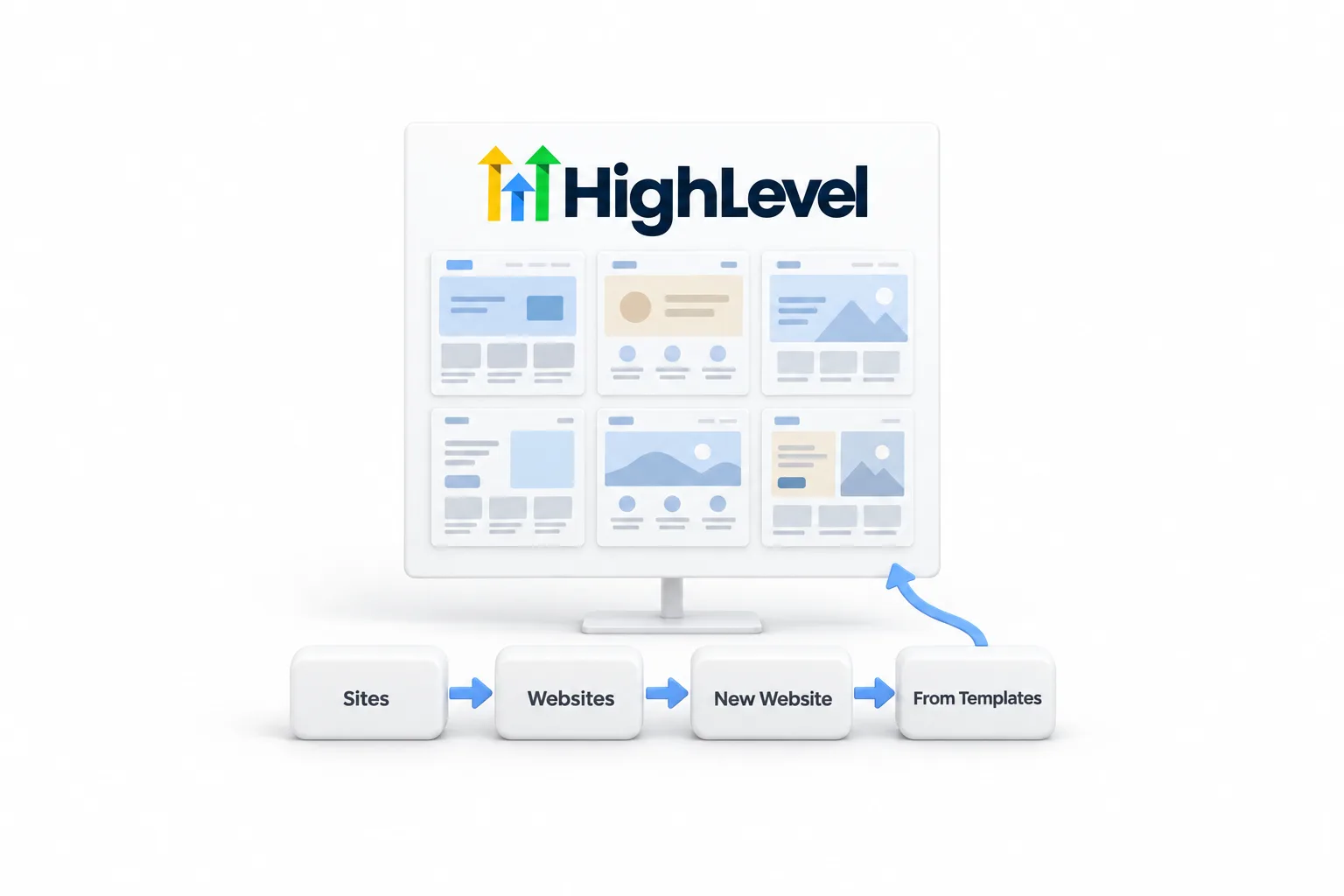
GoHighLevel website templates live in the Template Library. Go to Sites, Websites, click New Website and choose From Templates. Funnel templates sit under Sites, Funnels. The library comes with the builder on every plan, at no added fee. You can also draft a site with AI Studio or load a full site from a snapshot.
Michael is a sponsored HighLevel affiliate. Links to HighLevel use his partner link at no extra cost to you. HighLevel prices and product facts on this page come from HighLevel's own pricing page and help center, checked on the date above.
Location
Where are website templates in GoHighLevel?
Website templates are in the Template Library, and you open it from the screen where you create a site. There is no separate app and nothing to install.
- Websites. Sites, Websites, New Website, then From Templates.
- Funnels. Sites, Funnels, New Funnel, then the template option.
Preview a design before you pick it. HighLevel also ships templates for emails, ads and WhatsApp messages, and each is chosen where you build that item. People who search for go high level website templates are often looking for a download page. There is none. The templates are already in the account.
This page is part of the HighLevel features section. For how the builder itself works, read the GoHighLevel website builder and AI Studio guide.
Cost
What do GoHighLevel website templates cost?
The Template Library costs nothing extra. It is part of the website and funnel builder, the builder and hosting are part of every plan, and HighLevel's published add on list has no charge for templates. What you pay for is the plan itself. GoHighLevel pricing starts at $97 a month for Starter.
| Way to start a site | Where it lives | What it costs |
|---|---|---|
| Template Library | Sites, then Websites or Funnels | No additional fee |
| Funnel and Website AI | Inside the classic builder | Free under fair use |
| AI Studio | AI Studio, from a written prompt | Free for agency users under fair use. Subaccount users need an AI Employee plan or pay per use |
| Snapshot | Account Snapshots in the agency view | Depends on the source: your own, one included with a signup, or one you buy |
AI Studio cloud hosting is billed separately: the Nano tier is free, Micro and above are charged. Sources: HighLevel's pricing page and its help center pages on AI pricing, checked November 2026.
Steps
How do you use a website template in GoHighLevel?
- Go to Sites, then Websites, and click New Website.
- Choose From Templates to start with a prebuilt design.
- Enter the website name and click Create.
- Preview the available designs and select the one you want.
- Open each page and replace the text, images, colors, buttons and forms with your own. Check the mobile view, then save.
- Connect your domain in Sites, Settings, Domains, assign the website to it and publish.
Saving is not publishing. Visitors see nothing until the site is published on an assigned domain. The full launch order is in how to build a website in GoHighLevel.
GoHighLevel funnel templates work the same way. Go to Sites, Funnels, create a new funnel and choose the template option. Pick a design, then customize each step in the funnel editor. The funnel build guide covers the steps after that.
Choice
Should you use a template or AI Studio?
A template gives you a finished layout with placeholder words. AI Studio gives you a first draft written for your business from a prompt. Both end in the same place: a hosted site on your own domain with HighLevel forms and calendars connected.
- Pick a template when you like a design as it is, your team already knows the classic builder, or you need a funnel with order forms and upsells.
- Pick AI Studio when you are starting a new site and can describe the business in a clear brief. You refine the draft with follow up prompts, visual edits or the code editor.
- Use the AI inside the classic builder when you already have a template in place and want new sections or copy.
Whichever you choose, treat the result as a draft. Check every fact, click every button and submit a test form before you publish.
Snapshots
Can a snapshot load a full website?
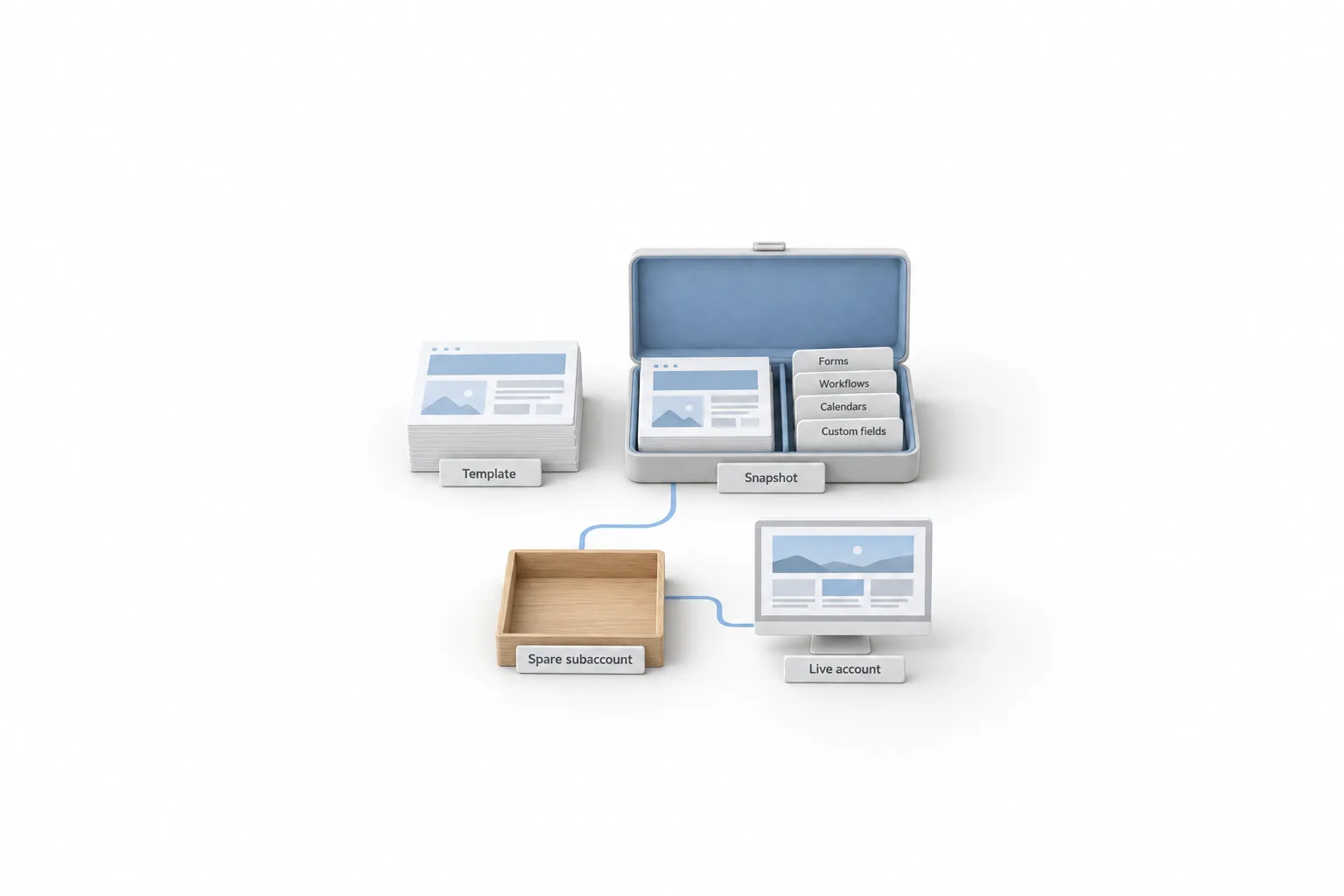
Yes. A snapshot is a saved copy of a subaccount setup. It can carry funnels and website pages along with forms, surveys, workflows, calendars, pipelines and custom fields. Loading one places all of those assets in the account at once, which is why agencies use snapshots to launch the same site and system for many clients. A paid GHL template pack may arrive as a snapshot.
That reach is also the risk. A loaded snapshot cannot be unloaded as a whole. You edit or delete items one at a time afterward. So load in this order:
- Import the snapshot into your agency library from its share link.
- Load it into a spare subaccount and open every page and workflow.
- Fill in the custom values, which hold business details such as the phone number and booking link.
- Only then load it into the real account.
Snapshots from the CRM Pros team are included when you sign up through Michael's link. The snapshot library explains what to know before loading one, and GoHighLevel snapshots explained covers how they work from start to finish.
Buying
How do you judge a paid GoHighLevel template before you buy?
Judge a paid template by what is inside it, how it is delivered and whether you can test it first. This site does not rate or link to sellers, and the checks are the same whoever you buy from.
- Look in your own account first. The Template Library and an AI Studio draft need no separate purchase. Buy only if neither gets you close.
- Ask for the asset list. A seller should be able to name every page, form, workflow and calendar included, and what each one is for.
- Open the live preview on a phone. Read the whole page, not just the top.
- Ask how it is delivered. If it arrives as a snapshot, everything inside loads at once and cannot be unloaded as a whole.
- Check for custom values. Business details should fill in from one place. Typed details mean hunting through every page for someone else's phone number.
- Ask about documentation, support and updates. A template with none of the three is yours to fix alone.
- Test before a client sees it. Load it into a spare subaccount, submit the form and confirm a contact is created.
You need an account to test any of this. A 30 day trial through Michael's link gives you 30 days to open the Template Library, try AI Studio and load a snapshot before the first invoice.

Write the homepage headline before you pick a template. The words decide the design, not the other way round.
Questions
Common questions.
Does GoHighLevel have website templates?
Yes. GoHighLevel has a Template Library with prebuilt website designs. Go to Sites, Websites, click New Website and choose From Templates. Name the site, click Create, preview the designs and select one. HighLevel also has templates for funnels, emails and ads.
Are GoHighLevel website templates free?
Yes, in the sense that the Template Library adds nothing to your bill. It is part of the website builder, and the builder and hosting are part of every HighLevel plan. Plans start at $97 a month. Templates sold by outside sellers are priced by those sellers.
Does GoHighLevel have funnel templates?
Yes. Go to Sites, Funnels, create a new funnel and choose the template option. Pick a design, customize each step in the funnel editor, save, connect a domain and publish.
Can a snapshot load a whole website into GoHighLevel?
Yes. A snapshot is a saved copy of a subaccount setup, and it can carry funnels and website pages along with forms, workflows, calendars and custom fields. Loading it places all of those assets in the account at once. A loaded snapshot cannot be unloaded as a whole, so load it into a spare subaccount first.
Should I buy a paid GoHighLevel website template?
Start with what you already have. Check the Template Library and try an AI Studio draft first, because neither needs a separate purchase. If you still want a paid template, ask for the full asset list, open the live preview on a phone and load it into a spare subaccount before any client account.
Next step
See it in your own account. Thirty days, every feature.
Start a trial, build the first system and test it before the first invoice. Usage fees for phone, SMS, email and AI can apply during the trial.
HighLevel has three plans at a flat monthly price, each with unlimited users and contacts. See what each one includes and what it costs.
Compare the PlansStarter, Unlimited and Founder