
Home/HighLevel/How to/Build a funnel
How to · Sites
Build GoHighLevel funnels. One goal, a few clear steps.
GoHighLevel funnels are short sequences of pages, each built for one action: book a call, claim an offer or buy a product. HighLevel builds funnels with the same drag and drop editor as websites, and you can start from a template or have AI draft it.
One goal, a few clear steps.
The short answer
To build a funnel in GoHighLevel, go to Sites, Funnels, create a funnel from blank, a template or AI, add a step for each page, put a form, calendar or order form on the first step, connect your domain and publish, then build a workflow triggered by the form or order to follow up.
Michael is a sponsored HighLevel affiliate. Links to HighLevel use his partner link at no extra cost to you. HighLevel prices and product facts on this page come from HighLevel's own pricing page and help center, checked on the date above.
Plan
Decide the goal first.
| Goal | Steps |
|---|---|
| Lead capture | Opt in page, thank you page |
| Book a call | Opt in page, booking page, confirmation |
| Sell a product | Sales page with order form, upsell, thank you |
| Webinar | Registration, confirmation, replay |
Build
How do you build a funnel in HighLevel?
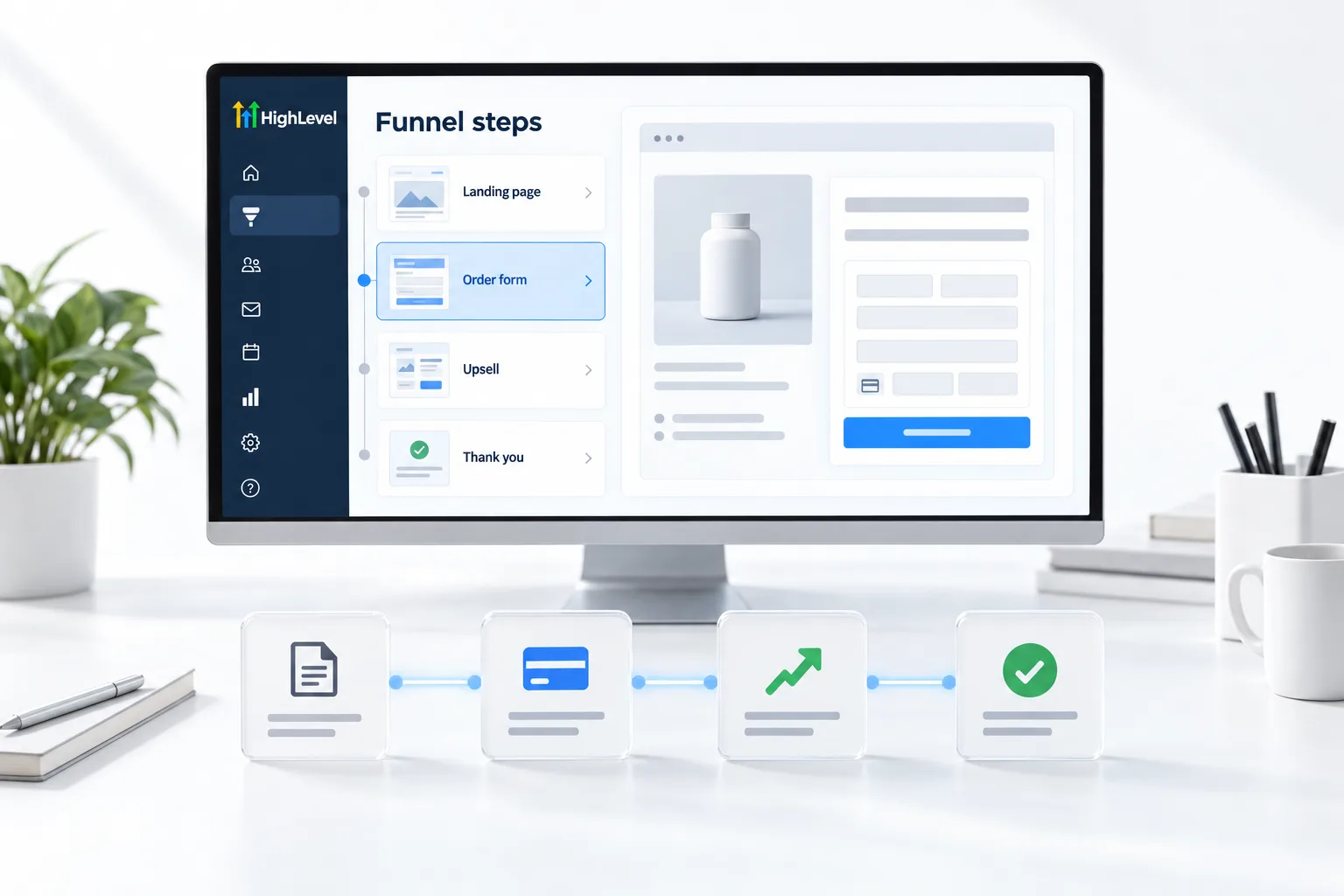
- Go to Sites, then Funnels, and create a new funnel. Start from blank, a template, or Funnel AI in Ask AI.
- Name the funnel and add a step for each page.
- Open the first step in the builder and add your headline, offer and a form, calendar or order form.
- Design the remaining steps and set the path from one step to the next.
- Connect a domain or subdomain in Sites, Settings, Domains and assign the funnel to it.
- Publish, then build a workflow triggered by the form submission or order.
- Test the whole path on your phone.
Selling
Taking payment in a funnel.
Connect Stripe first, create the product with a price, then add a one step or two step order form to the sales page. A two step order form collects contact details first, so you can follow up with people who do not finish paying.
Before you start
What do you need before you build a funnel?
The builder is the easy part. Before you open Sites, Funnels in HighLevel (GoHighLevel to many long time users), have these decided.
- One goal for the funnel: a lead, a booked call or a sale
- The offer and headline written down
- A domain or subdomain. See connect a custom domain
- Stripe connected and a product created if you will take payment
- A form, calendar or order form ready to place on the first step
For the short answer, see whether you can build funnels in HighLevel, and for how the builder compares with other tools, see the best funnel builders. You can build your first funnel during a 30 day trial through Michael's link. If you are building a business around funnels like this, read what a Founder is.
Test it
How do you test a funnel?
Walk the whole path as a visitor before you spend anything on traffic.
- Open the live domain on your phone.
- Complete the first step and confirm you land on the next funnel step.
- Check that a contact was created with the right details.
- If there is an order form, run a payment in test mode or buy with your own card.
- Confirm the follow up workflow started and the first message arrived.
Common mistakes
What mistakes should you avoid when you build a funnel?
- More than one goal. A funnel that asks for a call, a purchase and a download gets none of them.
- Saving but not publishing. Changes only reach visitors after you publish. If the page will not load, see fix a funnel page not loading.
- No domain assigned. A funnel on a default link looks unfinished. Assign it to your domain.
- Traffic before follow up. Build the workflow first. A funnel without one is just a page.
- Skipping the phone check. Most ad traffic is mobile. Check every step on a small screen.

Build the follow up before you send traffic. A funnel without a workflow is just a page.
Questions
Common questions.
How do I create a funnel in GoHighLevel?
Go to Sites, then Funnels, and create a new funnel from blank, a template or Funnel AI in Ask AI. Name it and add a step for each page. Put a form, calendar or order form on the first step, set the path between steps, connect a domain in Sites, Settings, Domains and publish.
Can AI build my funnel?
Yes. Funnel AI in Ask AI can draft funnels and websites for you to edit. Treat the draft as a starting point: check the headline, the offer and the form on each step, then set the path between steps and build the follow up workflow yourself before you send traffic.
Should I build a funnel or a website?
A funnel is built for one action, such as booking a call, claiming an offer or buying a product. A website is the full presence of the business. HighLevel builds both with the same drag and drop editor, so choose a funnel when every visitor should take the same next step.
How do I take payments in a funnel?
Connect Stripe first, create the product with a price, then add a one step or two step order form to the sales page. A two step order form collects contact details first, so you can follow up with people who do not finish paying. Run a payment in test mode before launch.
How many pages should a funnel have?
Two to four. A lead capture funnel needs an opt in page and a thank you page. A funnel that books calls adds a booking page and a confirmation. A sales funnel has a sales page with an order form, sometimes an upsell, and a thank you page.
Do I need a custom domain for a funnel?
You can build without one, but connect a domain or subdomain before you send traffic. It looks more trustworthy and keeps your links consistent. Connect it in Sites, Settings, Domains and assign the funnel to it, then open the live domain on your phone to test.
Why is my funnel not showing my latest changes?
Saving stores the changes. Publishing makes them live. Publish the step, then reload the live page. If the old version still shows, open the page in a private browser window, because your browser may be showing a saved copy of the earlier version.
Next step
See it in your own account. Thirty days, every feature.
Start a trial, build the first system and test it before the first invoice. Usage fees for phone, SMS, email and AI can apply during the trial.
HighLevel has three plans at a flat monthly price, each with unlimited users and contacts. See what each one includes and what it costs.
Compare the PlansStarter, Unlimited and Founder