
The GoKollab mobile app is now just one tap away. A smart app banner now appears across the GoKollab mobile website, making it effortless for members to discover, install, and switch to the native app, without losing their place.
Michael's take
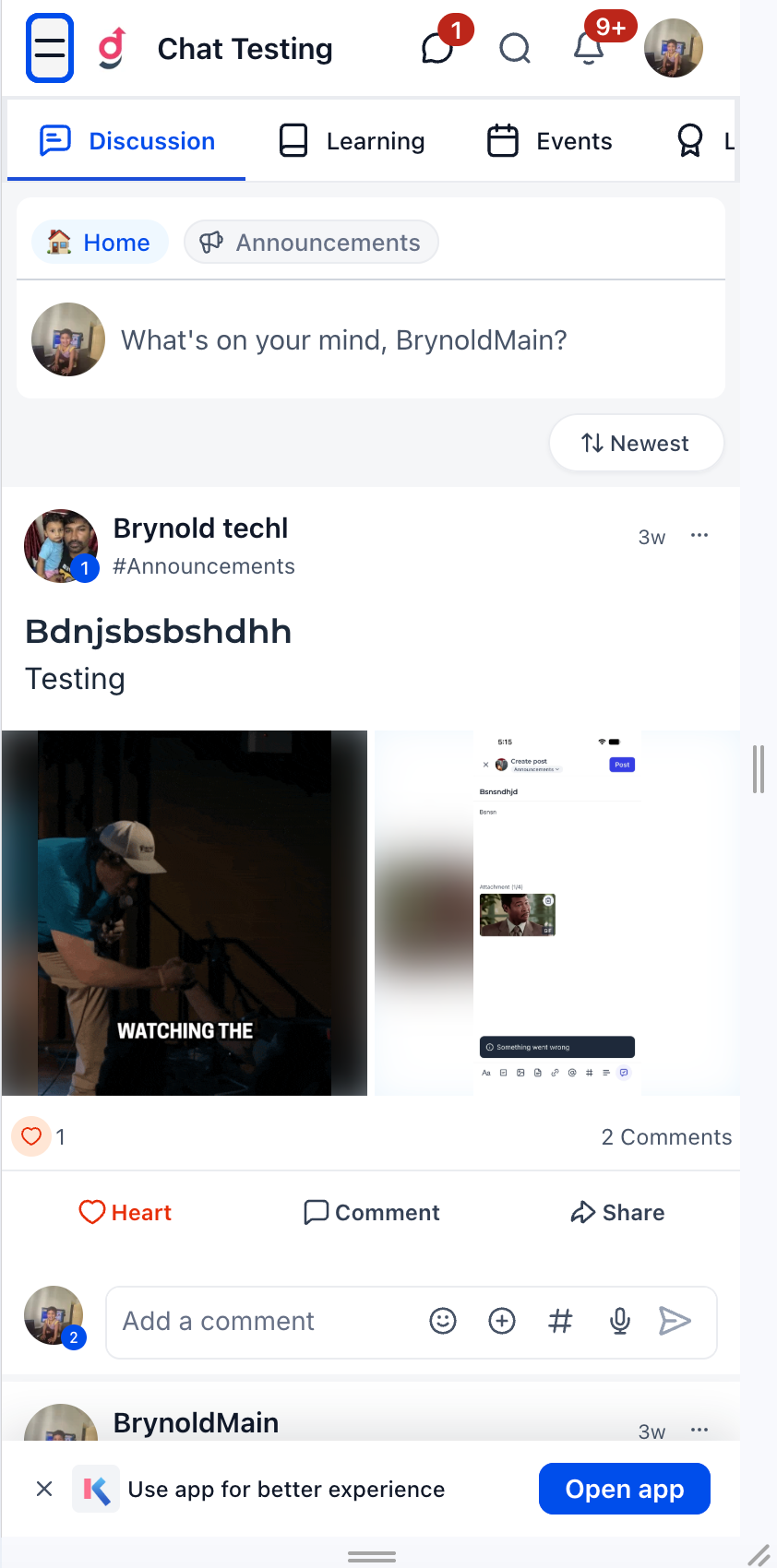
My first impression is that this is a modest but useful tweak. It adds a banner that sits at the bottom of every mobile web page. The goal is to make the native app reachable in a single tap.
If you already have members browsing your GoKollab site on a phone, they will now see a small bar prompting them to open or install the app. The banner disappears if they tap the close icon. It removes the need to hunt for a download link.
I would test that the banner shows up on all pages of the mobile site. I would also verify that the deep link opens the exact same content in the app when it is installed. Finally I would check that the store redirects work for both iOS and Android devices.
In a real world scenario I would use this to guide members from a discussion thread on the web straight into the same thread inside the app. That way they can take advantage of push notifications and smoother navigation without losing context.
I believe technology should reduce friction for our members, not add more steps. A simple banner that respects where the user is is a good example of that principle.
If you want to make it easier for your community to move to the native app, give this banner a look.
** What’s New?
App Banner Across the Website **
A dismissible GoKollab app banner is now displayed at the bottom of all mobile web pages. It provides a prominent, always accessible entry point into the native mobile app, no hunting for download links.
What changed
Smart App Detection & Redirection
The banner intelligently detects whether the GoKollab app is already installed:
- App installed: Opens the GoKollab app directly using deep linking. Members land on the exact same content they were viewing on the website.
- App not installed: Redirects members to the appropriate store based on their device: IOS > Apple App Store | Android > Google Play Store
Seamless Web to App Navigation
Deep links preserve the member’s current page context. Whether they’re browsing communities, discussions, or other content on the mobile web, tapping the banner takes them directly to that same page in the app. No need to search for the content again after switching.
Why it matters for Founders
Until now, there was no built in way for members browsing the mobile website to discover or switch to the GoKollab app. Members who would have a better experience on the native app had no easy path to get there.
The app banner changes that: Converting existing mobile web traffic into app users with a single tap. It’s discoverable from every page, intelligent about routing, and context aware so members never lose their place.
Notes and availability
- The banner appears on all GoKollab mobile web pages.
- Members can dismiss the banner if they prefer to continue on the mobile web.
- Deep linking ensures content continuity between web and app.
- Supports both iOS (App Store) and Android (Play Store) redirection.
Questions Founders ask
What did HighLevel release in "GoKollab: App Banner on Mobile Web"?
The GoKollab mobile app is now just one tap away. A smart app banner now appears across the GoKollab mobile website, making it effortless for members to discover, install, and switch to the native app, without losing their place.
What should a Founder do with GoKollab: App Banner on Mobile Web?
Open your GoKollab mobile site on a phone and confirm the banner appears and redirects correctly. It's worth checking out for anyone who runs a GoKollab community.
Why does GoKollab: App Banner on Mobile Web matter?
Until now, there was no built in way for members browsing the mobile website to discover or switch to the GoKollab app. Members who would have a better experience on the native app had no easy path to get there. The app banner changes that, converting existing mobile web traffic into app users with a single tap. It’s discoverable from every page, intelligent about routing, and context aware so members never lose thei
How do I get this feature with setup help?
Start a free HighLevel trial through Michael Reimer's link and the CRM Pros team helps with setup in your first 7 days, with an onboarding call, three live calls every week and the affiliate community included.
Get More InformationOpens in a new tab Published November 9, 2026. Screenshots belong to HighLevel.