
Registration is just the beginning. The real value of an event is everything that happens after.
Michael's take
My first impression is that this is a solid quality of life upgrade rather than a brand new platform. It takes the event registration flow and folds it into the Client Portal you already use.
If you already have events set up, you can now flip a switch in the Attendee App settings and let members buy tickets, see their QR code and jump straight into the event without another login.
I would test the ticket checkout to make sure coupons apply correctly and that the QR code appears on both iOS and Android. I’d also verify that the personal connection request works without exposing private contact info.
In practice I see it cutting down the back and forth emails after a conference. A participant could pull their agenda, bookmark a booth and then turn that badge scan into a lead for the exhibitor, all from the same portal.
Technology should shave steps, not add them. This addition keeps everything under one roof and lets you treat events like any other member service.
If you already host events in HighLevel, it’s worth turning on the Attendee App and walking through a test purchase to see the experience for yourself.
What changed
Overview
Registration is just the beginning. The real value of an event is everything that happens after.
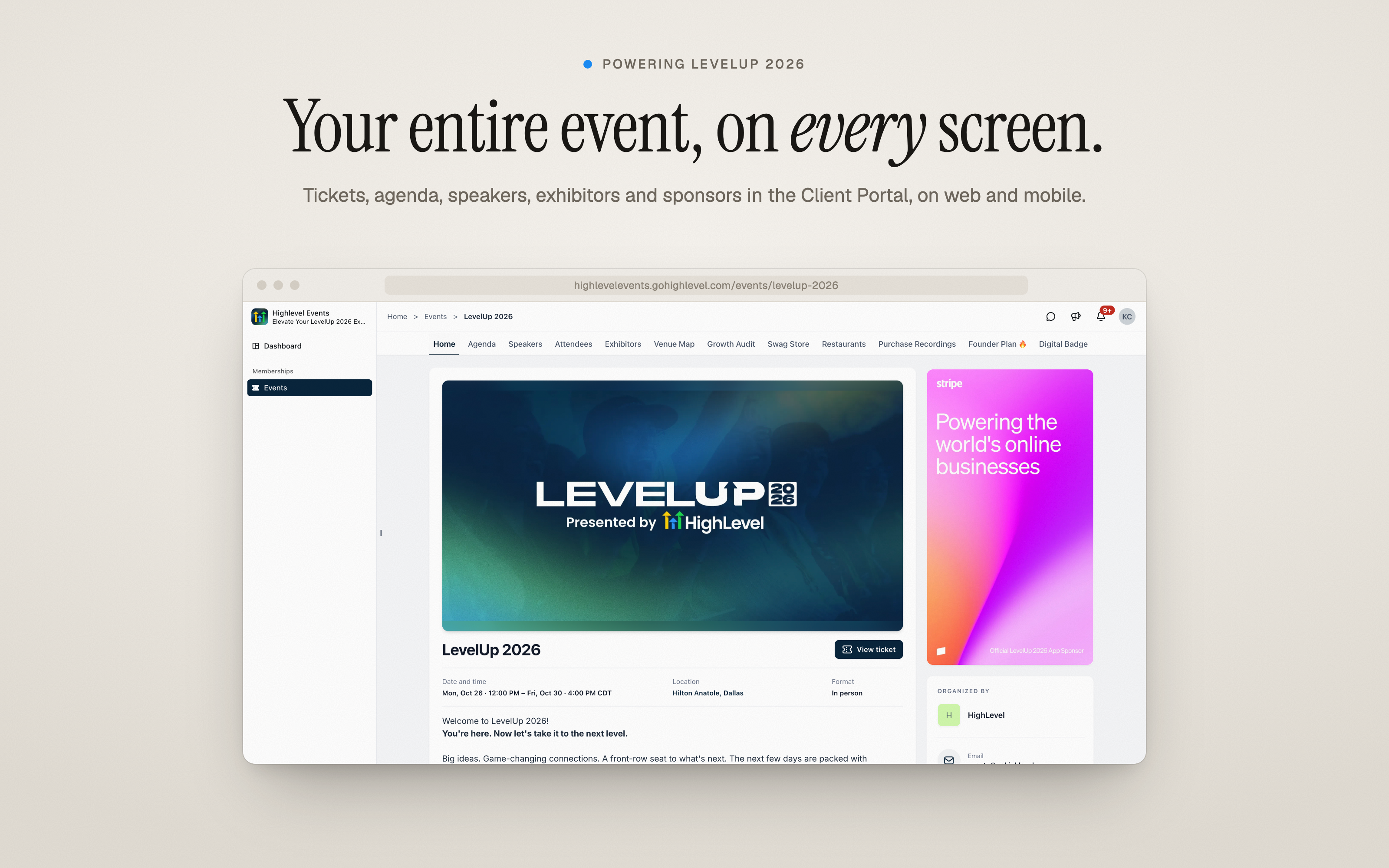
The Events Attendee App brings discovery, tickets, schedules, networking, exhibitors, sponsors and live updates together in the HighLevel Client Portal: On the web, on iOS and Android, and inside your own branded app. Your members already log in to your Client Portal for courses and communities. Now your events live there too.
It also powered the attendee experience at HighLevel’s LevelUp 2026.
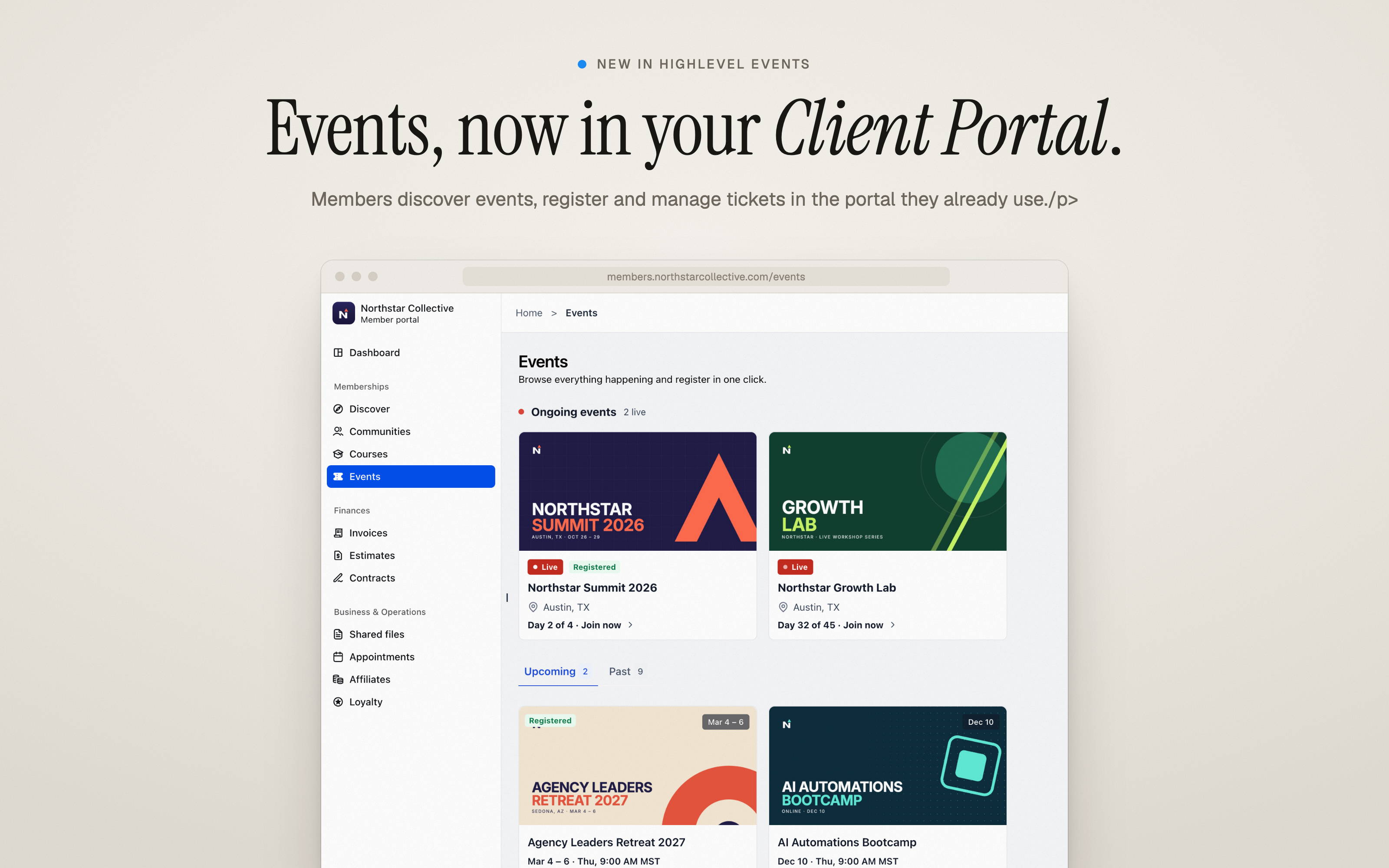
Events in Your Client Portal
Events now has its own home in the Client Portal.Members can:
- See what’s live right now and browse upcoming and past events
- Filter events by location.
- Buy tickets in a few clicks:choose ticket types and quantities, apply a coupon and check out.
You decide what’s listed. Turn on Make this event discoverable to show an event to all portal members, or keep it visible only to the people taking part.
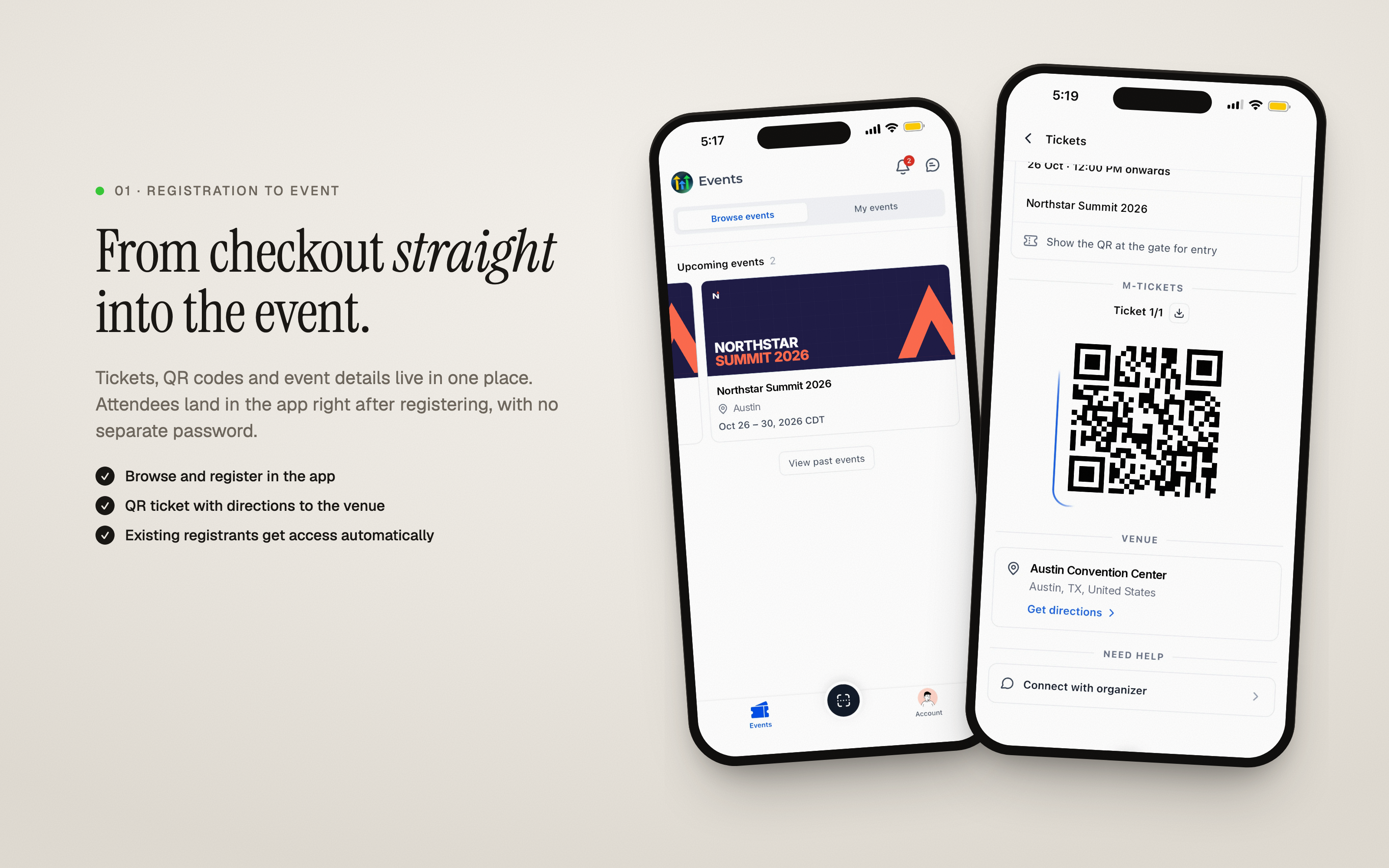
From Checkout Straight Into the Event
- Attendees go from checkout into the event with no separate password
- Every ticket lives in one place, with its QR code, venue directions and a one click download
- On mobile, tickets can be saved to Apple Wallet in one tap
- Existing registrants get access automatically when you turn the app on
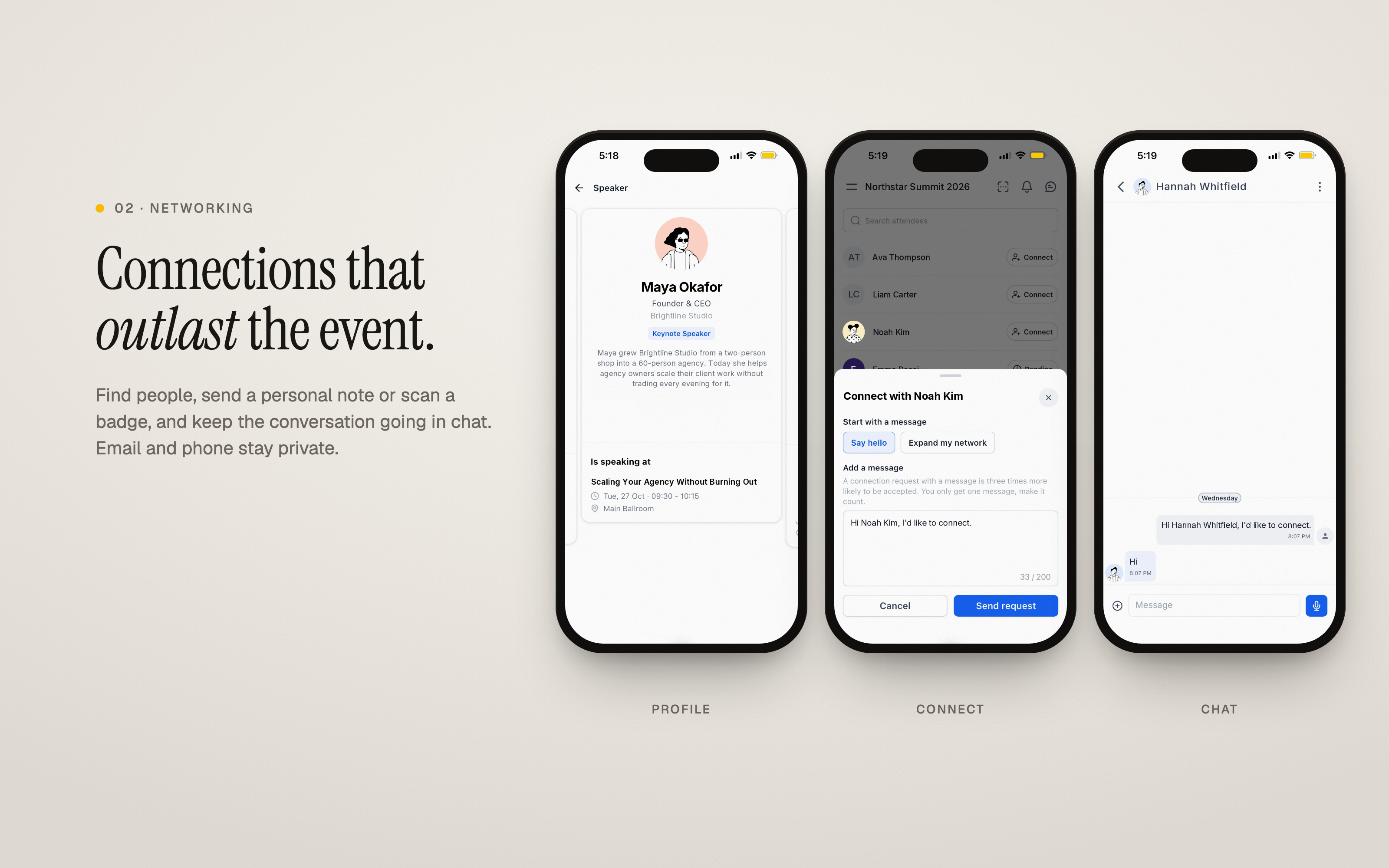
Connections That Outlast the Event
- Find attendees, speakers and exhibitors
- Send a personal connection request or scan a QR badge
- Keep the conversation going in chat, with email and phone kept private
- Connections carry across every event you host, and members choose whether they appear in the attendee list
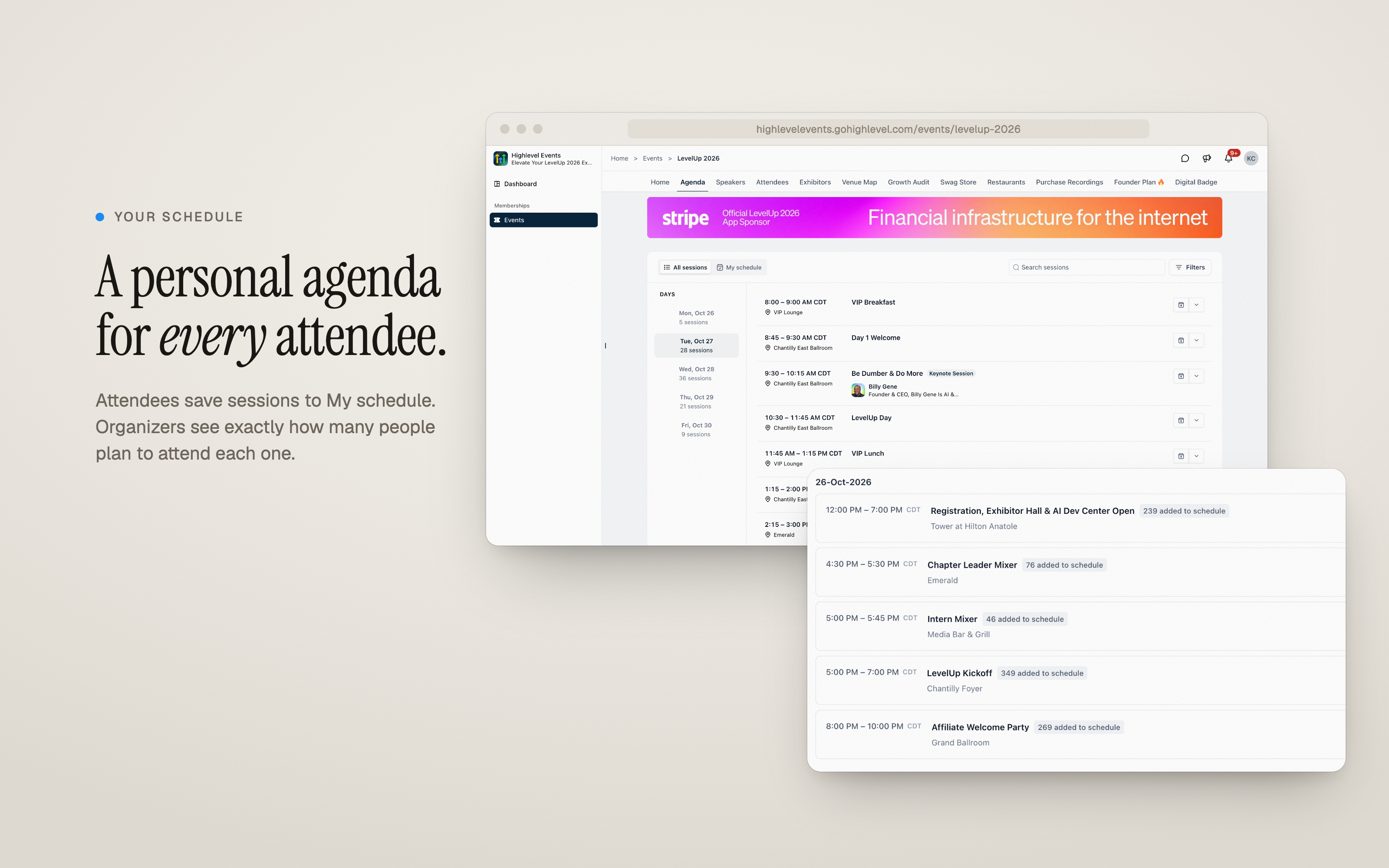
A Personal Agenda for Every Attendee
- Browse sessions by day, search, and save the ones that matter to My schedule
- Get to know speakers before arriving
- Organizers can limit sessions to specific ticket types (for example, VIP only experiences) and see how many people saved each session
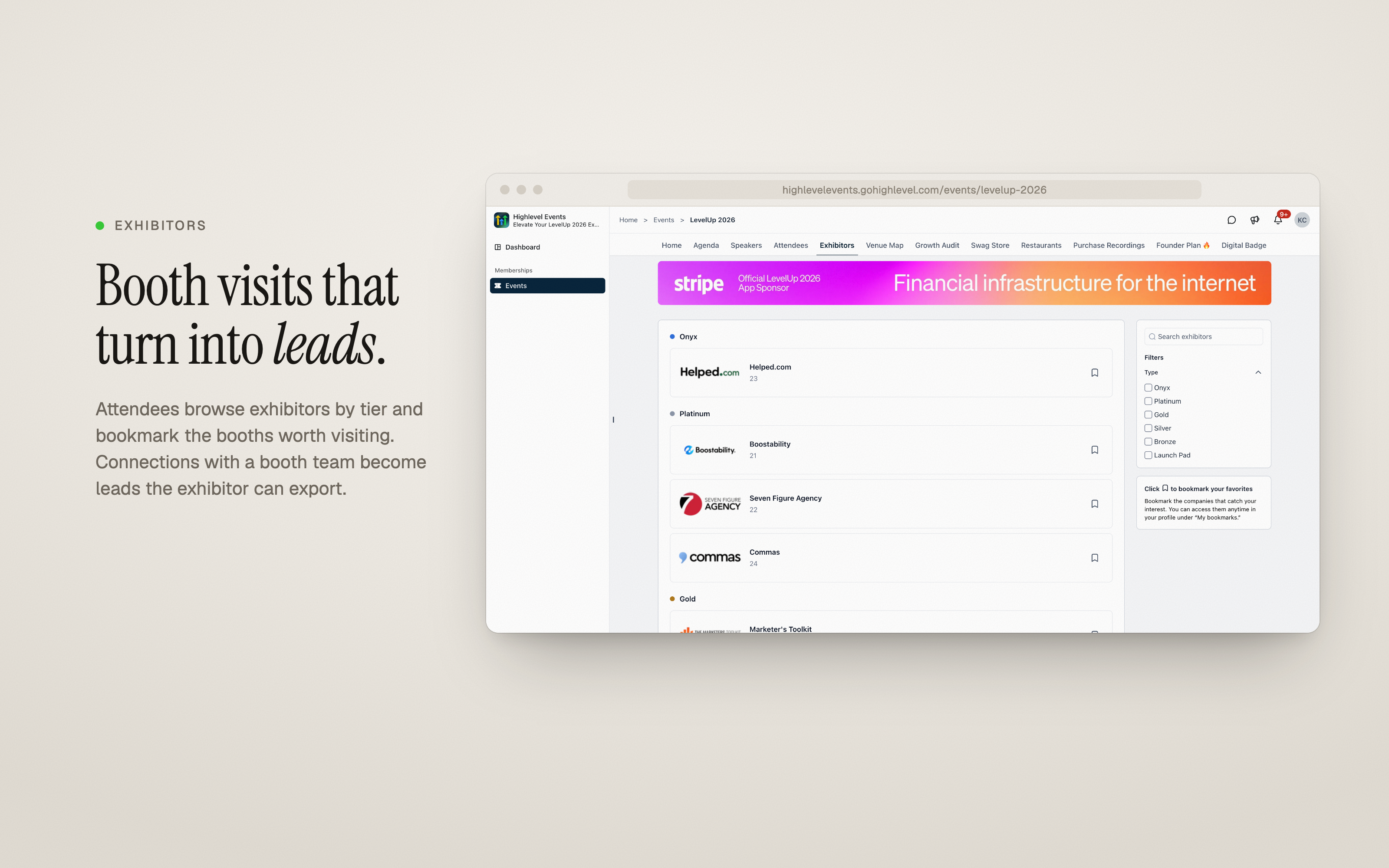
Booth Visits That Become Leads
- Attendees browse exhibitors by tier, bookmark booths worth visiting and connect with booth teams
- Exhibitors turn those connections and badge scans into leads, manage them in the Exhibitor Center and export them
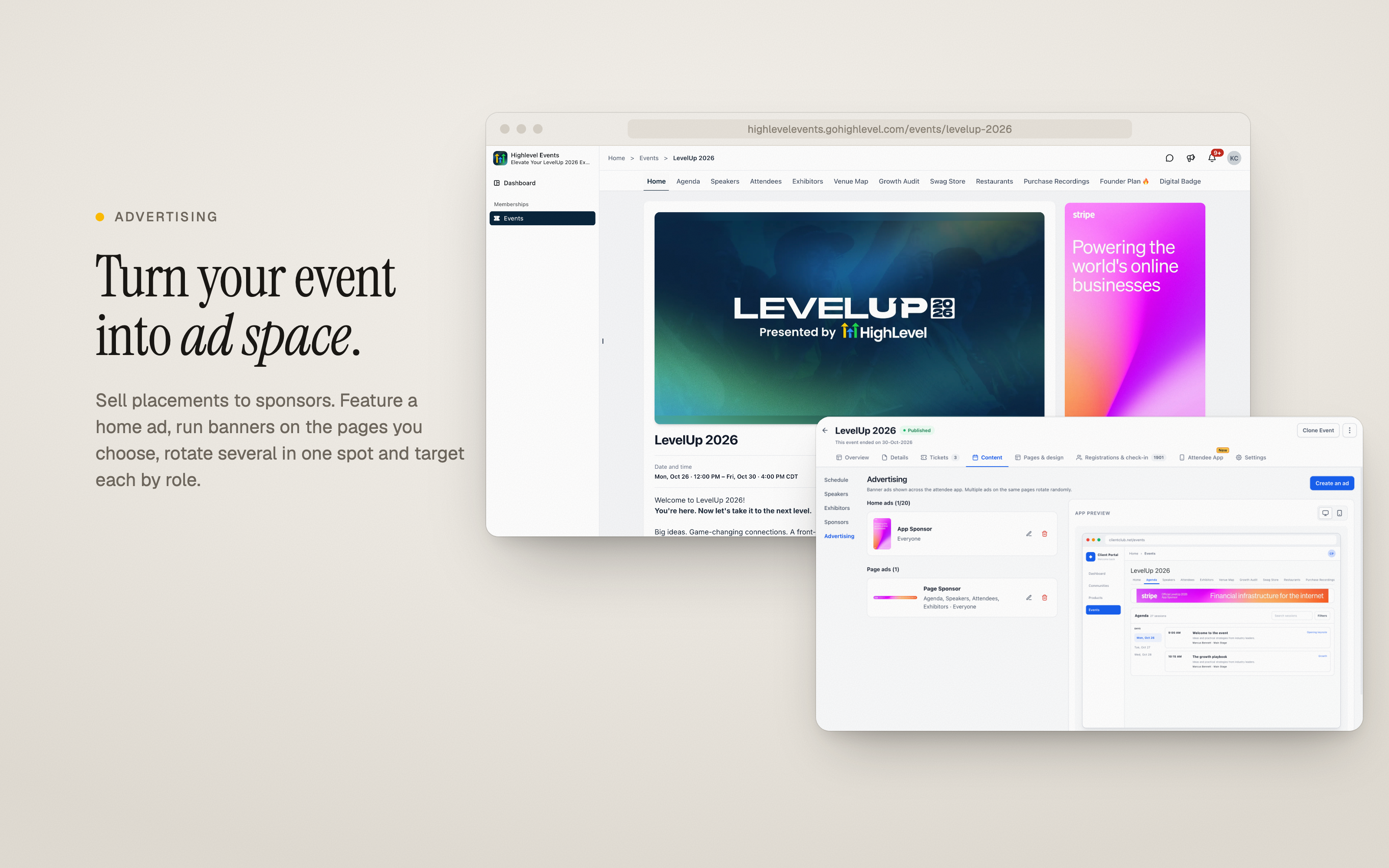
Turn Your Event Into Ad Space
- Sell ad placements to sponsors right inside the event
- Feature a full ad on the event home
- Run banner ads on the pages you choose, and rotate several ads in the same spot
- Target each ad to everyone, to event members or to specific roles
- Link each ad to the sponsor’s site
Showcase Your Sponsors
Display sponsors in tiers on the event page, so every partner gets the visibility they paid for.
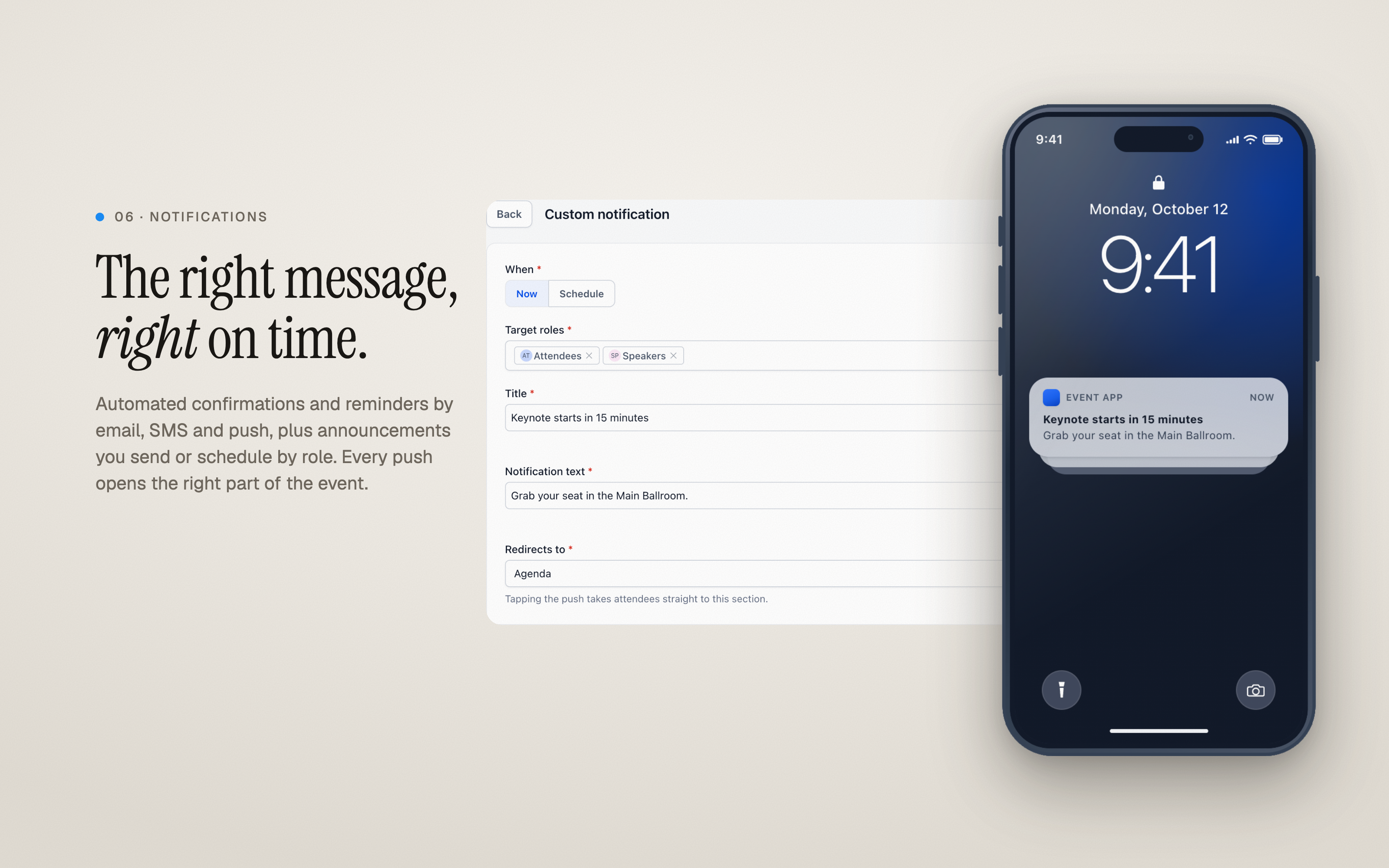
The Right Message, Right on Time
- Automated confirmations and reminders by email, SMS, in app notification and push
- Send announcements now or schedule them, targeted to the roles you pick
- Every message opens the right part of the event
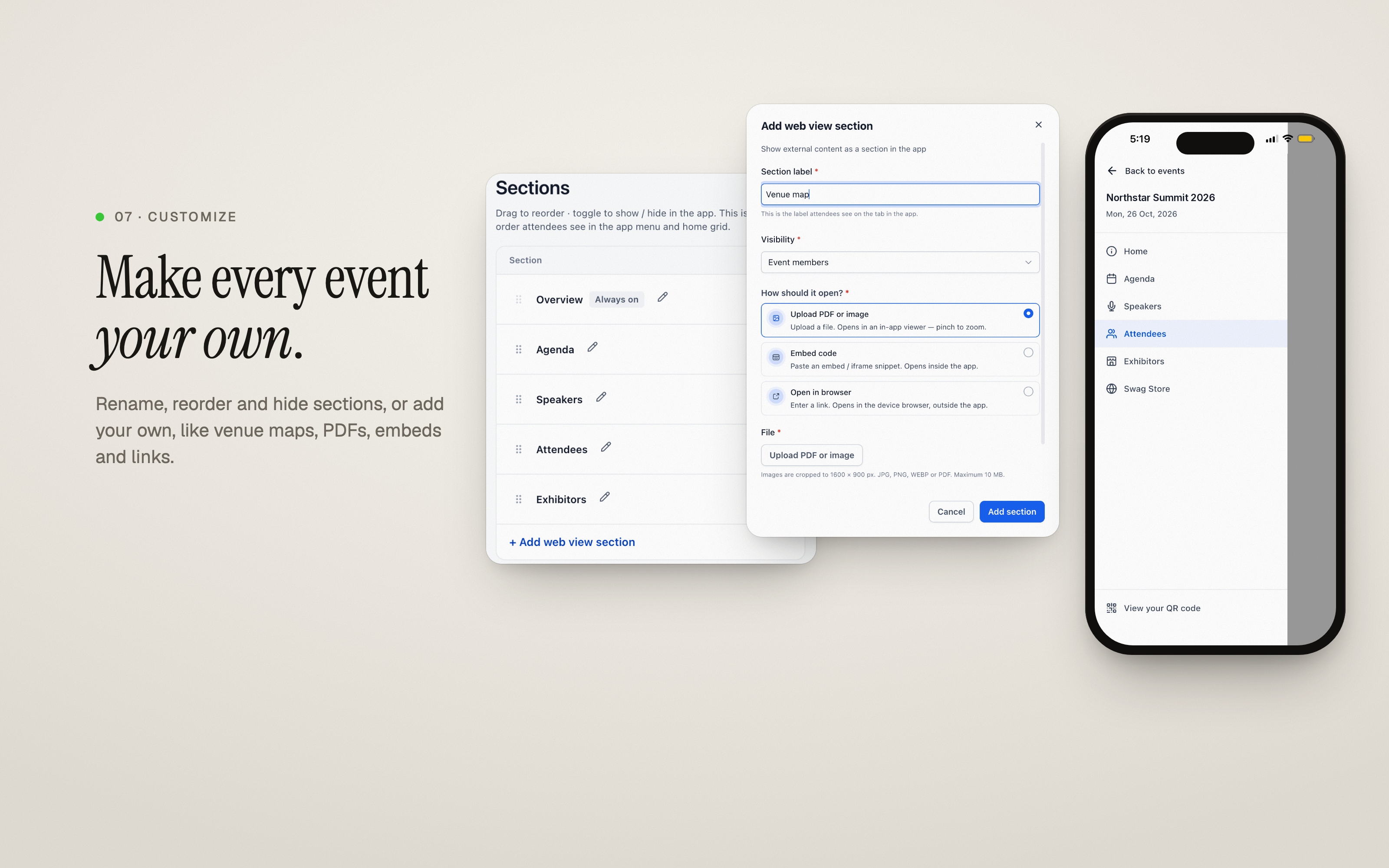
Make It Yours
- Rename, reorder or hide sections
- Add your own sections, such as venue maps, PDFs, embeds and links
- Deliver it all in the Client Portal on web and mobile, or in your own branded app
Why it matters for Founders
- For attendees:Everything they need before, during and after the event, in one place and on any device.
- For organizers:More ticket sales from members you already have, fewer emails, and a clear picture of what interests people.
- For exhibitors and sponsors:Visibility in front of the right people, and leads they can follow up on.
How to turn it on
- Go to Events, select an event, then open Attendee App.
- Turn on Attendee app access. If prompted, click Upgrade Client Portal first (it takes about a minute).
- Turn on Make this event discoverable to list the event for all portal members.
Attendees sign in on the web, in the HighLevel Client Portal app, or in your branded app.
Questions Founders ask
What did HighLevel release in "Introducing the Events Attendee App: Beyond Registration, Into the Experience"?
Registration is just the beginning. The real value of an event is everything that happens after.
What should a Founder do with Introducing the Events Attendee App: Beyond Registration, Into the Experience?
Go to Events, open an event, enable Attendee App access and run a quick test checkout this week. Founders and agency owners who run events in HighLevel and want a single place for tickets, schedules and networking.
How do I turn on Introducing the Events Attendee App: Beyond Registration, Into the Experience in HighLevel?
In HighLevel: Go to Events, select an event, then open Attendee App. Then Turn on Attendee app access. If prompted, click Upgrade Client Portal first (it takes about a minute). Then Turn on Make this event discoverable to list the event for all portal members.
Why does Introducing the Events Attendee App: Beyond Registration, Into the Experience matter?
For attendees: Everything they need before, during and after the event, in one place and on any device. For organizers: More ticket sales from members you already have, fewer emails, and a clear picture of what interests people. For exhibitors and sponsors: Visibility in front of the right people, and leads they can follow up on.
How do I get this feature with setup help?
Start a free HighLevel trial through Michael Reimer's link and the CRM Pros team helps with setup in your first 7 days, with an onboarding call, three live calls every week and the affiliate community included.
Get More InformationOpens in a new tab Published November 10, 2026. Screenshots belong to HighLevel.