
01Who this is for
- Online course Founders, give students instant entry without passwords, reducing support tickets.
- Community managers, allow members to join private groups quickly while keeping accounts secure.
- Coaches with membership sites, provide clients direct access to specific training modules without login hurdles.
02Magic links in memberships, explained
Magic Links are secure, customer specific URLs that let a user sign into the client portal without entering a username or password. The link automatically routes the user to the course, community or portal page they are authorized to view.
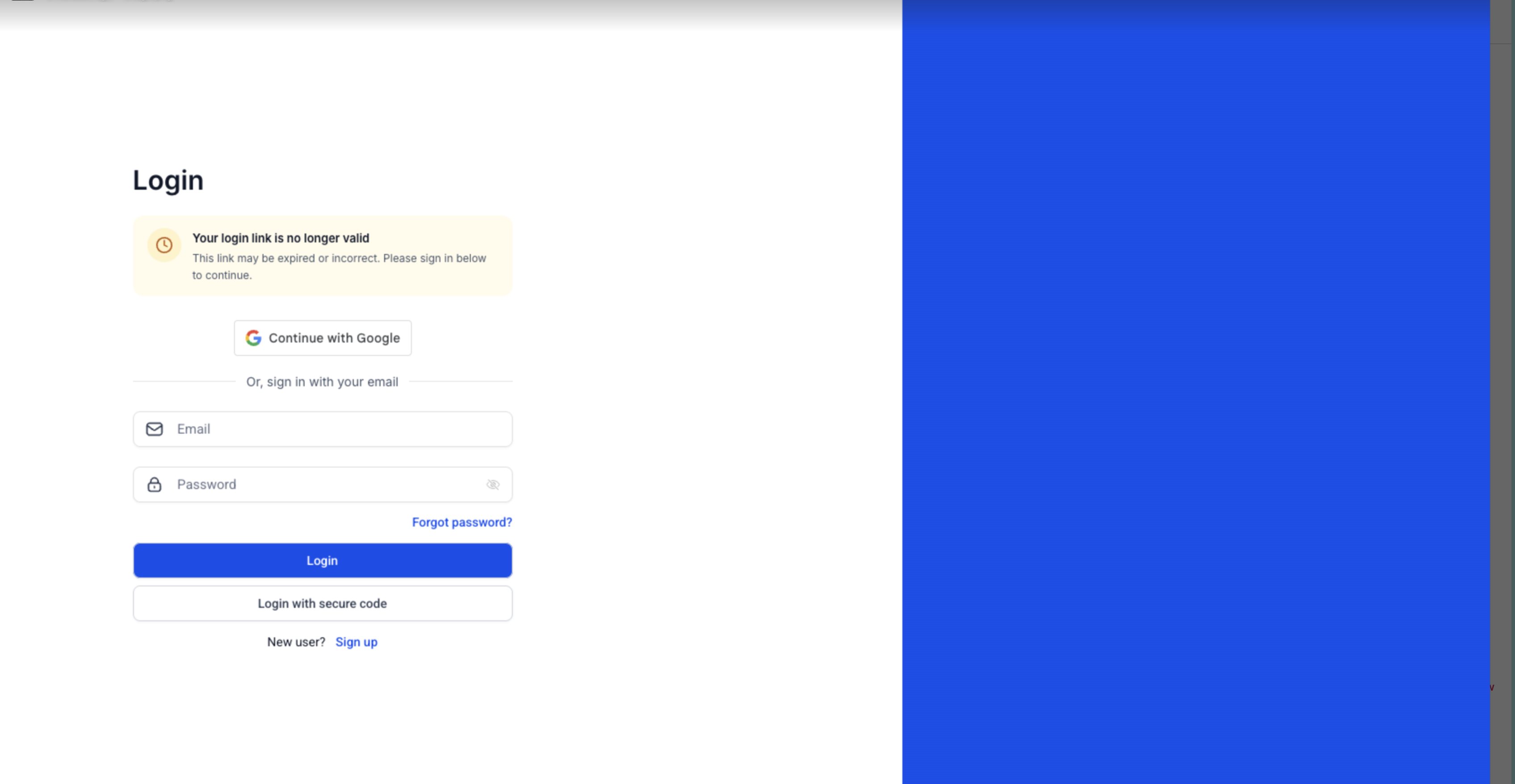
Each link includes a time limited token. Links generated from the Client Portal expire after 15 minutes, while those sent through email remain active for 24 hours. After expiration, a new link can be created or requested.
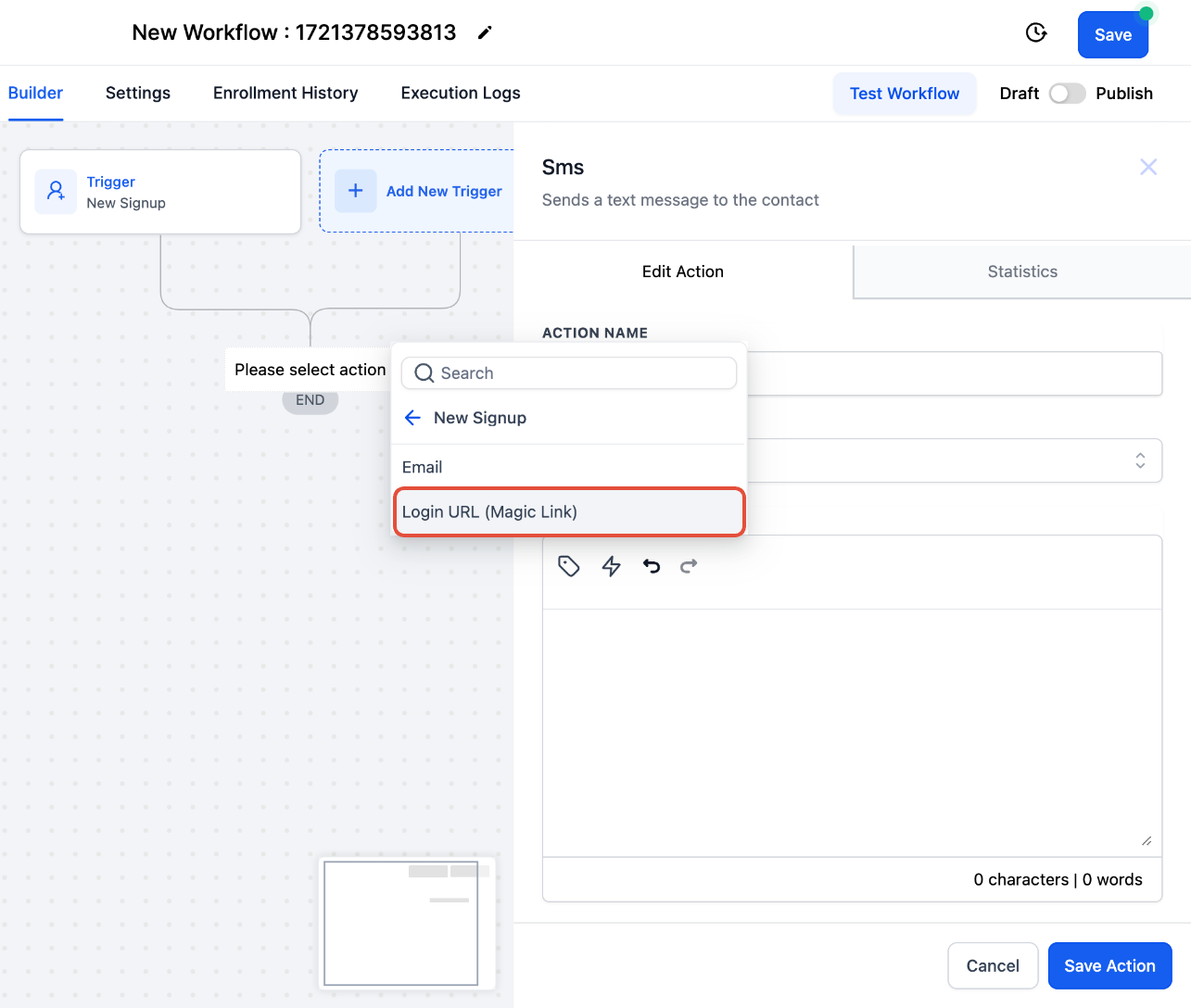
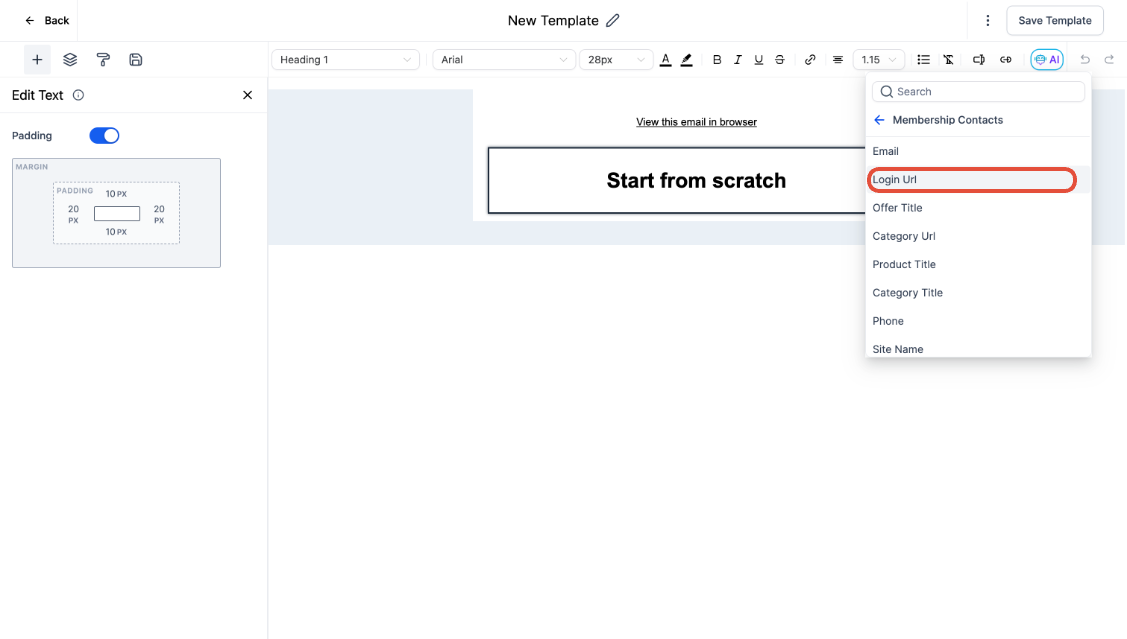
The feature lives inside Memberships under the Client Portal section. It is also available as the Login Url(Magic Link) placeholder when adding email or SMS actions in a workflow.
03How businesses use magic links in memberships
- Online coaching business. Generate a magic link for a client in the Client Portal, copy it, and email it directly so the client can open their coaching session without entering credentials.
- Fitness membership site. Add a Courses Started trigger in a workflow, attach an email action, and insert the Login Url (Magic Link) field; when a new member signs up, the system sends a personalized link that opens their workout videos.
- Software onboarding program. Create a workflow that fires when product access is granted, include an SMS action with the Login Url (Magic Link) value, and the new user receives a text message that logs them into the onboarding community right away.
04The numbers and rules that matter
- Links generated under Memberships > Client Portal expire after 15 minutes.
- Magic links sent through email expire after 24 hours.
05Before you start
- Newly created locations must use client portal magic links.
- Customers must already have permission to the intended course or group.
- Obtain prior consent before sharing a magic link.
06How to set up and use magic links in memberships in HighLevel
Generate a magic link for a member
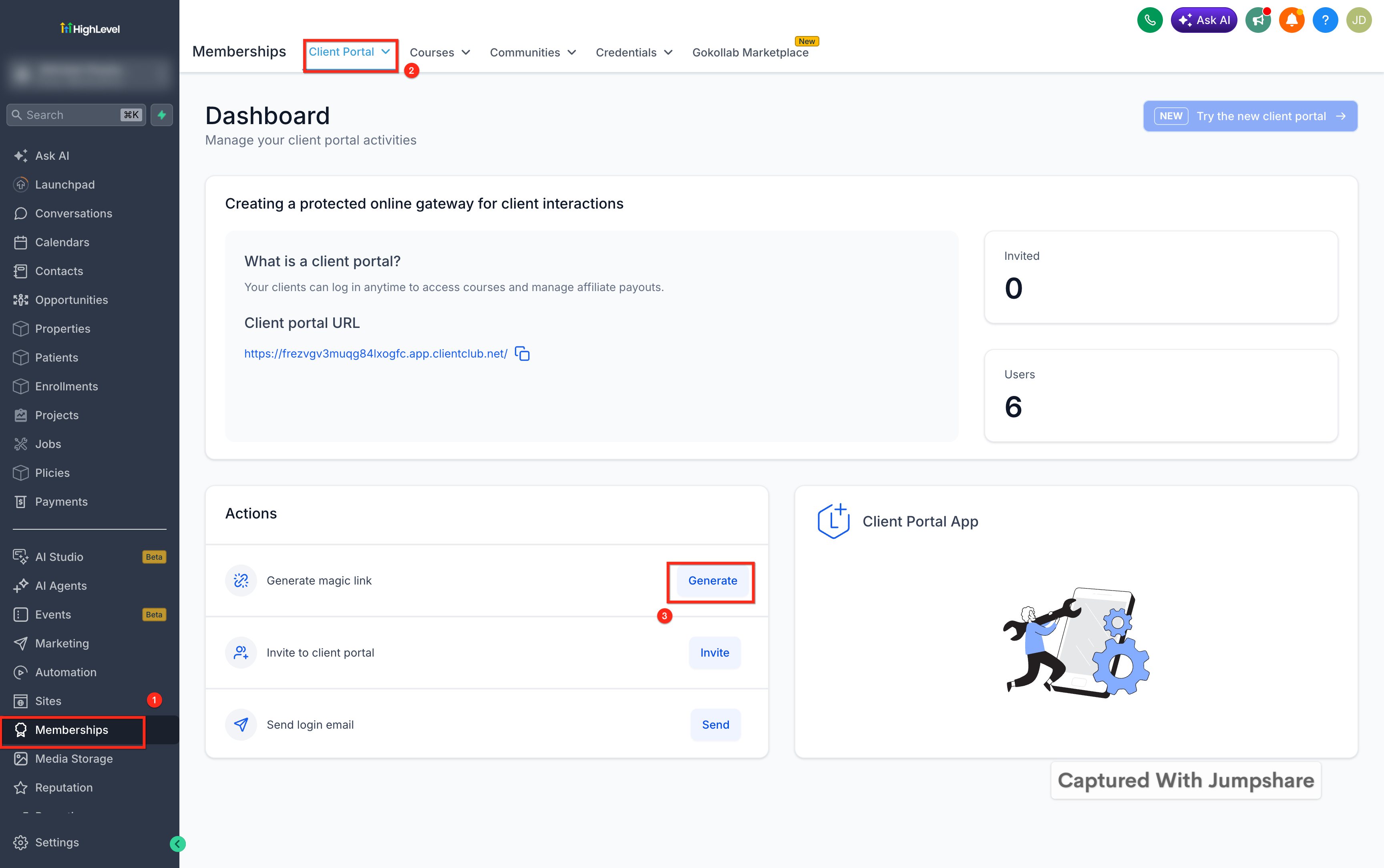
- Open Memberships and select Client Portal.
- Scroll down to the Actions section.
- Click the Generate button.
- Copy the URL that appears.
- Send that URL to the intended member.
Send a magic link through a workflow
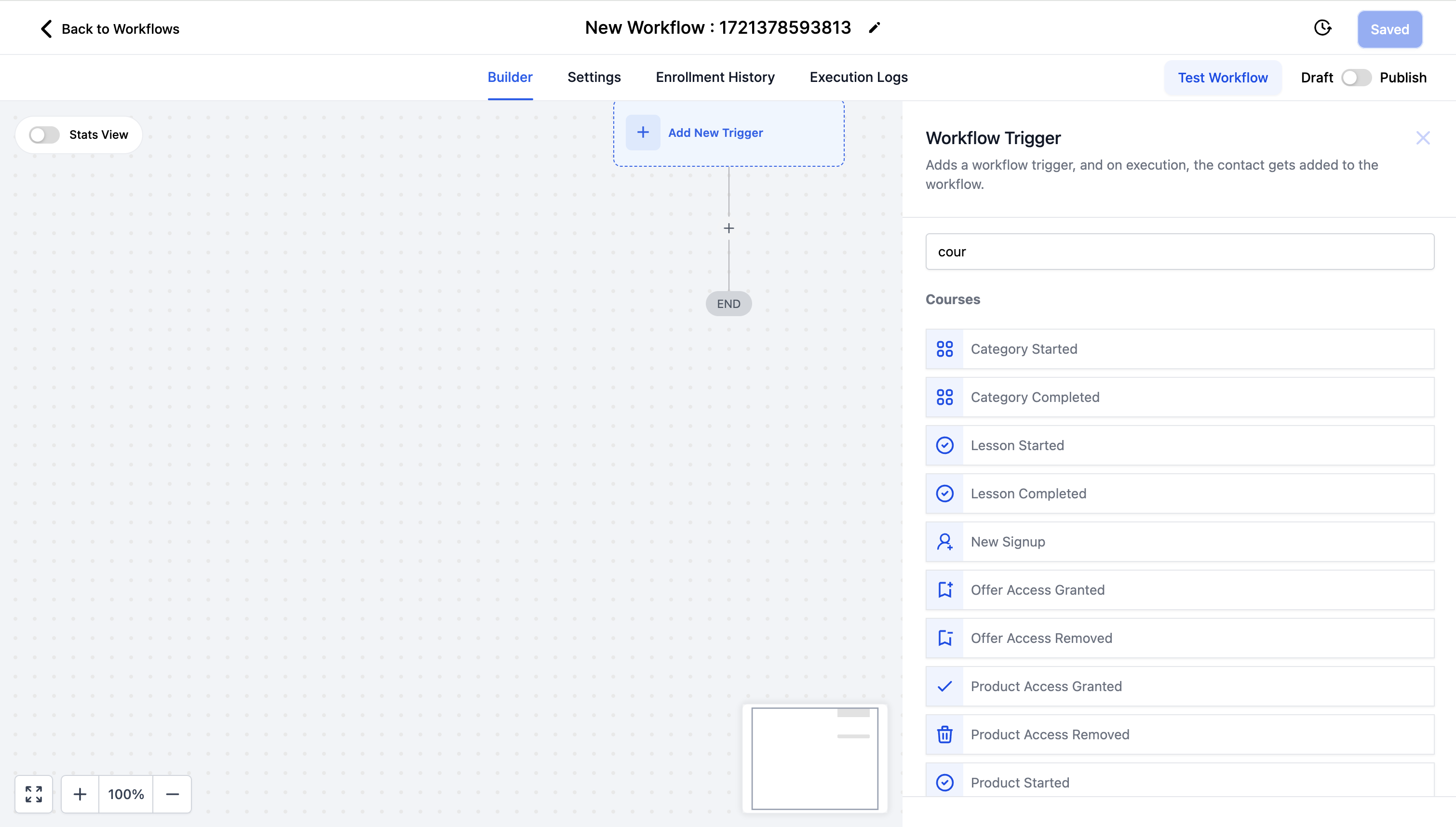
- Open the workflow builder and add a Courses trigger.
- Choose the specific trigger type (e.g., Category Started, Lesson Completed).
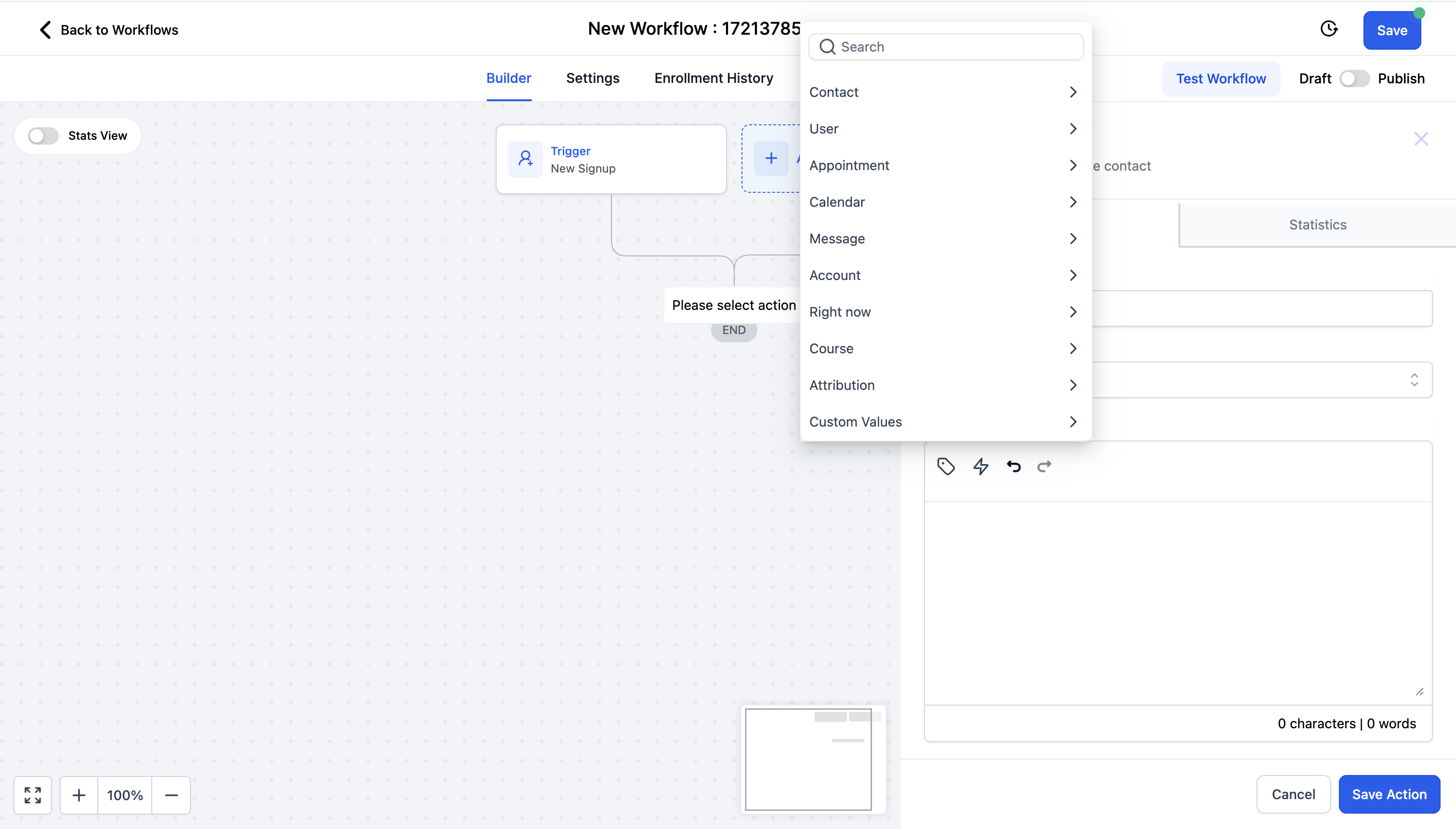
- Add an email or SMS action and select the Login Url (Magic Link) custom value.
- Activate the workflow; the platform will populate each message with the member’s unique link.
07What it looks like in HighLevel
08Settings that matter
- Login Url(Magic Link). Inserts the member specific magic link into an email or SMS message.
09Things to know before you rely on it
- Links generated from Memberships > Client Portal expire after 15 minutes.
- Links sent via email are valid for 24 hours.
- A magic link signs the user in but does not grant content access; correct permissions must already exist.
- Newly created locations must use client portal magic links.
- Magic links are customer specific; reusing or forwarding them can expose other accounts.
10If something goes wrong
- The link expired. For an emailed link, click Send New Link; for a portal generated link, return to Actions and click Generate again.
- The replacement email did not arrive. Check spam or filtered folders and verify the contact’s email address is correct.
- The customer cannot see the expected content. Confirm the contact record includes access to the relevant course, offer, product, or community group.
- The wrong account opens. Do not reuse or forward the link; generate a new magic link for the correct contact.
- More content appears during testing. Open the link in a private or incognito browser window to avoid administrator permissions.
11How it connects to the rest of HighLevel
- Build and organize your courses Course builder
- Apply themes to your membership portal Membership themes
- View pricing and plan details for HighLevel Pricing
Michael's take

Magic links can help reduce password hassles and lower the number of support tickets while keeping course access secure. The one time, time limited URL lets customers jump straight to the material they’ve bought without extra steps.
Never send a Magic Link to someone who hasn’t explicitly asked for it.