
01Who this is for
- Coaching businesses can host exclusive training rooms and control who sees them.
- Fitness studios can offer members paid access to specialized workout channels.
- Professional associations can create members only discussion areas with optional fees.
02Premium channels, explained
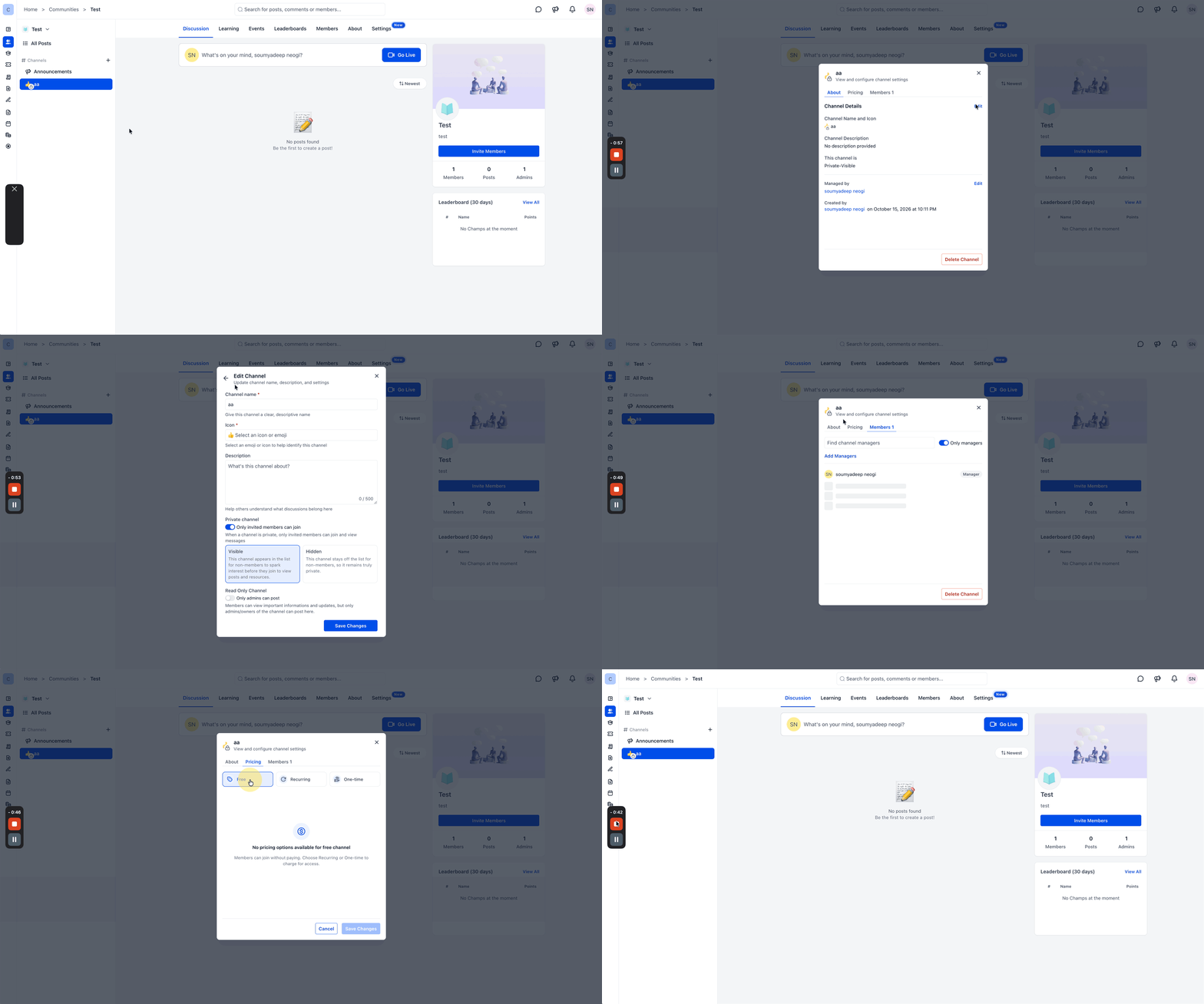
Premium Channels are private community channels that appear in a HighLevel group. They can be set to either Visible, where the channel name shows in the sidebar but content stays locked, or Hidden, where the channel does not appear for members without access. Each channel can be free, require a recurring subscription, or demand a one time payment.
The feature lives under Memberships > Communities > Groups. After a channel is created, its settings can be edited to change visibility or pricing at any time. Paid channels can be tested using Test Mode before going live. Admins may also enable a Read Only mode so only administrators can post in the channel.
03How businesses use premium channels
- Online course provider. Create a private channel for each course module, set it to Visible so enrolled students see the channel name, and charge a recurring subscription for ongoing access. Update pricing later if the course moves to a one time purchase model.
- Health and wellness community. Set up a Hidden channel for premium nutrition advice, charge a one time fee for entry, and keep the channel invisible to non paying members. Use the channel’s Settings to edit the description and pricing as needed.
- Professional association. Create a Free private channel where members request entry from an admin. Choose Visible so members know the channel exists but must be approved before viewing posts. Adjust visibility or enable Read Only when only leadership should post updates.
04Before you start
- A community group must already exist in HighLevel.
05How to set up and use premium channels in HighLevel
Create a premium channel
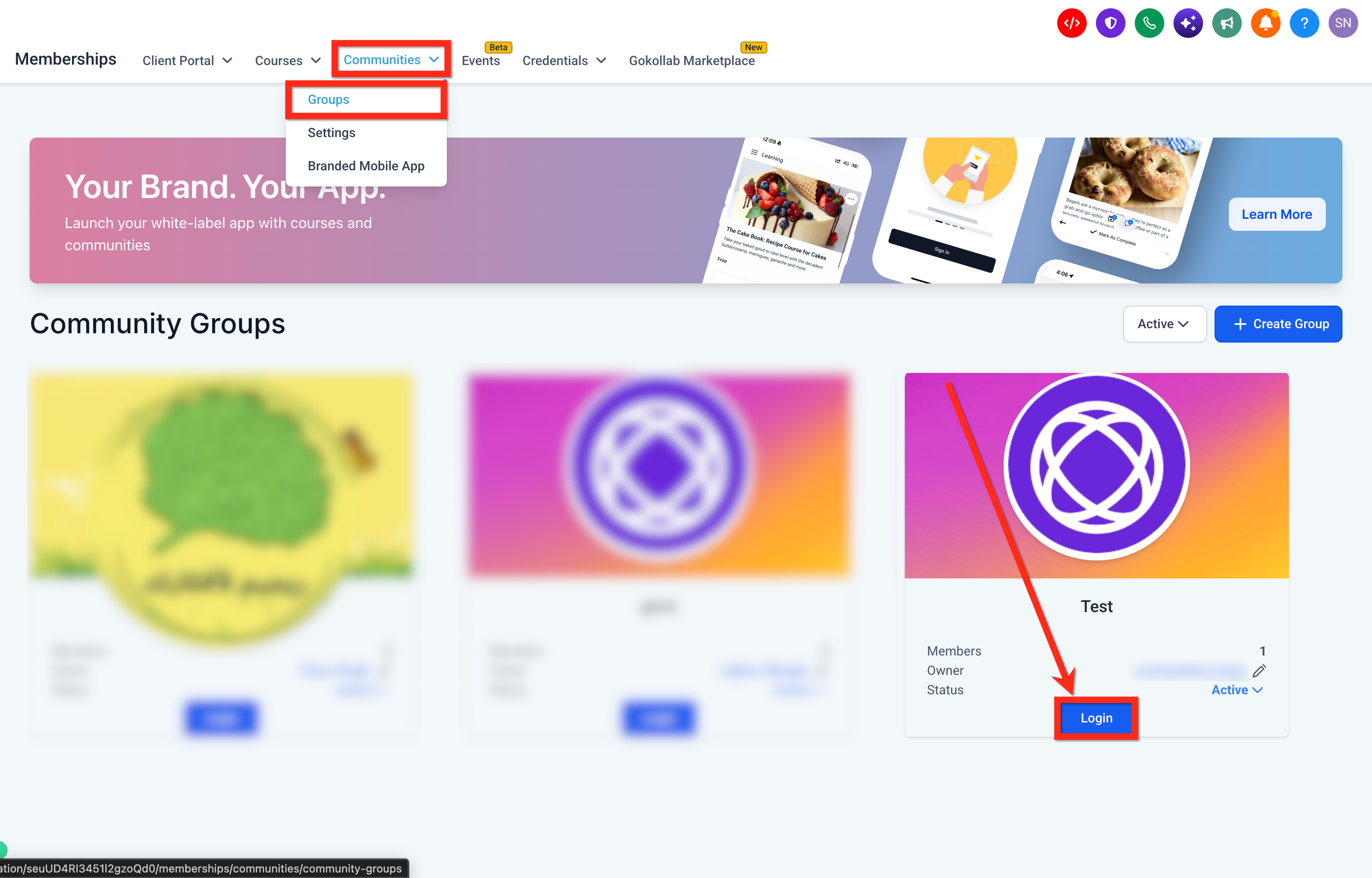
- Navigate to Memberships > Communities > Groups and open the desired community group.
- In the Channels area, click the plus (+) icon.
- Choose the option to create a channel for conversations and updates.
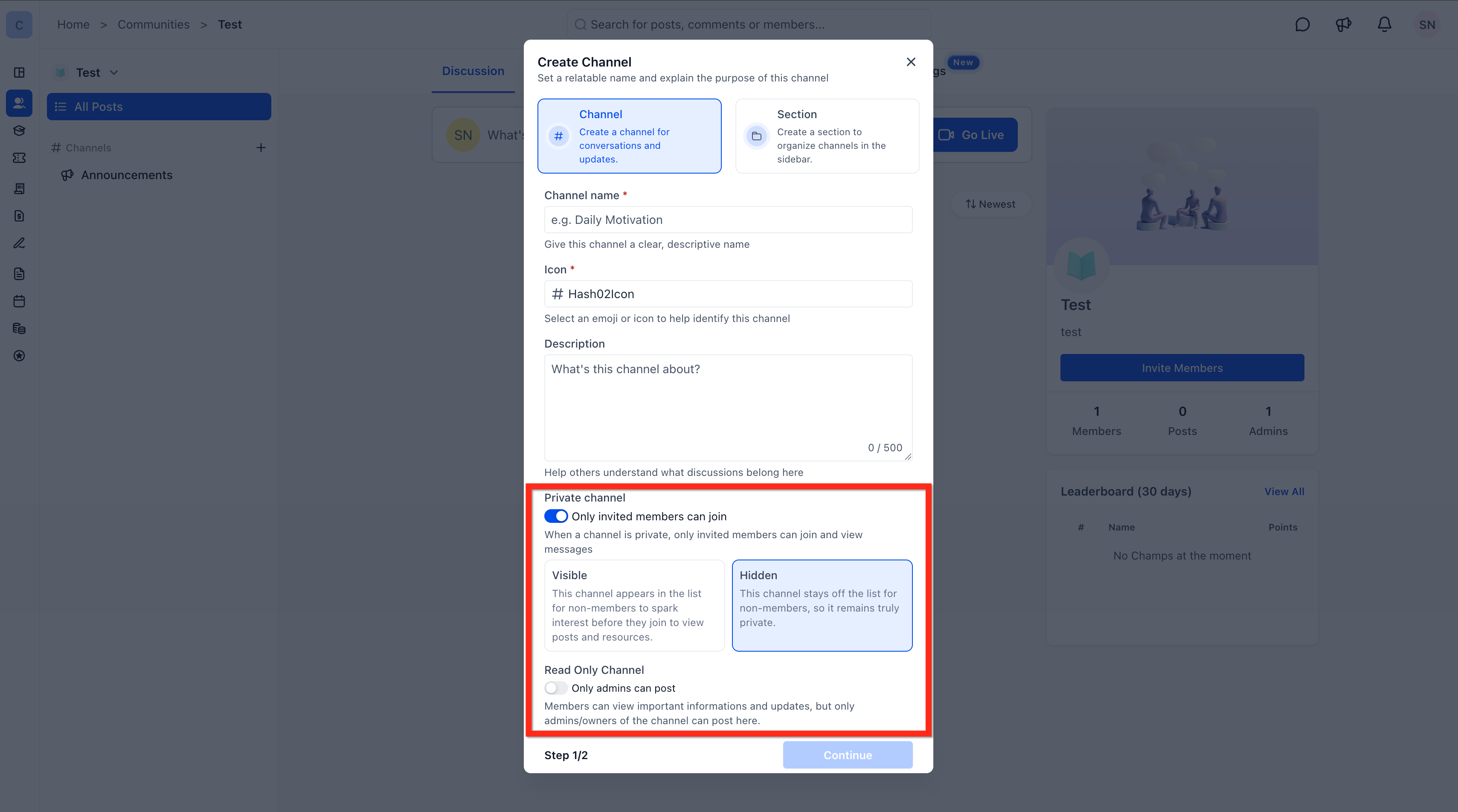
- Provide a channel name, pick an icon, and optionally add a description.
- Turn on Private channel and select either Visible or Hidden for its appearance.
- Press Continue to move to the pricing configuration.
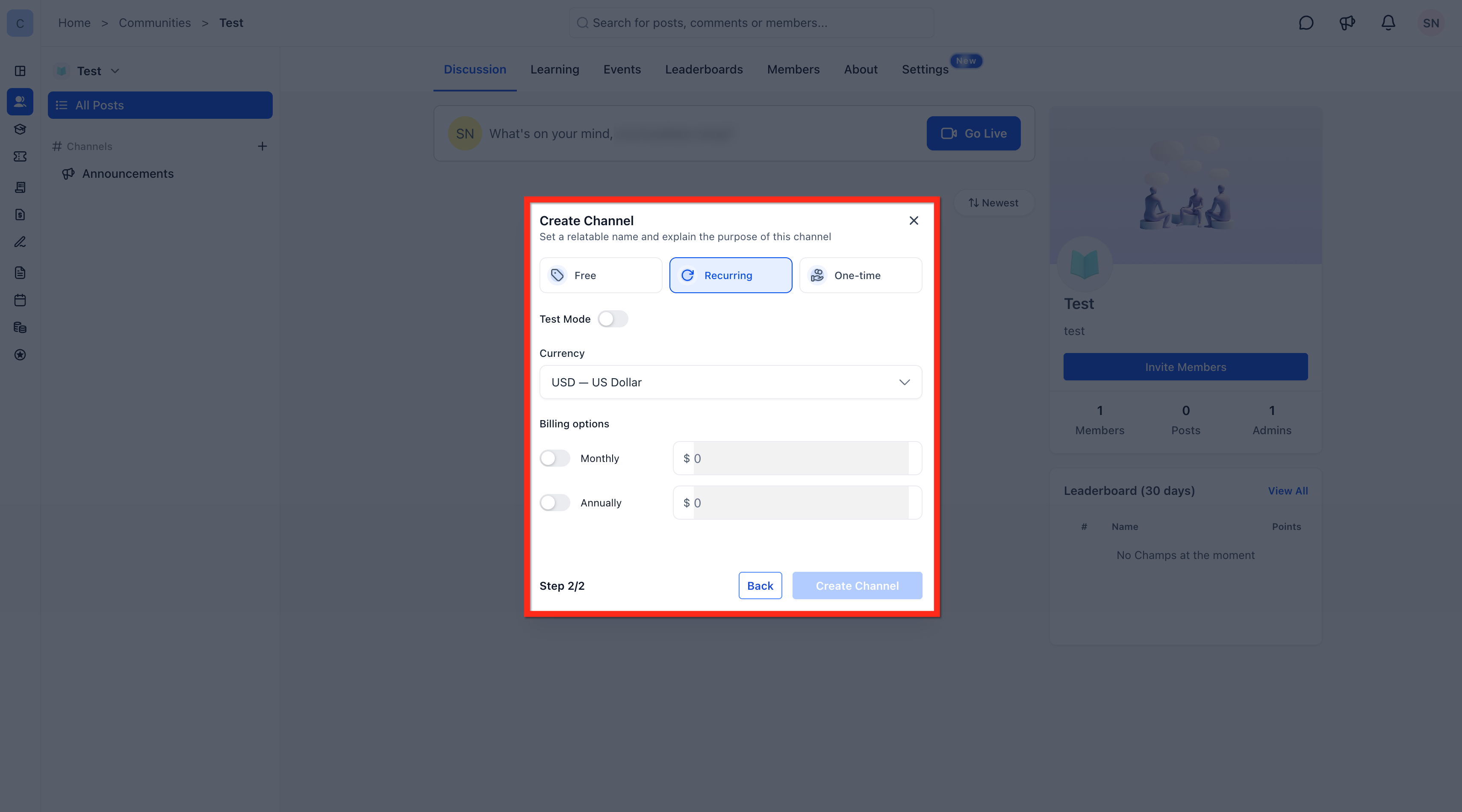
- Select the desired pricing option, Free, Recurring, or One time, and enter any required amounts or billing cycles.
- Click Create Channel to finish the setup.
Manage visibility and pricing
- Open the community group and locate the target channel in the sidebar.
- Select the channel’s Settings option.
- Under the About tab, click Edit to modify channel details and choose a new visibility setting.
- Switch to the Pricing tab to adjust the payment method or price.
06What it looks like in HighLevel
07Settings that matter
- Private channel. Determines whether the channel is restricted to selected members.
- Visible. Shows the channel name in the sidebar for all members, while keeping content locked for non members.
- Hidden. Prevents the channel from appearing in the sidebar for members without access.
- Free. Allows members to request access without any payment, pending admin approval.
- Recurring. Enables a monthly or annual subscription fee for channel membership.
- One time. Sets a single payment amount required to join the channel.
- Read Only Channel. Restricts posting rights so only admins can create messages in the channel.
08Things to know before you rely on it
- Visibility and pricing controls are only available for private channels; public channels cannot be configured with these options.
- Even when a private channel is set to Visible, its posts and discussions stay locked for members who lack access.
- Test Mode can be used while configuring paid channels to validate the payment workflow before launch.
09How it connects to the rest of HighLevel
- Learn how to create and manage a HighLevel community. Community setup guide
- Explore the HighLevel course builder for structuring paid content. Course builder overview
- Review HighLevel pricing and plan options. Pricing page
Michael's take

Premium channels are a niche feature; skip them if you don’t plan to charge for community content.
If you do need a paid, private space, set it up, test the payment flow in Test Mode, then open the channel to members.