
01Who this is for
- Coaches offering membership programs can automatically welcome each new enrollee without manual effort.
- Community group managers can deliver onboarding resources right away when a participant joins for the first time.
- Course creators can tag early bird sign ups to segment them for future communications.
02New signup triggers, explained
The New Signup trigger watches for first time purchases of offers, memberships, or services and launches the attached workflow when a qualifying sign up is detected.
If a contact already has access to the same membership or community group through another channel, the trigger will not fire, ensuring the automation only runs for new sign ups.
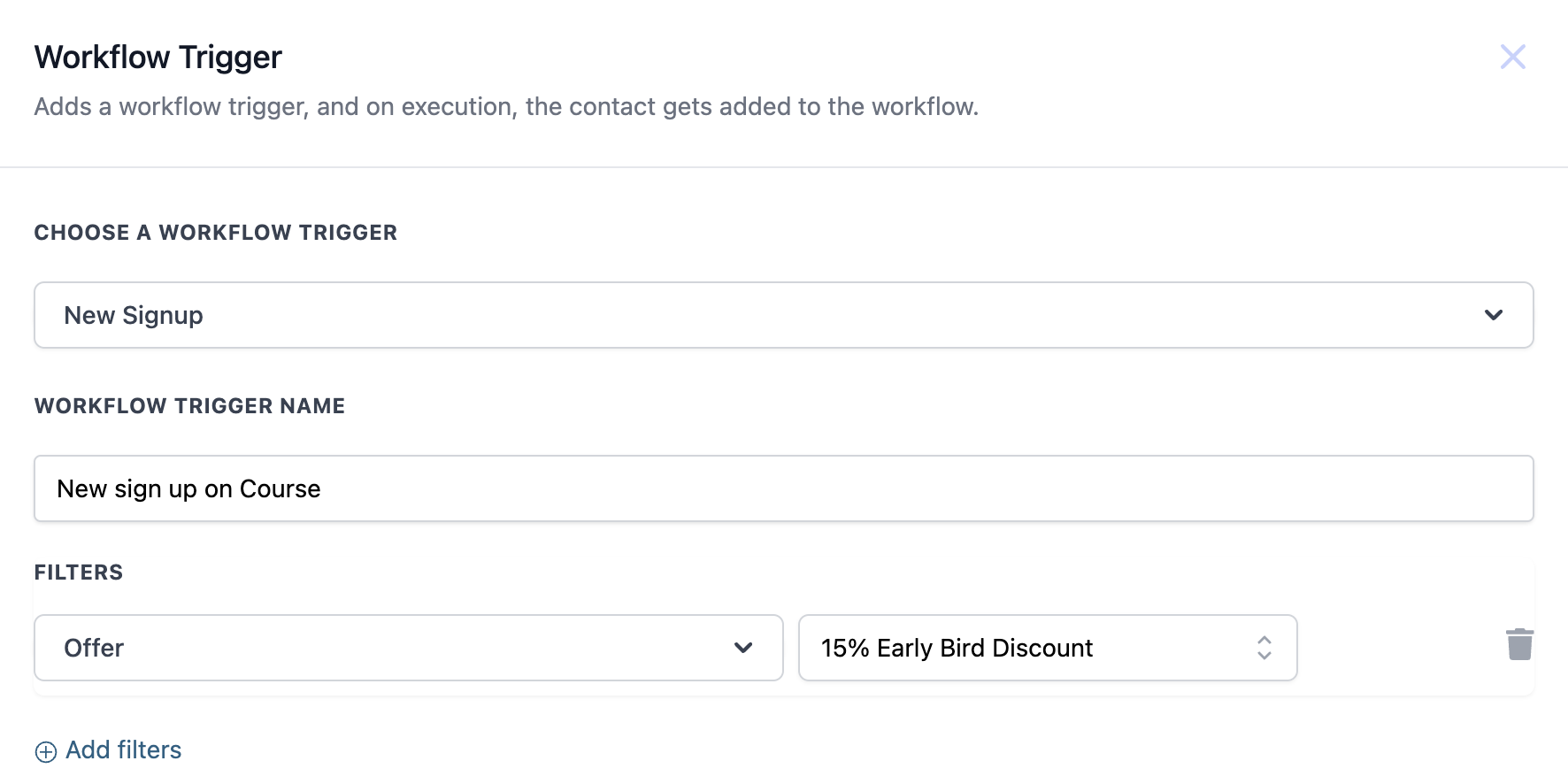
The trigger is set up inside the workflow builder, where you give it a name and may optionally filter by a specific offer.
03How businesses use new signup trigger
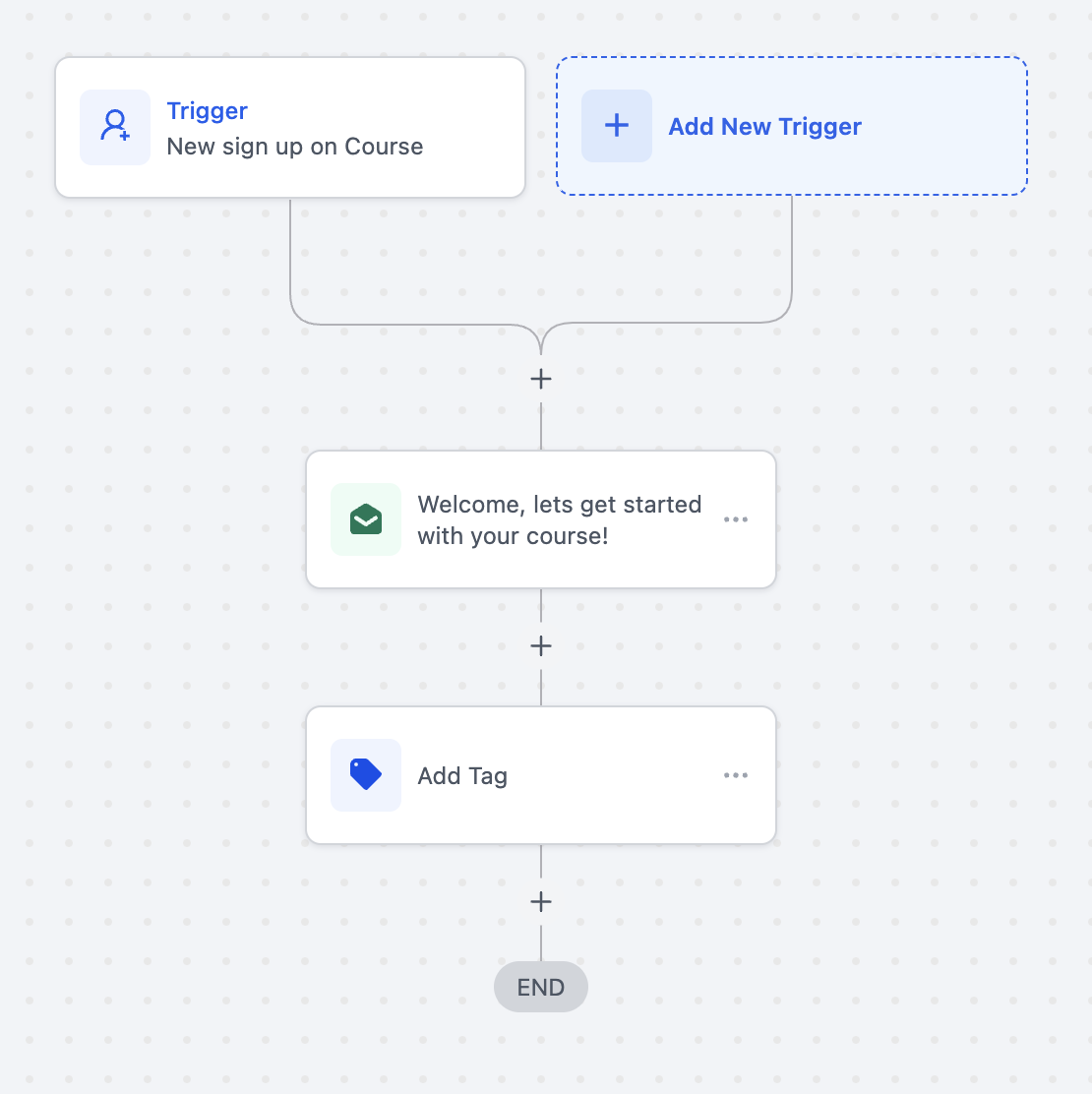
- Online fitness coaching business. Create a New Signup trigger for the membership offer. Attach an action that sends a personalized welcome email with next step instructions and add a tag such as "New Member" for future segmentation.
- Community group organizer. Set the trigger to fire when a participant signs up for a community group. Use actions to grant access to a private channel and tag the contact with the group name for reporting.
- Educational course provider. Configure the trigger to listen for the "15% Early Bird Discount" offer. When triggered, the workflow sends a welcome email containing login details and adds an "Early Bird" tag for later segmentation.
04How to set up and use new signup trigger in HighLevel
Set up New Signup trigger
- Open the workflow builder and select the New Signup trigger.
- Enter a descriptive name for the trigger.
- Optionally choose an offer to narrow the trigger to that specific sign up.
- Save the workflow.
05What it looks like in HighLevel
06Settings that matter
- Workflow Trigger Name. A label you assign to identify the trigger within the workflow list.
- Offer. An optional filter that limits the trigger to sign ups using the selected offer.
07Things to know before you rely on it
- The trigger activates only for first time sign ups; it does not fire if the contact already has access through another method.
- If the contact already possesses membership or community group access, the workflow will not run.
08How it connects to the rest of HighLevel
- Read the full guide on creating workflows, including triggers and actions. Workflow creation guide
- Learn how to customize membership welcome emails for new sign ups. Membership welcome email guide
- Review pricing tiers to ensure the Pro Plan includes workflow triggers. Workflow Pro plan pricing
Michael's take

Michael ReimerFounder of CRM Pros, HighLevel Commander and Certified Admin
I find the first setting to configure is the Workflow Trigger Name; giving it a clear name helps keep things organized when you have multiple automations.
Get More InformationOpens on HighLevelPublished November 2, 2026 · Updated November 16, 2026