
01Who this is for
- Agency owners who manage multiple client subaccounts can control premium workflow costs centrally.
- Founders scaling automation can pick a tier that matches their execution volume and avoid surprise overage fees.
02Workflow pro plan, explained
The Workflow Pro Plan sits beside a main HighLevel subscription and only covers premium triggers, actions, Marketplace apps and LC apps. Each tier provides a fixed number of monthly executions; any usage beyond that is billed at the tier’s overage rate. Executions are counted per subaccount and the allowance refreshes on the billing date.
The plan can be purchased, resold or marked up for clients if the agency enables rebilling. A markup multiplier can be set to apply the same profit margin across all tiers. All premium usage is consolidated on a separate invoice from the core platform features.
03How businesses use workflow pro plan
- Digital marketing agency. The agency sets a markup multiplier in the resell settings, then enables rebilling for each client subaccount. Clients receive their own Workflow Pro Plan tier and the agency records a single source of usage for billing.
- Ecommerce store network. Each store subaccount activates the Workflow Premium toggle, selects a tier that fits its order related automations, and pays the monthly fee directly through the subaccount’s settings.
- SaaS startup. The startup purchases a Scale tier for its internal workflows, monitors execution counts in the execution log, and lets any excess usage be billed automatically at the overage rate.
04The numbers and rules that matter
- Free tier: $0/month, 100 free lifetime executions, $0.01 per execution overage (per HighLevel's help center, checked November 2026).
- Starter tier: $10/month, 10,000 executions, $0.008 per execution overage (per HighLevel's help center, checked November 2026).
- Growth tier: $25/month, 30,000 executions, $0.006 per execution overage (per HighLevel's help center, checked November 2026).
- Scale tier: $50/month, 65,000 executions, $0.004 per execution overage (per HighLevel's help center, checked November 2026).
- Execution allowance is per subaccount.
- Current Pro Plan users are automatically moved to the Starter tier ($10/month) (per HighLevel's help center, checked November 2026).
- Agencies start with a default 1.2x markup (20% profit) unless existing custom multipliers are already set.
05How to set up and use workflow pro plan in HighLevel
Resell Workflow Pro Plan
- Sign in to the agency dashboard.
- Navigate to Reselling > Workflow Pro section.
- Enter the desired markup multiplier that will apply to all tiers.
- Click the Save button.
Enable rebilling for a subaccount
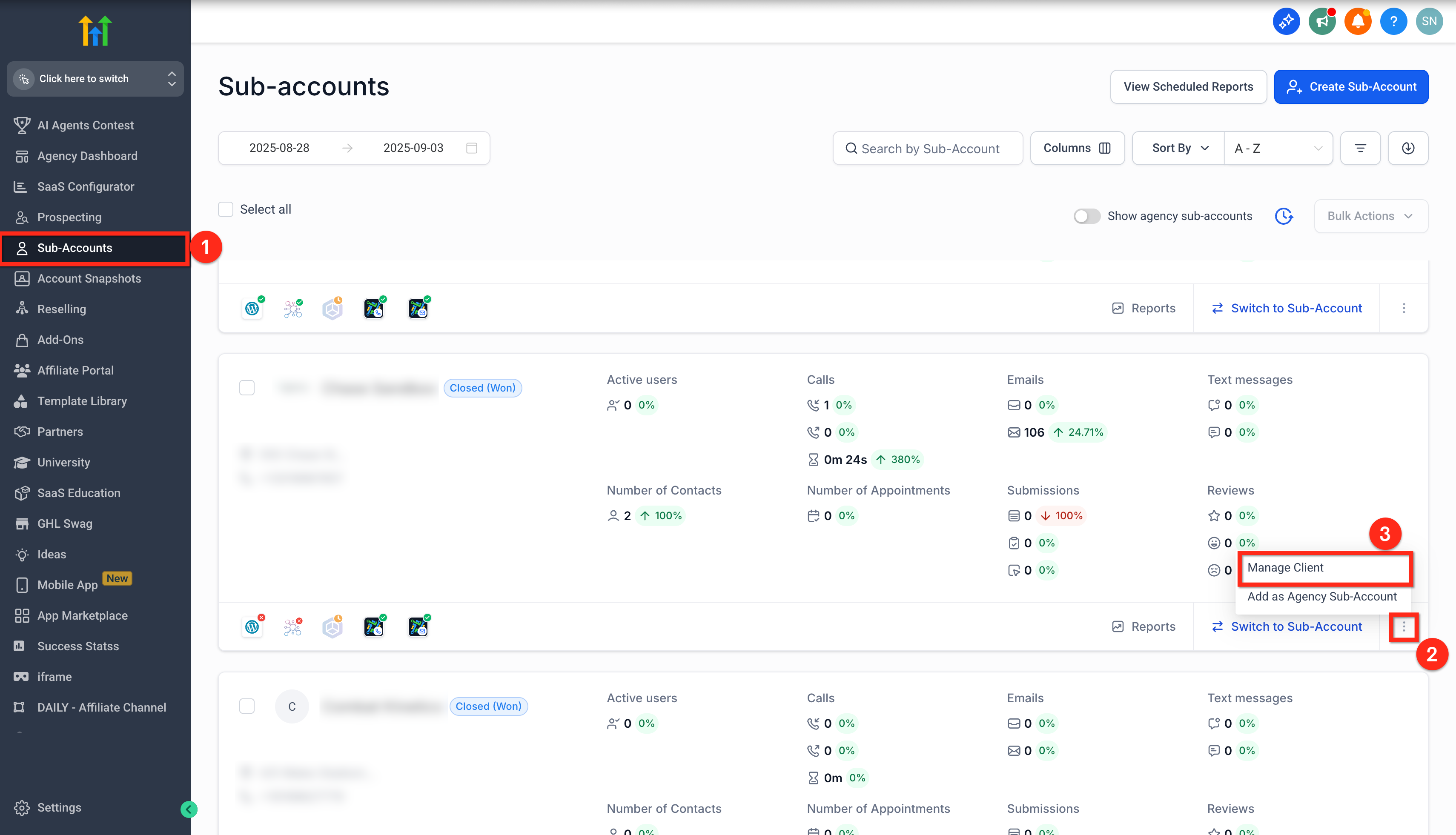
- From the agency view, open the Subaccounts tab.
- Locate the target subaccount and click the three dot icon beside the switch button.
- Choose Manage Client from the menu.
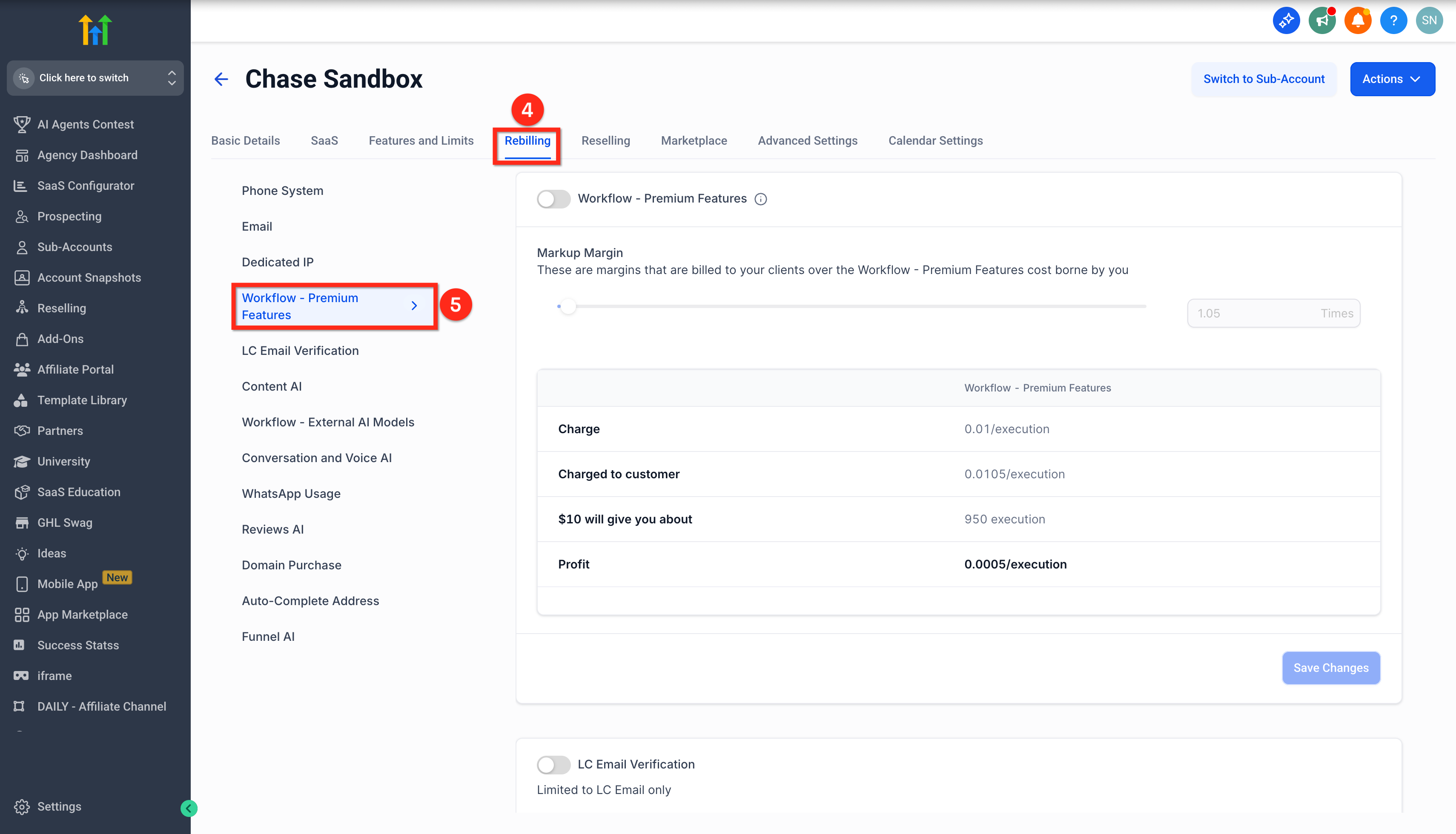
- Select the Rebilling tab.
- Open the Workflow, Premium Features tab.
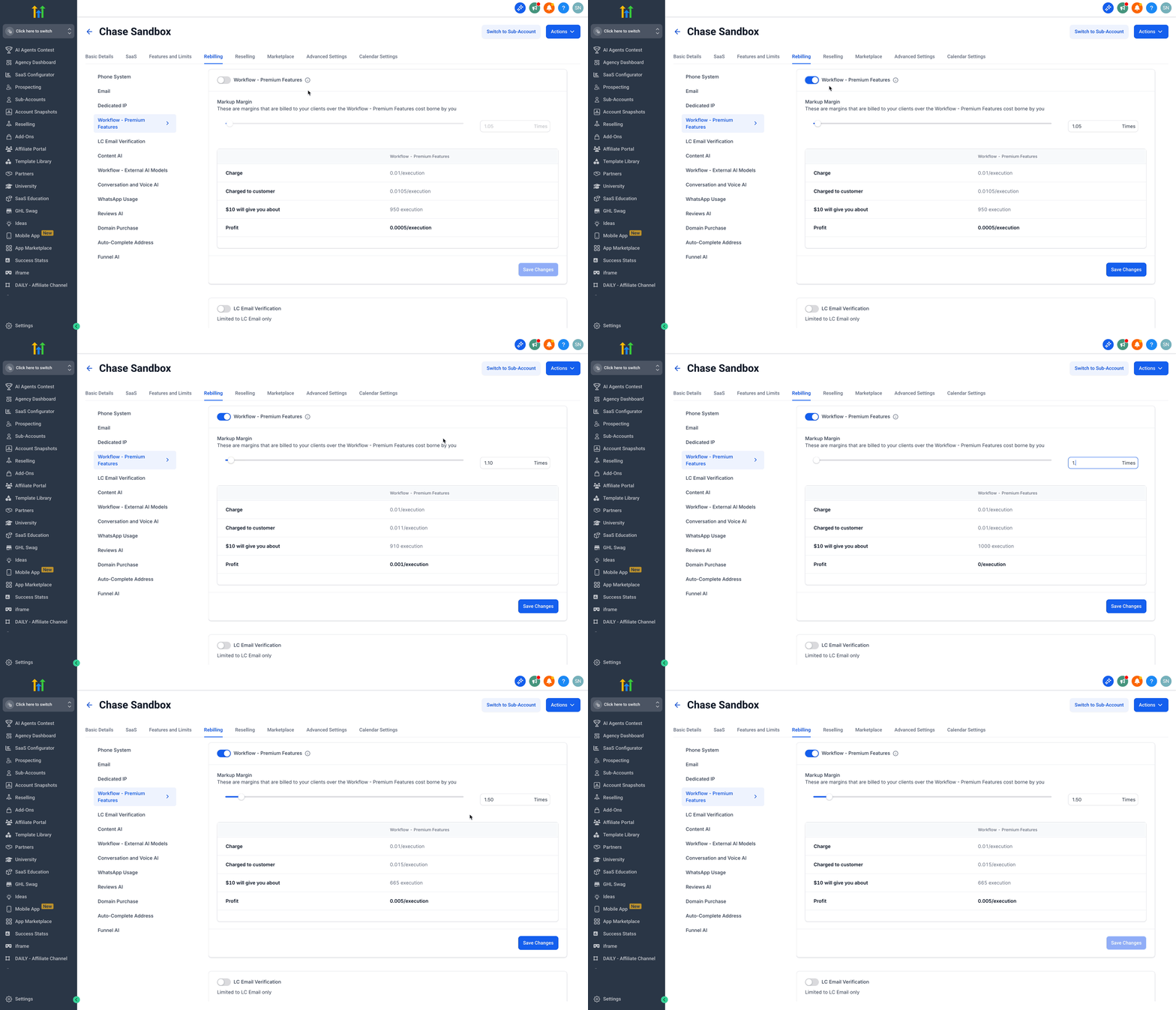
- Turn on the Workflow, Premium Features toggle.
- Enter the markup margin value you wish to apply.
- Click Save Changes.
Purchase a Workflow Pro Plan for a subaccount
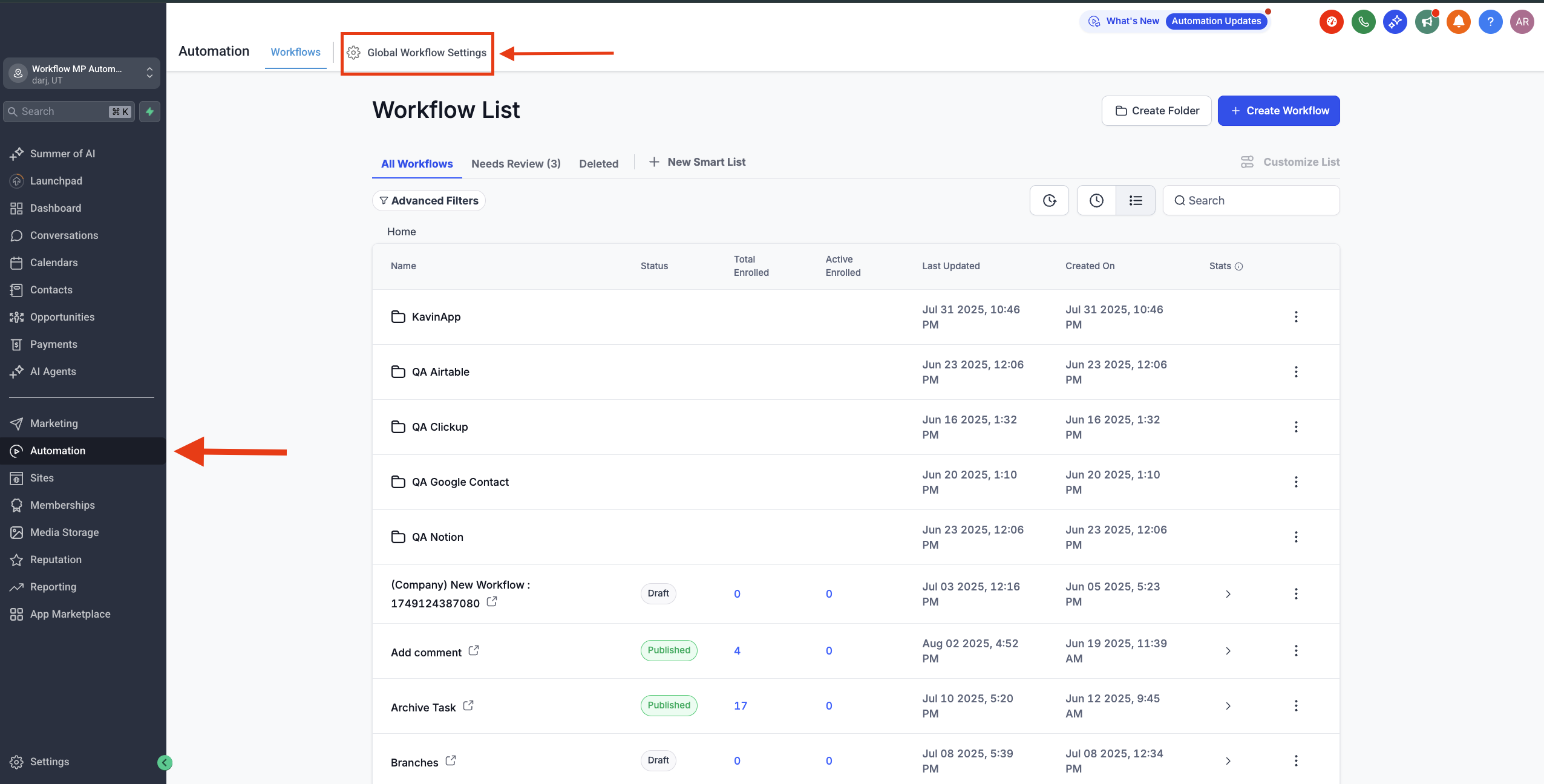
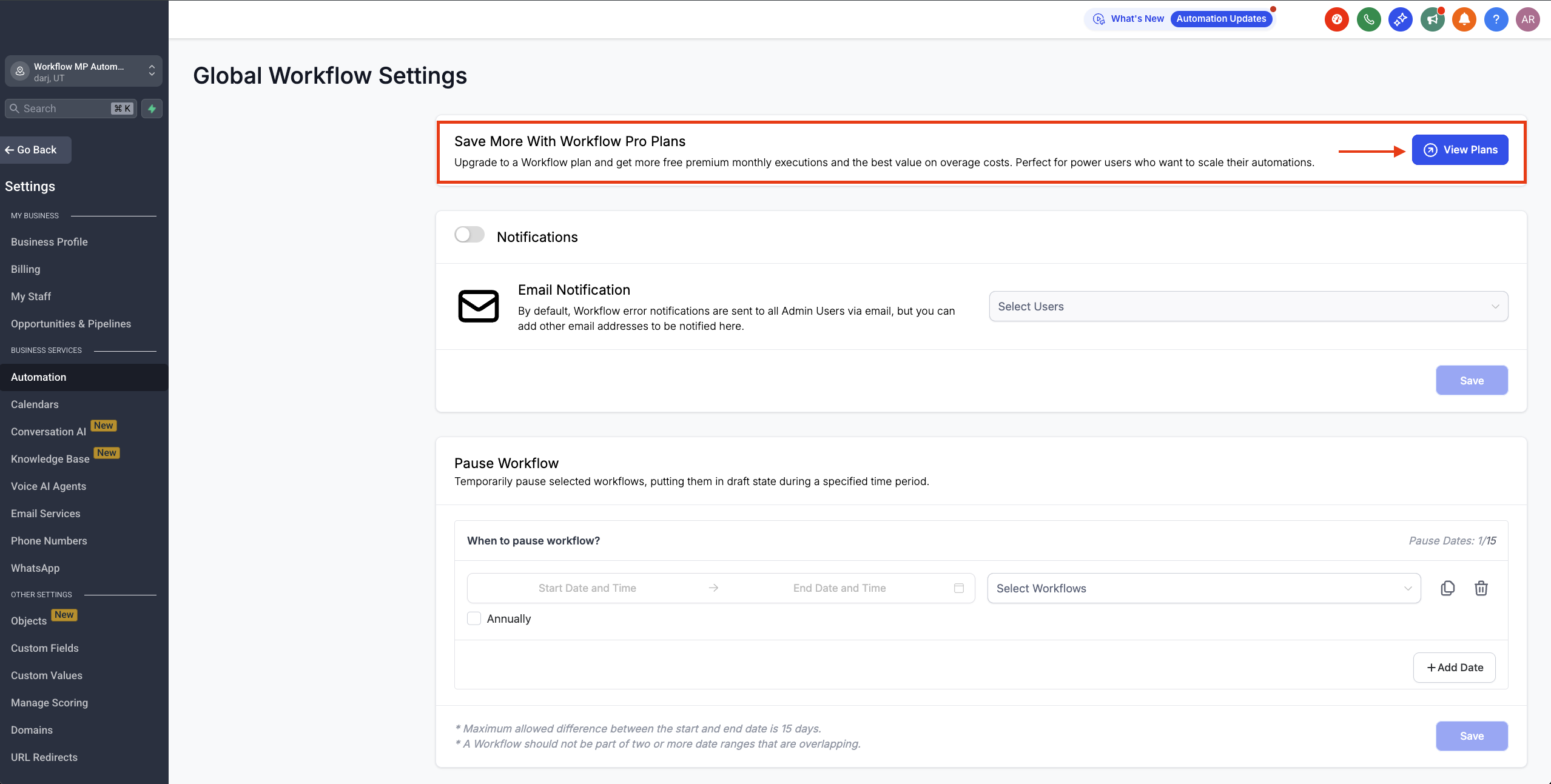
- In the subaccount, go to Automations and open Global Workflow Settings.
- Find the Workflow Pro Plans banner and click View Plans.
- Press the Choose Plan button for the desired tier.
- Confirm by clicking Pay and Subscribe.
06What it looks like in HighLevel

07Settings that matter
- Resell amount markup multiplier. Sets a uniform profit multiplier that is applied to the price of every workflow tier when reselling to clients.
- Markup Margin. Specifies the percentage increase added to the base tier price for a particular subaccount.
- Workflow, Premium Features toggle. Enables or disables access to premium workflow triggers and actions for the selected subaccount.
08Things to know before you rely on it
- Four tiers are available: Free, Starter, Growth and Scale, each with a monthly execution bundle and a specific overage rate.
- The Free tier provides 100 lifetime executions per subaccount; after that, each execution costs $0.01 (per HighLevel's help center, checked November 2026).
- Unused executions do not carry over to the next billing period; only plan upgrades keep remaining executions until the next cycle.
- Overage charges apply automatically when the monthly execution allowance is exceeded.
09How it connects to the rest of HighLevel
- Workflow automation basics Workflow basics
- How to enable and rebill Premium Features Enable rebilling
- HighLevel pricing and plans Pricing page
Michael's take

You lock in a flat monthly fee, avoid surprise spikes, and can mark up the cost for clients while keeping the bookkeeping simple.
If you rarely use premium triggers or your automation needs stay basic, the extra subscription adds cost without real benefit. In that case, running the occasional premium action at the base $0.01 rate may be more economical.