
01Who this is for
- Marketing teams can capture leads the moment a Typeform is submitted, keeping their contact database up to date.
- Product managers can duplicate onboarding forms for each client automatically, reducing manual copy work.
- Support staff can search historic Typeform responses to personalize follow up messages within a single workflow.
02Typeform integrations, explained
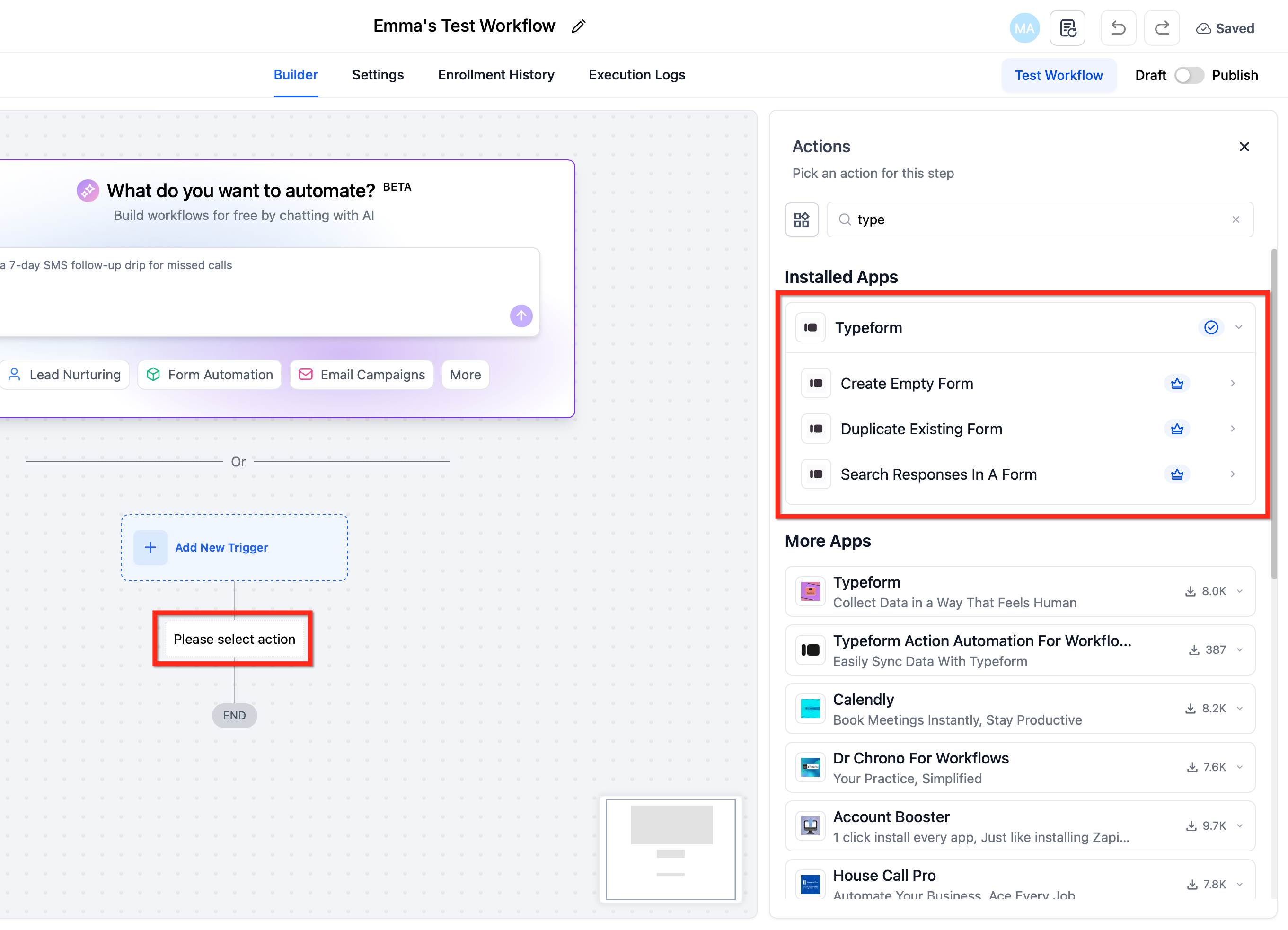
HighLevel provides a native Typeform integration that works inside the workflow builder. The New Entry (Instant) trigger fires as soon as a respondent submits a Typeform, enrolling the record into the workflow without any polling delay. Once the workflow starts, three actions are available: Create Empty Form builds a brand new blank form in the connected Typeform workspace, Duplicate Existing Form copies an existing form’s structure and logic, and Search Responses in a Form pulls past submissions for use in downstream steps.
All trigger and action steps appear as standard workflow blocks under Automations > Workflows. After adding a Typeform block, the system shows the fields that can be mapped from the incoming payload. Users map those fields to contacts, opportunities, or other objects, then continue with any additional workflow actions. The integration operates on a premium billed basis, with each execution charged per run and optionally rebilled to subaccounts.
The connection is established per subaccount via OAuth. Once authorized, the selected Typeform workspace supplies the form list and response data used by the workflow steps. No external polling or separate servers are required; everything runs inside HighLevel’s automation engine.
03How businesses use typeform integration
- Digital marketing agency. The agency links a client’s lead capture Typeform to a workflow that right away creates a contact, assigns a campaign, and sends a welcome email. The instant trigger ensures leads are processed the moment they submit the form.
- Coaching business. When a new client fills out an intake questionnaire, the workflow duplicates a personalized onboarding form for that client and stores the new Form ID for later reference. The duplicate action removes the need to manually copy forms for each client.
- Ecommerce retailer. The retailer adds a Search Responses in a Form action to look up prior survey answers before sending a post purchase email. The retrieved answers are mapped to contact fields to tailor the message.
04The numbers and rules that matter
- Predictable billing: Premium executions are billed per run and can be rebilled to subaccounts.
- Available actions: Create Empty Form, Duplicate Existing Form, Search Responses in a Form.
05How to set up and use typeform integration in HighLevel
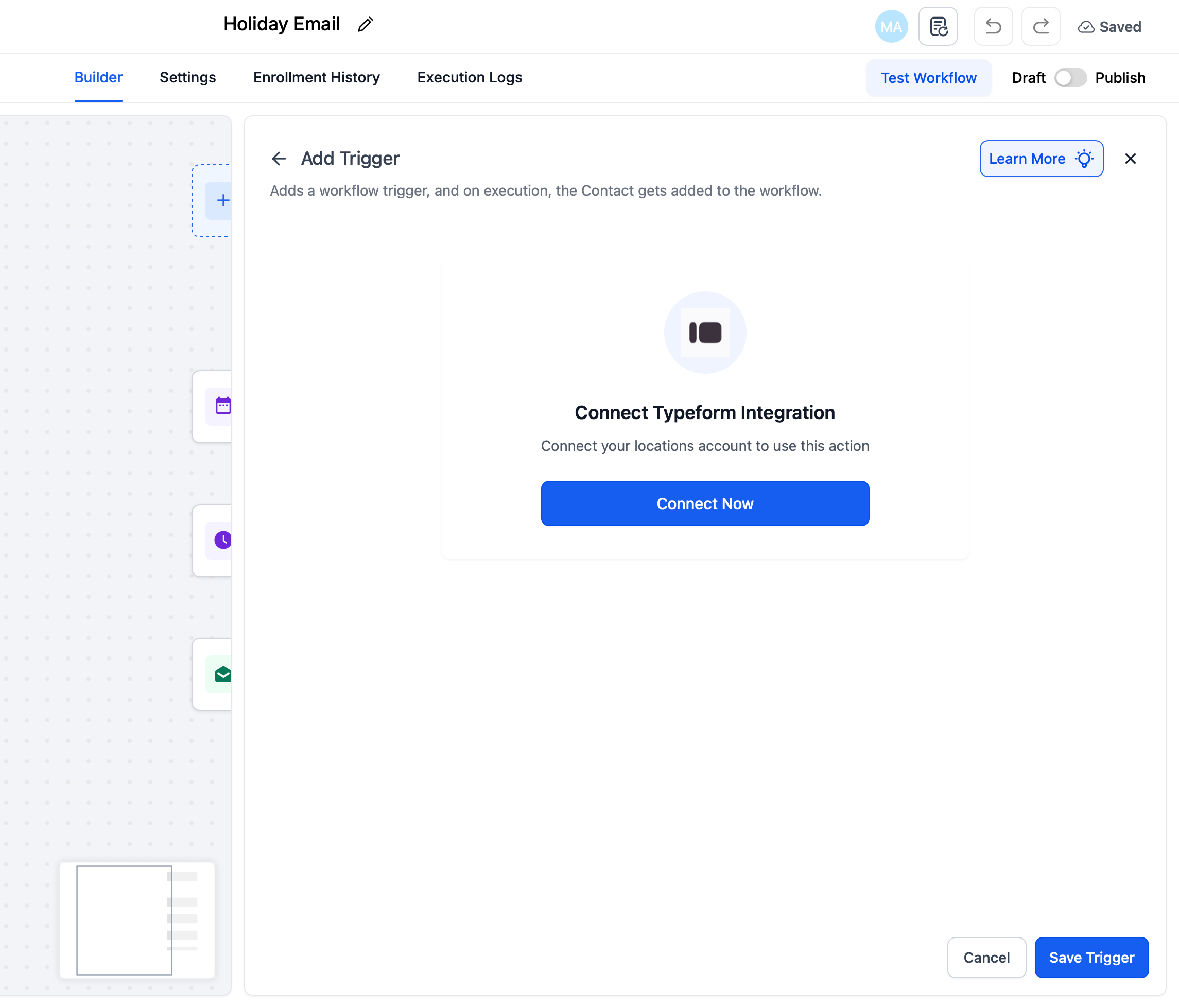
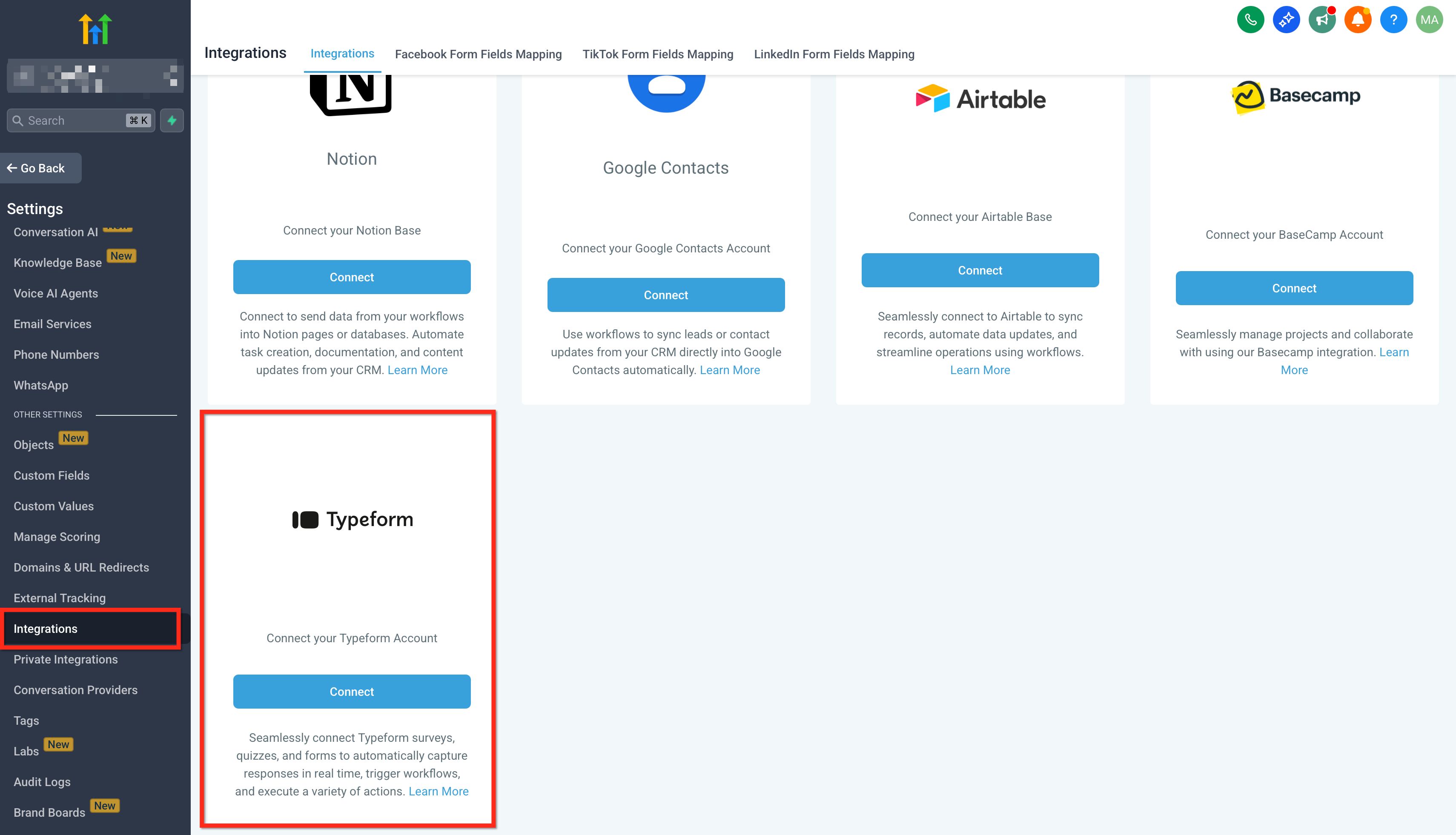
Connect Typeform account (from a Trigger/Action step)
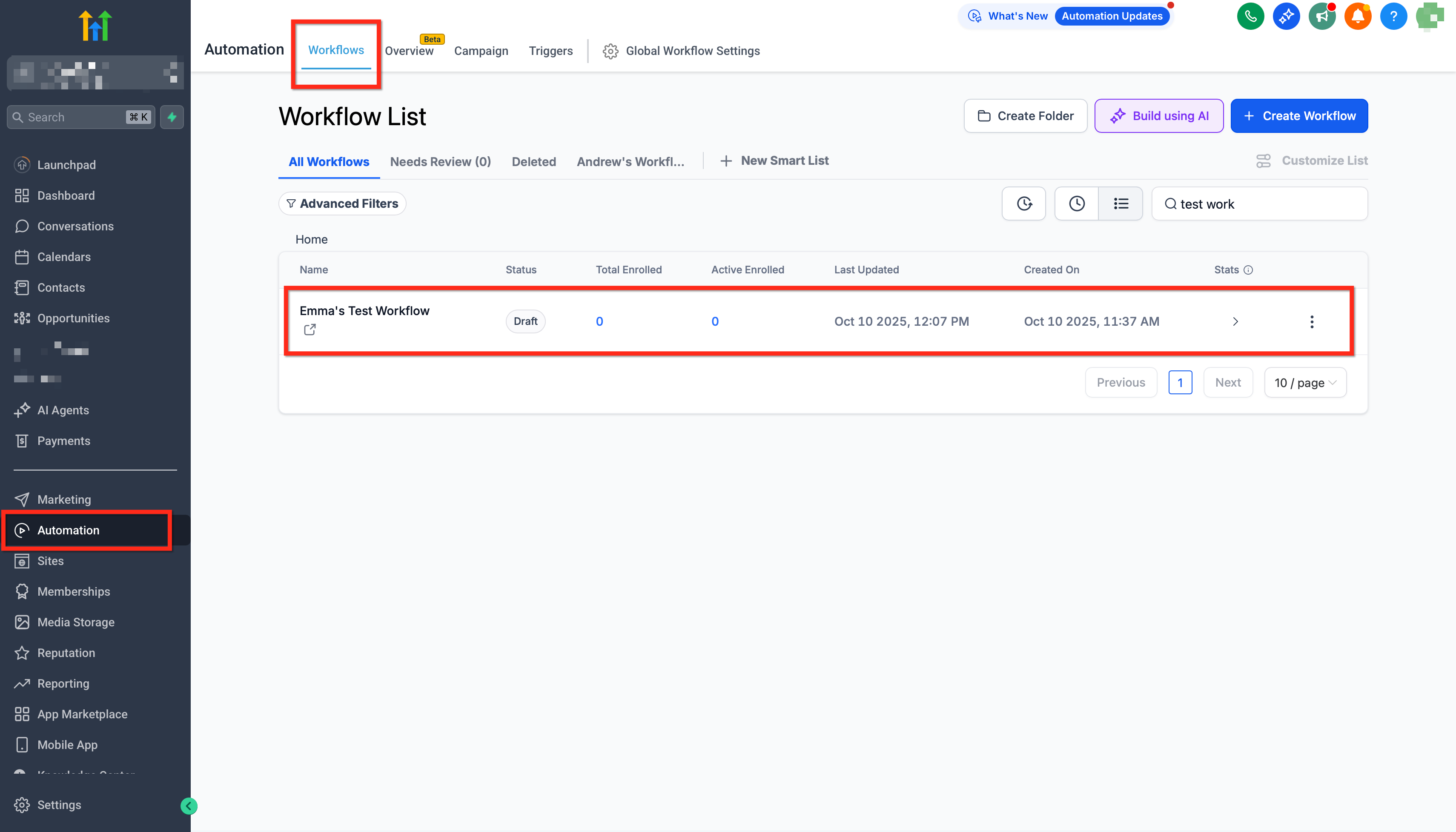
- Navigate to Automations > Workflows and open or create a workflow.
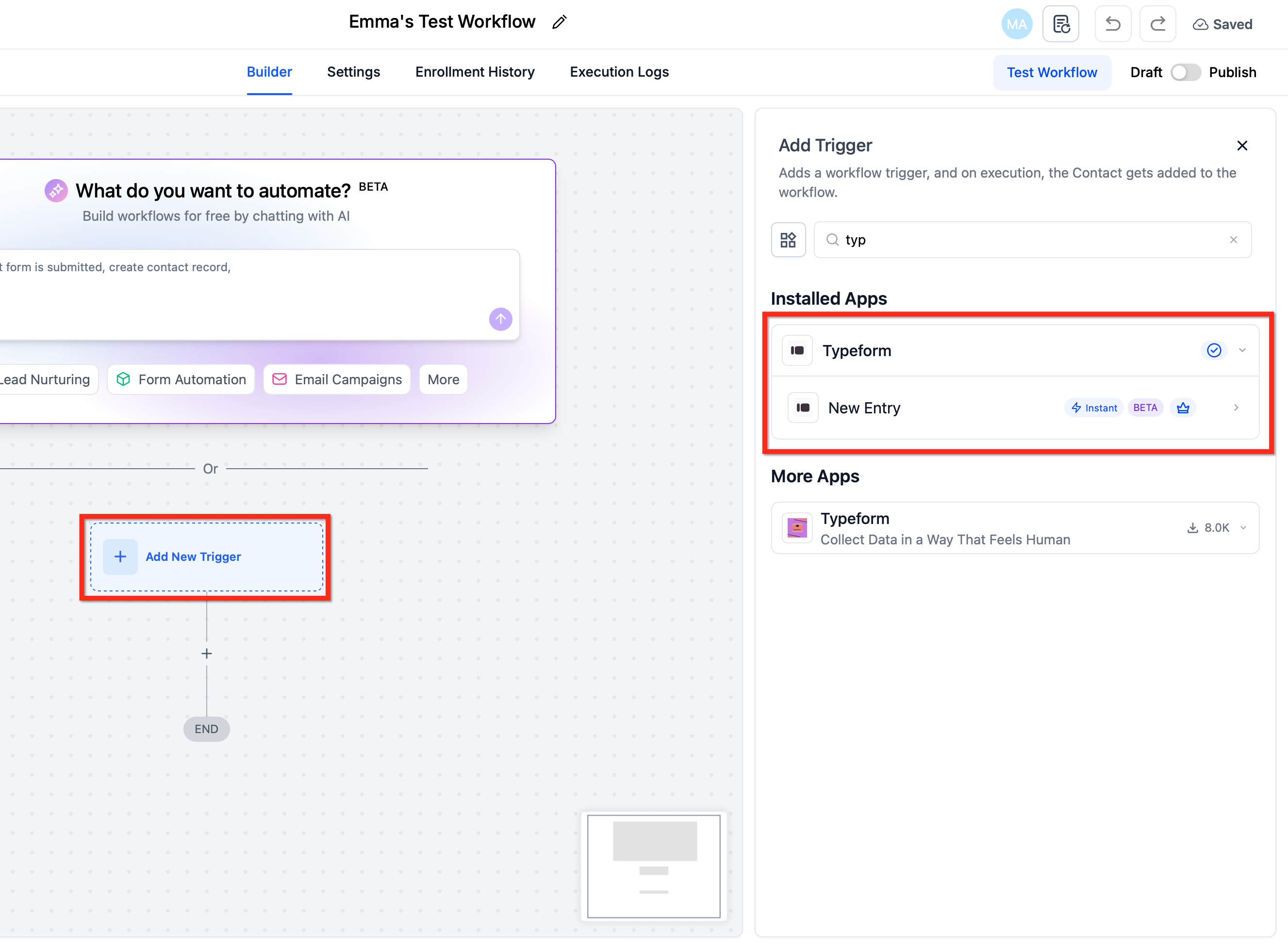
- Insert a Typeform trigger or action block into the workflow.
- Look at the Typeform fields displayed for that step.
- Select the Connect your account button.
- Complete the Typeform OAuth login in the pop up window.
- Choose the Typeform account that appears after authentication.
- Set the fields that become available once the account is linked.
- If you change the linked account, review the step again before saving.
Build your first flow
- From the appropriate subaccount, go to Automations > Workflows and click Create Workflow (or open an existing one).
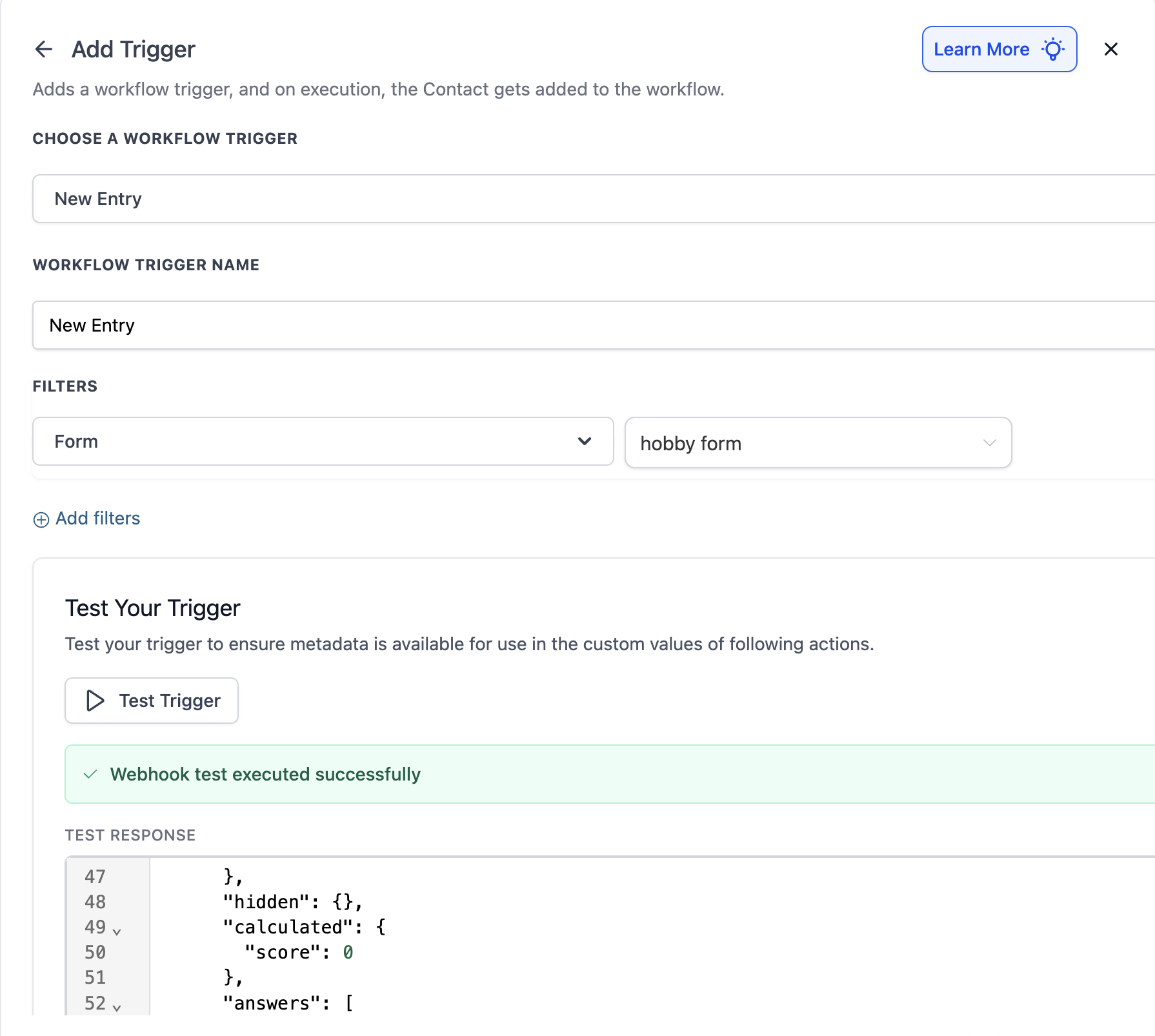
- Add the New Entry (Instant) trigger and pick the Typeform you want to monitor.
- Add a Typeform action such as Create/Update Contact and map the email and phone fields from the submission.
- Add any follow up actions like Send Email, Notify User, or Create Opportunity.
- Publish the workflow and submit a test Typeform entry to confirm the run appears in the Execution Logs.
06What it looks like in HighLevel
07Settings that matter
- New Entry (Instant). Triggers a workflow the moment a Typeform submission is received and enrolls the record.
- Create Empty Form. Generates a new blank form in the connected Typeform workspace and returns its ID and URL.
- Duplicate Existing Form. Copies an existing form’s structure, logic, and design, returning the new form’s ID and URL.
- Search Responses in a Form. Retrieves past submissions from a selected Typeform so the workflow can use that data.
08Things to know before you rely on it
- The Typeform trigger and actions are premium billed per execution; agencies may rebill subaccounts.
- Switching the connected Typeform account can cause dependent fields to reload or reset, so review before saving.
- Editing questions of an existing Typeform from a workflow is not supported.
09If something goes wrong
- Step fails with an error such as invalid form ID or missing permissions.. Open the Execution Logs, identify the error, reconnect the Typeform app if the authorization has expired, and run the test again.
10How it connects to the rest of HighLevel
- Overview of workflow triggers and how they start automations Workflow triggers overview
- Details on premium billing and rebilling for workflow features Enable and rebill premium features
- Pricing tiers for the Workflows Pro Plan that covers premium executions Workflows Pro Plan pricing
- Getting started with HighLevel workflows, including creating triggers and actions Workflow creation guide
- How to view execution logs and enrollment history for troubleshooting Execution logs overview
Michael's take

Linking Typeform to HighLevel provides a real time lead funnel without needing a developer. The instant trigger and form actions let you move from a form submission to a task, email, or document quickly.
Don't forget to test the connection after each change; a stale OAuth token will cause silent failures.