
01Who this is for
- Agency owners who manage multiple client subaccounts need to control premium workflow usage and recover costs.
- Agency managers who need to monitor workflow costs for their clients.
02Workflow premium features, explained
Workflow Premium Features are a set of triggers, actions, Marketplace Apps and LC Apps that generate a premium execution charge each time they run. The platform distinguishes these from standard workflow actions, which do not affect execution allowances.
Premium executions are tracked against a subaccount’s free lifetime allowance of 100 runs. After those are used, standard rates apply unless the subaccount has an active Workflow Pro plan that provides a monthly bundle of executions at a discounted overage rate.
The controls for Premium Features live in the agency view of HighLevel. Enabling the feature makes premium triggers and actions available to eligible subaccounts. Separate rebilling settings let agencies pass the underlying cost, optionally with a markup, to the client.
03How businesses use workflow premium features
- Digital marketing agency. The agency enables Workflow Premium Features for client subaccounts, then activates rebilling with a markup. When a client’s workflow uses an inbound webhook, the execution is billed to the client at the marked up rate.
- Ecommerce store. The store adds a Google Sheets action to its order processing workflow. By enabling premium features, the action runs, and the store’s subaccount can purchase a Workflow Pro plan to obtain a monthly execution bundle.
- Consulting firm. The firm resells Workflow Pro plans through the agency’s Reselling settings, setting a client facing price. Subaccount users then select a plan from their workflow settings and complete the purchase.
04The numbers and rules that matter
- 100 free lifetime premium executions per eligible subaccount.
- Standard premium execution price $0.01 per execution (per HighLevel's help center, checked November 2026).
- Free plan: $0 price, 100 lifetime executions, $0.01 overage (per HighLevel's help center, checked November 2026).
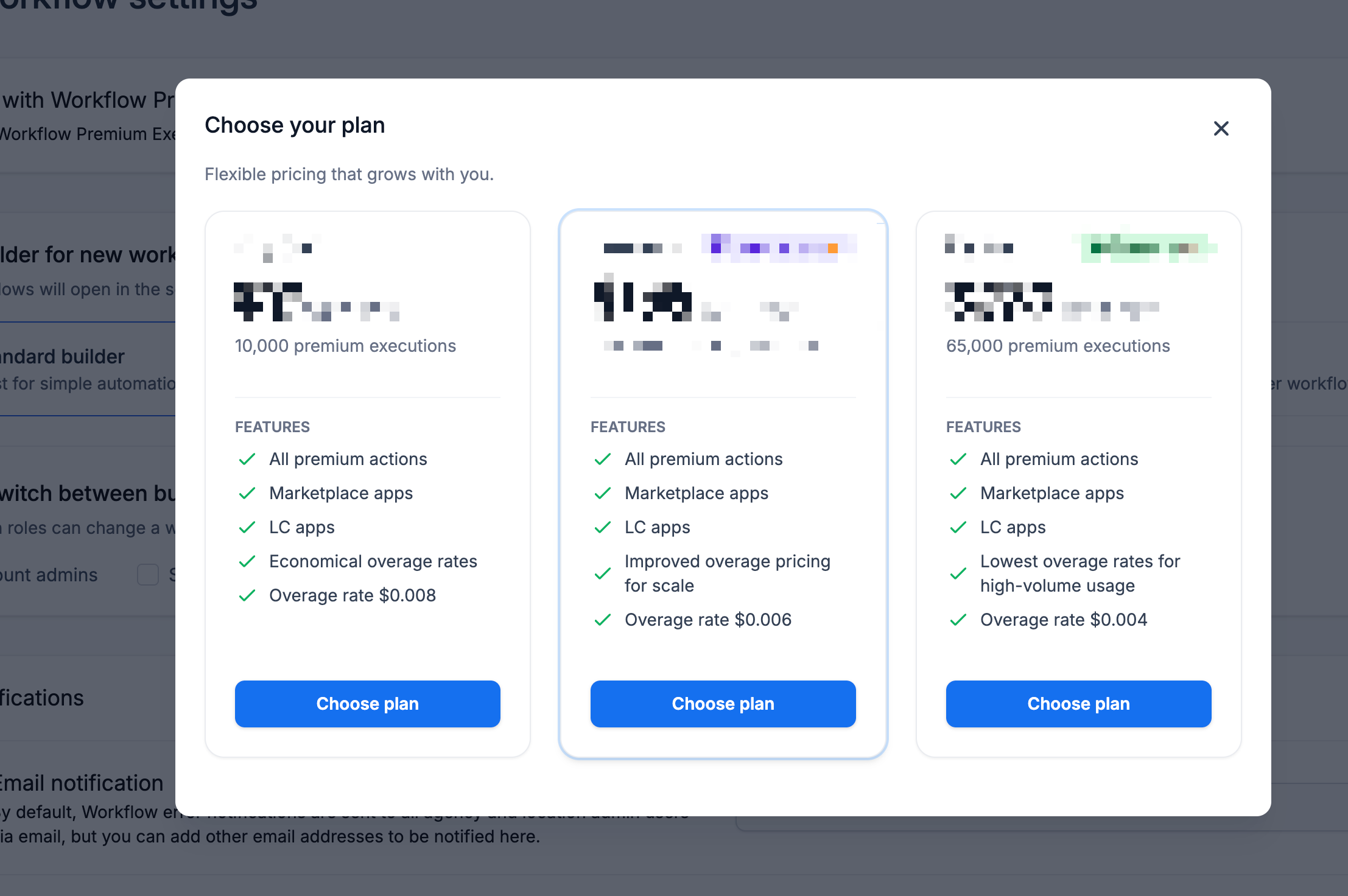
- Starter plan: $10/month, 10,000 executions, $0.008 overage (per HighLevel's help center, checked November 2026).
- Growth plan: $25/month, 30,000 executions, $0.006 overage (per HighLevel's help center, checked November 2026).
- Scale plan: $50/month, 65,000 executions, $0.004 overage (per HighLevel's help center, checked November 2026).
05How to set up and use workflow premium features in HighLevel
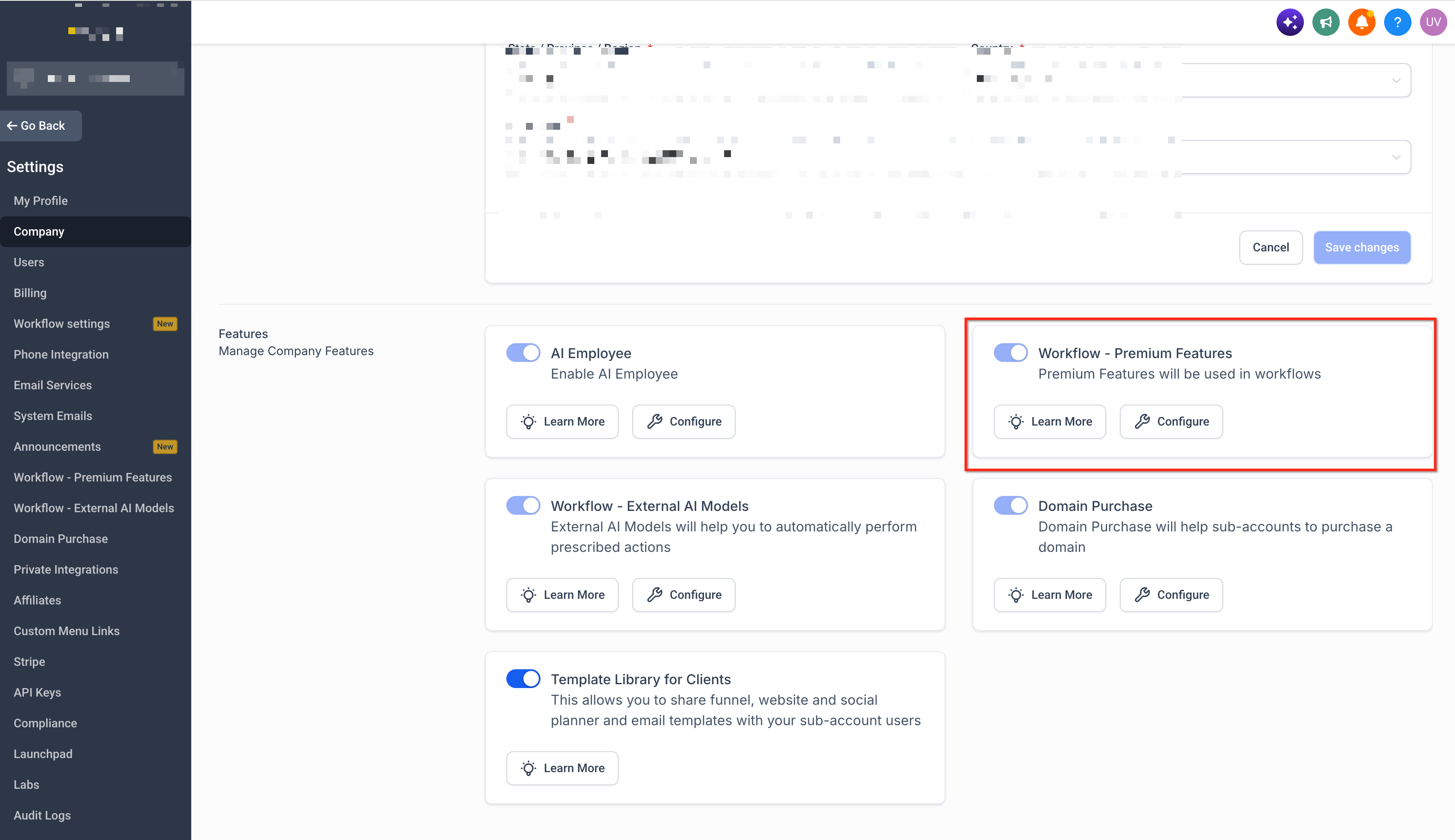
Enable Workflow Premium Features
- From Agency View, go to Settings.
- Open Company settings.
- Locate the option labeled Workflow - Premium Features.
- Enable the feature.
- Save your changes.
Enable rebilling for a subaccount
- From Agency View, go to Subaccounts.
- Locate the applicable subaccount.
- Click the More Options menu.
- Select Manage Client.
- Open the Rebilling section.
- Locate Workflow - Premium Features.
- Enable rebilling.
- Configure the markup.
- Save your changes.
Resell Workflow Pro
- From Agency View, go to Reselling.
- Locate Workflow Pro.
- Enable reselling.
- Configure the markup or client facing price.
- Save your changes.
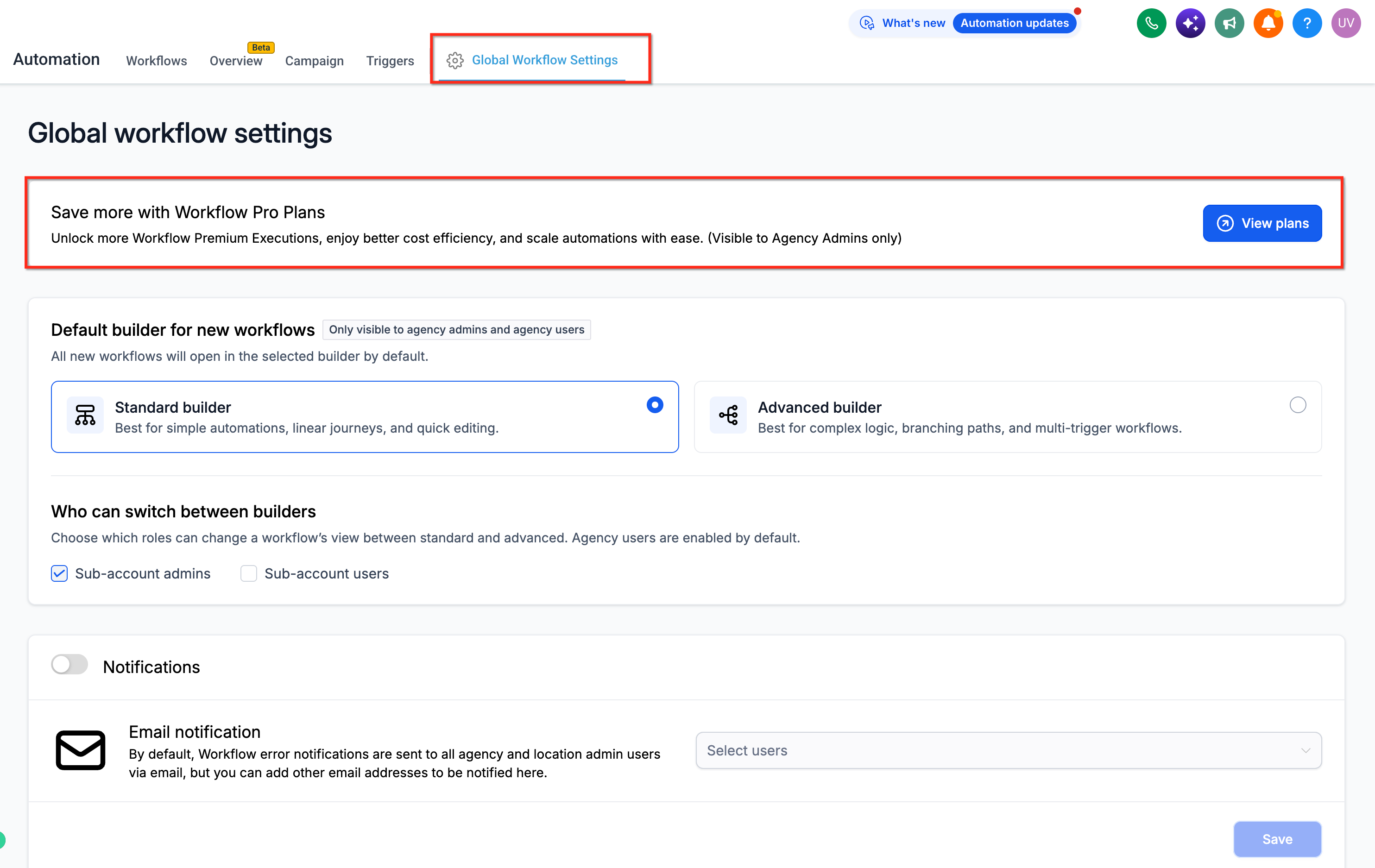
Subaccount purchase Workflow Pro
- Open the applicable subaccount.
- Go to Automation > Workflows.
- Open Global Workflow Settings.
- Locate Workflow Pro Plans.
- Click View Plans.
- Select the preferred plan.
- Complete the purchase.
06What it looks like in HighLevel
07Settings that matter
- Workflow - Premium Features. Controls whether a subaccount can use supported premium triggers, actions, Marketplace Apps and LC Apps inside workflows.
- Workflow Pro Plans. Defines the monthly bundle of premium executions a subaccount can purchase, along with overage pricing.
- Reselling. Enables an agency to offer Workflow Pro plans to subaccounts and set the price or markup clients see.
08Things to know before you rely on it
- Each eligible subaccount receives 100 free lifetime premium executions; they never reset.
- Standard premium execution cost is $0.01 per run (per HighLevel's help center, checked November 2026) unless a Workflow Pro plan is active.
- Workflow Pro plans reset their included execution count at the start of each billing cycle; unused executions do not roll over.
- Workflows keep running after the monthly allowance is exhausted; extra executions are billed at the plan’s overage rate.
- Enabling Workflow Premium Features does not automatically configure rebilling for subaccounts.
09How it connects to the rest of HighLevel
- Understand basic workflow automation and setup in HighLevel. Workflow basics
- Review pricing tiers for Workflow Pro plans and bundled execution allowances. Workflow Pro pricing
- See HighLevel pricing and plan options for agencies and subaccounts. HighLevel pricing
Michael's take

Workflow premium features feel like a small convenience that can become a real shift for agencies that run many client automations.
A digital marketing agency that builds dozens of lead gen funnels for local businesses will find it a natural fit. They can enable the premium triggers and set a 2x multiplier.