
01Who this is for
- Founders of membership based businesses, to automatically reward members for advancing on the leaderboard.
- Community managers who run online groups, to ensure point awards align with group participation.
- Co Founders of SaaS platforms that offer gamified engagement, to streamline recognition workflows.
02Community group leaderboard triggers, explained
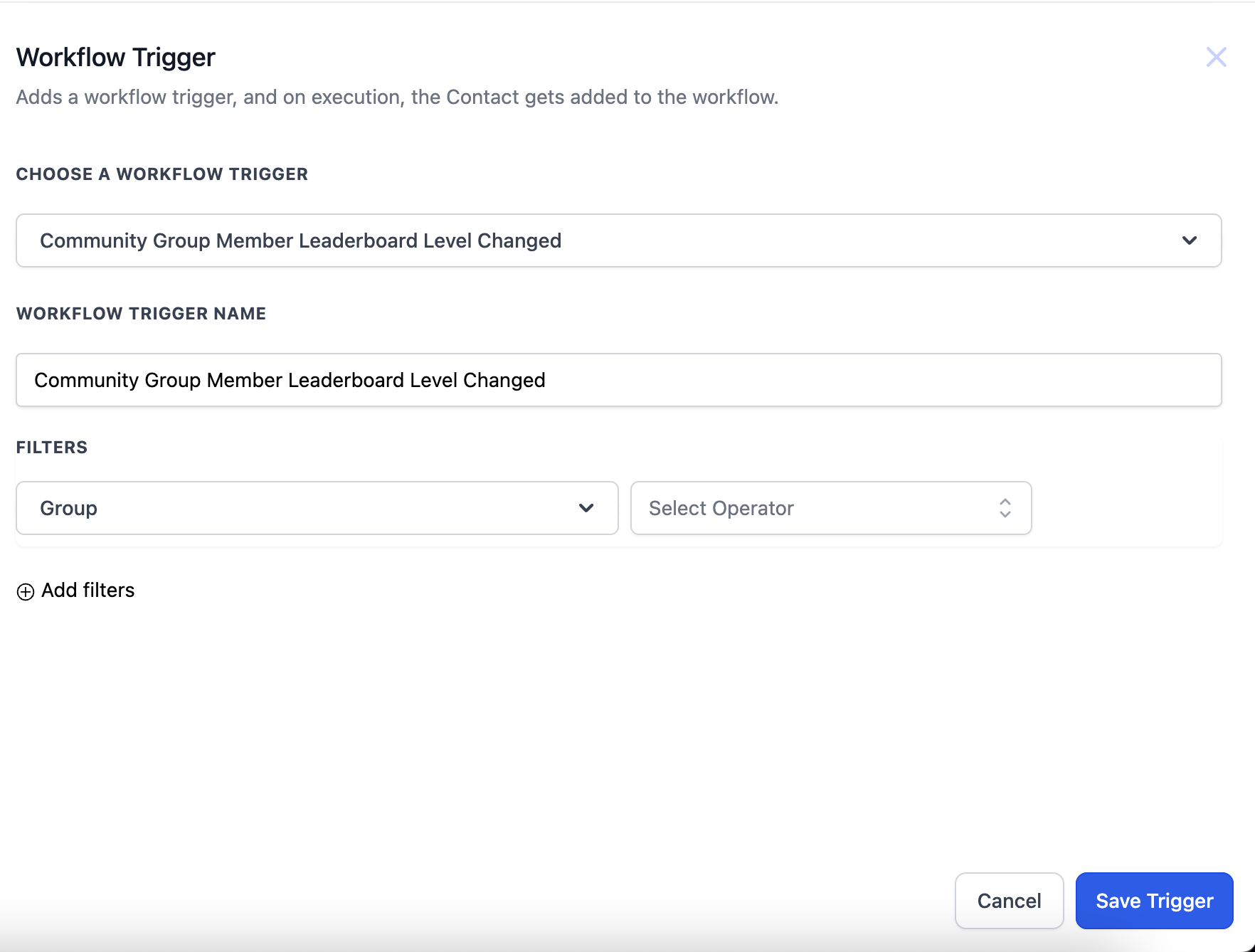
The trigger named "User Group Gamification Level Changed" monitors a member’s leaderboard level inside a community group. When the level meets the filter criteria, the trigger fires.
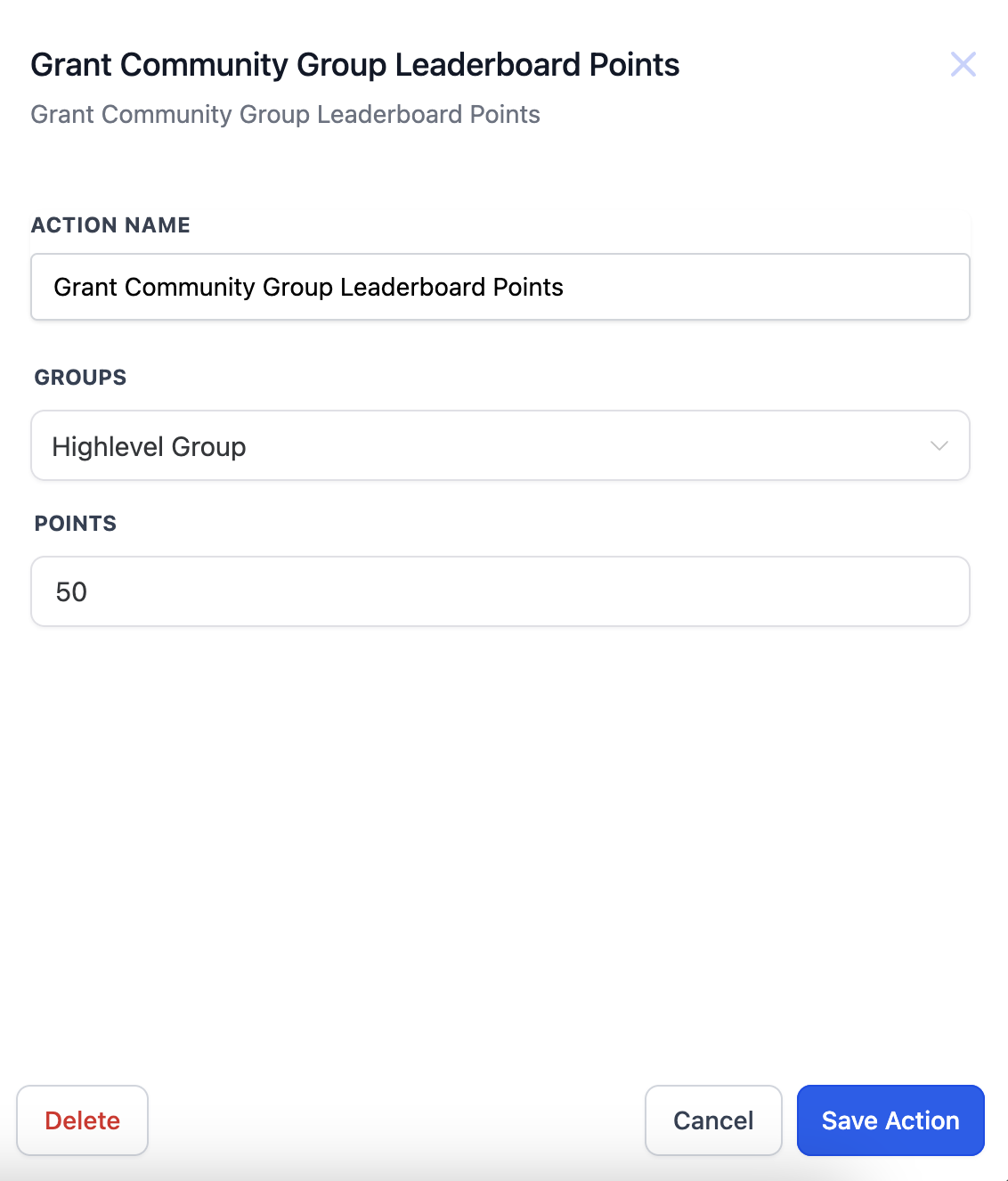
An associated action called "Grant community group leaderboard points" lets you specify how many points to award and to which group. The workflow then adds those points to the member’s tally. Both the trigger and action are built in the Workflow Setup area of HighLevel.
03How businesses use community group leaderboard triggers
- Fitness studio. Set the Level Changed trigger for the studio’s challenge group. When a participant reaches a new level, the workflow adds points to their profile, encouraging continued attendance.
- Online coaching platform. Create a trigger for the coaching cohort’s leaderboard. When a coach’s client advances, the action awards points to the client’s group, reinforcing progress milestones.
- Professional association. Use the trigger to detect when a member earns a new certification level. The points action then credits the member’s association group, highlighting professional growth.
04How to set up and use community group leaderboard triggers in HighLevel
Set up leaderboard level changed trigger
- Open the Workflow Setup page.
- Select the trigger "User Group Gamification Level Changed" from the trigger list.
- Add filters to define the specific group and leaderboard level that should activate the trigger.
Configure grant community group leaderboard points action
- Add the action "Grant community group leaderboard points" to the workflow.
- Set the number of points to be awarded using the Points dropdown.
- Choose the target community group from the Group dropdown.
05What it looks like in HighLevel
06Settings that matter
- Points. Determines the exact number of gamification points that the workflow will add when the action runs.
- Group. Selects the community group whose members are eligible to receive the points from this action.
07Things to know before you rely on it
- If the member is not part of the chosen group, the workflow execution will fail.
08If something goes wrong
- Workflow fails when member is not part of selected group. Verify that the member belongs to the group specified in the action before the workflow runs.
09How it connects to the rest of HighLevel
- Group Access Granted trigger in HighLevel workflows Group Access Granted trigger
- Grant/revoke private channel access workflow in HighLevel Private channel access workflow
- HighLevel workflow automation: basics and set up guide Workflow basics guide
Michael's take

Michael ReimerFounder of CRM Pros, HighLevel Commander and Certified Admin
Great for community managers who want to gamify engagement.
Skip it if you don’t run a group based community or don’t need leaderboards.
Get More InformationOpens on HighLevelPublished November 2, 2026 · Updated November 16, 2026