
01Who this is for
- Community managers benefit because they can automate the removal of members who break rules.
- Membership site owners gain efficiency by automatically handling access changes without manual work.
- Professional networking groups use the trigger to keep group lists current when participants lose privileges.
02Group access revoked triggers, explained
The trigger fires when a user’s access to a specific community group is revoked. It then runs any actions you attach, such as sending notifications or updating records. The trigger is selected in the Workflow Builder, where you define the group and add subsequent actions. The workflow runs in real time as soon as the platform records the access change, and you can test it before activating it for live members.
03How businesses use group access revoked trigger
- Professional networking group. If a member violates community guidelines, the admin revokes their access to the “Job Postings” group. The trigger runs a workflow that informs the member and removes their posting rights.
- Membership site community. When a subscriber’s membership is cancelled, the trigger can start a workflow that sends a notice email and updates the subscriber’s status in the system.
- Online coaching cohort. When a coach is removed from a specific cohort, the trigger starts a workflow that sends a farewell message and clears their access to cohort resources.
04How to set up and use group access revoked trigger in HighLevel
Set up Group Access Revoked workflow
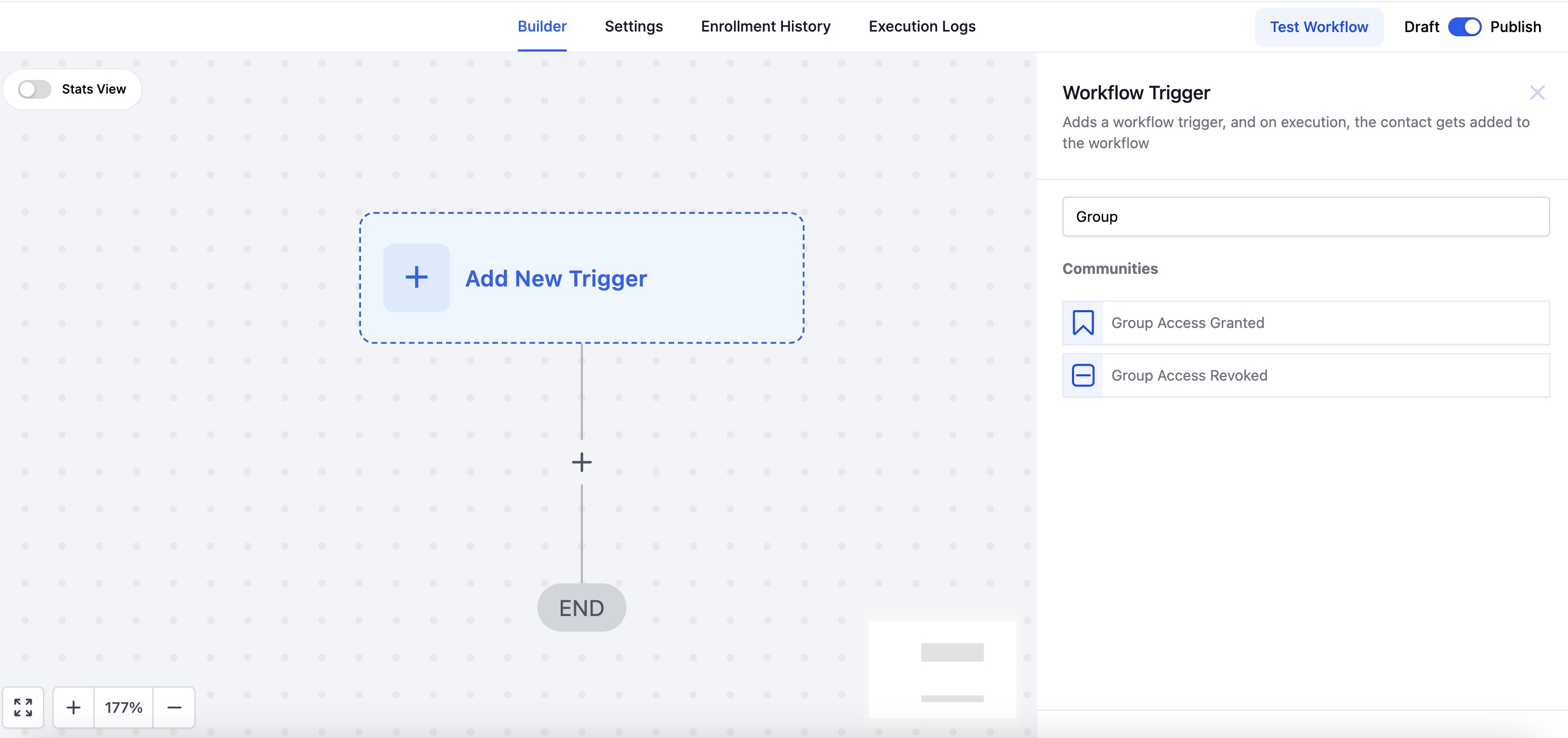
- Navigate to the Workflow Builder in your HighLevel account.
- Click "Create a Workflow" to start a new workflow.
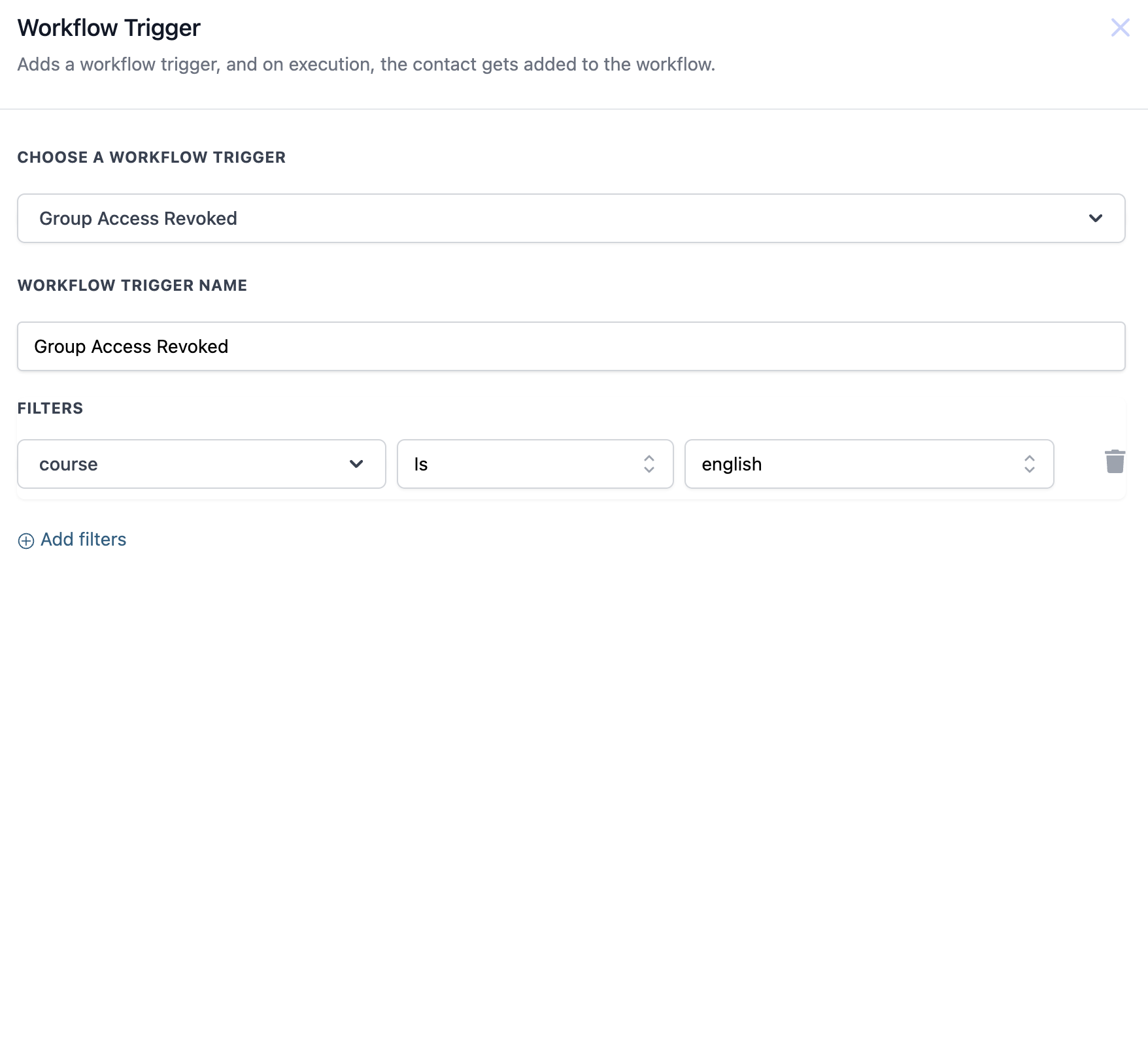
- Select the trigger type "Group Access Revoked".
- Specify which group access is being revoked in the trigger details.
- Add any actions you want, such as sending a notification or updating a record.
- Test the workflow in a controlled environment to confirm it works as expected.
- Save the workflow and activate it for live use.
05What it looks like in HighLevel
06Settings that matter
- Group Access Revoked. Determines that the workflow starts whenever a user's access to the chosen community group is removed.
07Things to know before you rely on it
- The article does not specify any limits or restrictions for this trigger.
08How it connects to the rest of HighLevel
- Set up a similar automation for granting group access Group Access Granted trigger
- Learn how to grant or revoke private channel access with workflows Private channel access workflow
- Get an overview of workflow creation and basic automation steps Workflow basics guide
Michael's take

Michael ReimerFounder of CRM Pros, HighLevel Commander and Certified Admin
This trigger can reduce the need for manual follow up when group memberships change.
If your groups rarely change, you may find less benefit from setting it up.
Get More InformationOpens on HighLevelPublished November 2, 2026 · Updated November 17, 2026