
01Who this is for
- Community managers who need to control access and moderation for safe discussions.
- Marketers running paid groups who must grant or revoke entry based on purchase status.
- Support teams that require the ability to remove disruptive participants quickly.
02Members inside groups, explained
HighLevel Communities groups include tools for handling members after the group is created. Admins can send an invitation link, email a specific contact, adjust each person’s role, or permanently block a user.
The platform distinguishes owners, admins, channel managers and contributors, each with its own set of permissions such as posting, moderating, or managing members. Only the owner can pause a group; deletion is not an option.
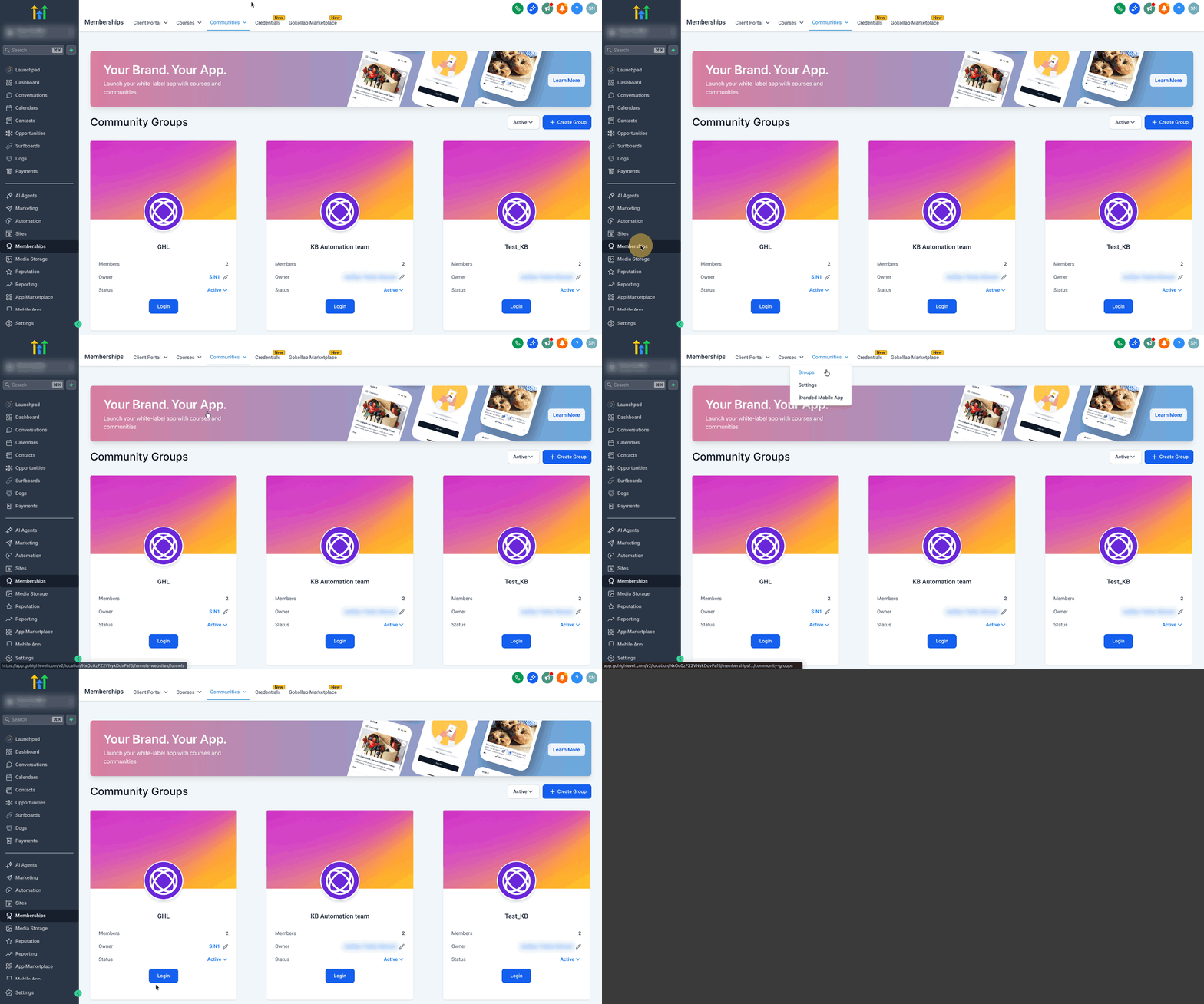
Member workflows are accessed through the Memberships > Communities > Groups area, where the Invite Members button, role menus and removal actions reside.
03How businesses use managing members inside groups
- Fitness studio. The studio sends a single invite link to a class roster, letting members join the private group right away. As members become instructors, the manager upgrades their role to channel manager so they can lead specific workout channels.
- Online course provider. After a student purchases a course, the provider emails a personalized invite that includes administrative privileges set to off, placing the student in the contributor role. If the student later becomes a teaching assistant, the admin changes the role to admin.
- Professional association. The association removes a member who repeatedly breaches conduct rules by selecting the remove option. For a severe violation, the admin bans the person, preventing any future join attempts.
04Before you start
- You must be logged in as an owner or admin of the group.
- The group must already exist in Memberships > Communities > Groups.
05How to set up and use managing members inside groups in HighLevel
Invite members via a shared link
- Open Memberships > Communities > Groups.
- Log in to the group you want to invite members to.
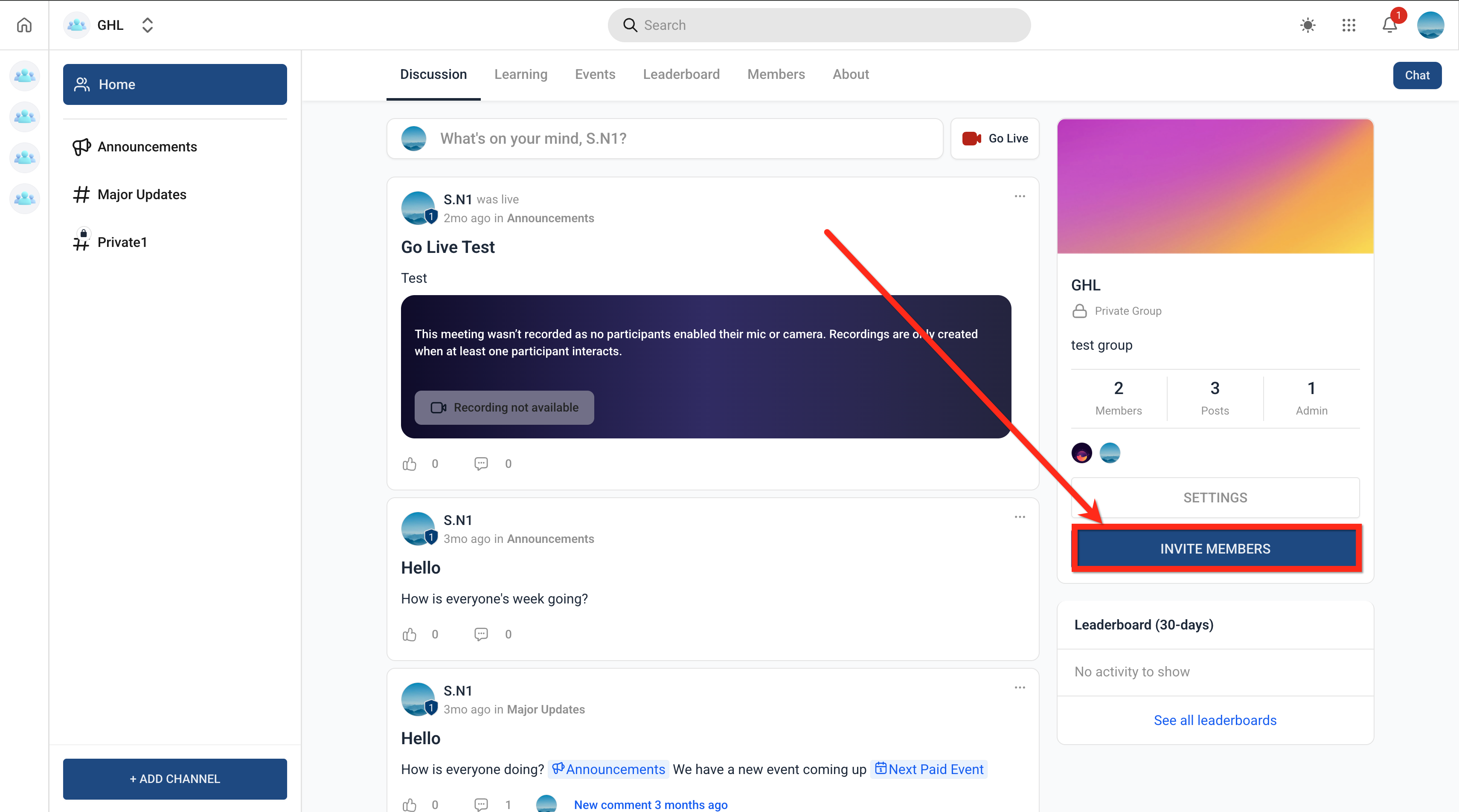
- Select Invite Members.
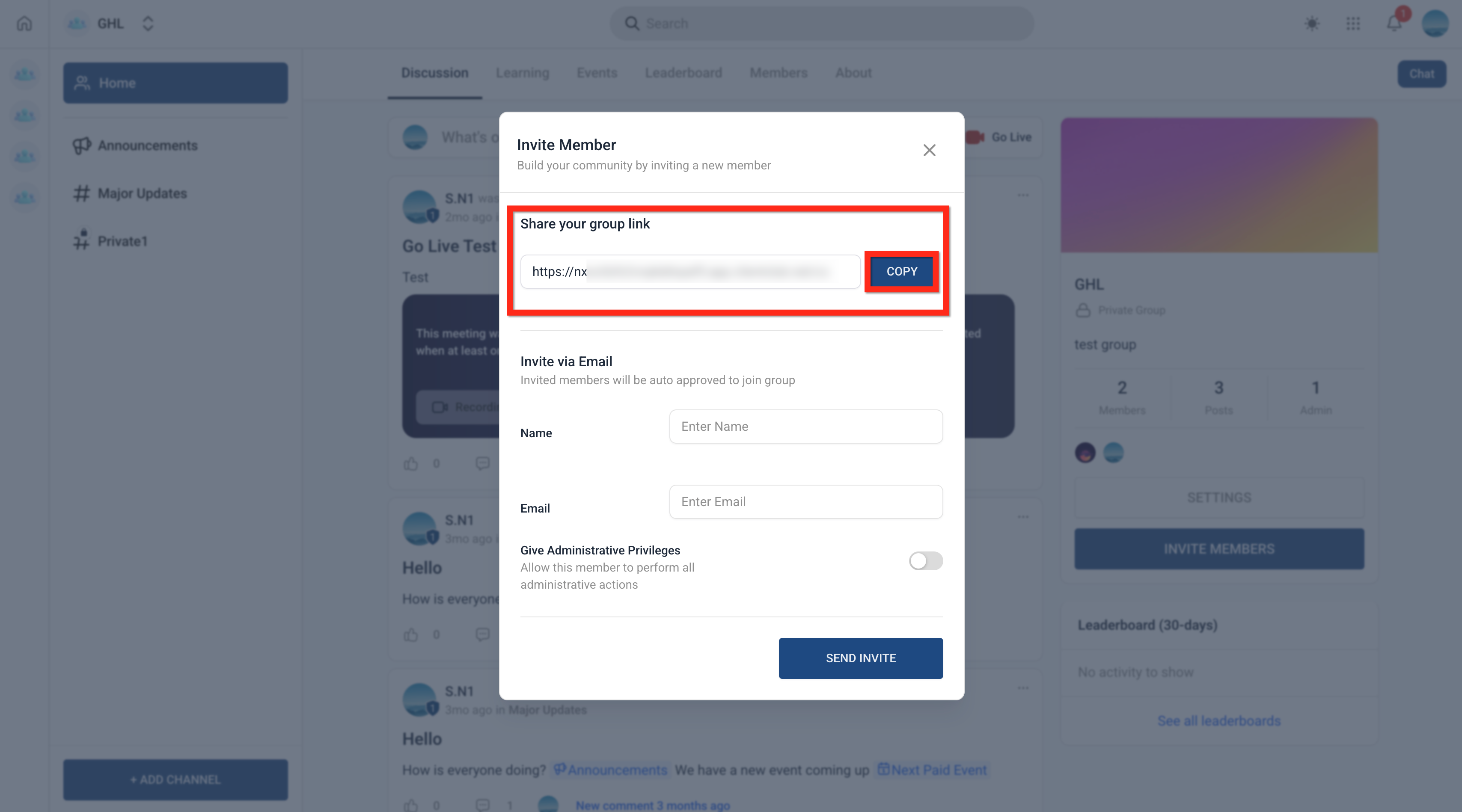
- Copy the generated link and distribute it through your chosen channel.
Invite members using an email address
- Navigate to Memberships > Communities > Groups.
- Open the target group.
- Click Invite Members.
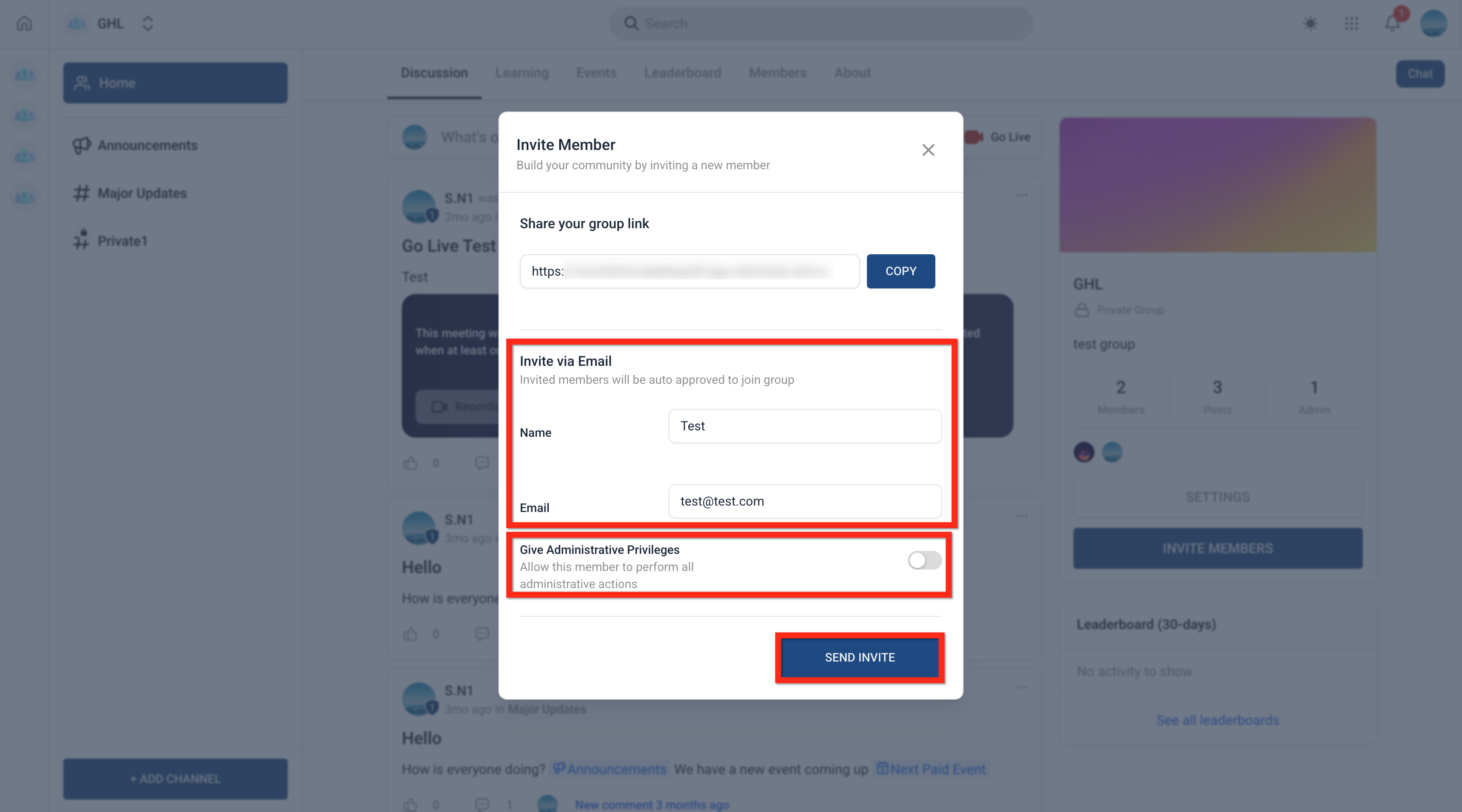
- Enter the recipient’s name and email address under Email Invite.
- Toggle Administrative Privileges on or off as needed.
- Press Send Invite to deliver the email.
Change a member’s role
- Go to Members > Contributors.
- Find the person whose role you want to edit.
- Click the three dot menu beside their name.
- Choose the new role (Admin or Contributor) from the list.
Remove or ban a member from the group
- Open Members and locate the user.
- Open the three dot menu for that member.
- Select either Ban or Remove from Group.
- Confirm the action to complete the process.
06What it looks like in HighLevel
07Settings that matter
- Administrative Privileges. Controls whether a newly invited user receives admin rights when they join.
- Allow members to invite new members. Enables or disables the invite button for contributors, letting them bring in additional participants.
08Things to know before you rely on it
- A group can be deactivated but never permanently deleted.
- Only owners have the ability to pause a group.
- Public groups let anyone view posts and join right away; private groups require manual approval for every join request.
09If something goes wrong
- Invited person has not responded to the invitation. Resend the same invitation link or email to give the user another chance to join.
10How it connects to the rest of HighLevel
- How to make groups private or public Private vs public groups
- Create and manage a HighLevel community Community setup guide
- Paid groups in HighLevel Paid group details
Michael's take

Most people think they can delete a group once it’s no longer needed, but HighLevel only lets you deactivate it.
If I were setting up a new community, I would assign Owner and Admin roles first, set the privacy to Private, and turn off member to member invites. Then I’d send a single invite link to my core audience.