
01Who this is for
- Community managers can limit access to sensitive topics, ensuring only approved participants see the conversation.
- Project leaders use private groups to keep internal collaboration secure and focused on specific deliverables.
- Marketing teams create exclusive member circles for early access offers, controlling who can view and engage with the content.
02Private groups, explained
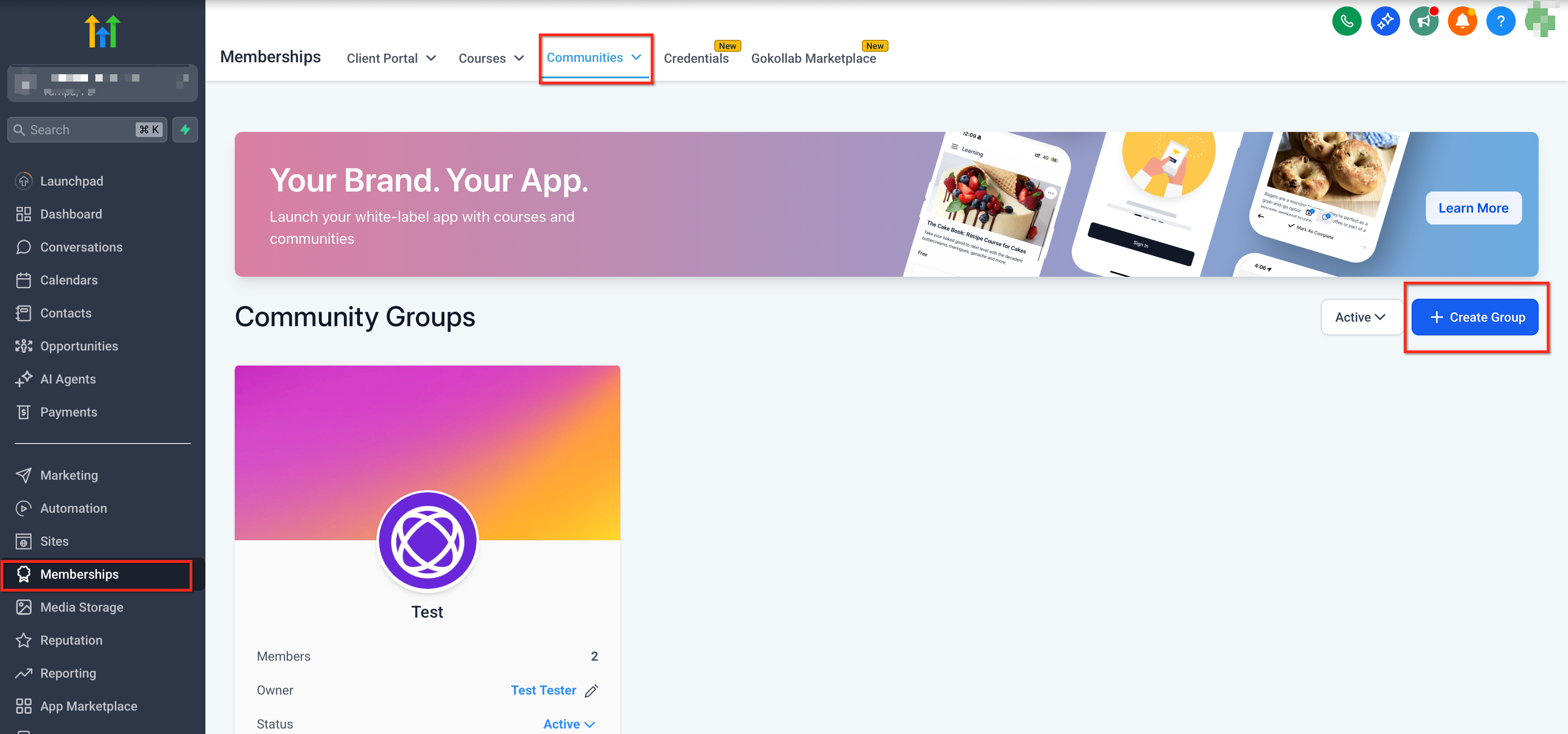
Private groups live inside the Communities tab of the Memberships section. They behave like regular groups but hide posts and members from anyone who has not been granted access. The group type can be switched between public and private at any time.
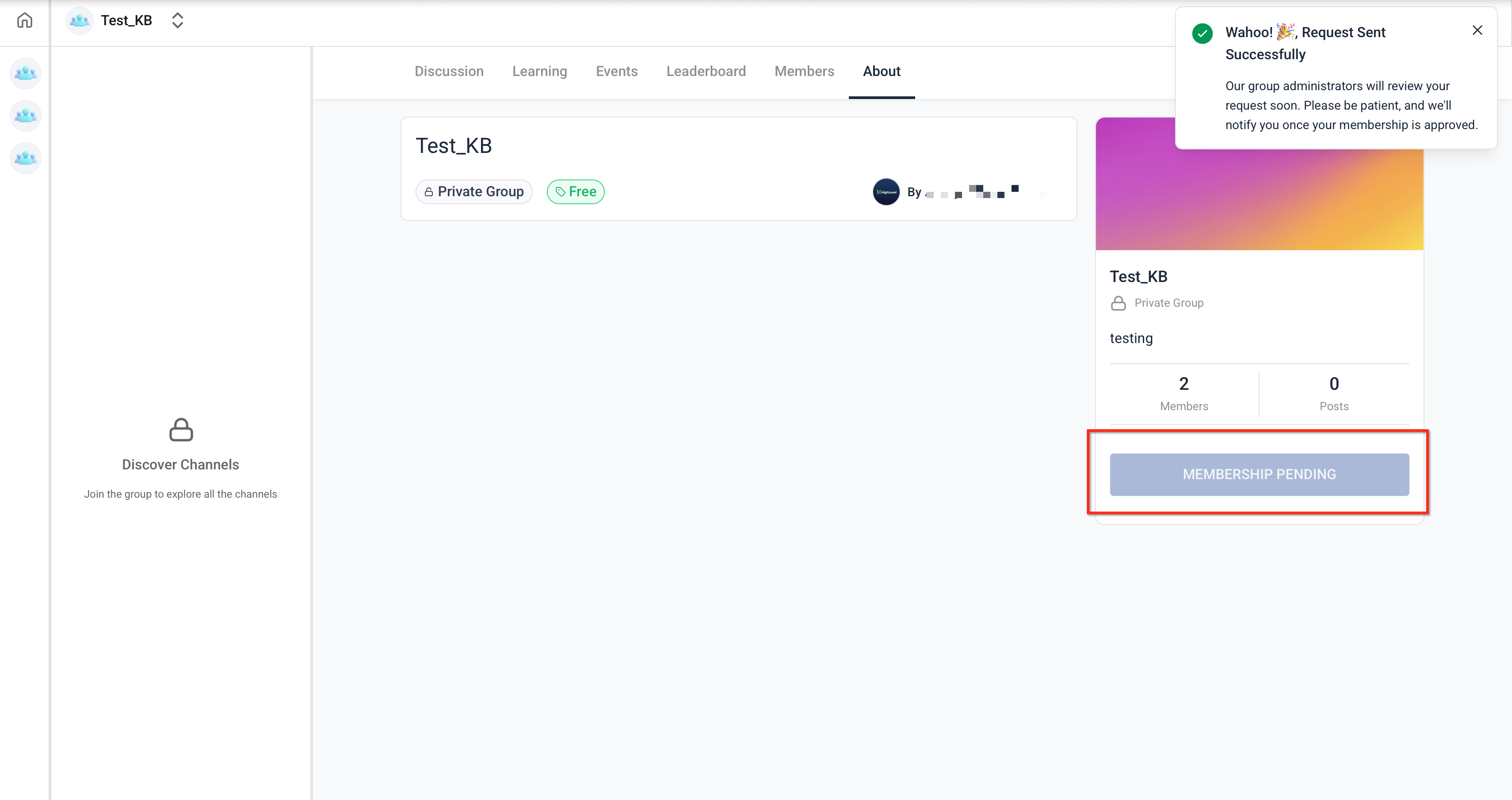
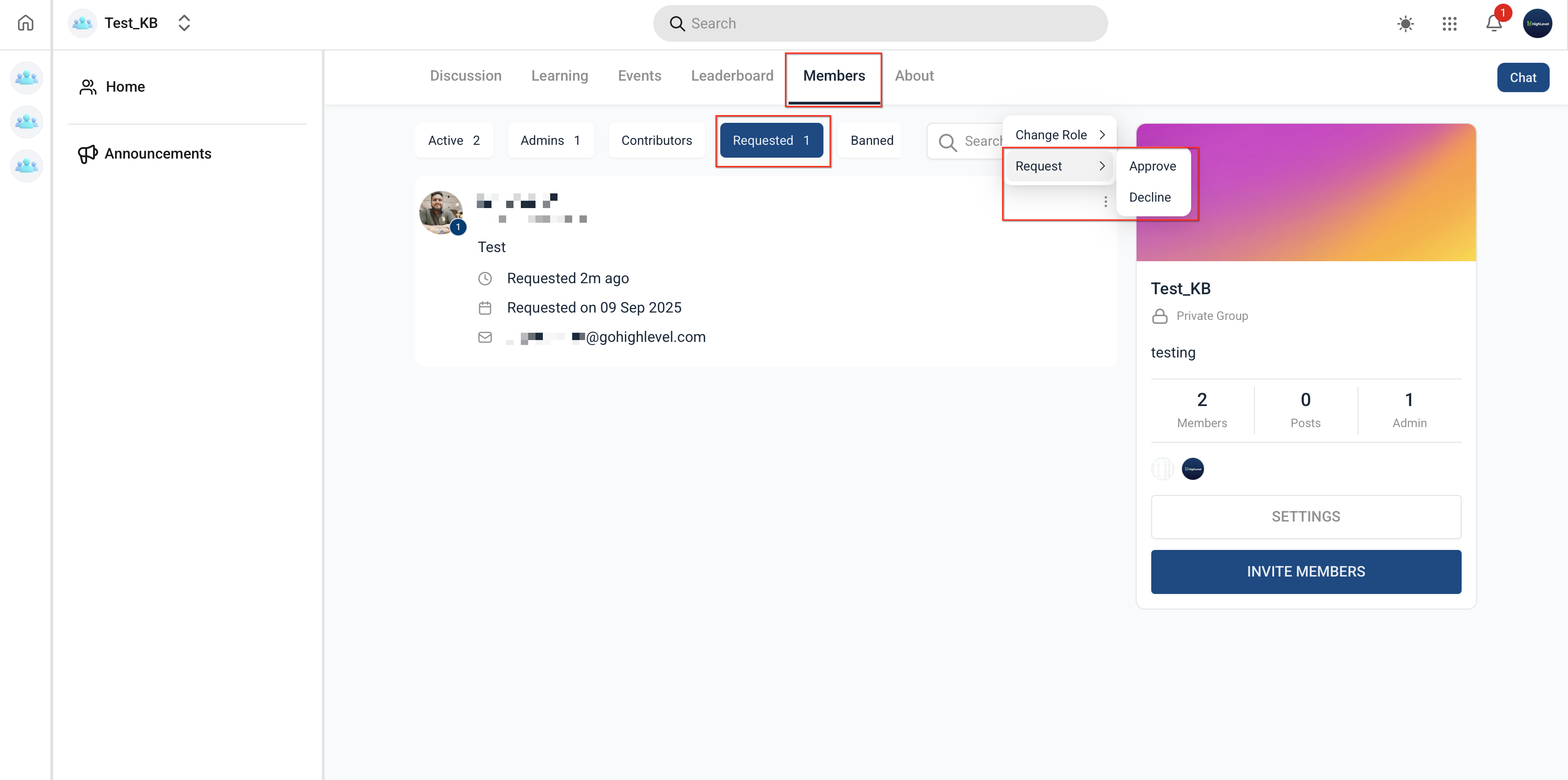
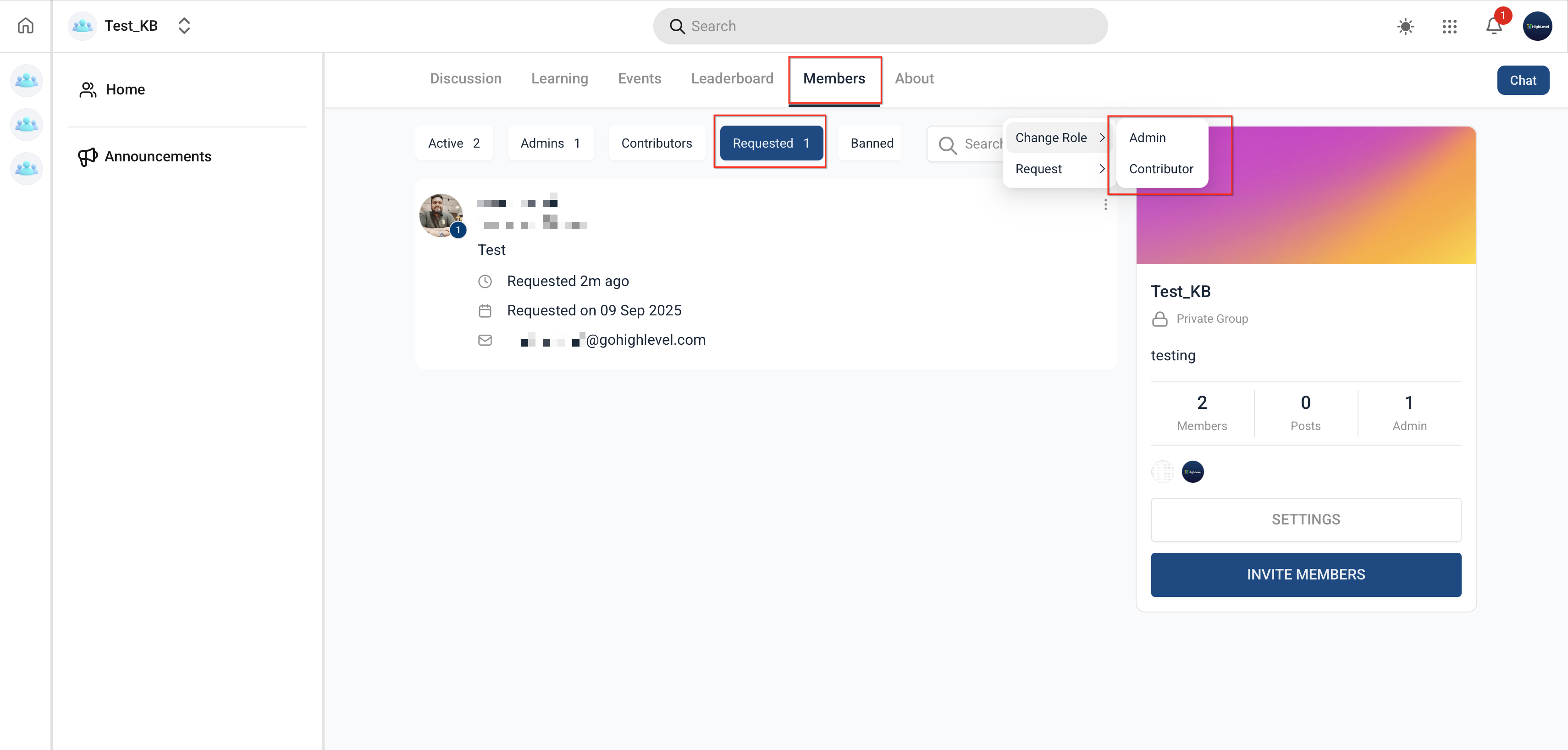
When a group is private, people must request entry. Owners and admins see those requests, can approve or reject them, and assign the new members a role of Admin or Contributor. Contributors can post and comment but cannot change settings or manage other members.
Group visibility for non members is managed through an Accessible toggle. If turned on, users who belong to other groups in the same subaccount will see the private group listed in the group switcher; otherwise, the group stays hidden.
03How businesses use making groups private/public
- Consulting firm. The firm creates a private group for each client project. Team members request to join, and the project manager (owner) approves them, then assigns senior consultants as admins while junior staff become contributors. This keeps client discussions confidential.
- Fitness studio. The studio launches a private group for members of an exclusive class. Prospective participants request access, and the studio owner approves the requests. The owner sets the instructor as admin and participants as contributors, allowing class discussions without public visibility.
- Software startup. The startup makes a private group for beta testers. Testers request to join, and the product lead reviews and accepts each request. The lead assigns internal developers as admins to answer questions, while testers remain contributors who can only comment.
04Before you start
- You must be the group Owner or have an Admin role in the group.
- The group must already exist in the Communities tab.
05How to set up and use making groups private/public in HighLevel
Review and approve membership requests
- Open the group and go to the Members section.
- Select the Requested tab to view pending join requests.
- Approve or reject each request as needed.
Adjust member roles
- In the Members list, locate the member whose role you want to change.
- Open the role dropdown and pick Admin or Contributor.
- Confirm the selection so the new role is saved.
Control group visibility for non members
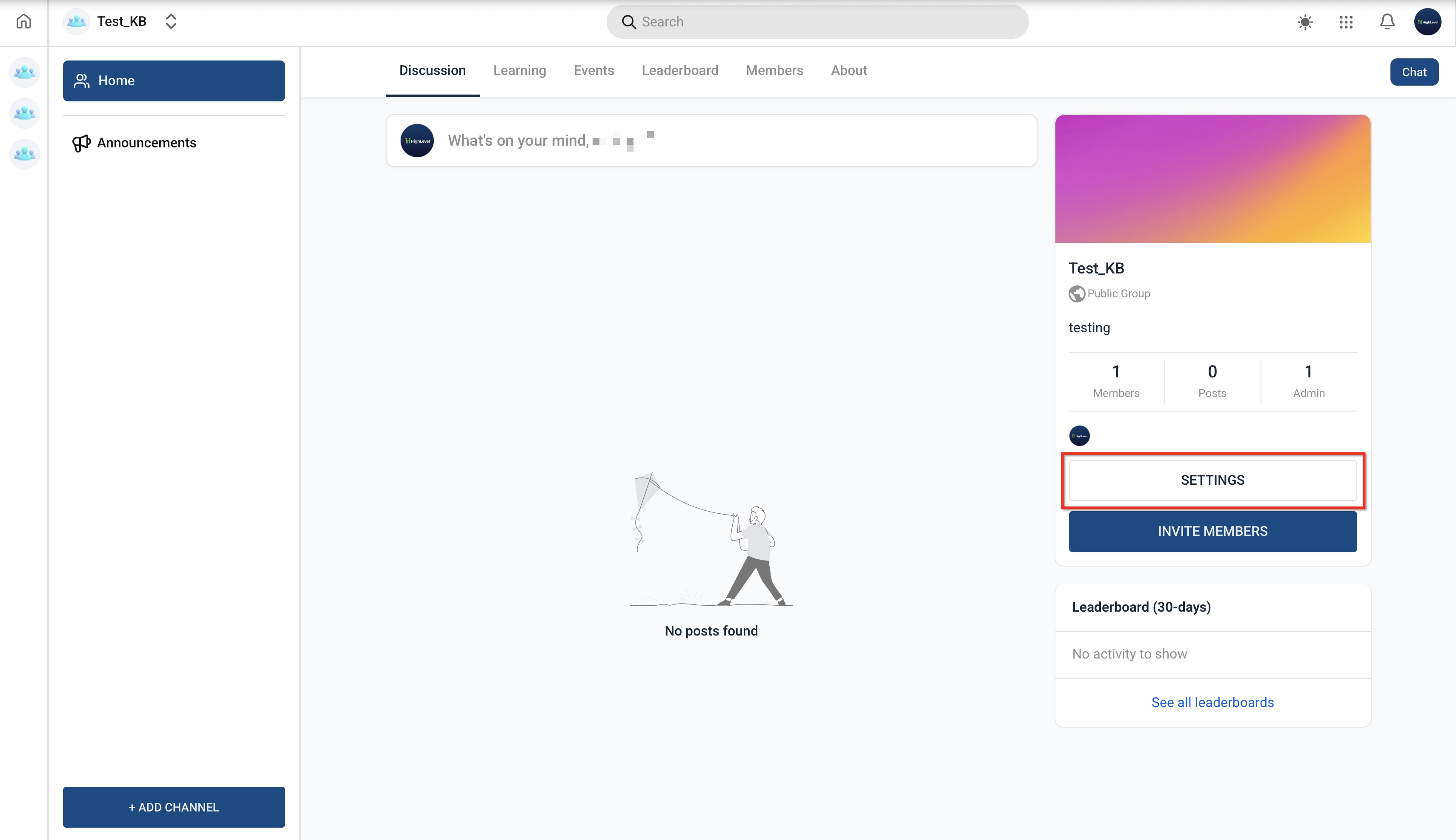
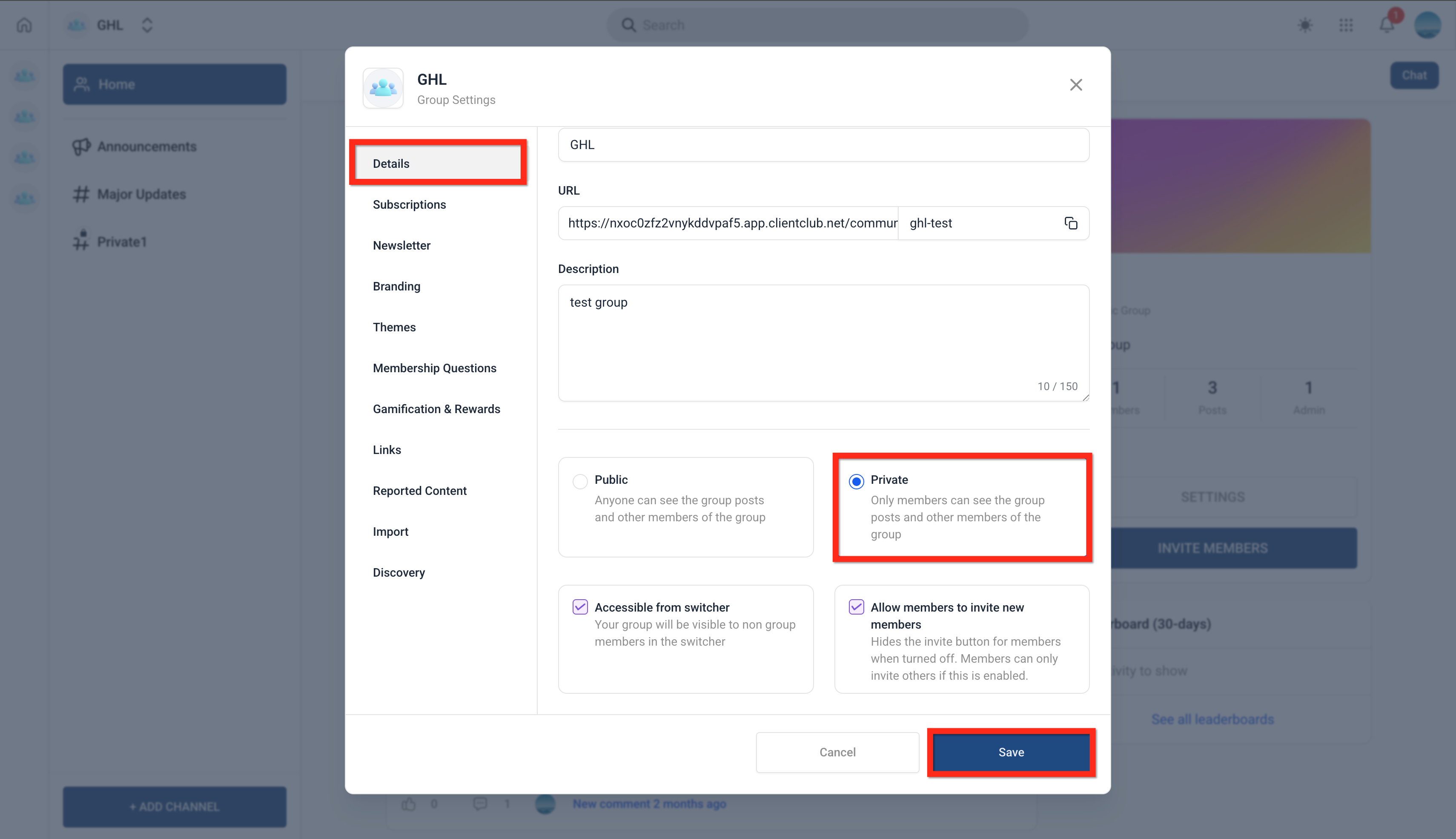
- Open Settings for the group and choose the Details page.
- Toggle the Accessible switch to show or hide the group from non members.
- Click Save to apply the visibility change.
06What it looks like in HighLevel
07Settings that matter
- Switch to Private. Changes the group from public to private, restricting content to current members.
- Accessible. Determines whether users who are not members of this group can see it in the group switcher.
08Things to know before you rely on it
- Changing a private group to public automatically approves all pending membership requests.
- Changing a public group to private limits existing content to members who are already in the group.
- The Owner role cannot be reassigned to another user.
09How it connects to the rest of HighLevel
- How to create and manage a HighLevel community Create and manage communities
- Managing members inside groups in HighLevel Member management
- HighLevel community: create channels, posts and manage content Content management
Michael's take

Private groups can feel too restrictive if you don’t need that level of control. They add extra steps for members and require ongoing approval, which can slow down growth if you’re just looking for a simple community.
When the conversation truly needs confidentiality. Like a client project, internal strategy, or exclusive membership. The ability to lock the space and assign precise roles is worth the effort. The toggle between public and private also gives you flexibility to open up later without rebuilding the whole community.