
01Who this is for
- Coaching Founders who need tiered client access to exclusive training modules.
- Fitness studio owners who want to sell monthly and yearly membership options with class room privileges.
- Online educators who wish to bundle private courses and live events behind different subscription levels.
02Multiple pricing plans, explained
The pricing plan feature lives inside a community’s Settings under the Subscriptions tab. It lets you define separate plans, each with its own name, description, currency, billing frequency and optional free trial. You also decide which private channels, courses or events belong to each tier, or grant full access to the whole community.
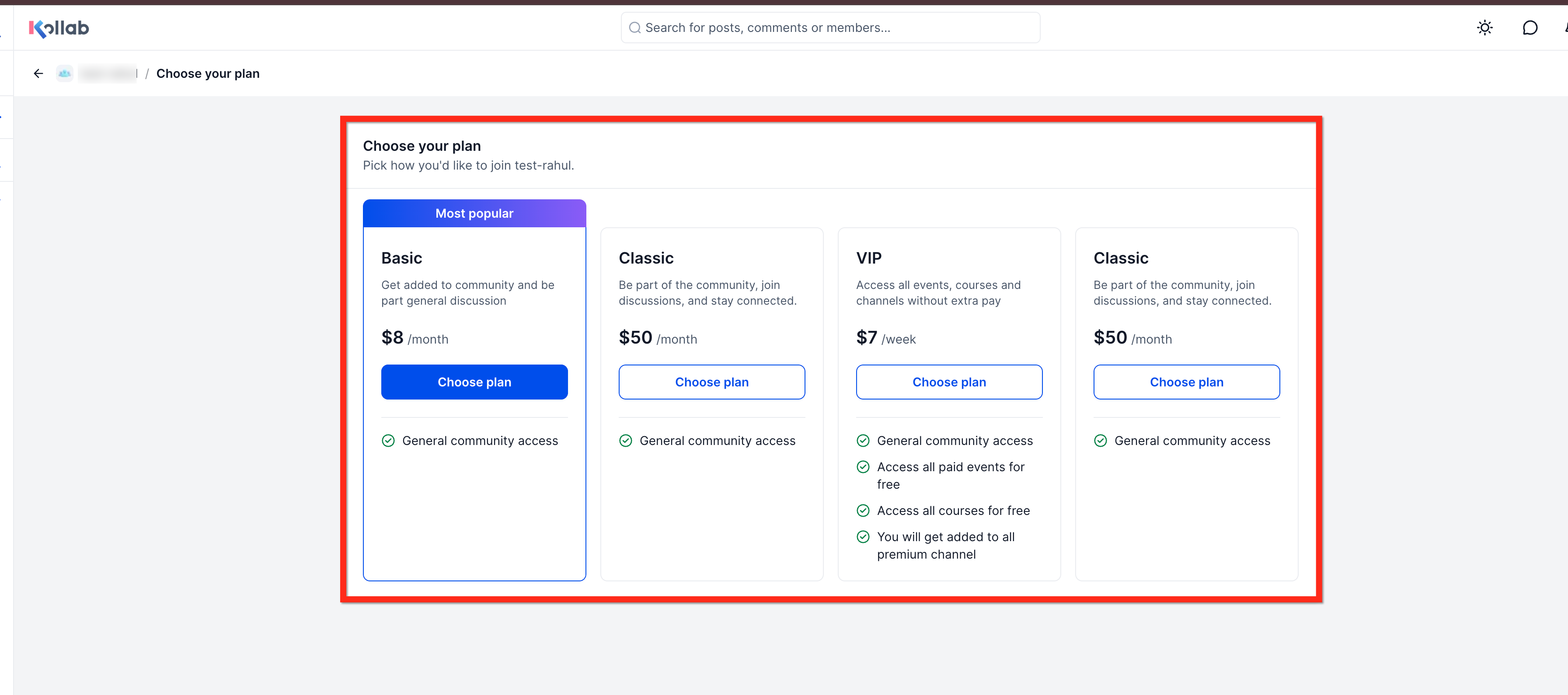
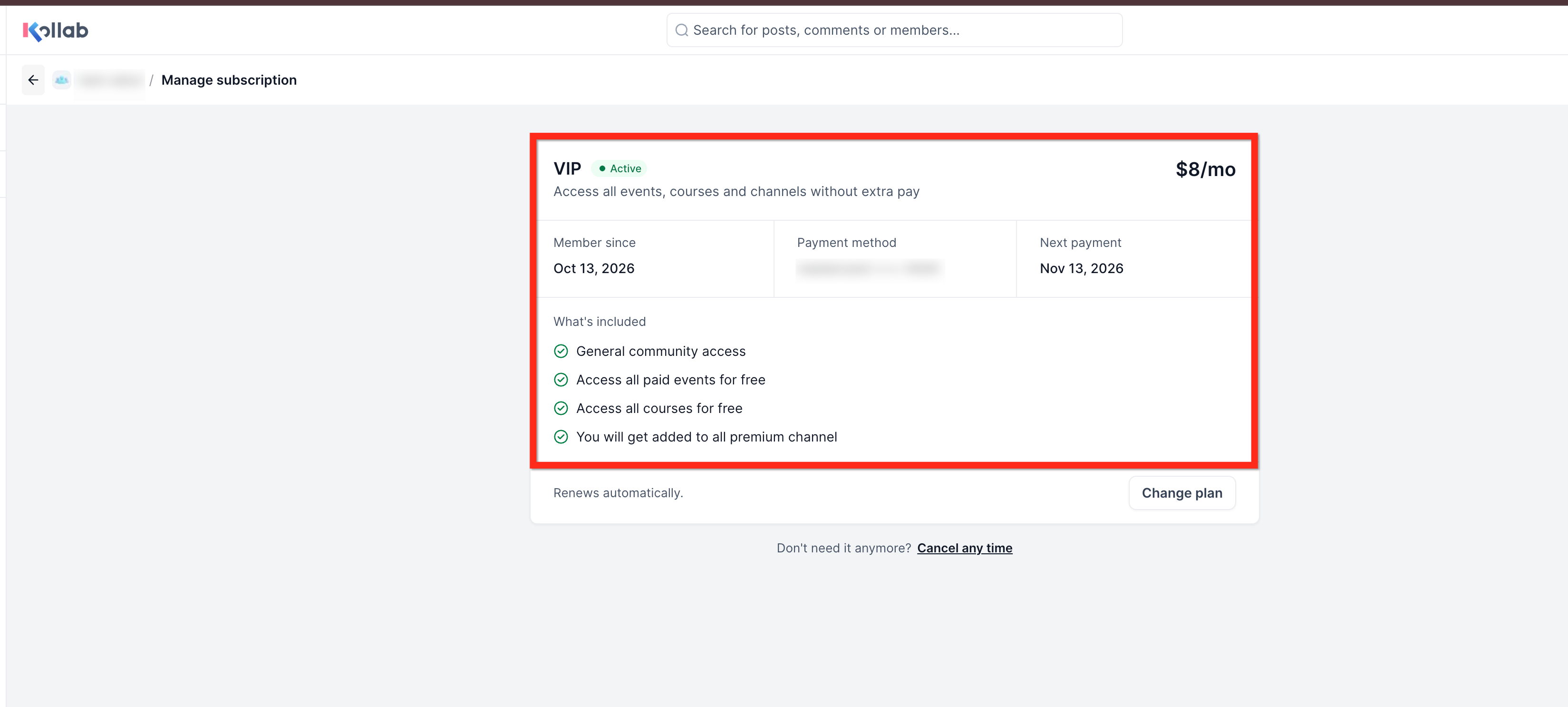
When a plan is created, it appears in the subscription list where you can activate, deactivate, edit, reorder or mark a plan as the most popular. Members see the plans on the community join page, can select a plan, pay, and immediately receive the content linked to that tier. They can later change or cancel their subscription from the Manage membership view.
Test Mode lets you simulate payments before going live. If you toggle the community to be free, all paid plans are paused until the setting is turned off again.
03How businesses use multiple pricing plans
- Coaching business. Create a Basic plan for group sessions and a Pro plan that includes additional private coaching channels. Members pick a plan when they join and can upgrade later.
- Fitness studio. Set up a Monthly plan that grants access to workout video courses and a Yearly plan that also includes live event tickets. Use the Access section to link the appropriate private channels and events to each plan.
- Online education platform. Offer a Free trial for a Premium plan that unlocks all paid courses and private discussion channels. Enable weekly, monthly and one time payment options so learners can choose the cadence that fits them.
04How to set up and use multiple pricing plans in HighLevel
Create a community pricing plan
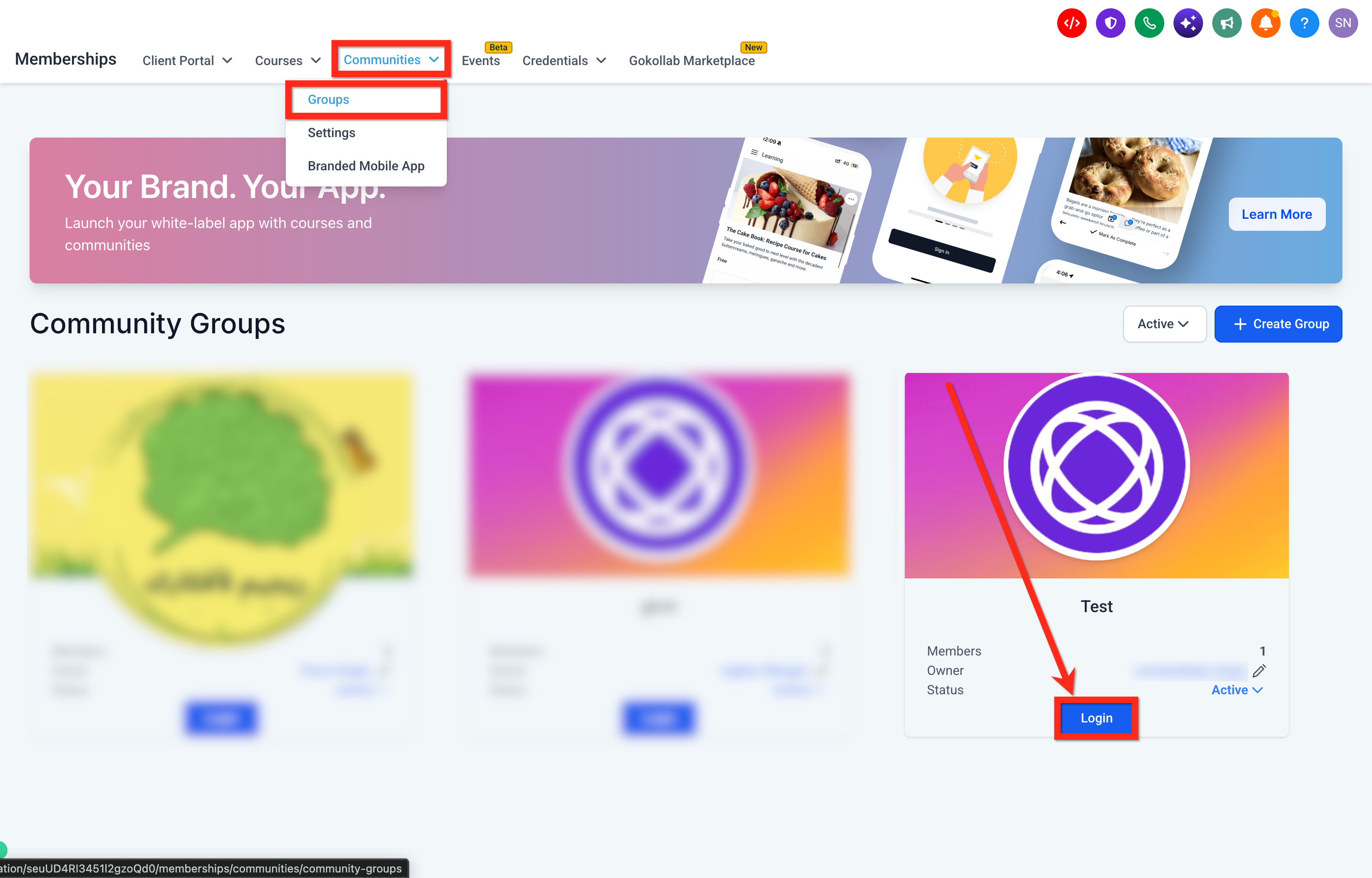
- Navigate to Memberships > Communities > Groups and open the desired community.
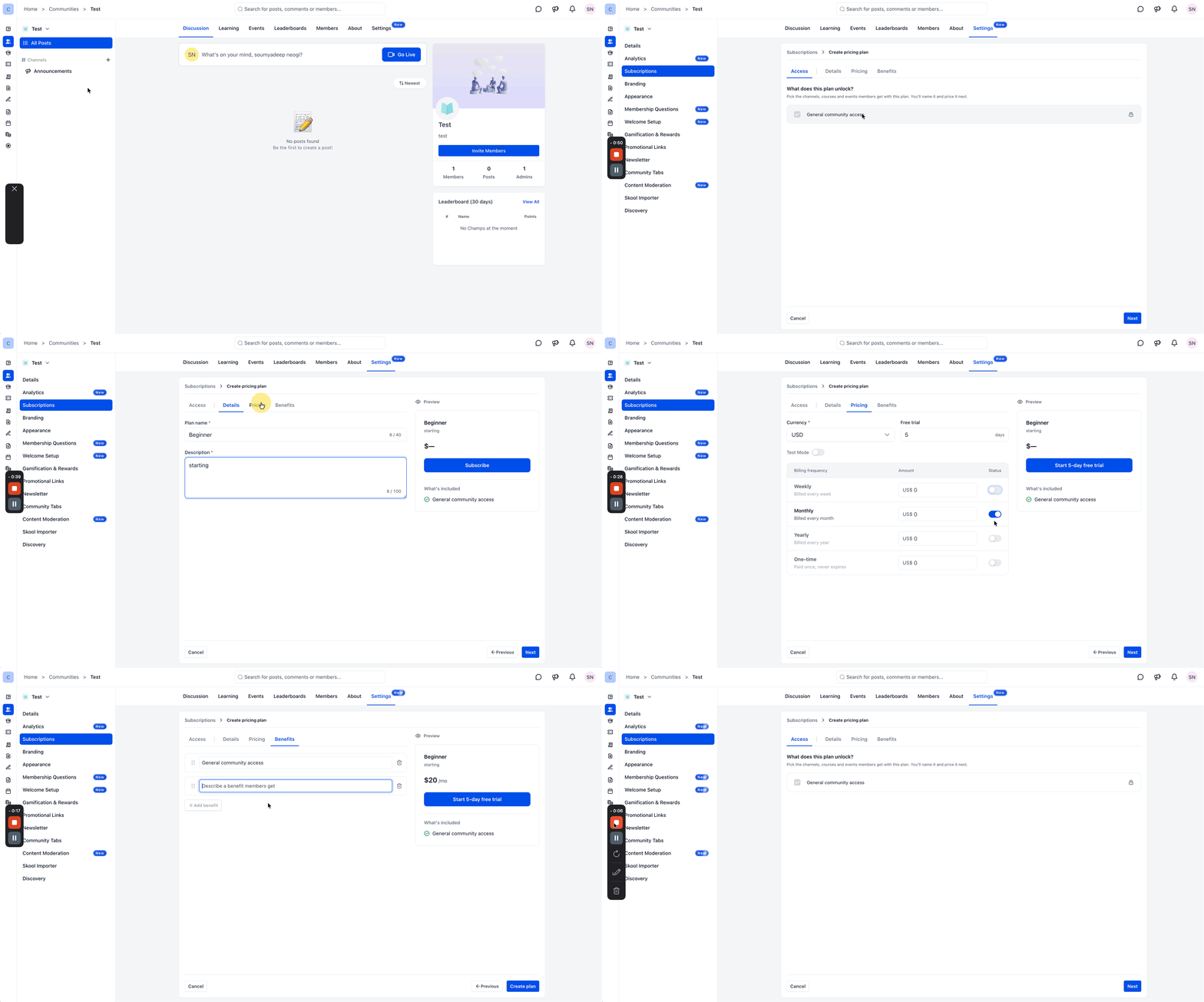
- Select Settings > Subscriptions and click Add plan.
- In the Access section, choose the private channels, courses and events for the plan, or select Full access.
- Enter the plan’s name and description in the Details area.
- Choose a currency, decide if a free trial is allowed, and enable the billing frequencies you need.
- Provide an amount for each active frequency and turn on Test Mode if you want to trial payments.
- Add, edit or reorder the benefits that will display to members in the Benefits area.
- Check the plan preview, then click Create plan.
- If the plan is not automatically active, turn it on from the subscription list.
Manage existing pricing plans
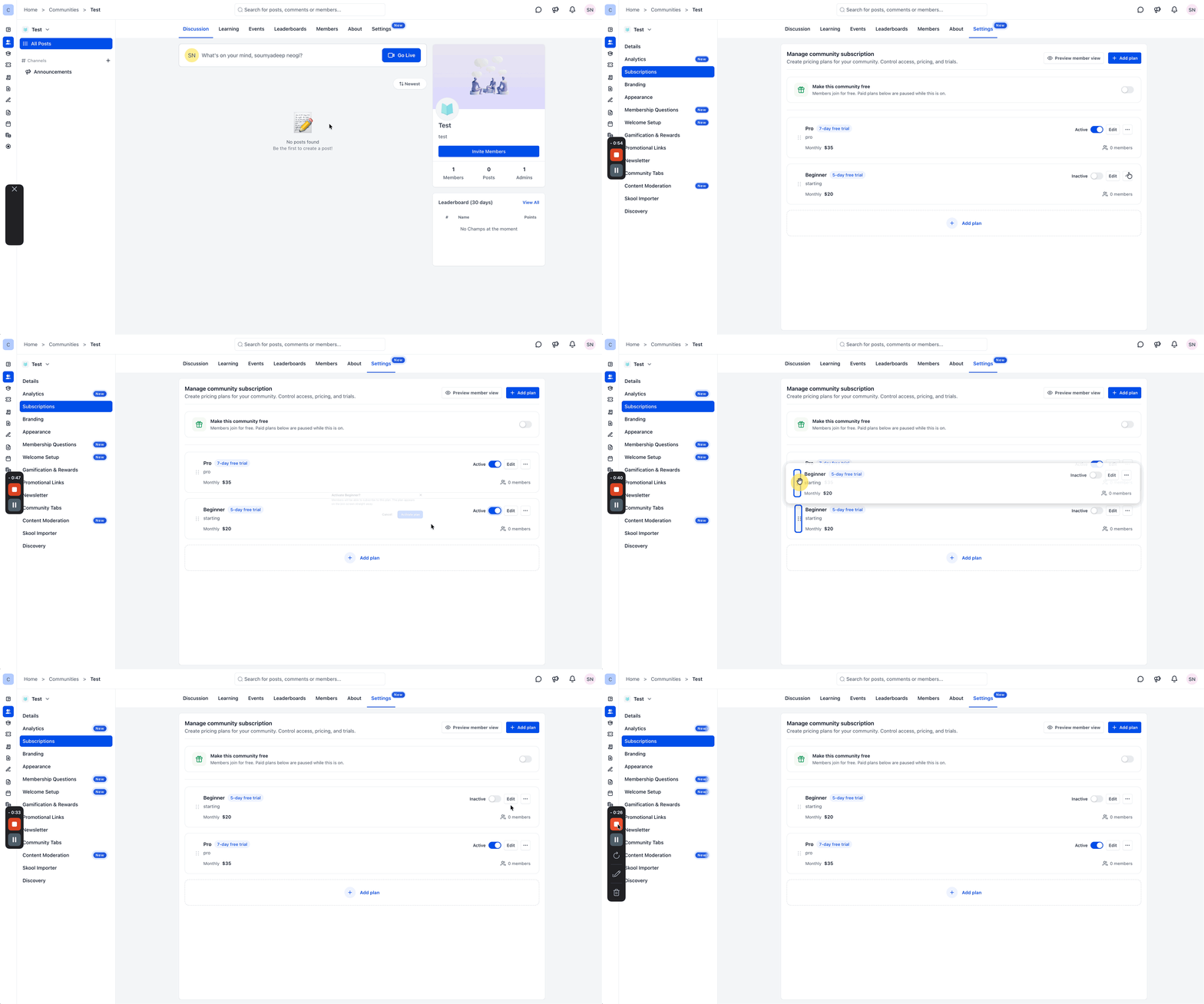
- Open the community and go to Settings > Subscriptions.
- Toggle the switch beside a plan to activate or deactivate it.
- Click Edit on a plan to modify its settings.
- Use the three dot menu next to a plan to view details or delete it.
- Select Mark as most popular from the three dot menu to highlight a plan.
- Drag plans into the desired order to rearrange them.
- View the number of members subscribed to each plan using the Track members option.
- Click Preview member view to see how the plans appear to community members.
Change an existing plan (member view)
- Open the community and click the Manage membership icon.
- Click Change plan.
- Review the available plans and click Choose plan on the preferred option.
- Complete the subscription confirmation.
- Note: The existing subscription remains active until the new subscription is confirmed, then access updates based on the newly selected plan.
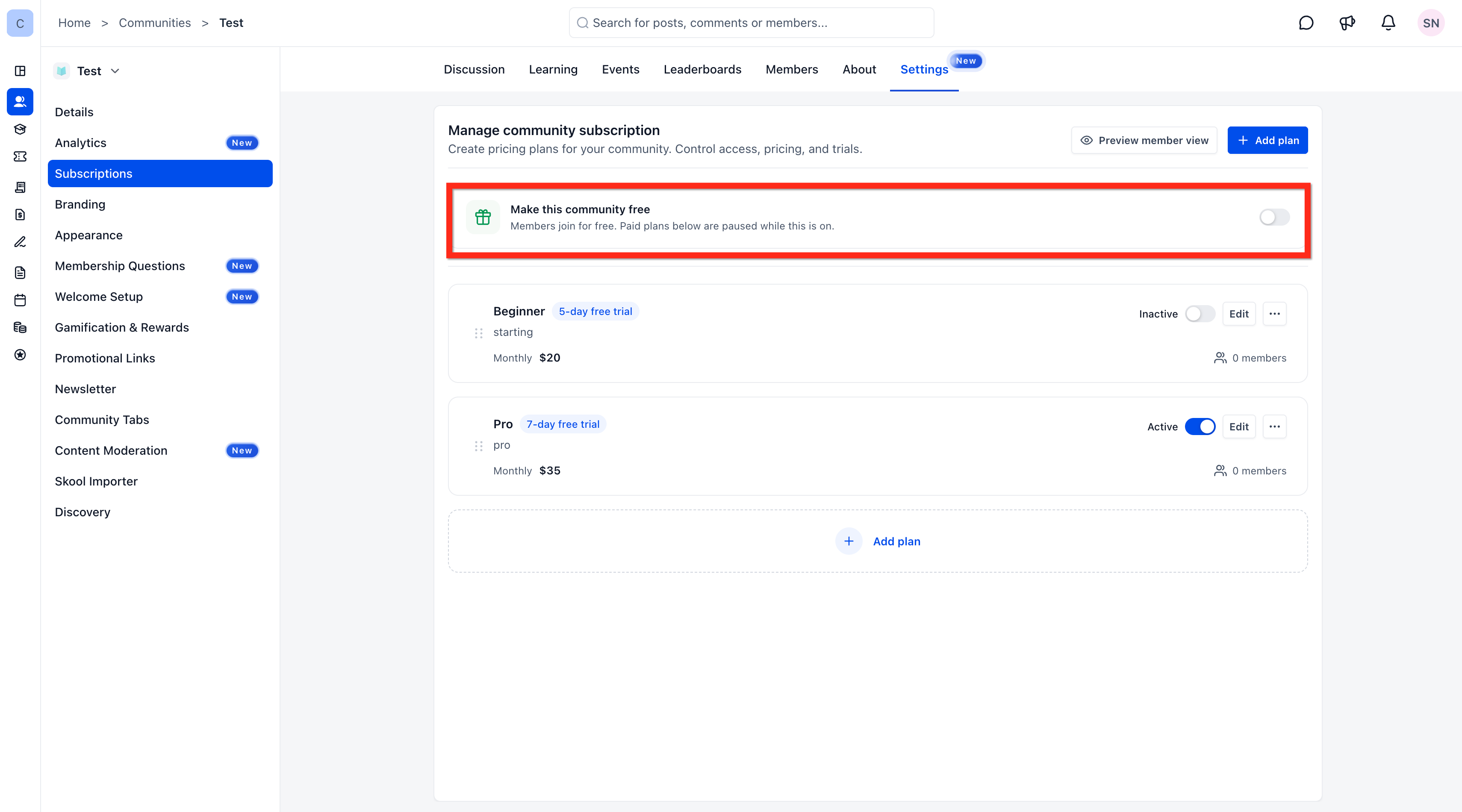
Make the community free
- Turn on Make this community free under Settings > Subscriptions.
- Note: Paid plans are paused while this option is enabled.
05What it looks like in HighLevel
06Settings that matter
- Access. Determines which private channels, courses and events a plan includes, or grants full community access.
- Details. Holds the plan’s name and descriptive text shown to members.
- Pricing. Sets currency, optional free trial, billing frequencies (weekly, monthly, yearly, one time) and amounts, with an optional Test Mode.
- Benefits. Lists the perks displayed to members; you can add, edit or reorder them.
- Make this community free. When enabled, all paid plans are paused and members can join without payment.
07Things to know before you rely on it
- Paid plans are paused while the community is set to free.
- Free trial and billing frequencies are optional; you must enable each frequency you wish to offer.
- Test Mode only simulates payments and does not process real transactions.
08How it connects to the rest of HighLevel
- Learn how to set up the community itself before adding pricing plans. Create and manage a HighLevel community
- Review all membership and community capabilities available in HighLevel. Memberships & Communities features
- Check HighLevel pricing and plan options if you need a plan that includes community features. HighLevel pricing and plans
Michael's take

Multiple pricing plans let you create several membership tiers and set different pricing options within a community.
If you only need a single membership level, using the free join option may be simpler.