
01Who this is for
- Community owners who need a hands free way to keep members posted on latest discussions.
- Admins managing active groups that publish frequent announcements or event reminders.
- Marketers running membership sites who want consistent engagement without daily manual emailing.
02Automatic newsletters, explained
Automatic newsletters are recurring emails sent from a HighLevel community group. They pull content such as active threads, top posts, followed member updates and upcoming events, respecting each member’s permissions. The digest appears as clickable cards linking back to the original content.
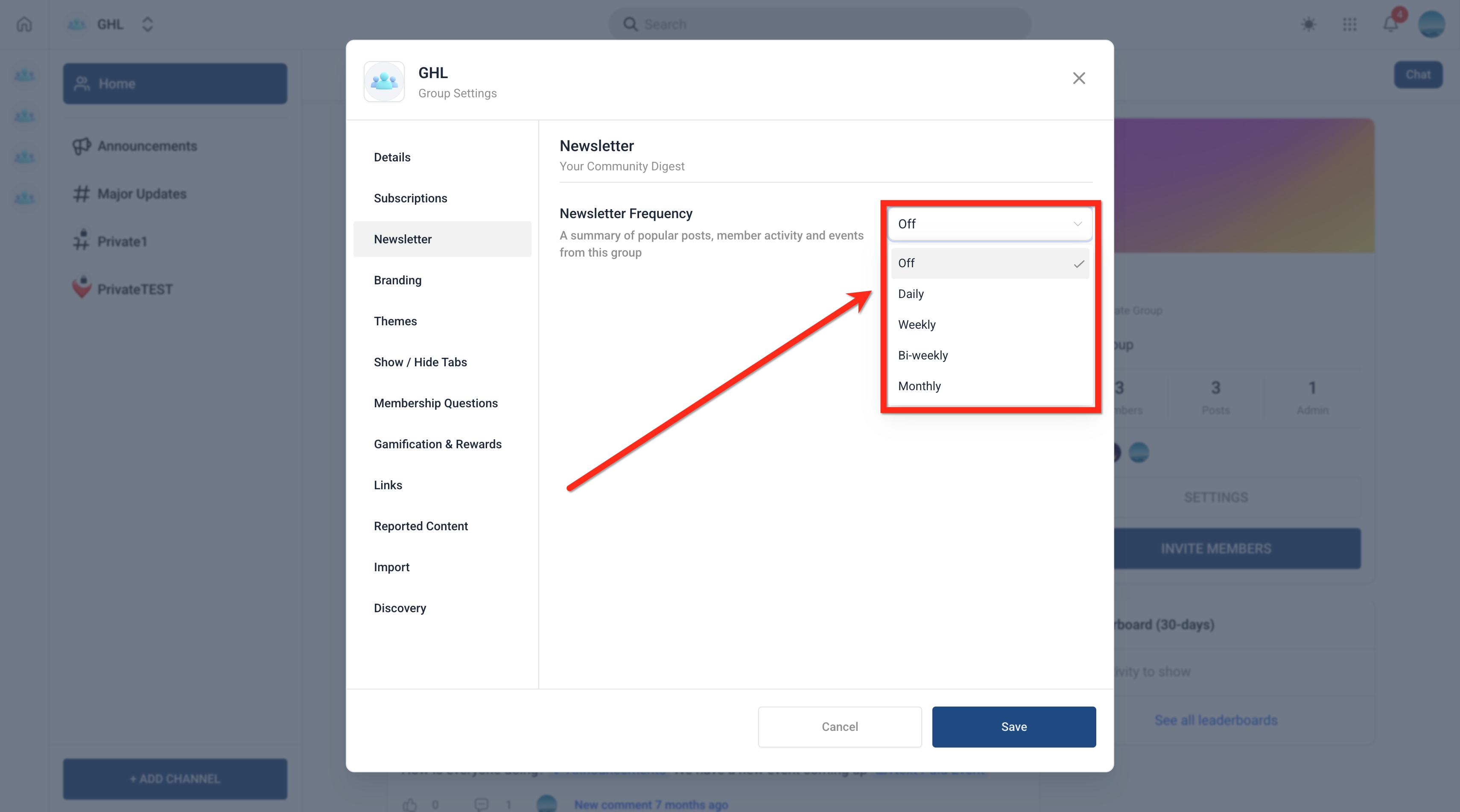
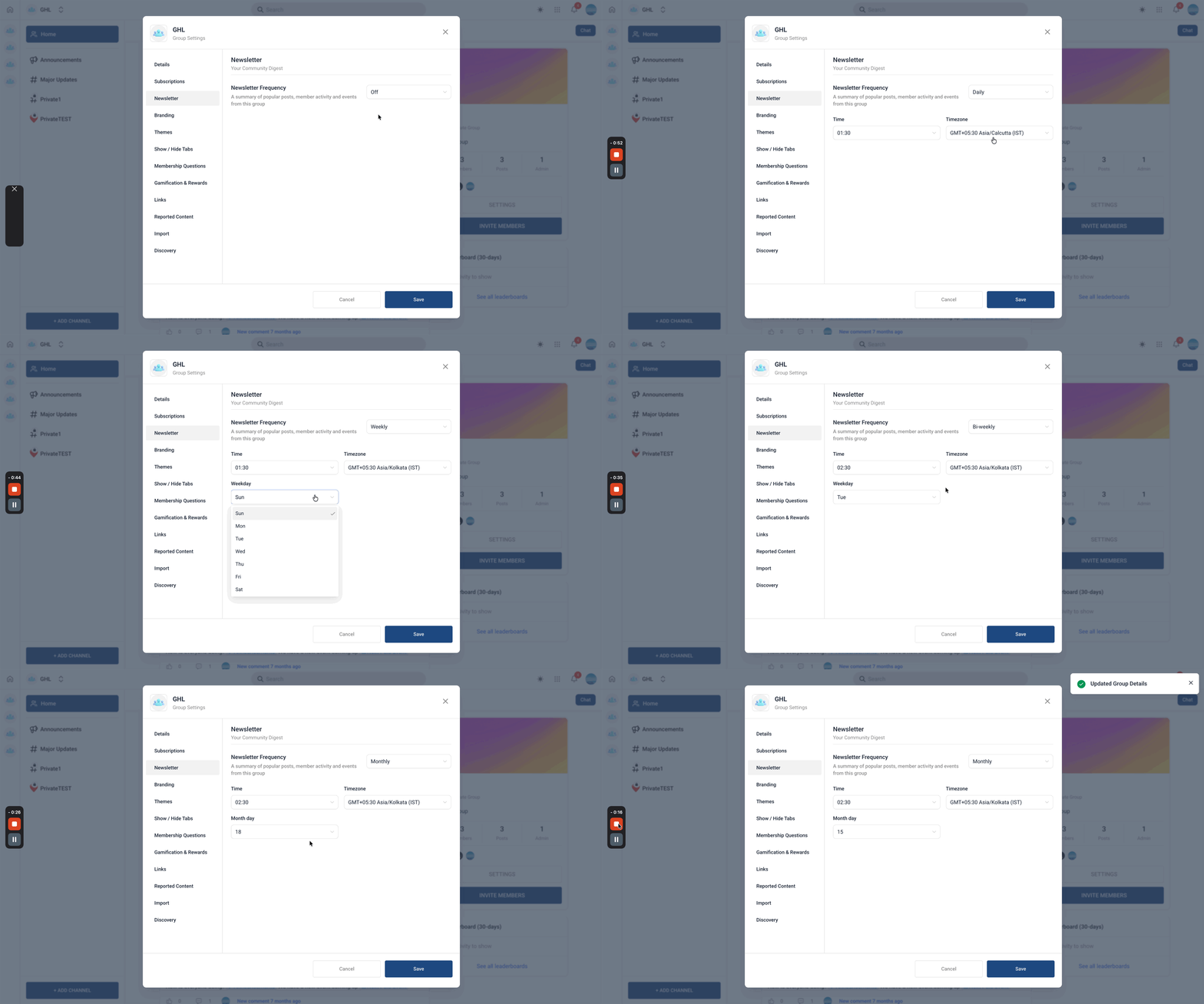
The newsletter settings live inside a group’s Settings > Newsletter area. From there you pick a delivery frequency, daily, weekly, bi weekly or monthly, and define the exact send time, day or date and the timezone. Once saved, the platform dispatches the emails on schedule to every member of that group.
03How businesses use automatic newsletters
- Fitness studio. The studio’s community admin activates the newsletter, selects a weekly schedule for Tuesday at 9 AM Pacific, and lets members receive a roundup of class updates, member highlights and upcoming workshops.
- Online education platform. Course creators enable a monthly digest, set the send date to the 1st of each month at 8 AM GMT, and members get a summary of new lessons, forum activity and scheduled webinars.
- Professional association. Association leaders turn on a daily newsletter at 7 AM Eastern, delivering the latest discussion threads, top posts and event reminders to all members automatically.
04The numbers and rules that matter
- Newsletters are off by default until an Owner or Admin enables them per group.
- Supported frequencies: Daily, Weekly, Bi Weekly, Monthly.
- Schedule can include specific time, day or date, and timezone.
- The schedule applies to all members; different times per member are not supported.
05Before you start
- A community group must already exist in HighLevel.
- You must be logged in as the Group Owner or an Admin.
06How to set up and use automatic newsletters in HighLevel
Enable and configure automatic newsletters for a group
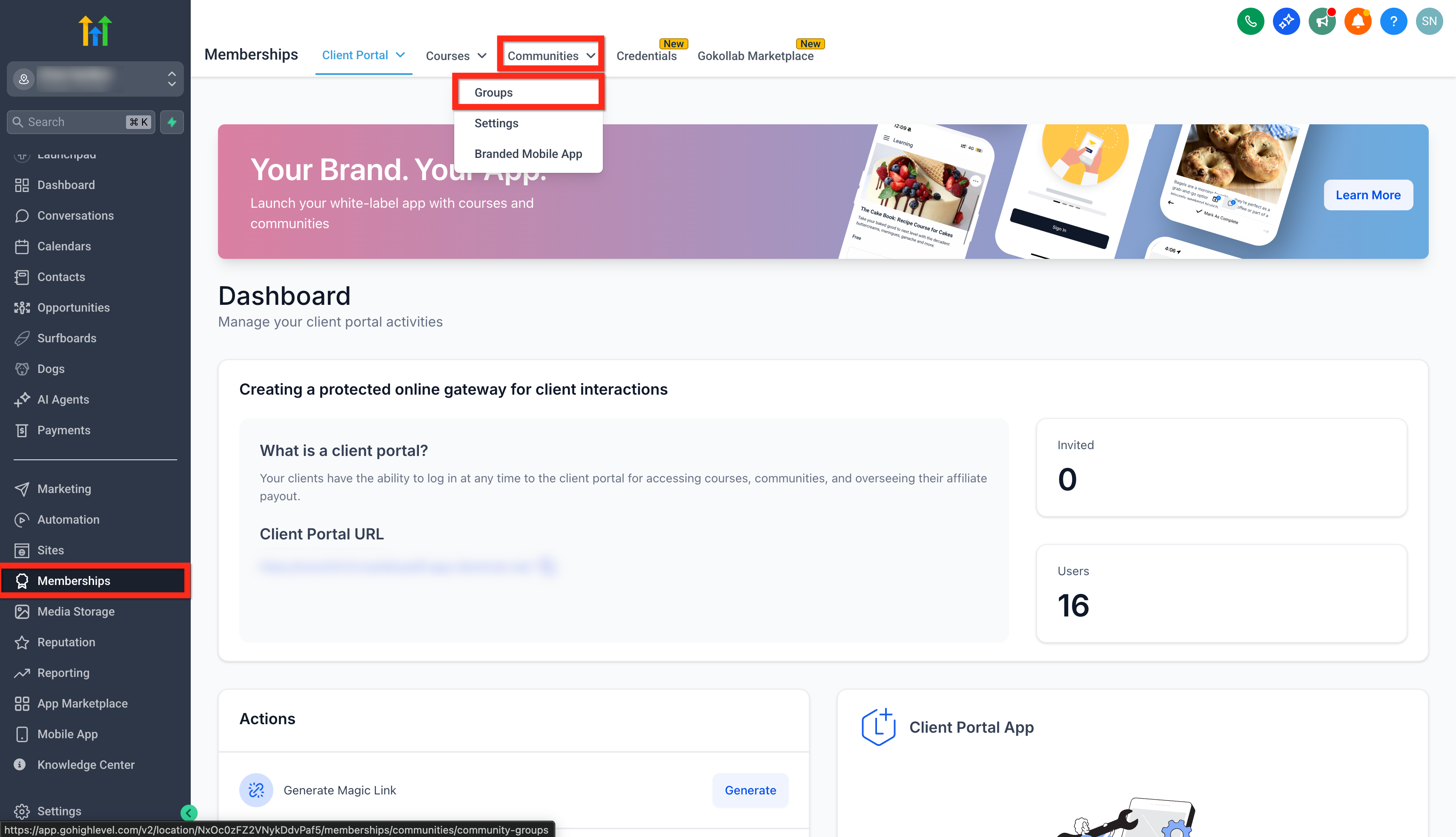
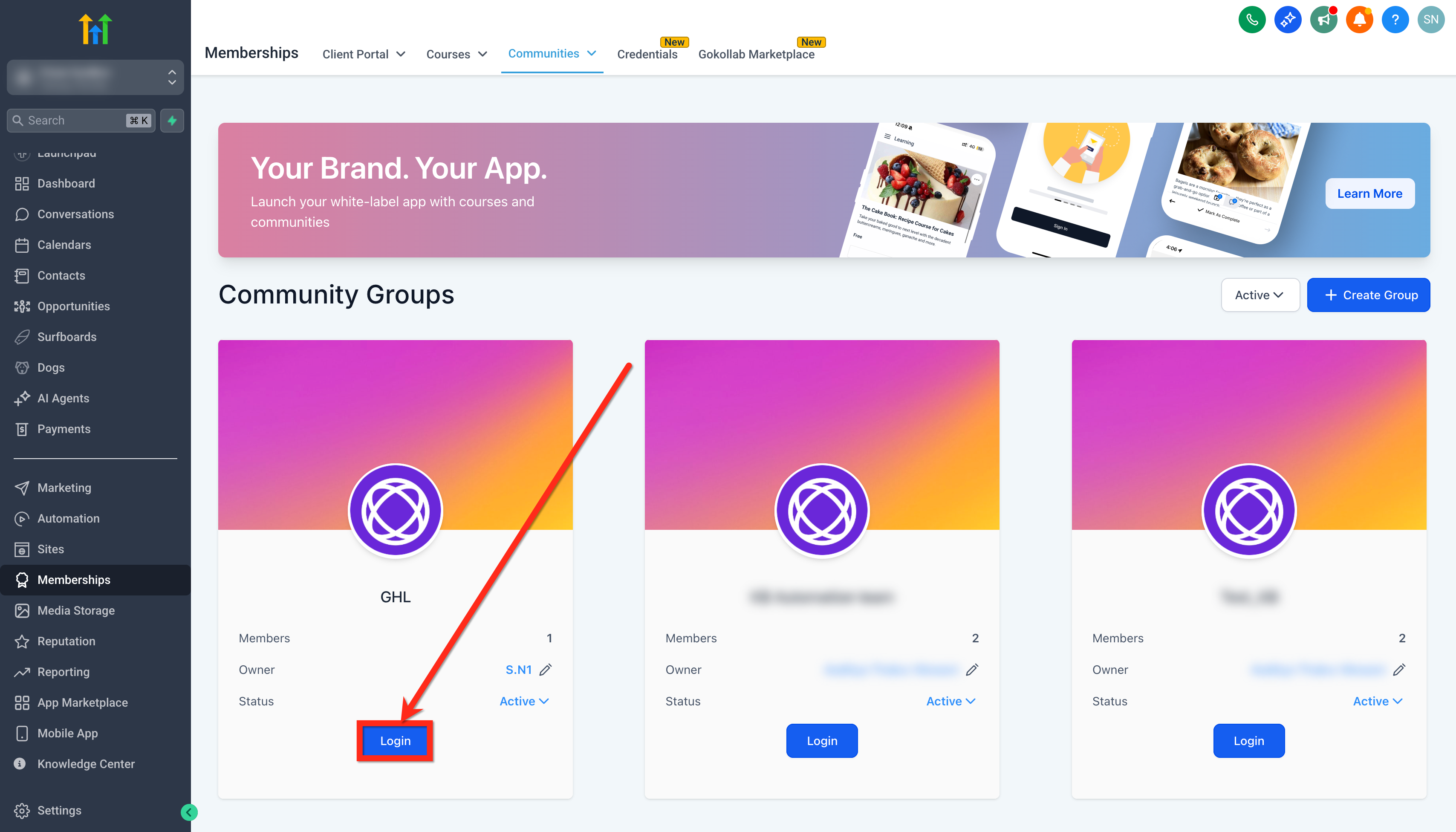
- Open Memberships > Communities > Groups.
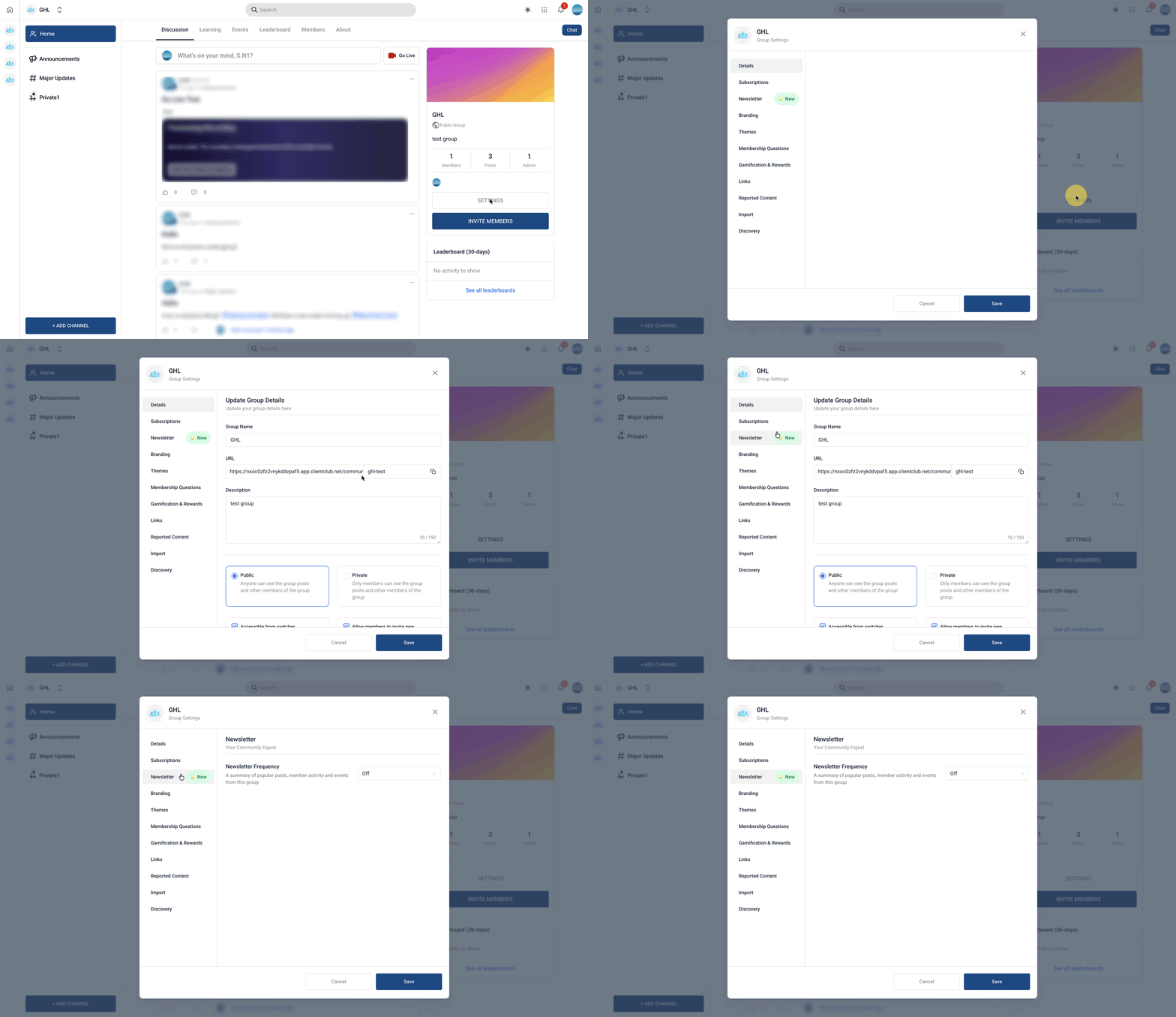
- Enter the group where you have Owner or Admin rights.
- Select Settings > Newsletter.
- Open the Newsletter tab.
- Pick the delivery frequency (Daily, Weekly, Bi Weekly, or Monthly).
- Set the exact time the newsletter should be sent.
- Choose the appropriate day of week or date based on the frequency.
- Select the timezone that matches your audience.
- Click Save to apply the configuration.
07What it looks like in HighLevel
08Settings that matter
- Frequency. Controls how often the newsletter is generated, daily, weekly, bi weekly or monthly.
- Time. Defines the hour and minute the newsletter is sent.
- Day or Date. Specifies the weekday for weekly/bi weekly schedules or the calendar date for monthly schedules.
- Timezone. Adjusts the send time to the selected geographic time zone.
09Things to know before you rely on it
- Newsletters are off by default; an Owner or Admin must enable them per group.
- The schedule applies to all members of the group; you cannot set different send times per member.
- Only content that members have permission to see appears in the digest.
- Bi weekly scheduling is supported as a separate option.
10How it connects to the rest of HighLevel
- Manage group members and roles Manage members
- Create channels and posts that populate newsletters Manage content
- Set up paid groups that may use newsletters for announcements Paid groups
Michael's take

People often think they need to craft each email manually to keep a community lively. In reality the automatic newsletter does the heavy lifting, gathering the most relevant posts, events and follow up activity and delivering them on a schedule you set.
If I were rolling out a new community, I would enable the weekly digest right away, pick a time when my audience is typically checking email, and let the system handle the rest. After a few weeks I’d watch the engagement metrics and tweak the send time or frequency as needed.