
01Who this is for
- Ecommerce Founders who need to engage shoppers before checkout, using early stage behavior to drive follow up.
- Marketing managers at retail brands who want to segment email or SMS campaigns by product view or cart activity.
02Product viewed and add to cart triggers, explained
These triggers belong to the Workflows feature in HighLevel. When a shopper identified as a contact views a product or adds it to a cart, the trigger can launch a workflow. The system records the event, applies any filters you set, and then executes the chosen actions such as email or SMS.
Both triggers work with HighLevel Ecommerce stores automatically and with Shopify stores once the store is linked and the required web pixel is installed. They operate on identified contacts only; anonymous browsing data is held for up to 14 days and then dropped if the visitor never identifies themselves.
Filters let you narrow the automation by duration, store, product, order source, cart value, or checkout status, giving precise control over which shopper events launch the workflow.
03How businesses use product viewed and add to cart triggers
- Online clothing boutique. When a visitor looks at a dress, the boutique can send a tailored email highlighting similar styles. If the visitor adds the dress to the cart, a second message can offer size assistance before checkout.
- Electronics dropship retailer. The retailer can trigger a SMS reminder to shoppers who placed a laptop in their cart but have not yet completed purchase, using the add to cart trigger to signal higher intent.
- Fitness equipment subscription service. If a prospect views a treadmill page, the service can start a workflow that shares a video demo. Adding the treadmill to the cart can then prompt a special financing offer.
04The numbers and rules that matter
- Anonymous activity is retained for up to 14 days.
05Before you start
- Shopify store must be connected to HighLevel and the required web pixel installed.
- No additional setup is needed for HighLevel Ecommerce stores.
06What it looks like in HighLevel
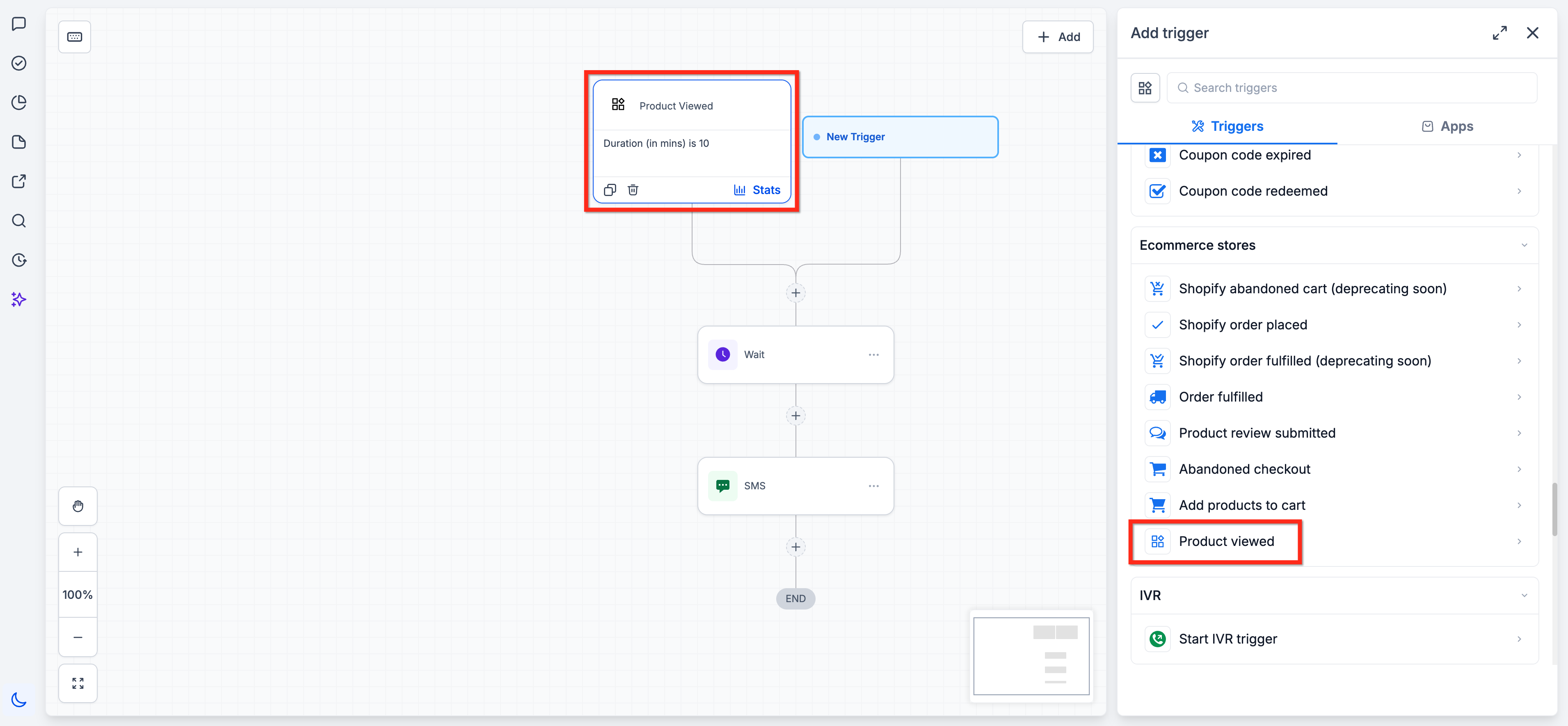
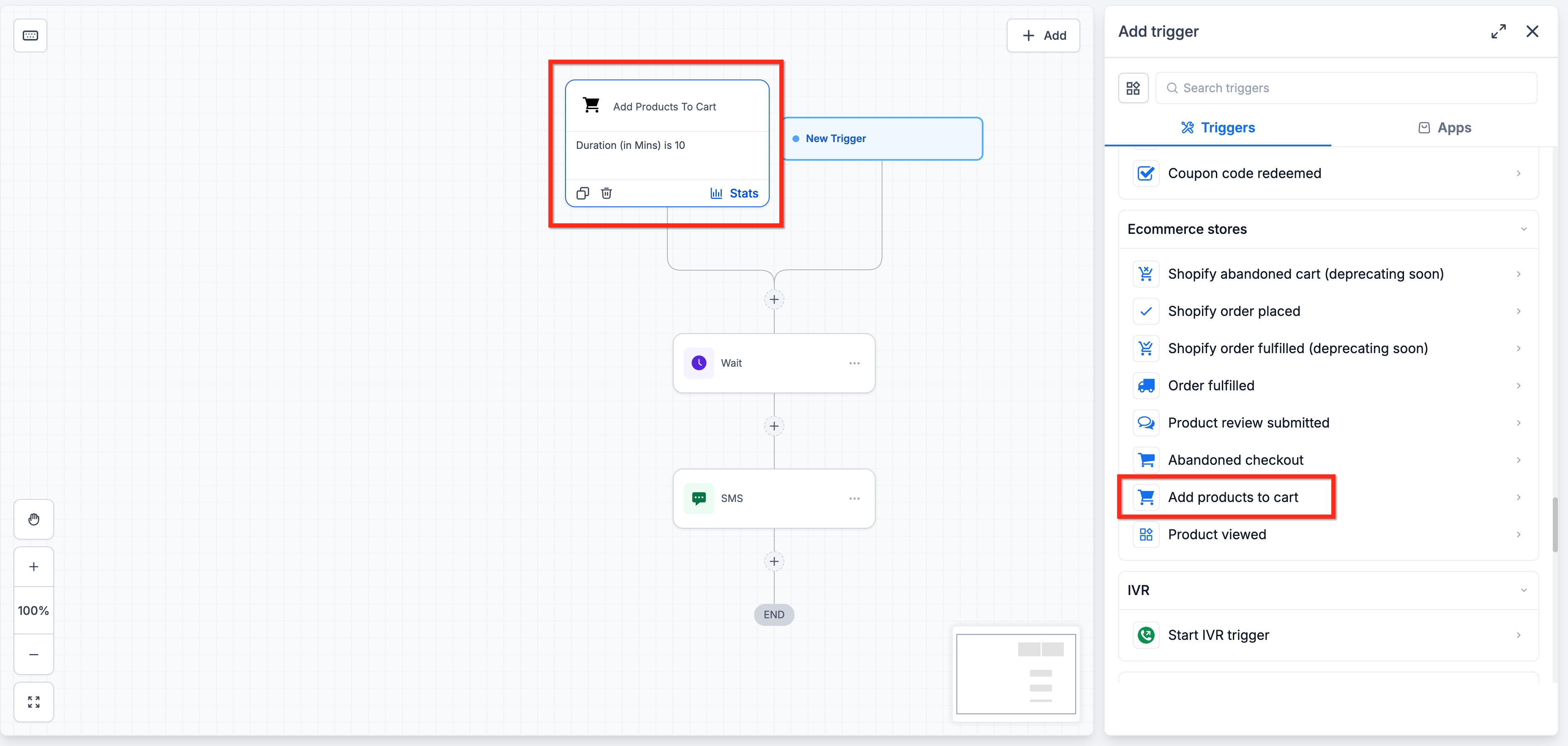
07Settings that matter
- Duration filter. Controls the time window in which the shopper activity is considered for the trigger.
- Store filter. Limits the trigger to activity originating from specified stores.
- Product filter. Restricts the trigger to particular products that are viewed or added to a cart.
- Order source filter. Filters activity based on where the order originated, such as web or app.
- Cart value filter. Sets a minimum or maximum cart total for the trigger to fire.
- Checkout status filter. Allows the trigger to fire only when the cart has a specific checkout state.
08Things to know before you rely on it
- Only identified visitors can activate these triggers; anonymous activity is stored for up to 14 days.
- Anonymous activity is scoped to a single browser and does not transfer across devices.
- Existing Abandoned Checkout workflows remain unchanged when these triggers are added.
09How it connects to the rest of HighLevel
- Learn how to create workflows with triggers, filters, and actions. Workflow basics
- Explore the fundamentals of workflow automation and how to set them up. Automation guide
Michael's take

Shoppers often browse products without buying right away. The product viewed and add to cart triggers give you a chance to engage those prospects earlier, letting you send an email or SMS.
The first setting to get right is the filter that matches the exact product or store you want to target. Tight filters keep your automation focused.