
01Who this is for
- Marketing managers benefit because they can automate post purchase confirmations using the Order Submitted trigger.
- Sales teams gain early lead information by using the Order Form Submission trigger to capture inquiry details before payment.
- Operations staff can start fulfillment steps automatically when the Order Submitted trigger provides cart data.
02Order submitted and order form submission triggers, explained
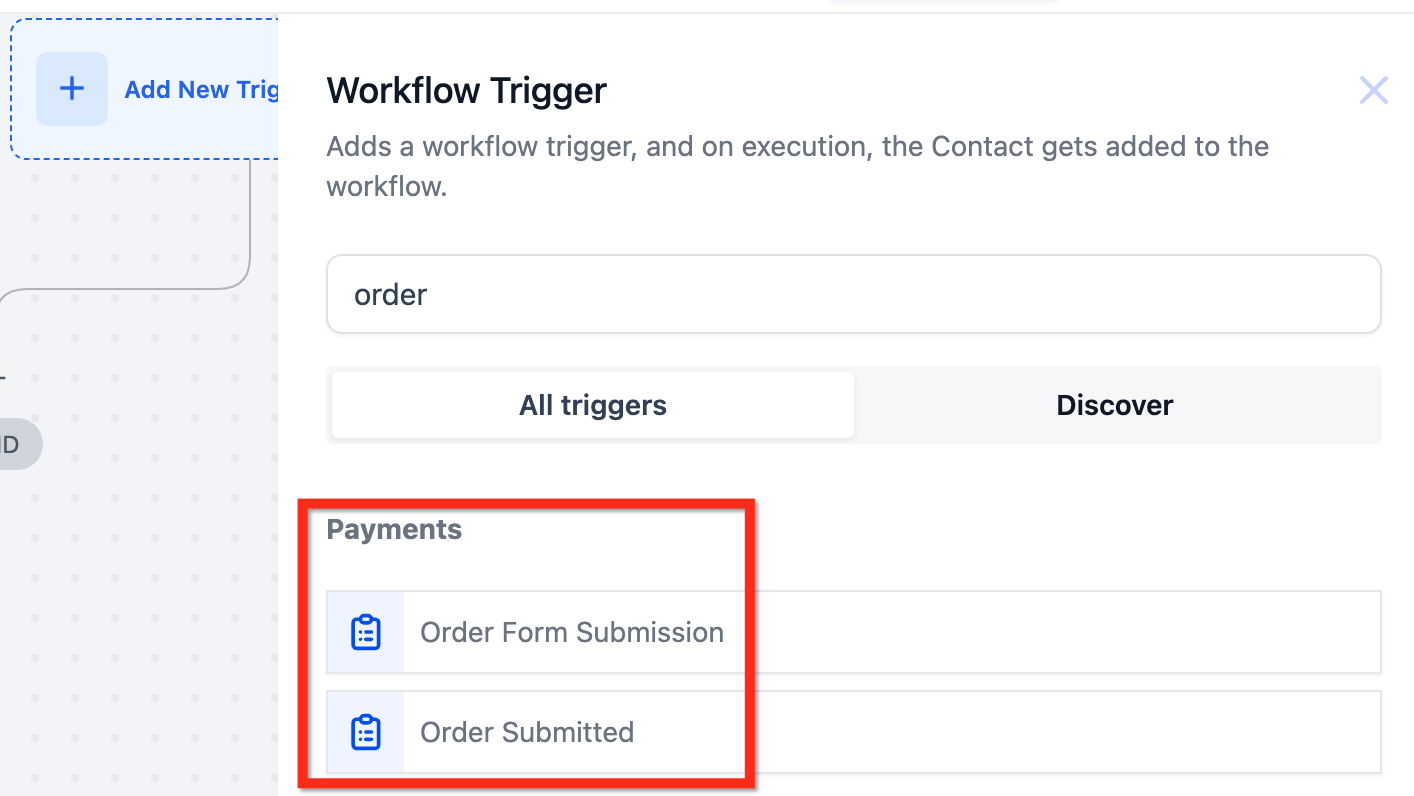
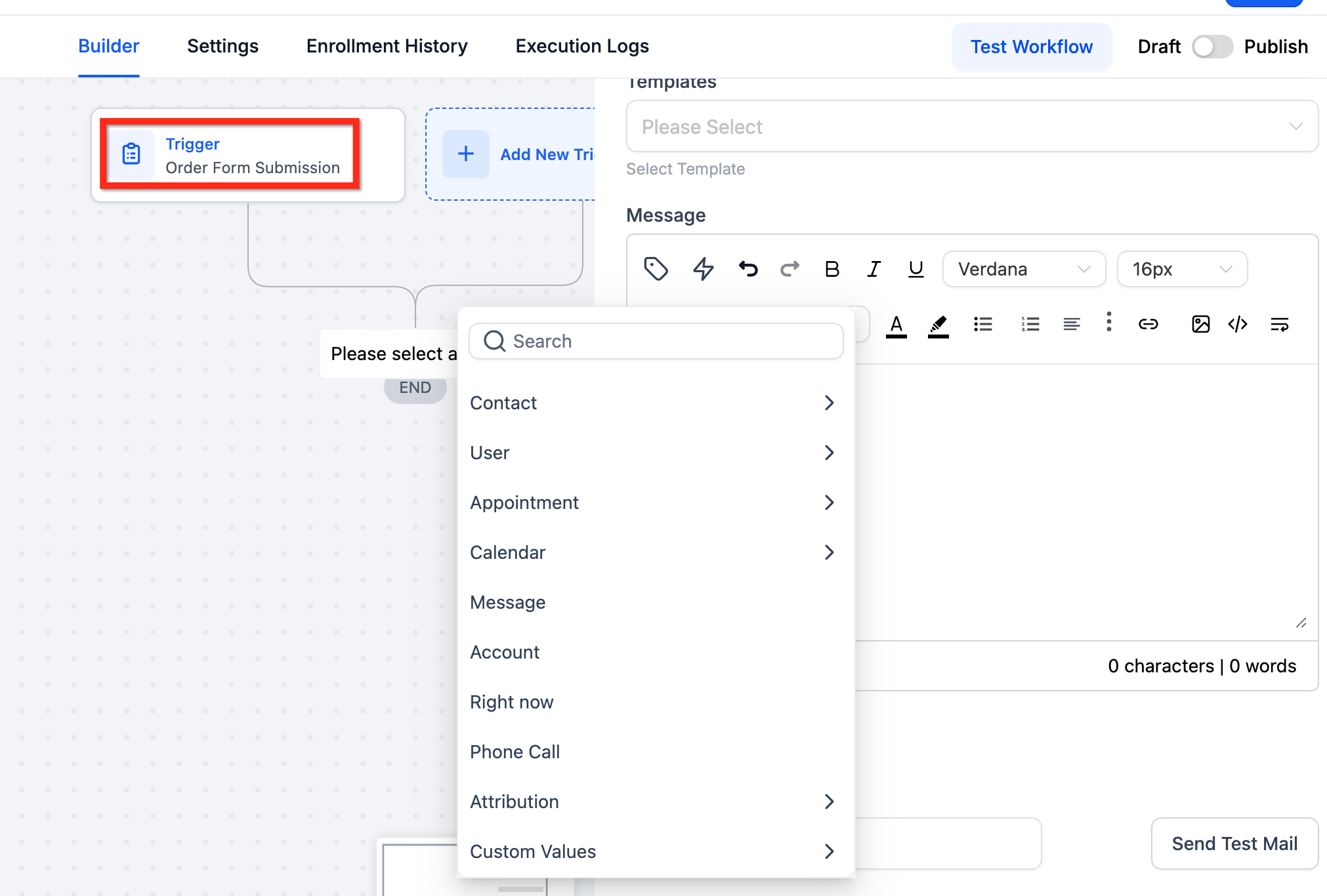
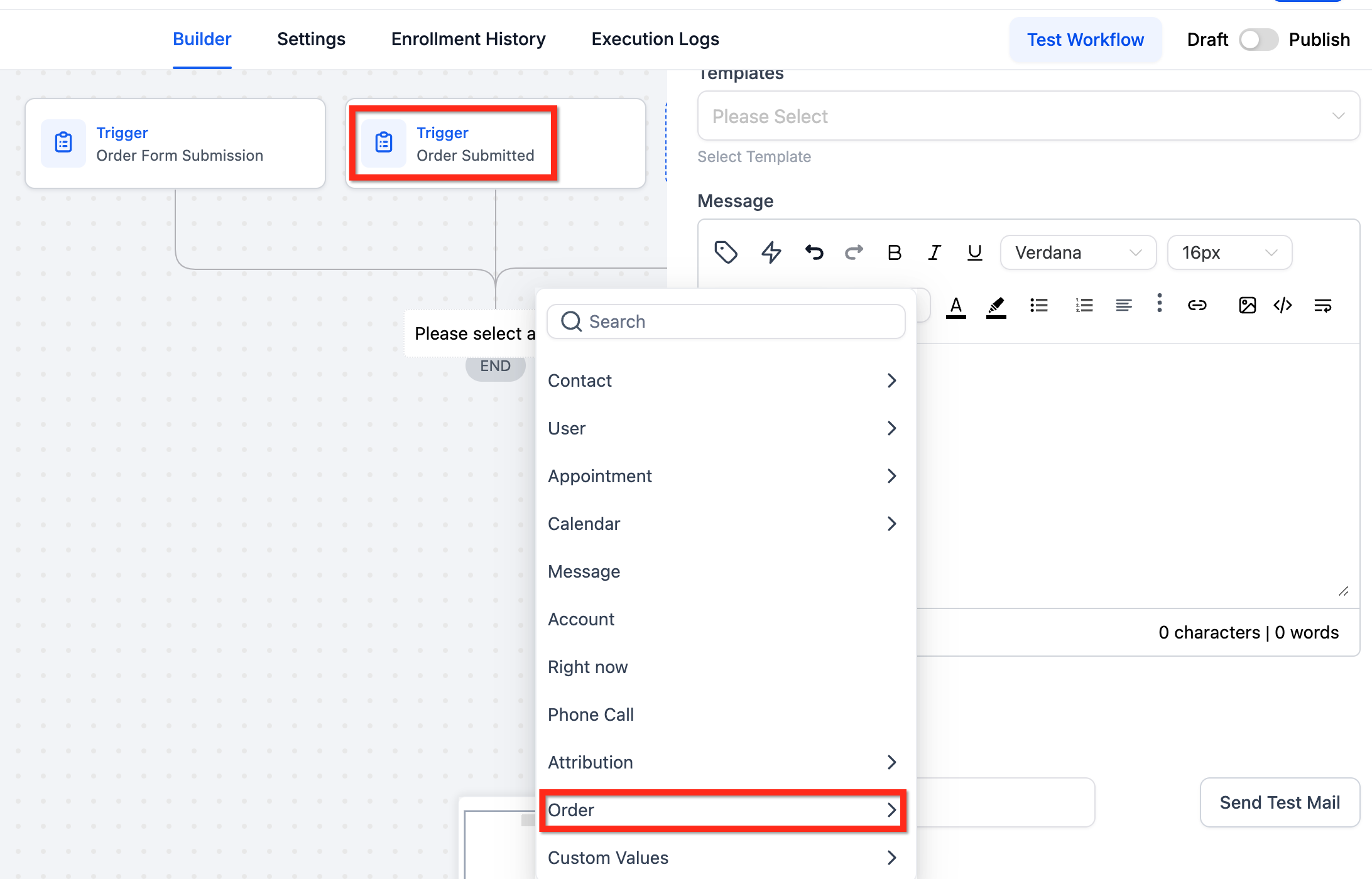
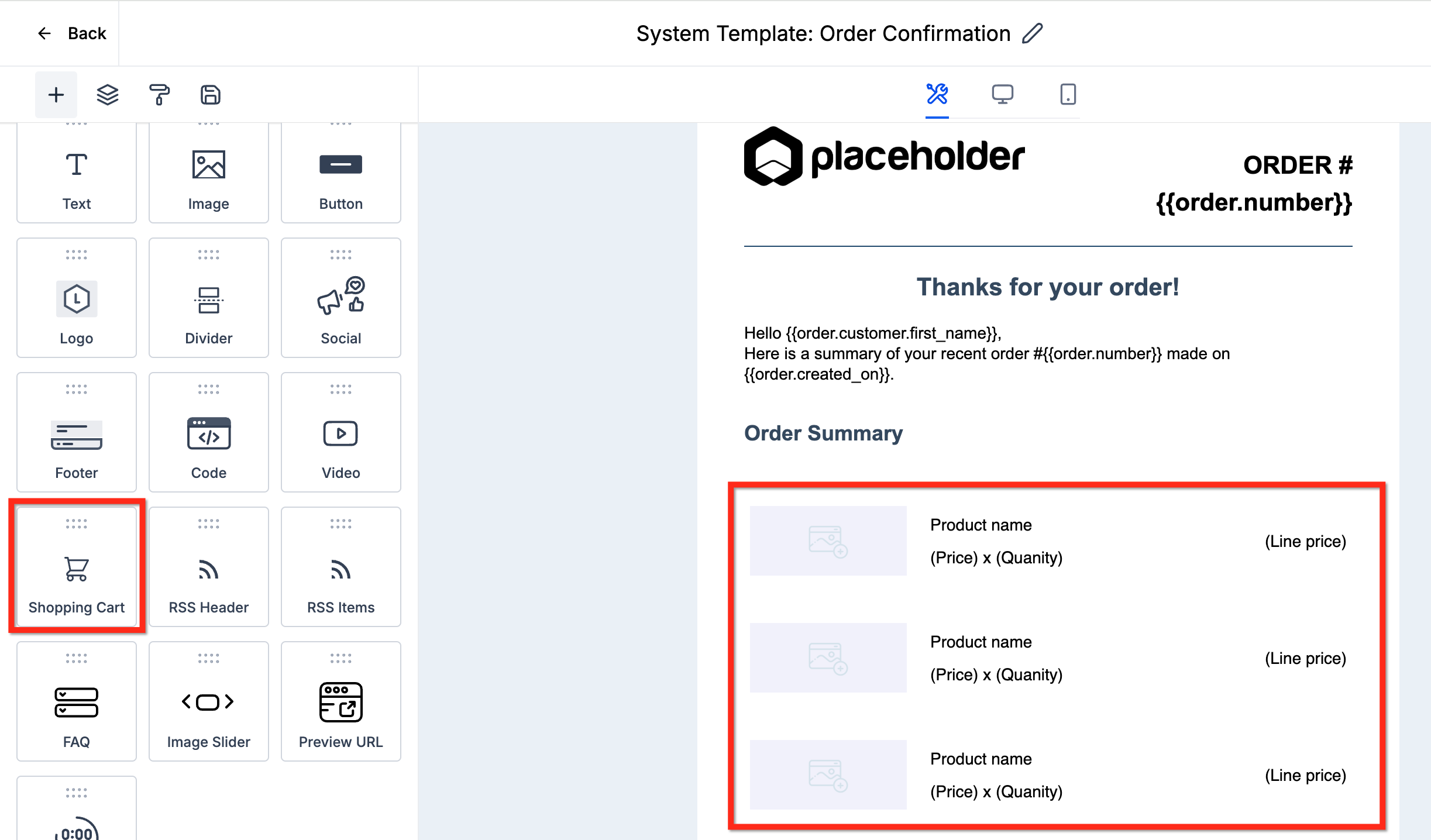
These two triggers are located in the Workflow Builder under the Payments section. Selecting Order Submitted ties the workflow to a completed transaction and makes order related values available, including the Shopping Cart element for email templates. Selecting Order Form Submission ties the workflow to any form submission that contains order information, even if no payment occurs. Both triggers can be added to the same workflow, allowing actions at different points in the buyer journey.
03How businesses use order submitted and order form submission triggers
- Ecommerce retailer. The retailer adds the Order Submitted trigger to send a purchase confirmation email, generate an invoice, and start the shipping workflow once a payment is processed.
- Custom furniture workshop. The workshop uses the Order Form Submission trigger to capture design specifications and client contact details from a quote request form, then notifies a sales representative for follow up.
- Online course provider. The provider sets the Order Form Submission trigger on a pre enrollment form to send an acknowledgment email and add the prospect to a nurturing sequence before any payment is made.
04Before you start
- Access to the Workflow Builder must be available.
- The Payments feature must be enabled in the account.
05How to set up and use order submitted and order form submission triggers in HighLevel
Locate the order triggers
- Open the Workflow Builder and expand the Payments category to see the Order Submitted and Order Form Submission triggers.
Add an Order Submitted trigger
- Select the Order Submitted trigger, then define actions such as sending a thank you email or creating an invoice.
Add an Order Form Submission trigger
- Select the Order Form Submission trigger and configure actions like sending an acknowledgment email or notifying a sales rep.
Compare trigger purposes
- Review the differences: Order Submitted ties to a payment transaction, while Order Form Submission ties to any form entry containing order details.
06What it looks like in HighLevel
07Things to know before you rely on it
- Order Submitted fires only when a payment transaction is recorded; it does not require a preceding form submission.
- Order Form Submission fires on any form entry that includes order data, even if no payment is made.
- Both triggers can fire for the same customer if a form is submitted and later a payment occurs.
- Order related values are available only when the Order Submitted trigger is used.
08How it connects to the rest of HighLevel
- Learn how the Order placed trigger works with payment events. Order placed trigger
- Set up the Order Form Submission trigger for lead capture. Order form submission trigger
- Get started with Workflow Builder basics and automation steps. Workflow basics
Michael's take

Michael ReimerFounder of CRM Pros, HighLevel Commander and Certified Admin
Be aware that the two triggers fire at different moments; mixing them up could send the wrong message to a prospect or customer. The Order Form Submission runs on a simple form submit, while Order Submitted waits for an actual payment.
Get More InformationOpens on HighLevelPublished November 2, 2026 · Updated November 17, 2026