
01Who this is for
- Sales managers need instant alerts when an opportunity is reassigned, ensuring smooth handoffs.
- Marketing teams can trigger follow up campaigns when a lead’s value increases or a specific tag is applied.
- Customer success leaders use it to start onboarding steps when custom date fields, like an install date, are set.
02Opportunity changed workflow trigger, explained
The Opportunity Changed trigger monitors every update made to an opportunity record. It reacts to a wide range of edits, including reassignment of owners, changes to tags, movements between pipelines, adjustments to lead value, updates to lost reasons, status changes, and any custom field modifications such as checkboxes, radio selects, dropdowns or dates.
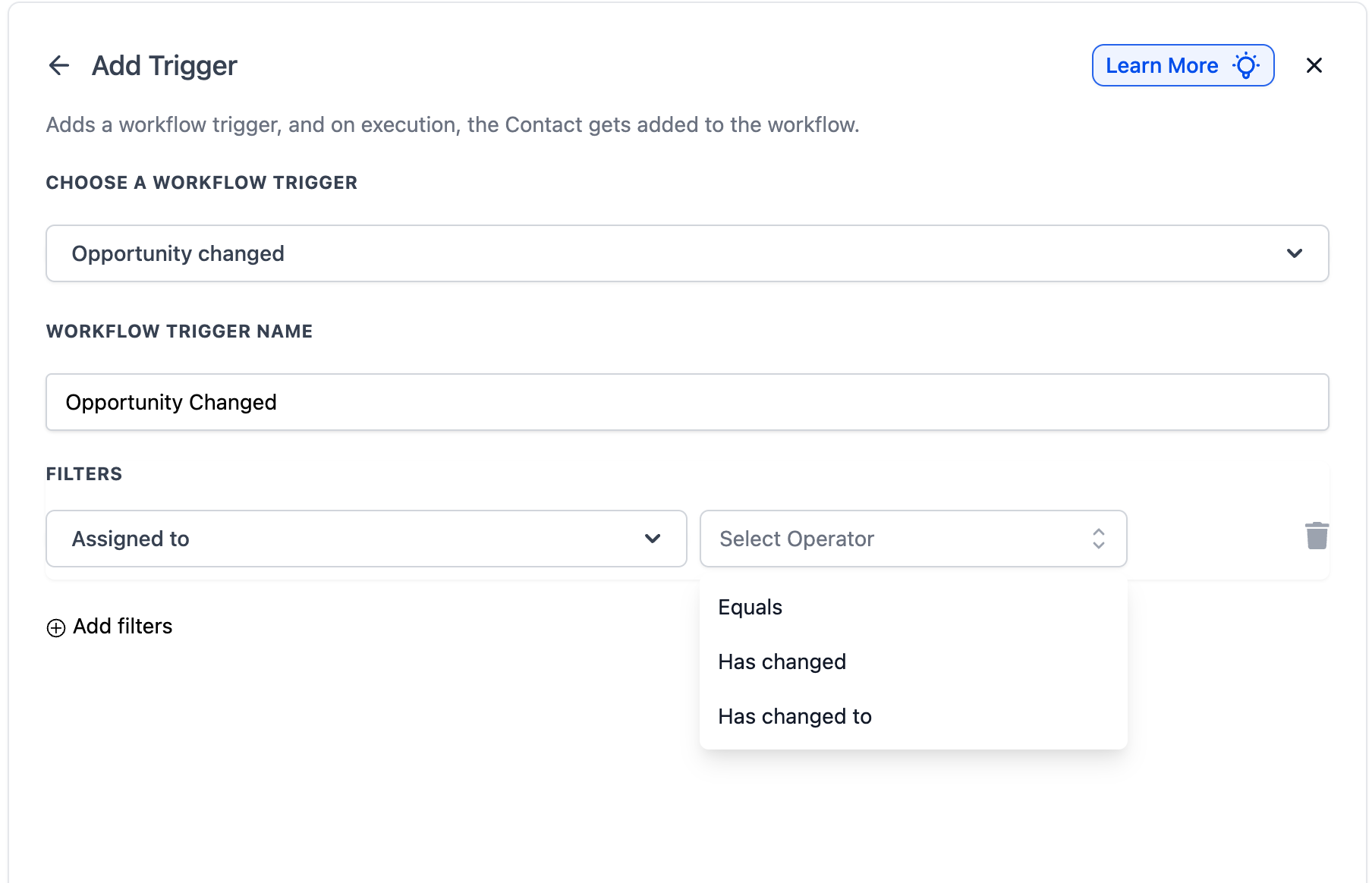
The trigger lives in the Automation > Workflows area. After adding it to a workflow, you can narrow its activation with filters that use operators like “Has Changed,” “Has Changed To,” and “Equals.” Once the conditions are met, the workflow can run actions such as sending emails, creating tasks, updating contacts or launching other workflows.
03How businesses use opportunity changed workflow trigger
- Real estate brokerage. When a property lead’s price estimate changes, the broker adds a filter on Lead Value. The workflow then sends an email to the assigned agent and creates a follow up task, keeping the prospect engaged.
- SaaS startup. If a trial account is moved to a new sales pipeline, the In Pipeline filter detects the move. The workflow posts a Slack notification to the sales channel and updates the opportunity status automatically.
- Healthcare clinic. When a patient’s appointment date field on an opportunity record is entered, the Date Fields filter triggers. The workflow sends an SMS reminder to the patient and schedules a follow up call for the care coordinator.
04The numbers and rules that matter
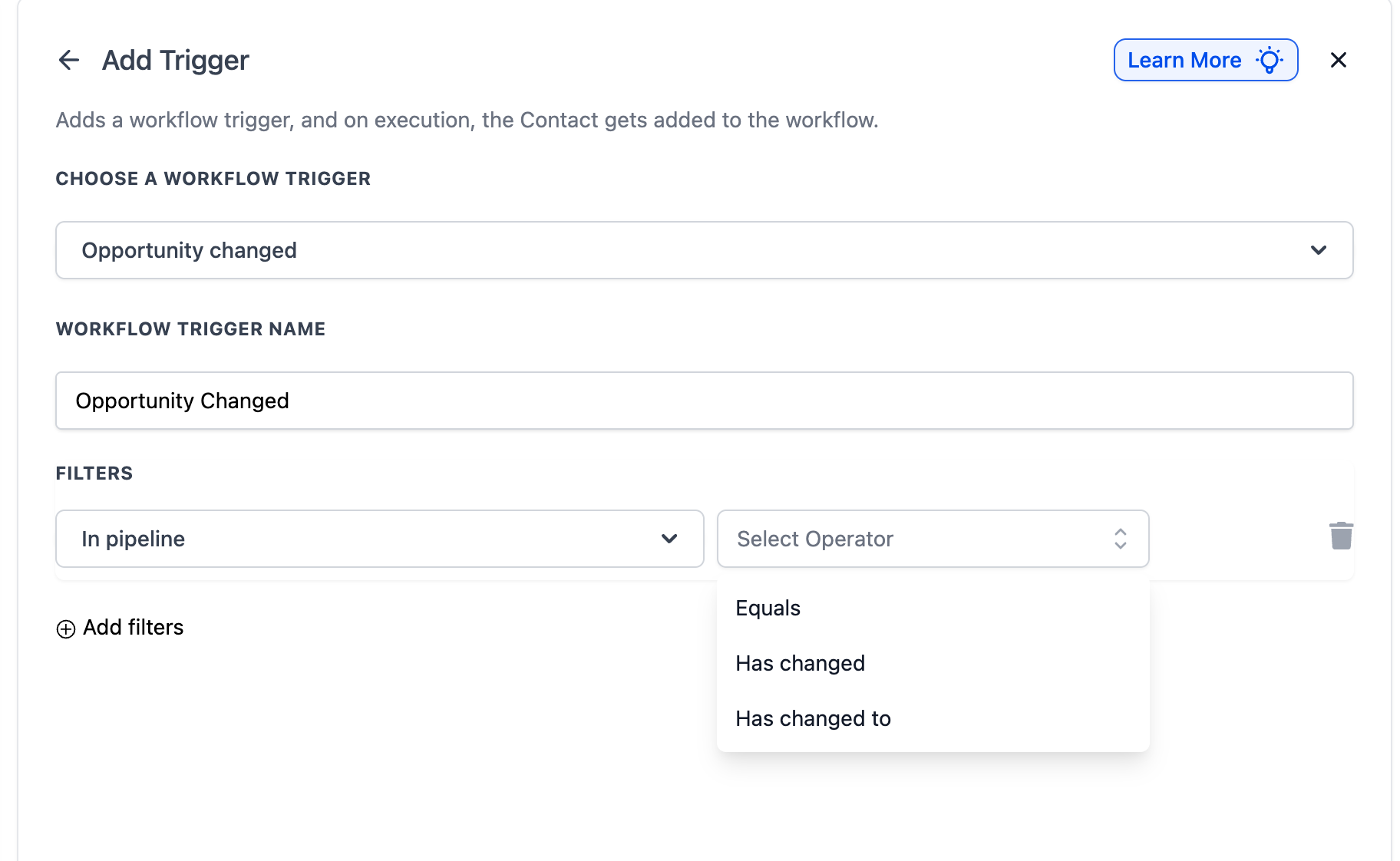
- Operators available: Has Changed, Has Changed To, Equals.
05How to set up and use opportunity changed workflow trigger in HighLevel
Configure the Opportunity Changed trigger
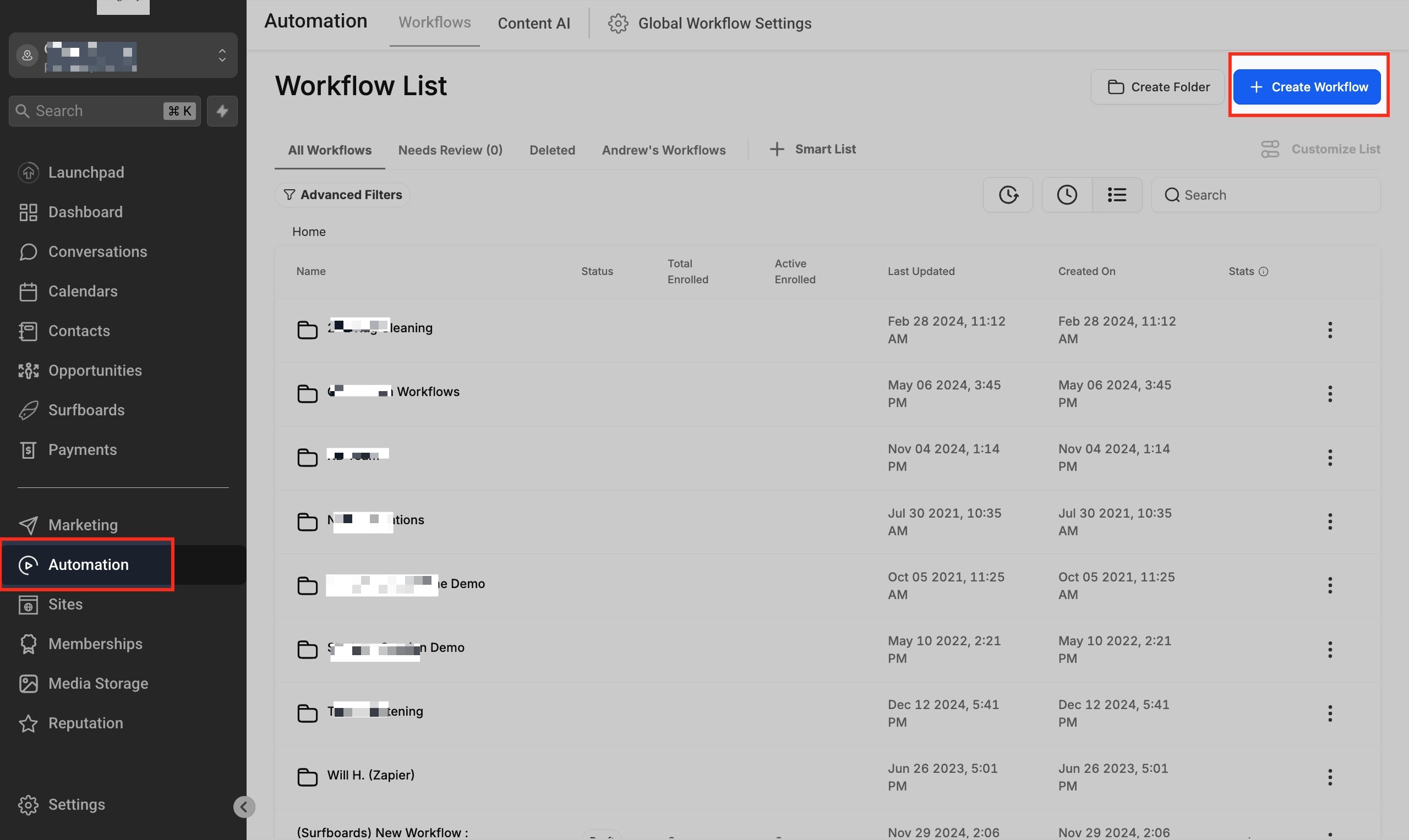
- Open Automations > Workflows and start a new workflow or edit an existing one.
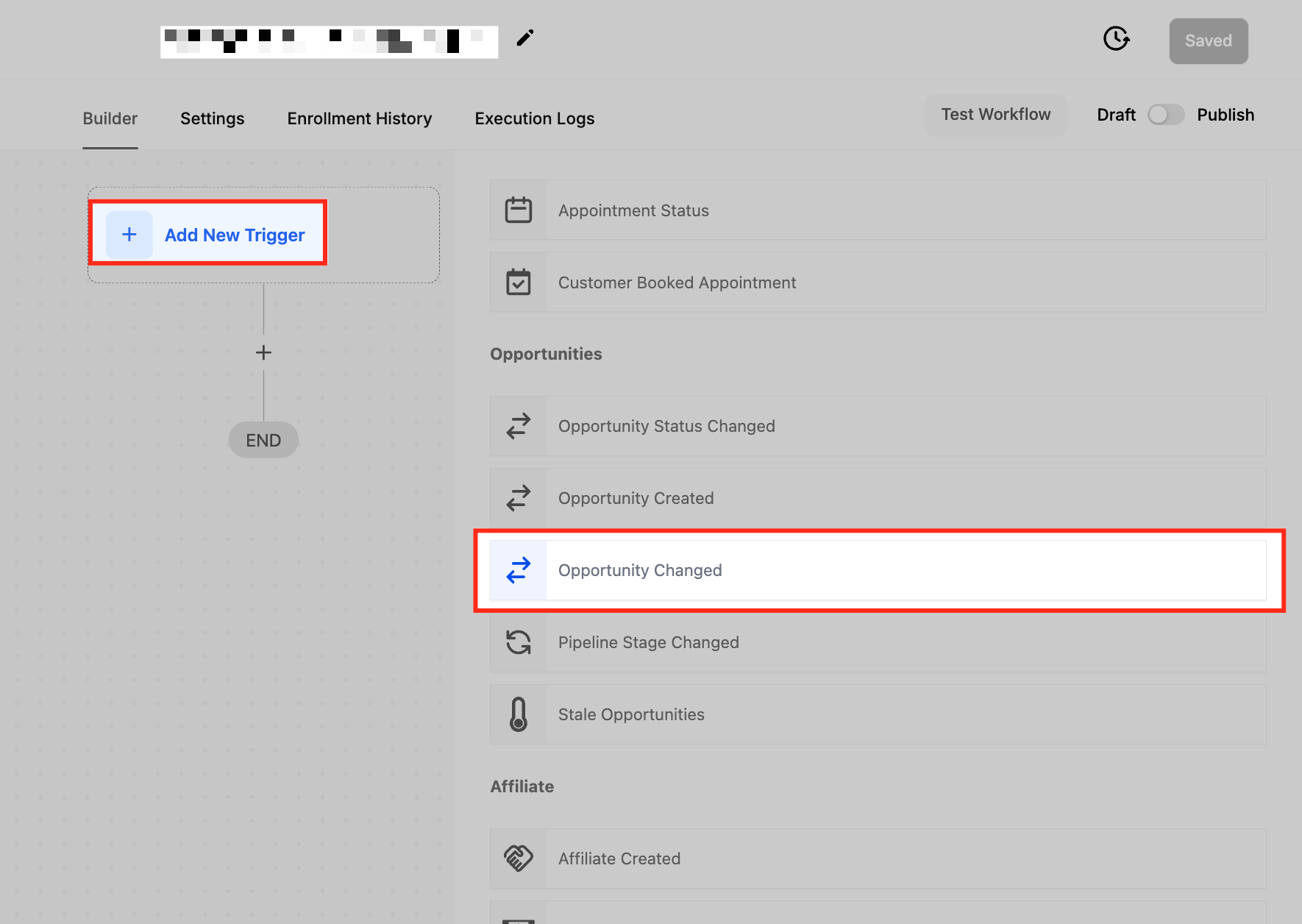
- Click + Add New Trigger and select Opportunity Changed from the list.
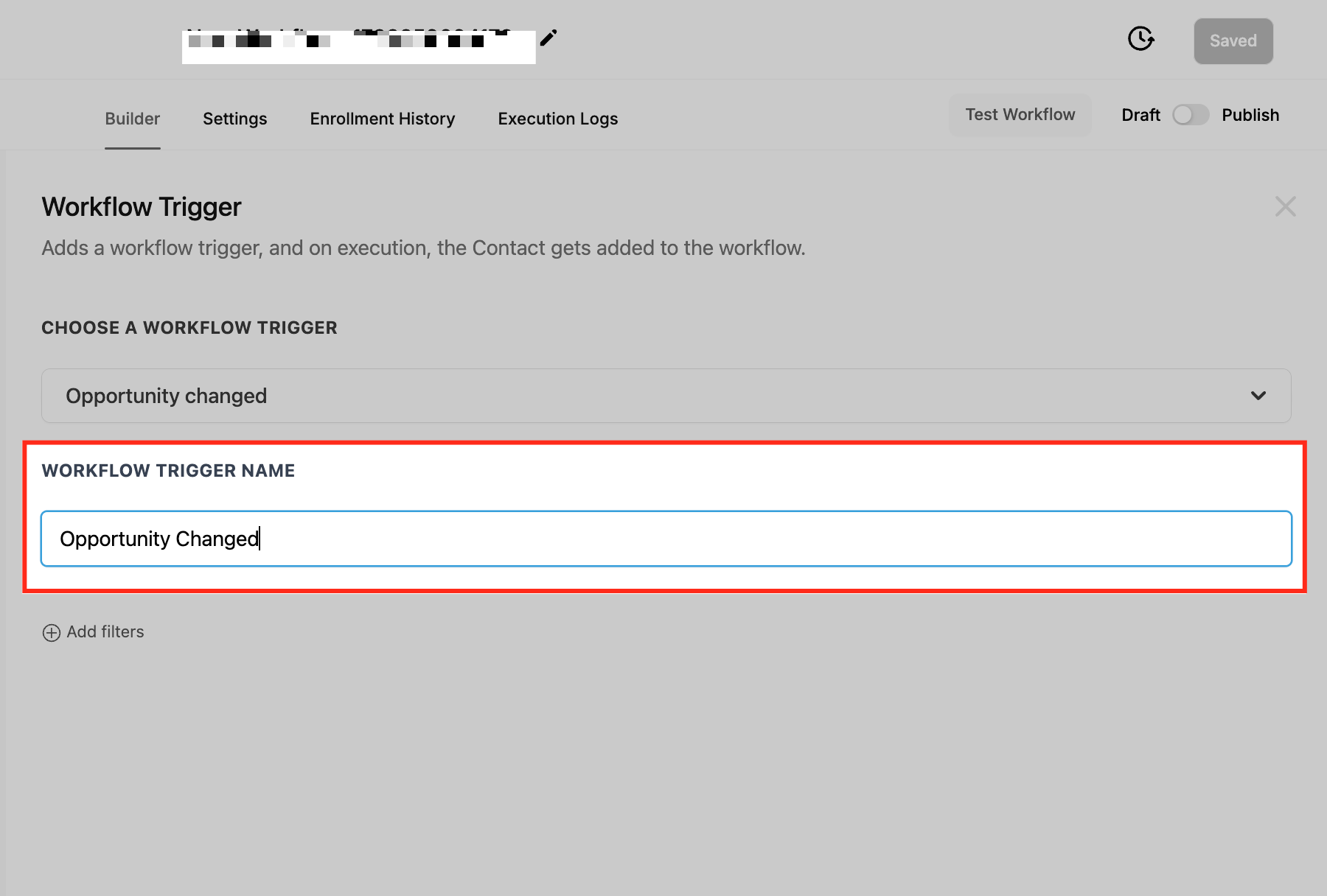
- Enter a descriptive name for the trigger.
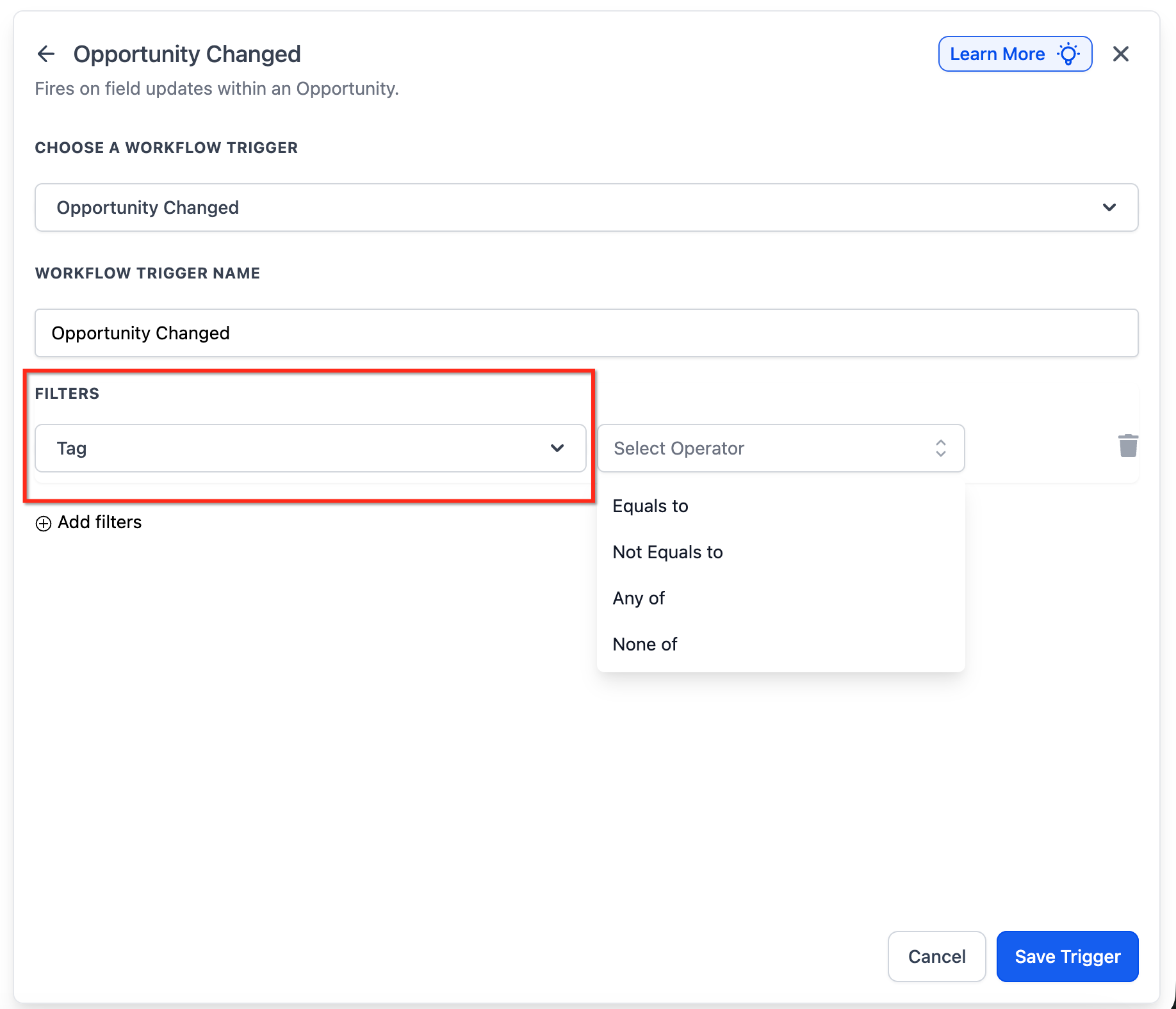
- Add the necessary filters such as Assigned To, Tag, In Pipeline, Lead Value, Lost Reason, Status, or custom field filters.
- Define the workflow actions like sending an email, creating a task, or updating a contact.
- Click Save Trigger to store the configuration.
- Run a test update, then click Publish to activate the workflow.
06What it looks like in HighLevel
07Settings that matter
- Assigned To. Controls whether the workflow fires when the opportunity owner changes, is assigned to a specific user, or matches a particular user.
- Tag. Filters the trigger based on tags attached to the opportunity, allowing automation only for tagged records.
- In Pipeline. Determines if the workflow should run when the opportunity moves between pipelines or enters a specific pipeline.
- Lead Value. Activates the workflow when the monetary value of the opportunity changes, either up or down.
- Lost Reason. Triggers actions when an opportunity is marked as Lost and a particular reason is selected.
- Status. Runs the workflow based on the current status of the opportunity or when the status changes to a specific value.
- Checkbox Fields. Filters on custom checkbox fields using Added, Removed, or Equals operators.
- Radio Select Fields. Filters on custom radio select fields with Has Changed, Has Changed To, or Equals operators.
- Dropdown Fields. Applies to single select or multi select dropdown custom fields using Has Changed, Has Changed To, or Equals operators.
- Date Fields. Supports date custom fields and allows triggering on changes, specific dates, or when the date equals a given value.
08Things to know before you rely on it
- Existing Opportunity Changed workflows keep their original behavior until you edit them.
- Date custom fields are now supported, but only within the Opportunity Changed trigger.
09How it connects to the rest of HighLevel
- Learn how the Opportunity Status Changed trigger differs from this one. Opportunity Status Changed trigger
- Set up a trigger for when a new opportunity is created. Opportunity Created trigger
- Explore the Pipeline Stage Changed trigger for stage specific automation. Pipeline Stage Changed trigger
- Read the introductory guide to workflows and automations in HighLevel. Workflow basics
- Check pricing and plan options for using workflow automations. HighLevel pricing
Michael's take

The Opportunity changed workflow trigger feels more like a small convenience than a massive shift. It gives you a single place to watch any tweak made to a deal, so you can keep the pipeline tidy without constantly checking.
It works great for a digital marketing agency that moves clients through proposal, contract, and onboarding pipelines. I would set up a filter for the “Install Date” custom field and have the trigger start the onboarding sequence the moment that date lands on the record.