
01Who this is for
- Sales managers, get visibility of neglected deals and can intervene quickly.
- Account executives, receive automated reminders to re engage cold prospects.
- Small business owners, keep the sales pipeline moving without manual tracking.
02Stale opportunities trigger, explained
The Stale Opportunities trigger is a workflow condition that checks how long an opportunity has stayed in a particular stage. When the specified inactivity period passes, the trigger starts the workflow.
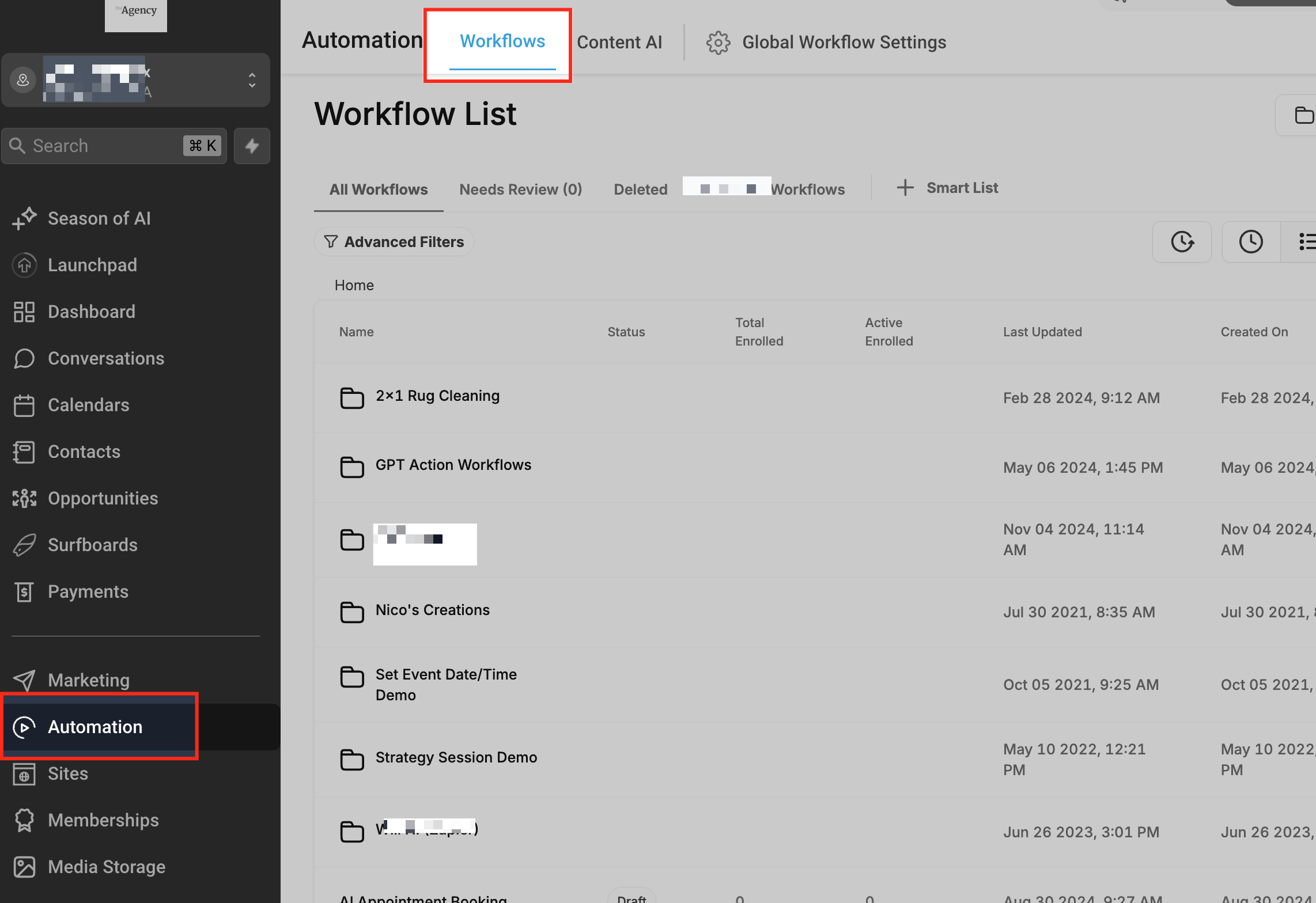
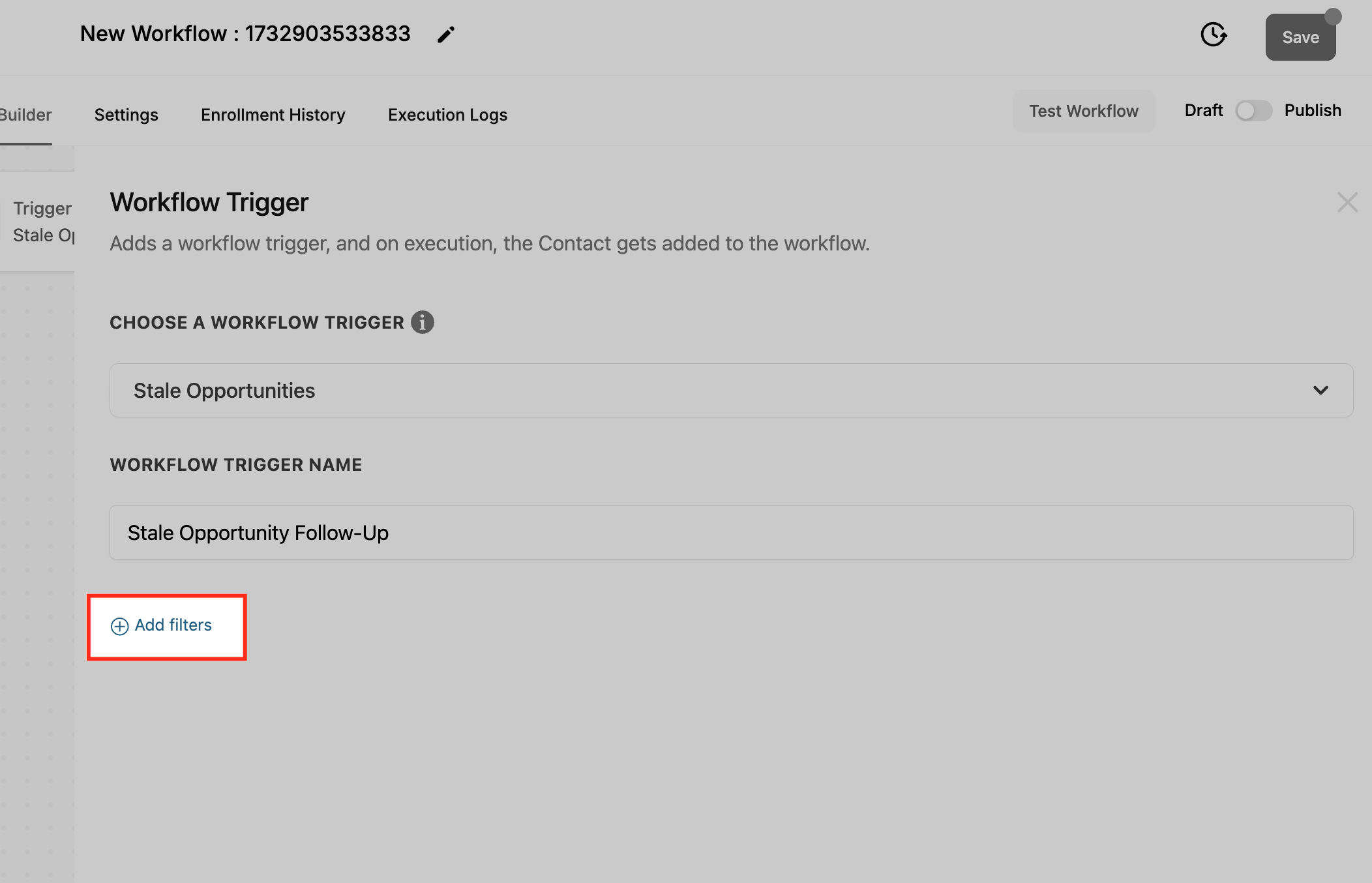
You find the trigger inside Automation > Workflows. After creating a workflow, you add the Stale Opportunities trigger and set filters such as duration in days, the pipeline, and the stage. The workflow then runs any actions you attach, like sending an email or notifying a manager.
The trigger does not act on past data; it only evaluates opportunities after the workflow is saved. It resets when the opportunity moves or receives an update, allowing the trigger to fire again if it becomes stale later.
03How businesses use stale opportunities trigger
- Real estate brokerage. Create a workflow that watches listings in the "Negotiation" stage for three days. If a listing stays idle, send an email reminder to the assigned agent and alert the office manager.
- Software SaaS provider. Set up a trigger for the "Trial" stage lasting five days. The workflow automatically emails the prospect with a follow up offer and notifies the sales lead to check in.
- Consulting firm. Configure the trigger on the "Proposal" stage for two days. When a proposal is stale, move it to a "Review Required" stage and ping the senior consultant to reassess.
04The numbers and rules that matter
- Duration in Days: Set the number of days an opportunity can remain stagnant before it’s marked as stale (e.g., 2 days).
05How to set up and use stale opportunities trigger in HighLevel
Create stale opportunities workflow
- Open Automation and select Workflows.
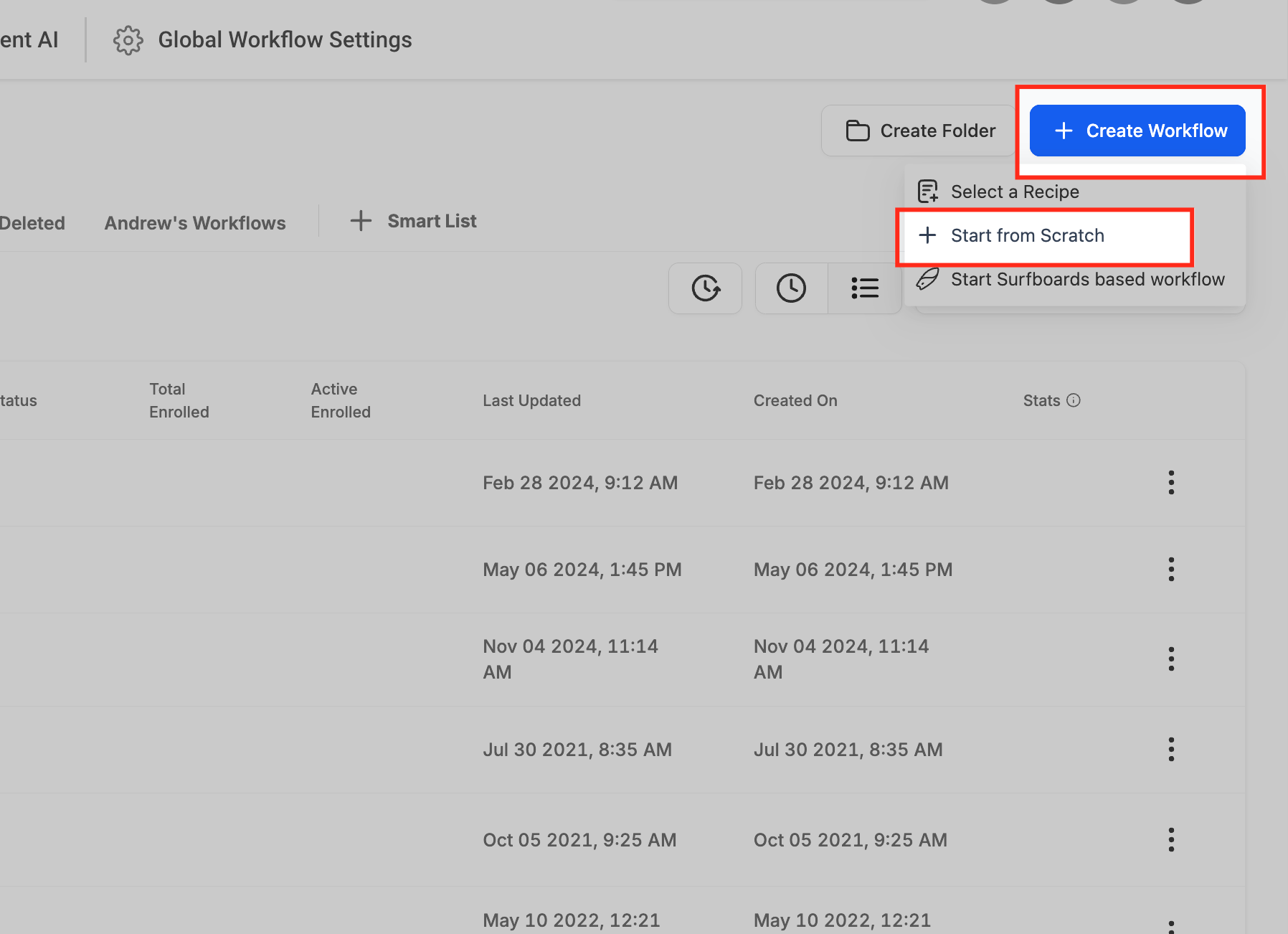
- Click the + Create Workflow button.
- Choose Start from scratch.
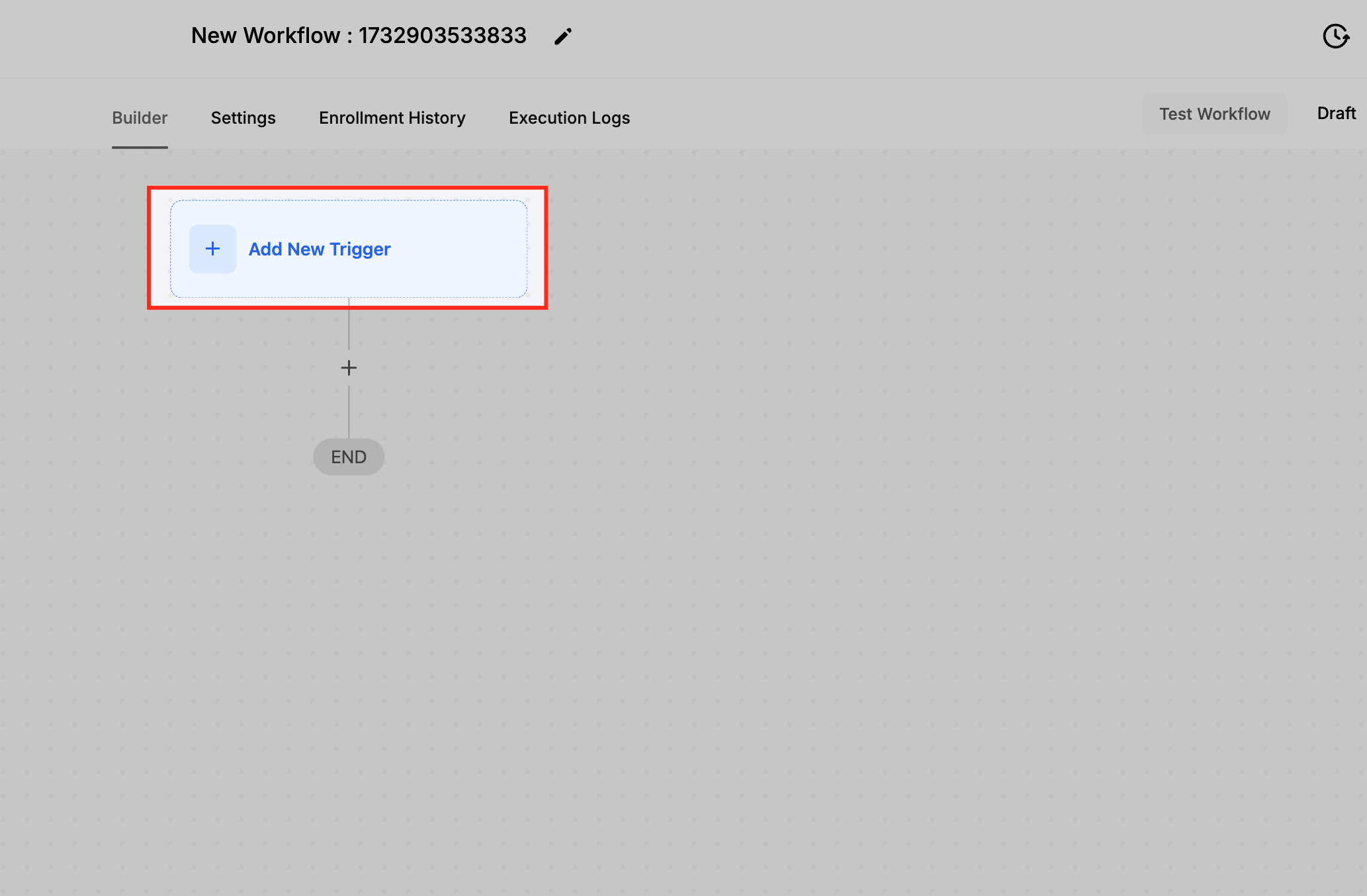
- Press the + Add new Trigger button.
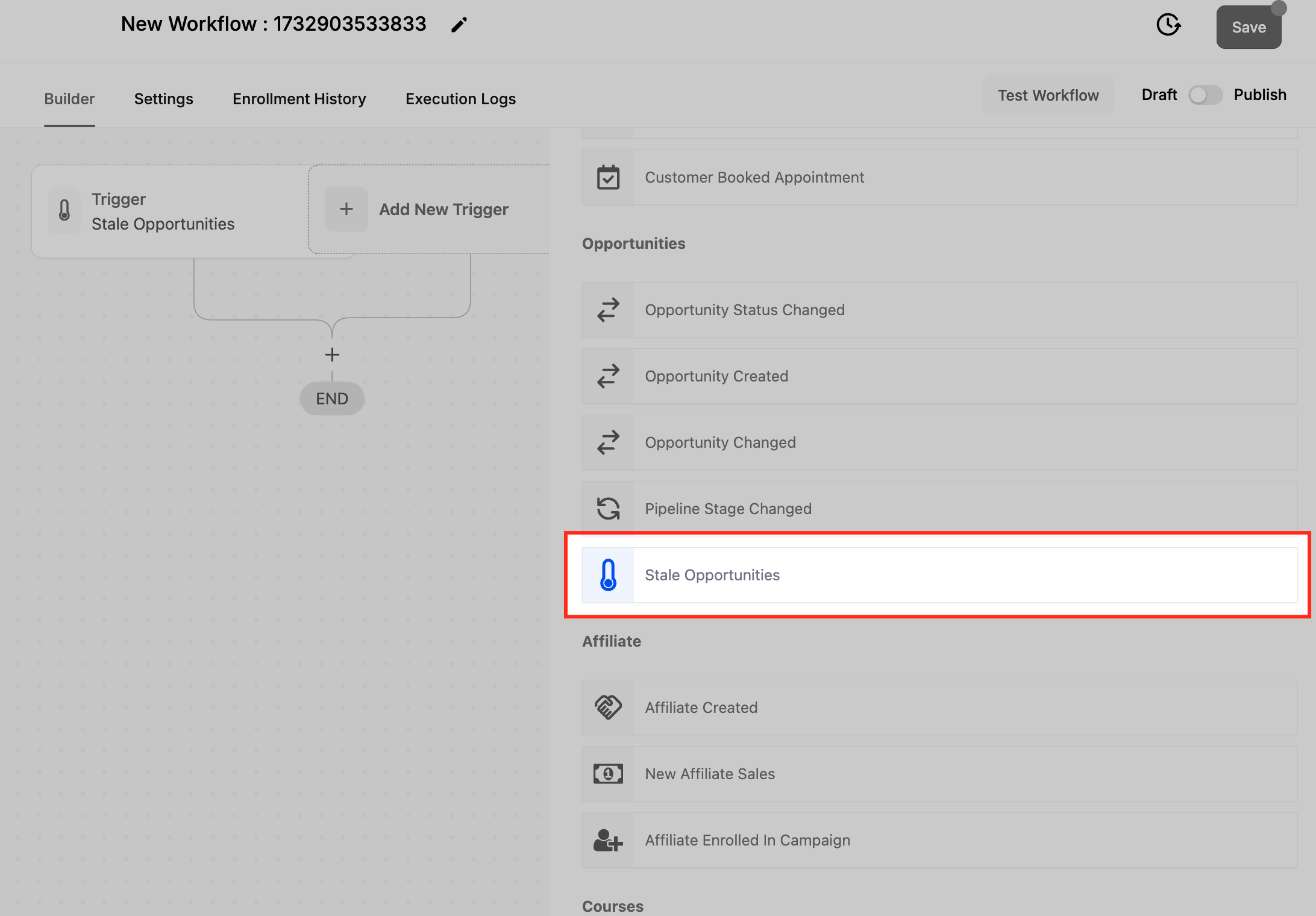
- Pick Stale Opportunities from the trigger list.
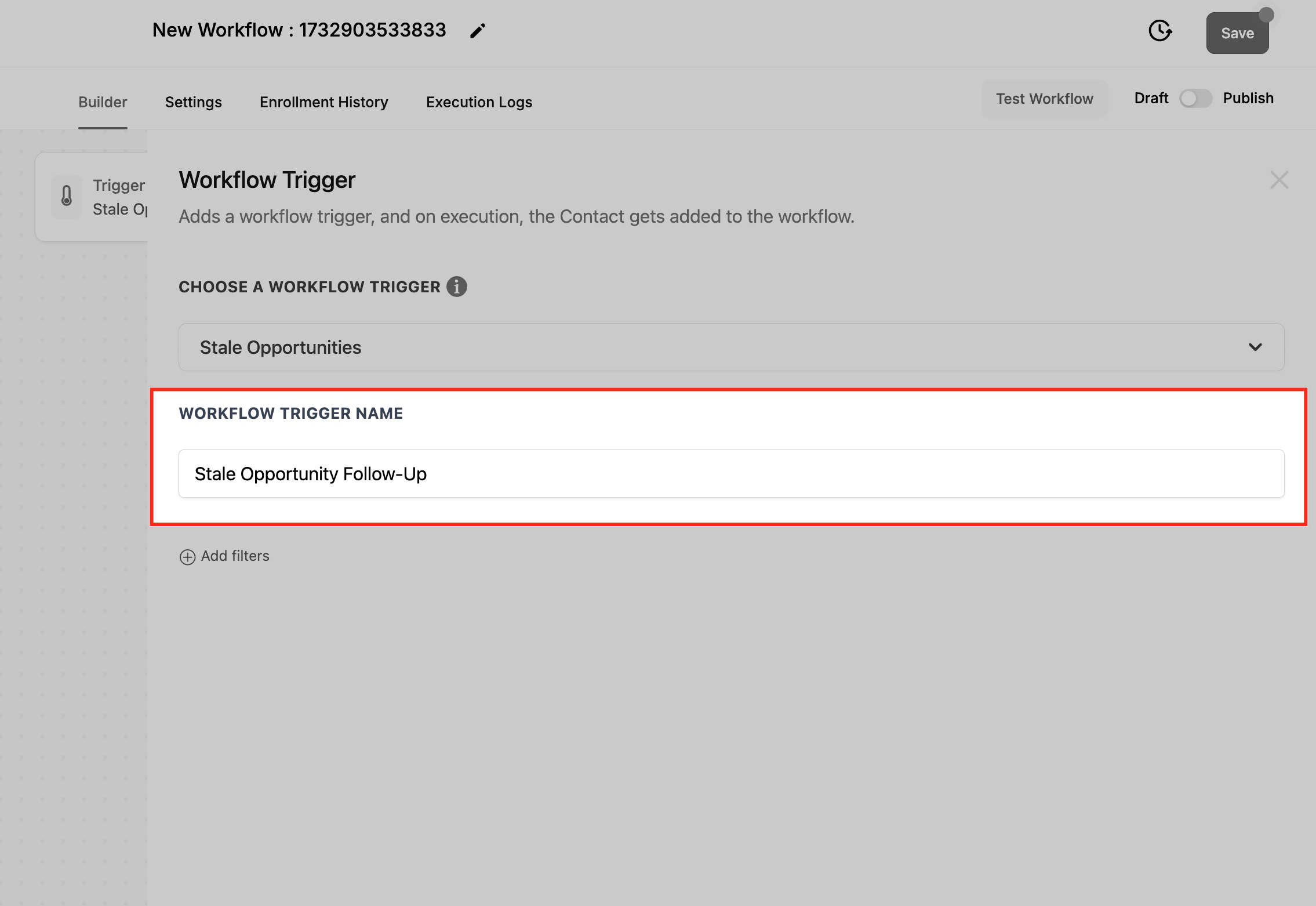
- Enter a name for the trigger, such as Stale Opportunity Follow Up.
- Click Save Trigger.
06What it looks like in HighLevel
07Settings that matter
- Duration in Days. Defines how many days an opportunity can remain unchanged before the trigger marks it as stale.
- In Pipeline. Selects which sales pipeline the trigger applies to.
- Pipeline Stage. Specifies the exact stage within the chosen pipeline that must be idle for the trigger to fire.
08How it connects to the rest of HighLevel
- How to use the Pipeline Stage Changed trigger Pipeline Stage Changed trigger
- Configure the Opportunity Created trigger Opportunity Created trigger
- Set up opportunity status change alerts Opportunity Status Changed trigger
Michael's take

Stale opportunities trigger is worth the time it saves on manual follow ups and the extra visibility it gives you into slipping deals. It keeps your pipeline from gathering dust and nudges reps before prospects walk away.
Don’t set the inactivity period so short that normal response times constantly fire false alerts.