
01Who this is for
- Marketers who run time limited promotions and need to follow up with contacts after a coupon ends.
- Sales teams that must be notified when key discounts expire to adjust outreach or pricing.
- Support staff who want to prevent customer confusion by informing users that an offer is no longer valid.
02Coupon code expired triggers, explained
The trigger belongs to the Payments section of the workflow builder. When a coupon’s scheduled expiration date arrives, HighLevel marks it inactive and immediately launches any workflow that uses this trigger. You can attach filters to run the workflow only for certain coupon codes, names, or types.
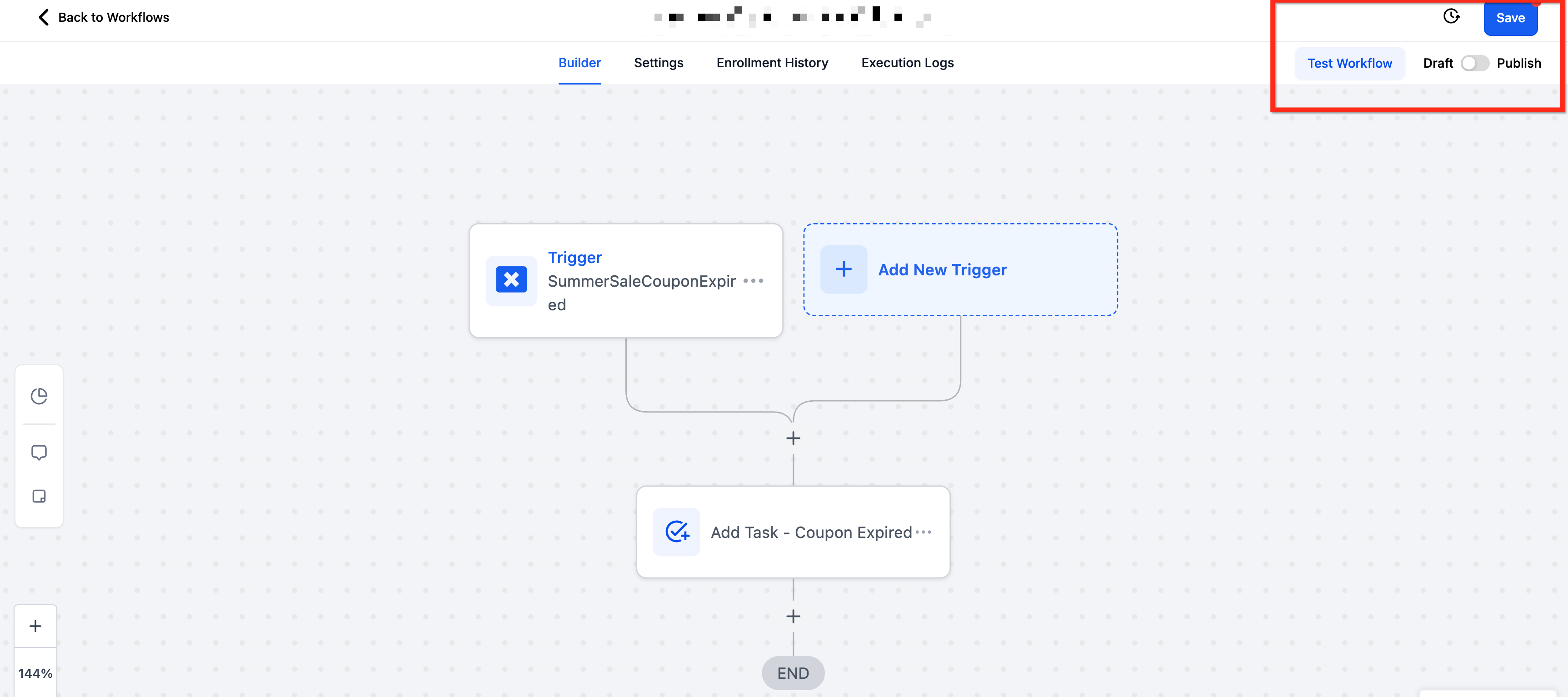
The trigger lives inside Automation > Workflows. After adding it, you give the trigger a name, choose filters, save, and then add actions such as emails, SMS, internal notifications, tags, or opportunity updates. Test the workflow before publishing to ensure it runs as expected.
03How businesses use coupon code expired trigger
- Ecommerce retailer. Create a workflow that sends an email with a new discount to shoppers who missed the original coupon. The trigger fires when the old coupon expires, applies a tag to those contacts, and then dispatches the follow up email.
- Digital marketing agency. Set up an internal notification that alerts the account manager when a client’s seasonal promotion coupon expires. The workflow uses the trigger, filters for that client’s coupon name, and posts a message to a Slack channel.
- SaaS subscription business. Add a tag to contacts whose renewal discount coupon expires, then move them into a nurture sequence. The trigger identifies the expired coupon, applies the tag, and the subsequent actions enroll the contact in a retention campaign.
04The numbers and rules that matter
- Available filters: Coupon Code, Is Any Of / Is Empty / Is None Of / Is Not Empty, MultiSelect Dropdown of Active Coupon Codes.
- Available filters: Coupon Name, Is Any Of / Is Empty / Is None Of / Is Not Empty, MultiSelect Dropdown of Active Coupon Names.
- Available filters: Coupon Type, Is / Is Not / Is Empty / Is Not Empty, Single Select Dropdown (Amount vs Percentage).
05How to set up and use coupon code expired trigger in HighLevel
Set up coupon code expired trigger
- Open Automation > Workflows in the platform.
- Start a new workflow or edit an existing one.
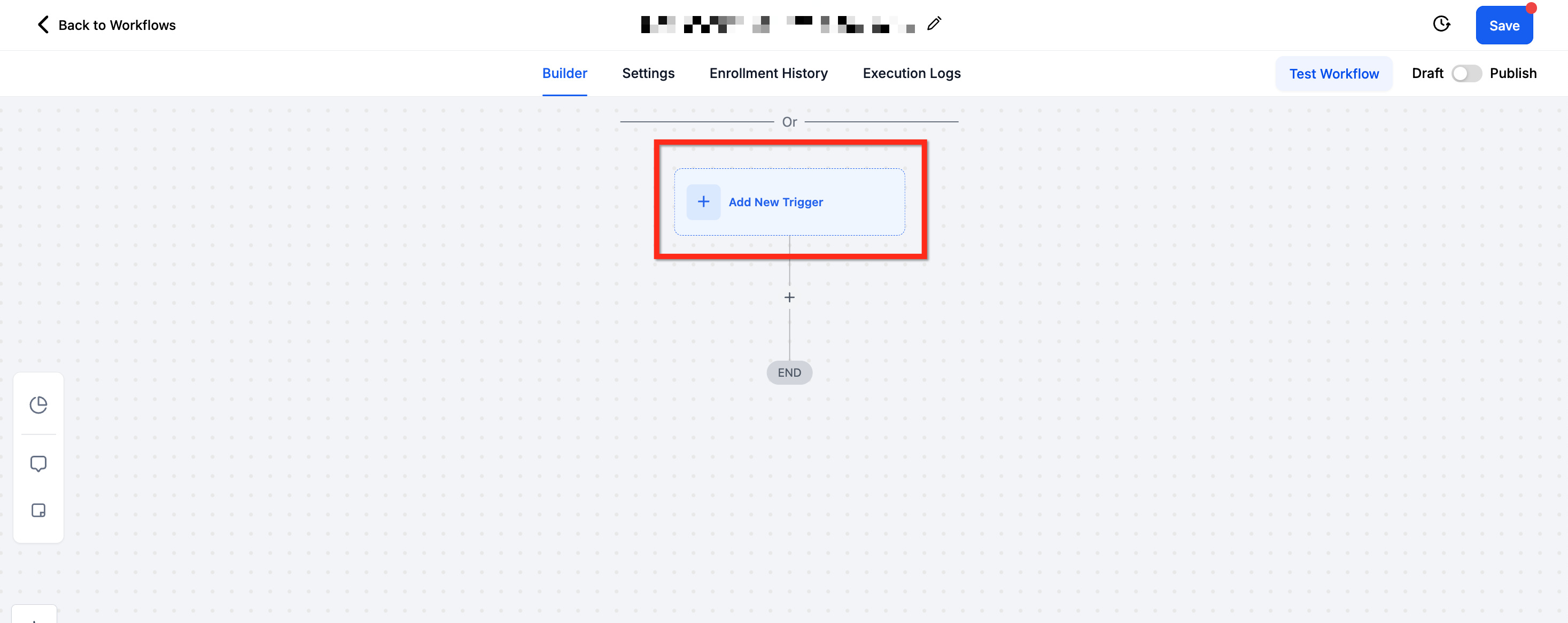
- In the workflow builder, click the + Add New Trigger button.
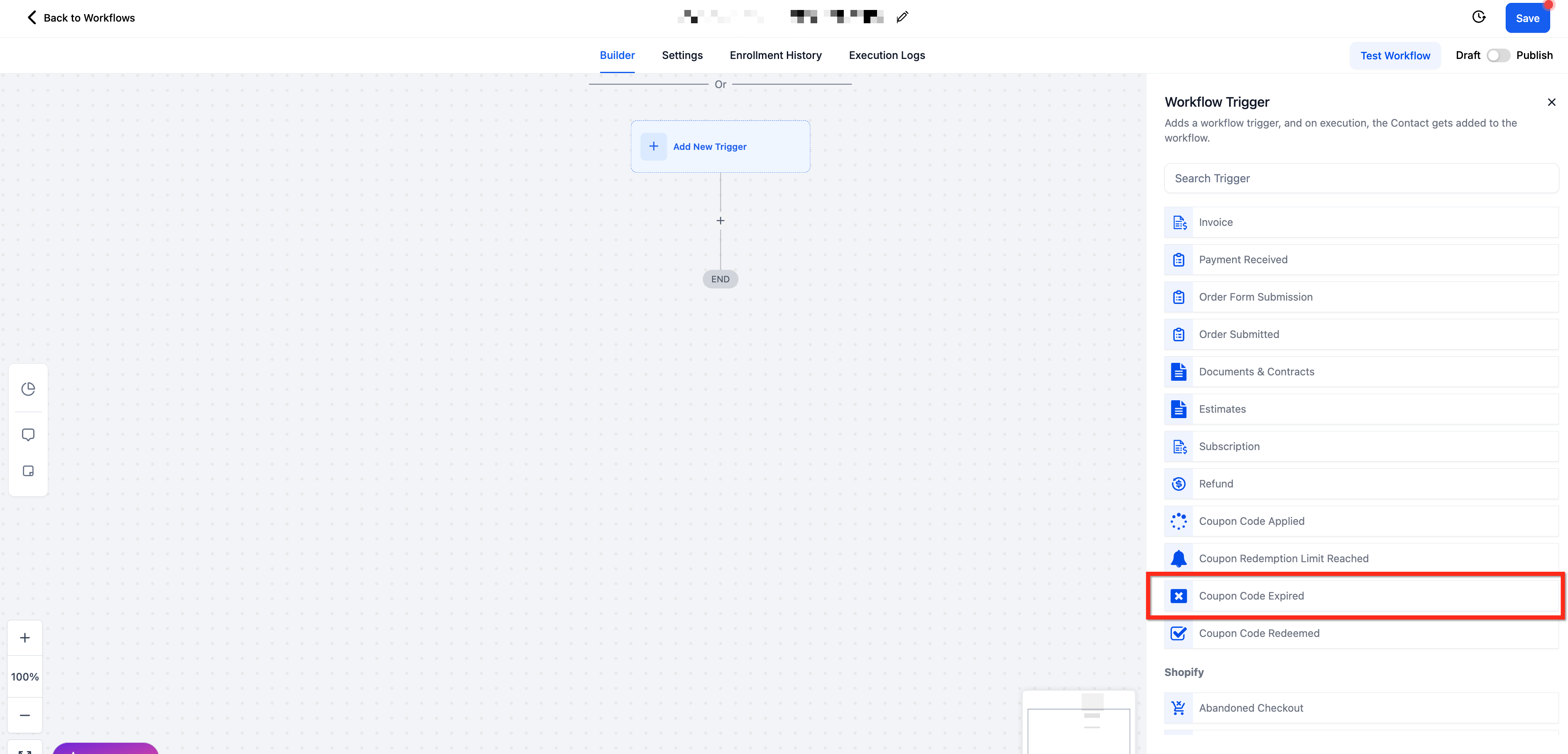
- Scroll to the Payments section and select Coupon Code Expired as the trigger type.
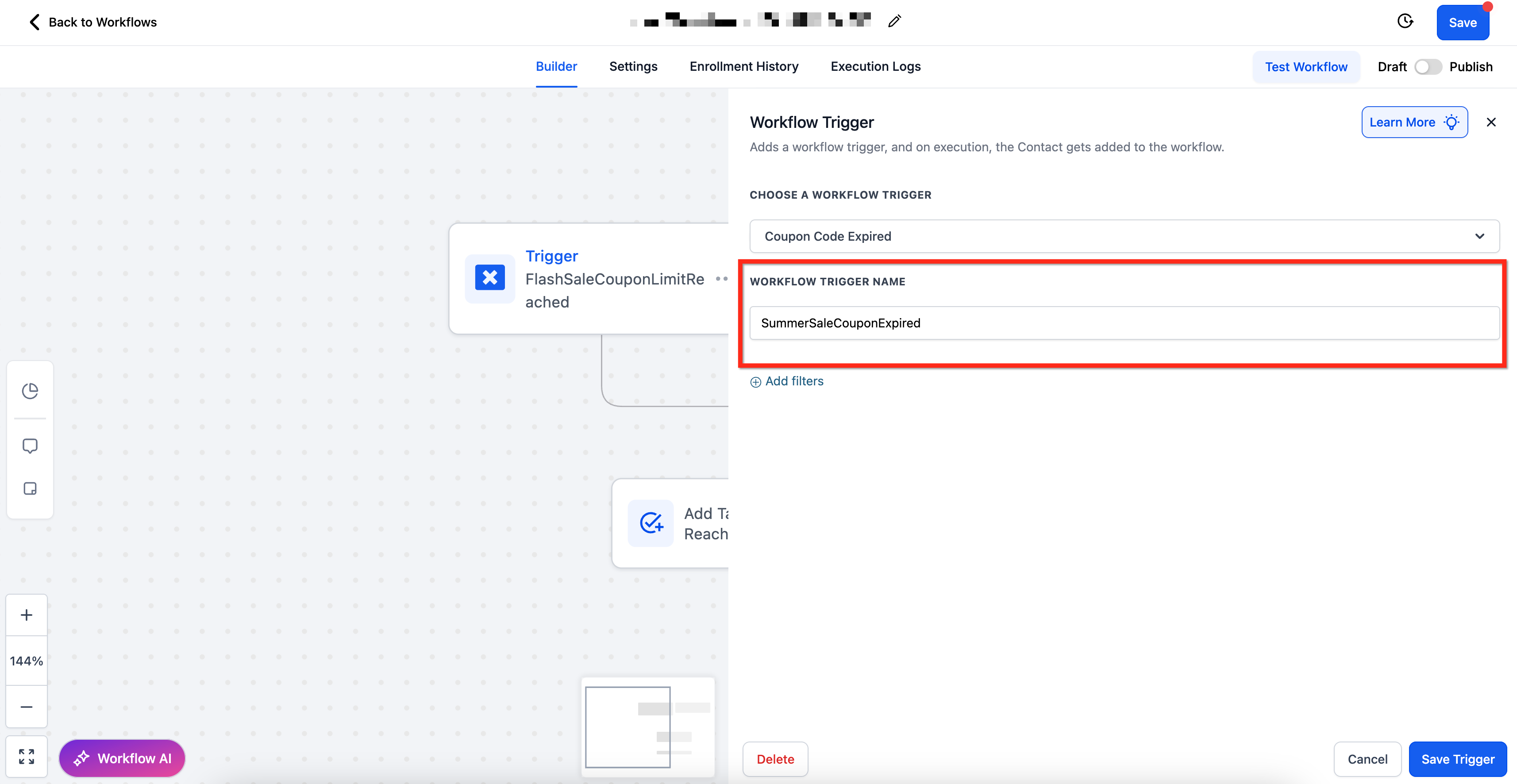
- Enter a descriptive name in the Workflow Trigger Name field.
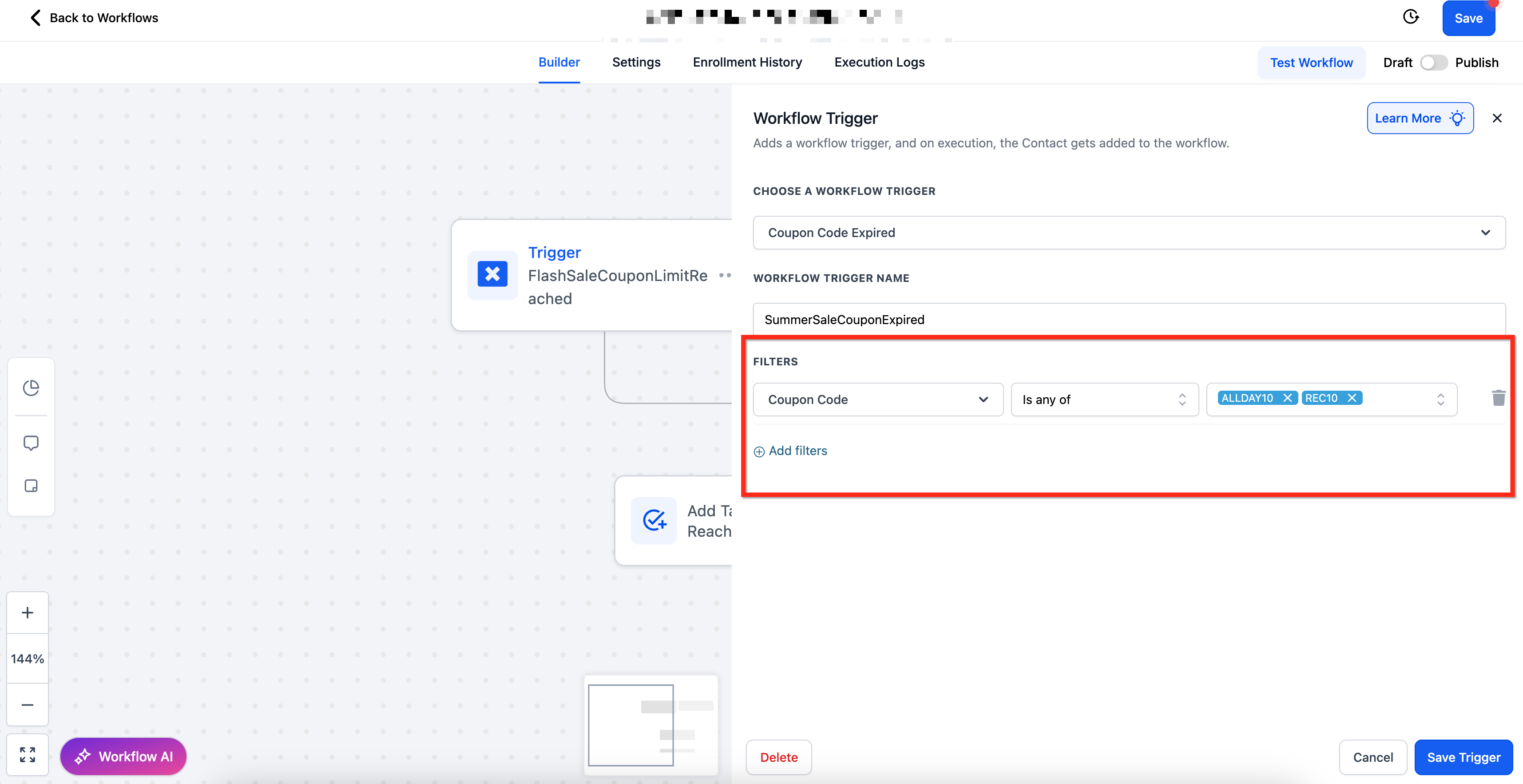
- Click + Add Filters to open the filter selection panel.
- Choose the Coupon Code filter and set the desired operator and values.
- Add additional filters such as Coupon Name or Coupon Type if needed.
- Press Save Trigger to store the configuration.
- Add the required actions, test the workflow, and then publish it.
06What it looks like in HighLevel
07Settings that matter
- Workflow Trigger Name. Identifies the trigger within the workflow for easy reference.
- Coupon Code. Filters workflows based on specific coupon codes using operators like Is Any Of or Is Not Empty.
- Coupon Name. Allows targeting of coupons by their names with similar filter operators.
- Coupon Type. Filters for either Amount or Percentage coupons using a single select dropdown.
08How it connects to the rest of HighLevel
- Start building workflows with triggers, filters, and actions. Workflow creation guide
- Learn the basics of workflow automation and how to publish them. Automation basics
- See how to configure filters for the Payment Received trigger, useful for similar setups. Payment received trigger
Michael's take

Wondering how to keep your promotions tidy when a coupon ends? The Coupon Code Expired trigger lets you react the moment a deal lapses. Whether that means nudging a shopper with a fresh offer or alerting your sales crew that the discount is gone.
I’d set up a quick workflow that emails a follow up coupon right after the old one expires. It’s a simple way to keep the conversion funnel moving and avoid the “offer no longer valid” confusion customers sometimes hit.