
01Who this is for
- SaaS Founders who need to inform users right away when subscription access is cancelled, ensuring clear communication.
- Membership site owners who want to alert support staff and update member records after a membership revocation.
- Digital product retailers who require automated tags when product access is removed for accurate tracking.
02Product access removed triggers, explained
The Product Access Removed trigger activates a workflow each time a customer's access to a designated product is revoked. It can be limited to particular products using filters, so only relevant events start the automation.
The trigger lives inside the workflow builder of HighLevel. After adding it to a workflow, you choose a product, optionally set extra filters, save the configuration, test with sample data, and then publish the workflow to run in real time.
03How businesses use product access removed workflow trigger
- Online course provider. Set the trigger to fire when access to a specific course is removed. The workflow then sends an email to the learner explaining the expiration and offering renewal options.
- Premium membership club. Configure the trigger for the membership product. When a member’s access is revoked, the workflow alerts the support team, updates the member record, and creates a follow up task for sales.
- Digital e book retailer. Select the e book product in the trigger. When access is removed, the workflow updates the customer’s profile and adds a tag for future re engagement campaigns.
04How to set up and use product access removed workflow trigger in HighLevel
Configure product access removed trigger
- Open automation or workflow settings and create a new workflow or select an existing one.
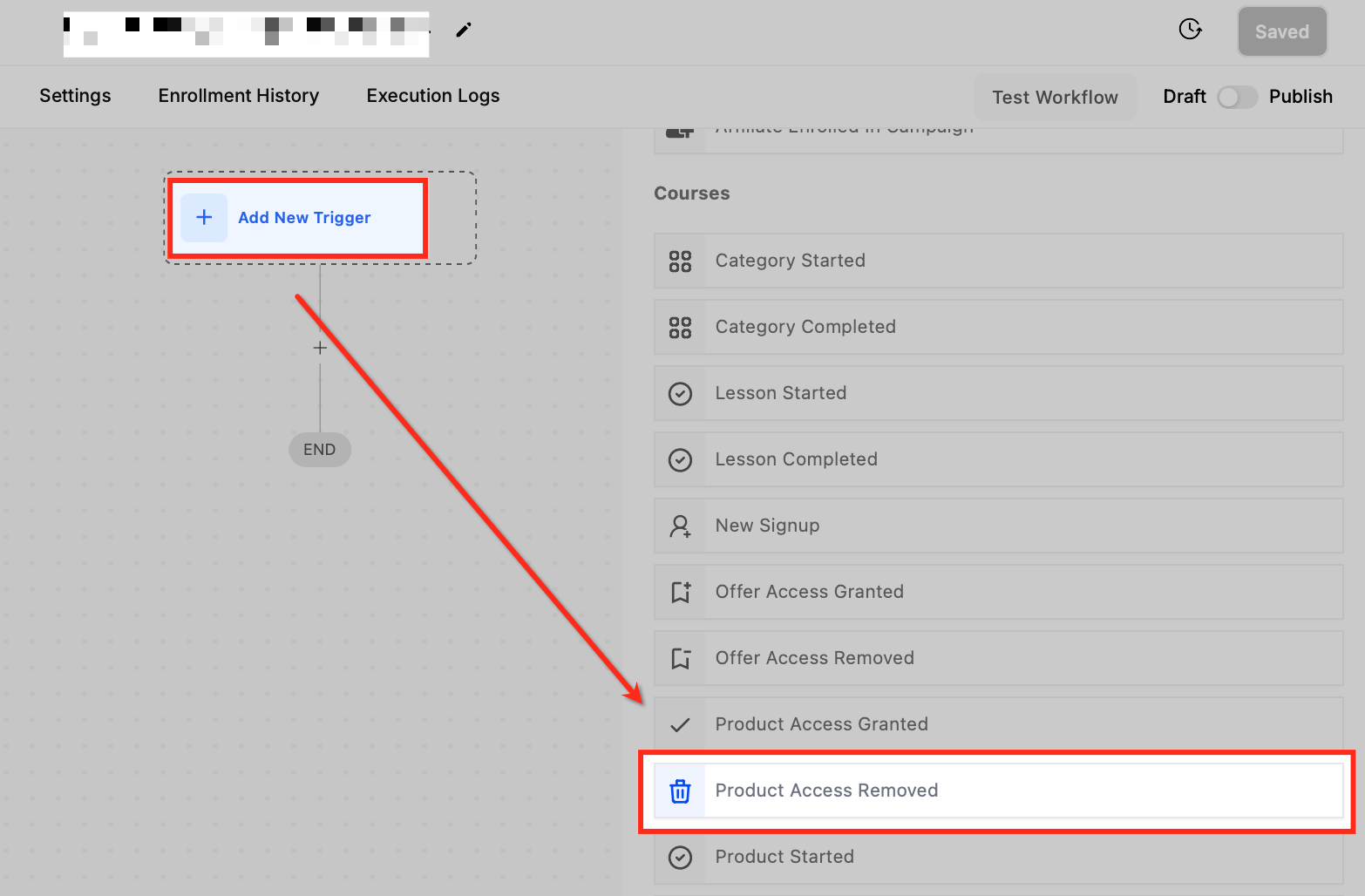
- Click “Add New Trigger”.
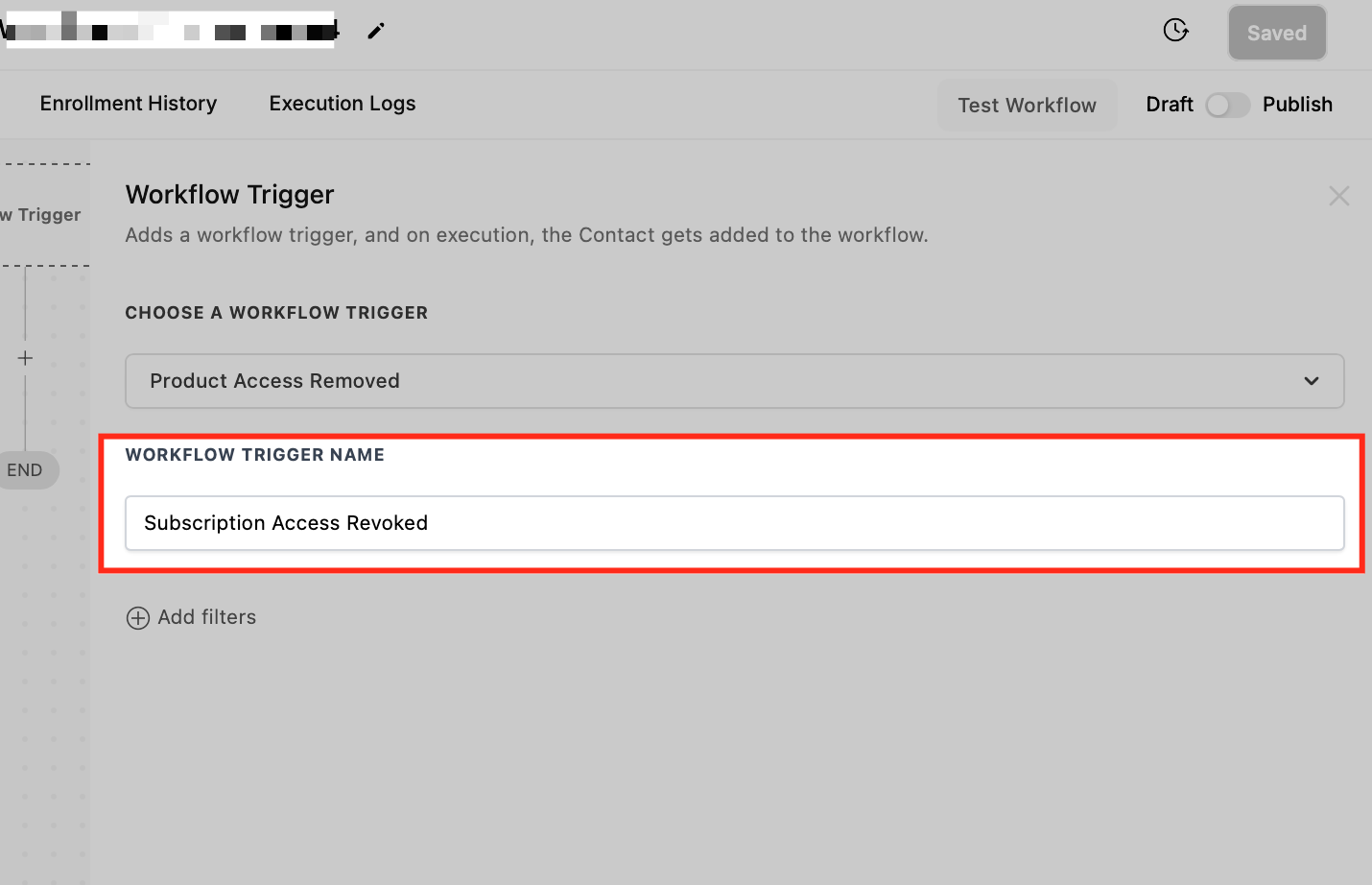
- Choose “Product Access Removed” from the dropdown.
- Enter a descriptive name for the trigger.
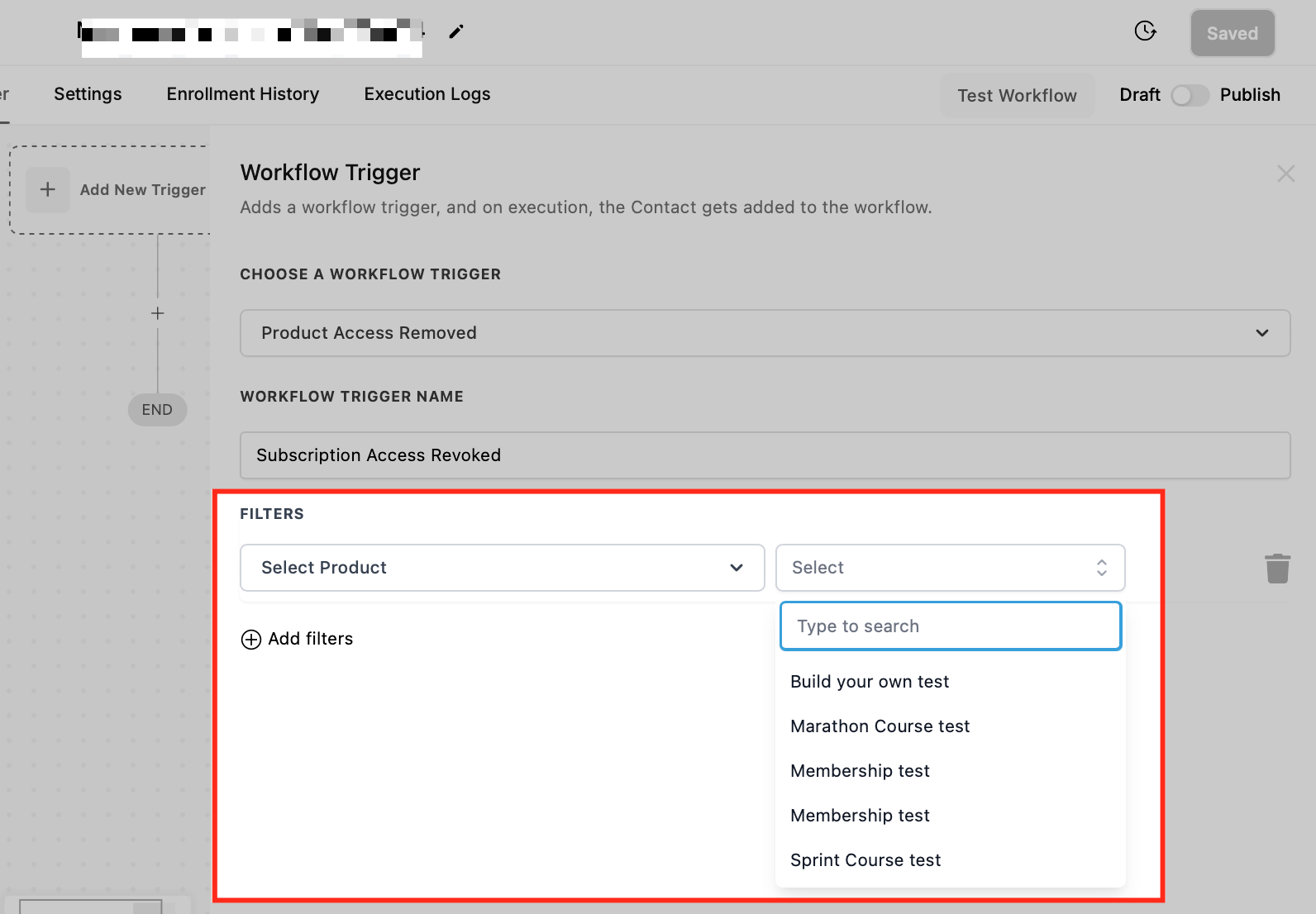
- Open the filter section to define additional criteria.
- Pick the product whose access removal should start the workflow.
- Click “Save” to store the trigger settings.
- Run a test with sample data, then switch on the Publish toggle to activate the workflow.
05What it looks like in HighLevel
06Settings that matter
- Select Product. Specifies which product’s access removal will activate the workflow.
- Set Filters. Applies additional criteria to limit when the trigger fires.
07How it connects to the rest of HighLevel
- Product Access Granted trigger automates onboarding after access is given. Product Access Granted
- Subscription trigger lets you filter and act on subscription events. Subscription trigger
- Order submitted trigger can start workflows when an order is placed. Order submitted trigger
Michael's take

People often think the trigger alone will keep a churned customer happy. It only starts the automation; you still need the right follow up content to make a difference. I would first map out what message or task each product removal should spark, then build a simple email or task flow before adding any upsell offers.
Once the map is clear, I would test the trigger with a dummy record, watch the actions fire, and tweak the language or timing. A quick test shows whether the team gets the alert at the right moment and whether the customer gets a clear path back to access.