
01Who this is for
- Businesses that sell digital products benefit because the trigger automates onboarding emails and record updates.
- Marketing teams gain precise control over messaging by filtering actions to specific products.
02Product access granted triggers, explained
The Product Access Granted trigger is a workflow starter that activates once a client’s access to a defined product is recorded in the platform. It can be placed in any workflow under the Automation area, allowing you to attach actions such as emails, tags, or CRM field updates. Filters let you narrow activation to particular products, so the same workflow can serve several offerings while sending only relevant communications.
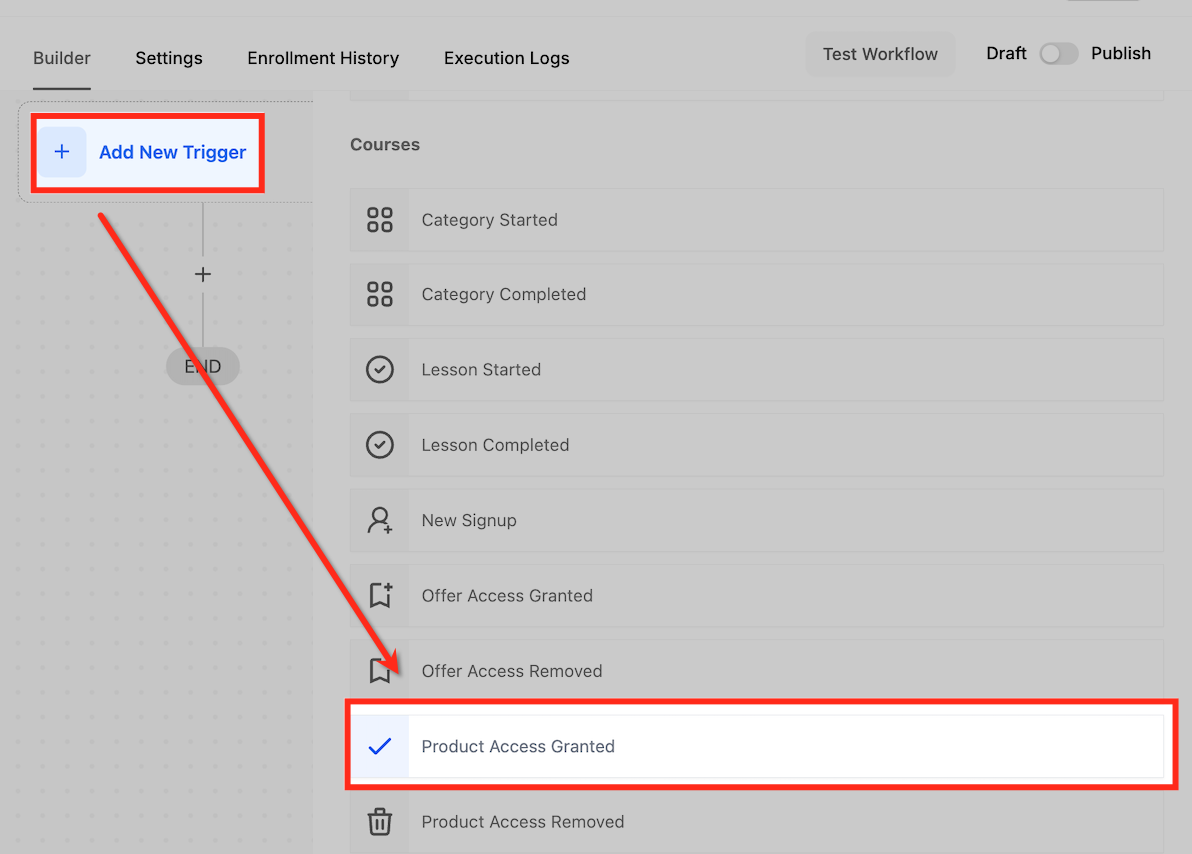
You find the trigger while building a workflow. After selecting Automation, you either create a new workflow or edit an existing one, then add the trigger from the dropdown list. Once configured, the trigger runs in real time each time the system logs a product access event, and you can combine it with other triggers or conditional actions for complex automations.
03How businesses use product access granted trigger
- Online course provider. The business creates a workflow that uses the Product Access Granted trigger filtered to the specific course name. When a student gains access, the workflow sends a welcome email containing the first module link and onboarding instructions.
- Exclusive content library. A media company adds the trigger with a filter for the VIP Content Library product. The workflow tags the member in HighLevel, adds them to a mailing list for updates, and sends an email that explains how to reach the library.
- Virtual event organizer. The event team sets the trigger for the Virtual Event Pass product. Upon granting access, the workflow dispatches an email that includes login details, the event schedule, and any required preparation steps.
04How to set up and use product access granted trigger in HighLevel
Add product access granted trigger
- Open the Automation section and create a new workflow or open an existing one.
- Click Add New Trigger.
- Select Product Access Granted from the dropdown menu.
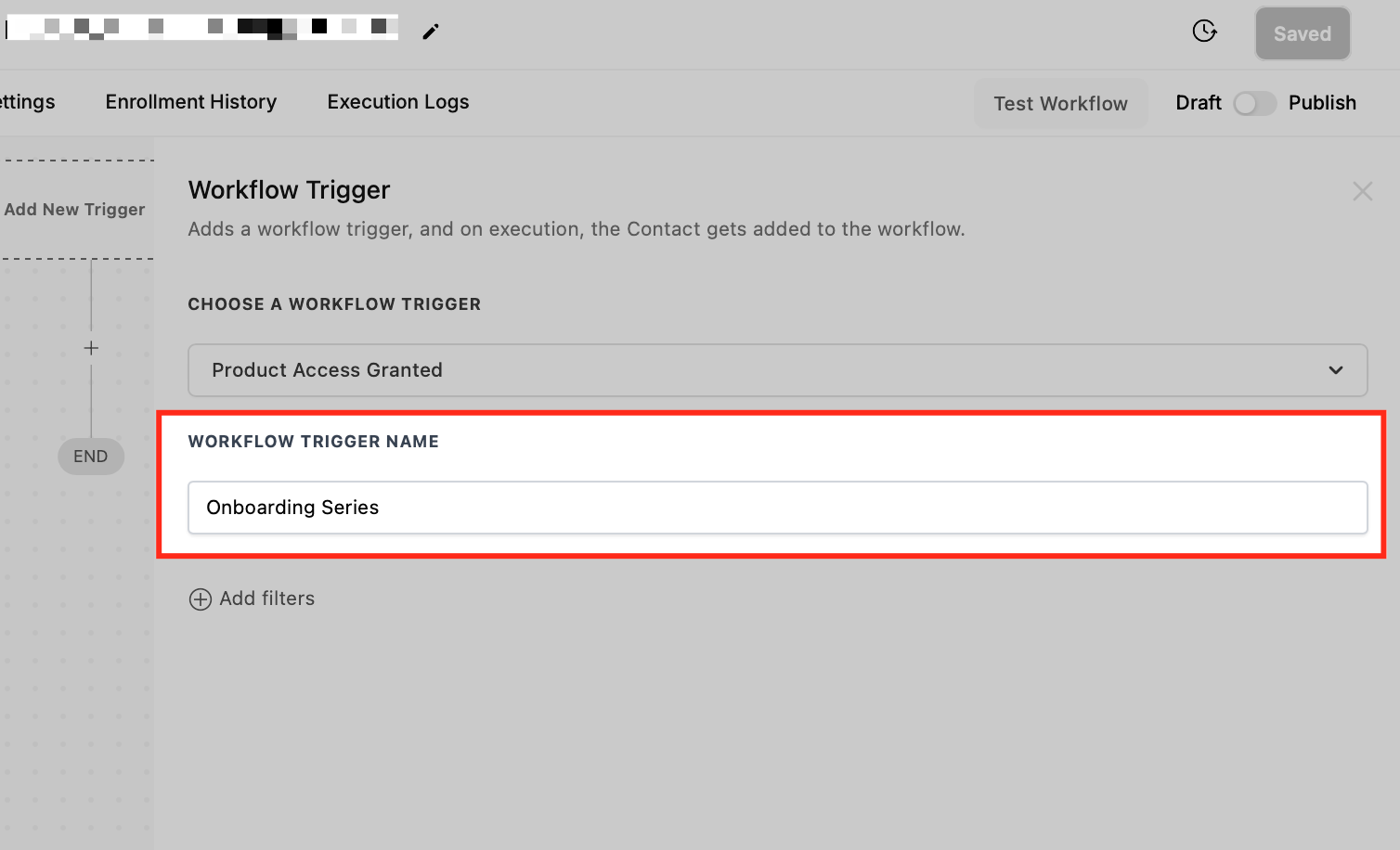
- Enter a descriptive name for the trigger.
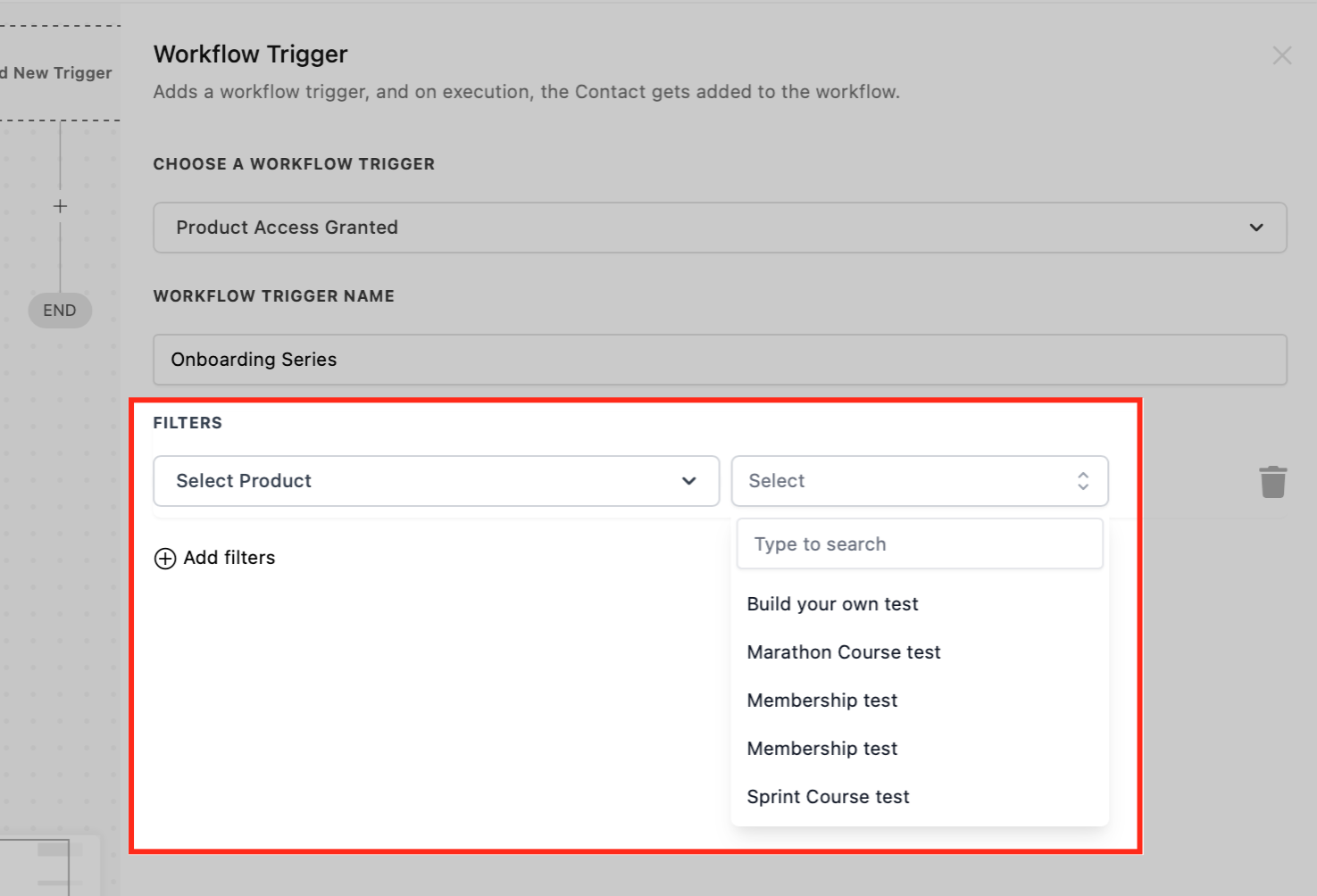
- Open the filter configuration area.
- Choose the specific product that should activate the workflow.
- Click Save to store the trigger settings.
- Test the workflow with sample data and then enable the Publish toggle.
05What it looks like in HighLevel
06Settings that matter
- Product Access Granted. Identifies the event when a customer is given access to a selected product and starts the workflow.
- Product Filter. Limits the trigger to fire only when the chosen product is granted, allowing targeted actions.
07How it connects to the rest of HighLevel
- Combine this trigger with the Payment Received trigger to send receipts after access is granted. Payment received trigger
- Link with the Order Submitted trigger to start onboarding when an order is placed. Order submitted trigger
- Use alongside the Subscription trigger to manage recurring access upgrades. Subscription trigger
Michael's take

The Product Access Granted trigger is useful when you need automated onboarding and tracking the moment a customer gets a product. If you don’t run courses, subscriptions, or event tickets, you can skip it.
When I set one up, I focus on the welcome email first because it gives the customer immediate value and sets the tone for the relationship.