
01Who this is for
- Businesses that automate follow up sequences and need data driven insights.
- Teams that want to compare different messaging or workflow approaches within HighLevel.
02A/B test actions, explained
A/B testing in HighLevel workflows compares two to ten separate paths inside a single automation. Contacts are divided equally among the paths, and the platform tracks a conversion goal you define. When the test ending condition is met, the system calculates conversion percentages and highlights the highest performing branch.
The action lives in the workflow builder. You add it like any other step, configure the paths, set a winning criterion, choose a test length, and decide how new contacts are handled after a winner is identified. Results appear on the Statistics tab, showing entrants, conversions, conversion rates, and the winning badge.
03How businesses use a/B test actions
- Digital marketing agency. The agency creates two email nurture sequences within an A/B Test action, selects an email activity goal event, and lets the test run until enough contacts have entered. After the test, new leads automatically follow the sequence with the higher open rate.
- Medical clinic. The clinic builds two appointment booking paths, one with a reminder SMS and one without. It sets the goal event to “Appointment booked” and chooses to end the test after a set number of goal completions. The winning path is then used for all future appointment requests.
- Ecommerce store. The store sets up two checkout follow up flows, each ending with a different discount offer. A custom condition that checks a “Lead qualified” field defines conversion. When the test reaches the configured date, the store routes new shoppers to the higher converting discount path.
04The numbers and rules that matter
- Compare 2, 10 workflow paths.
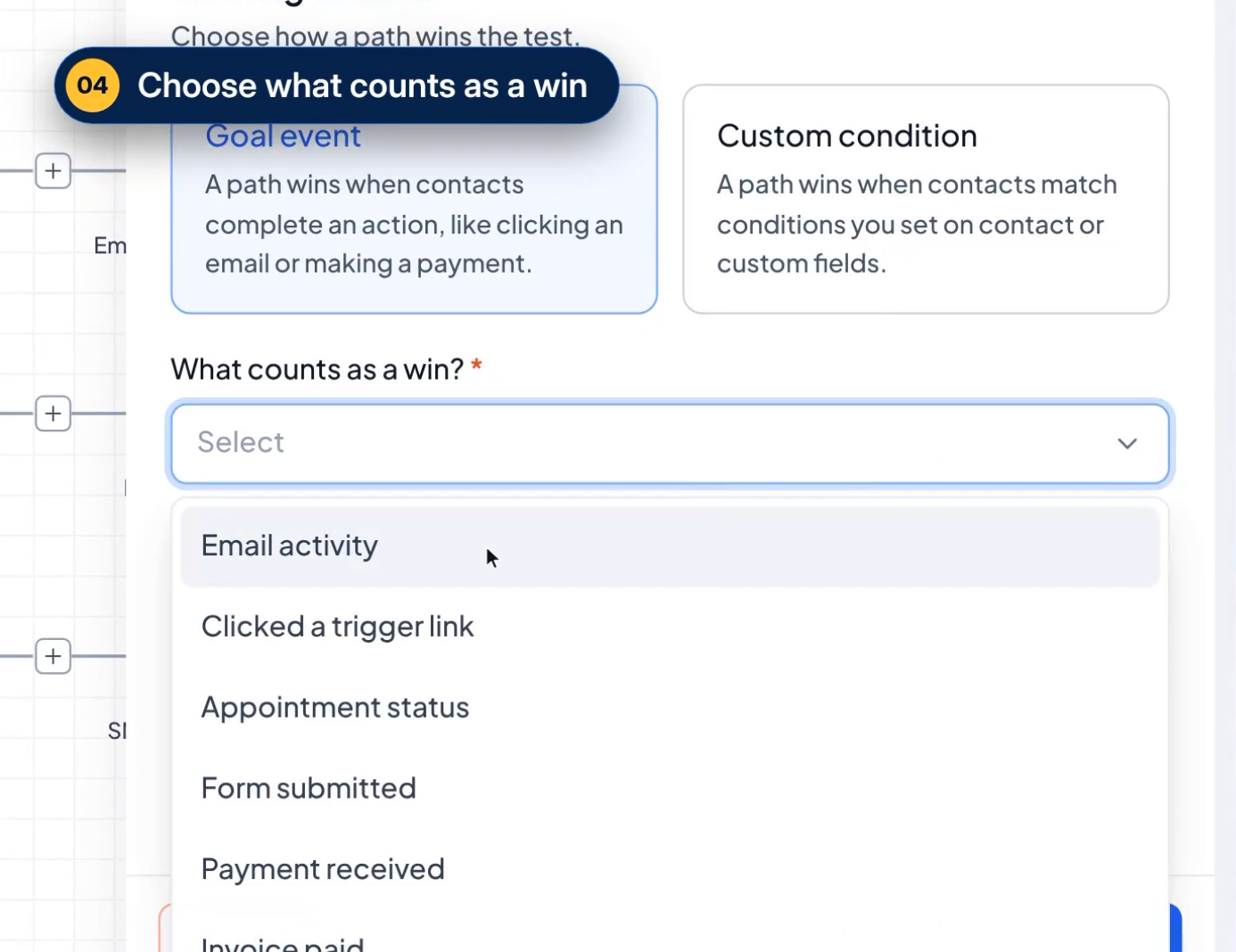
- Goal Event options include Email activity, Clicked a trigger link, Appointment status, Form submitted, Payment received, Invoice paid.
05How to set up and use a/B test actions in HighLevel
Set up an A/B test in a workflow
- Open Automation > Workflows and either select an existing workflow or start a new one.
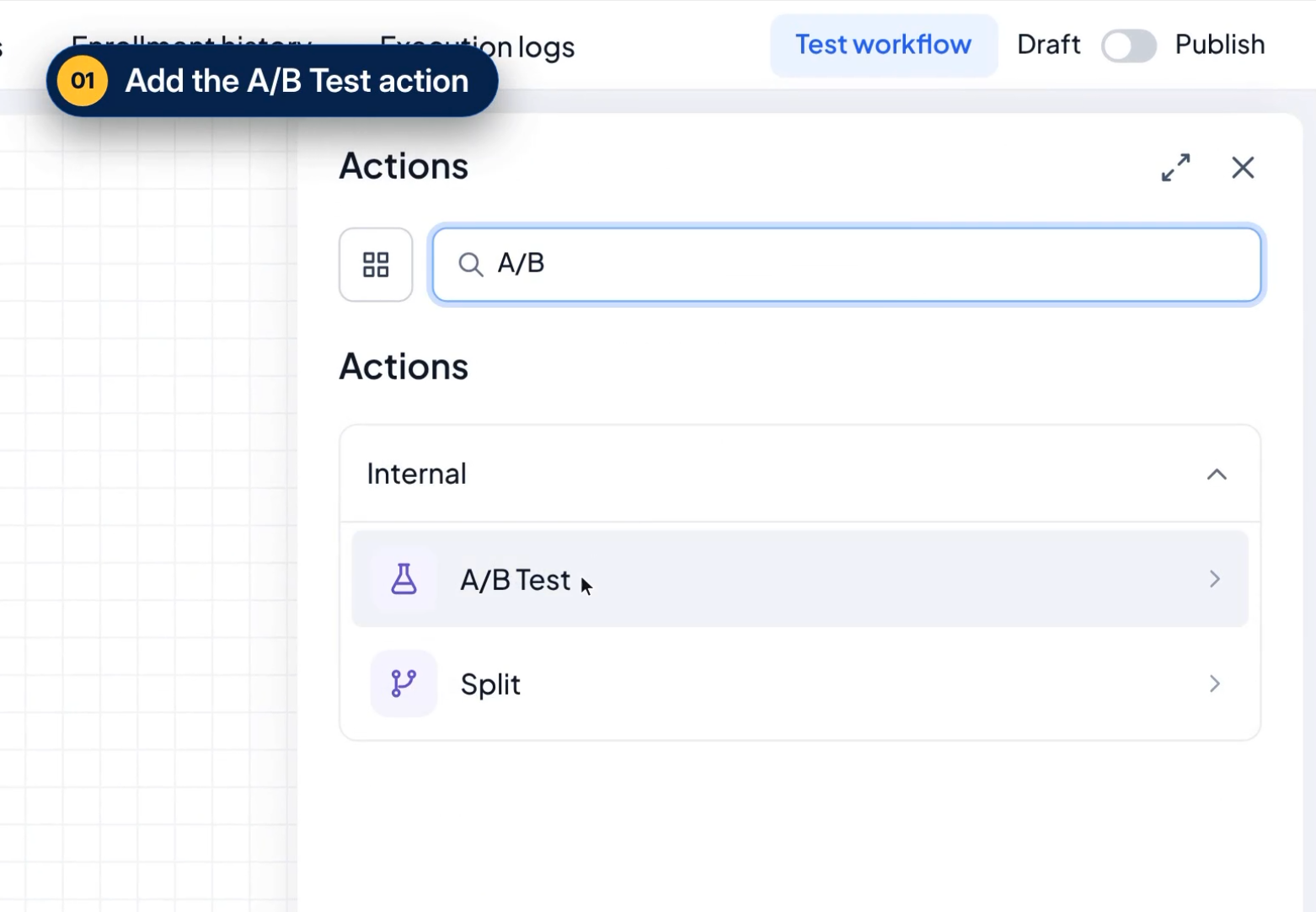
- In the workflow builder, click the + icon and choose A/B Test from the action list.
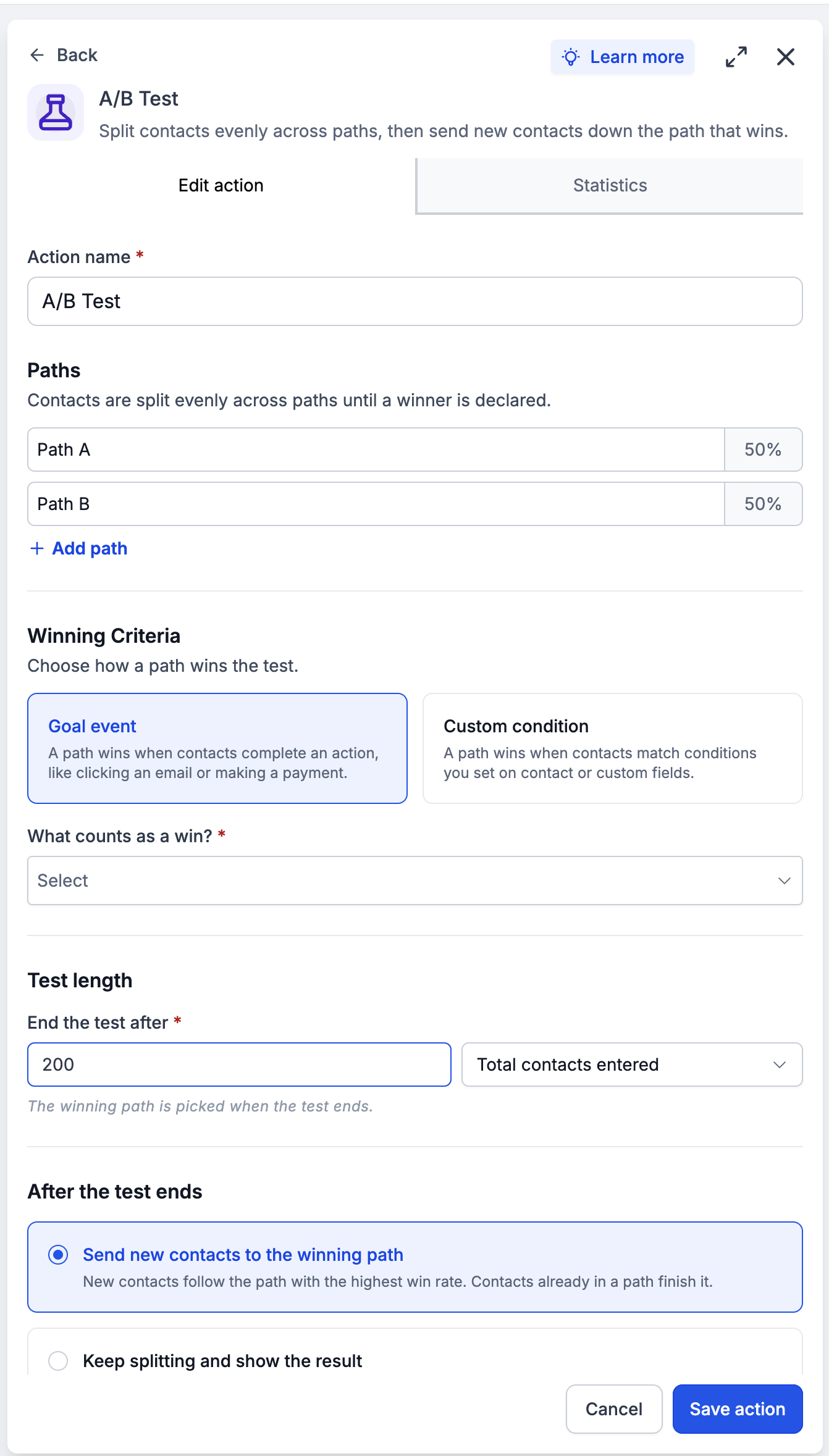
- Provide a name for the test, then add between two and ten branches using the Add path button, renaming them as needed.
- Under Winning Criteria, pick Goal event or Custom condition and configure the specific conversion you want to track.
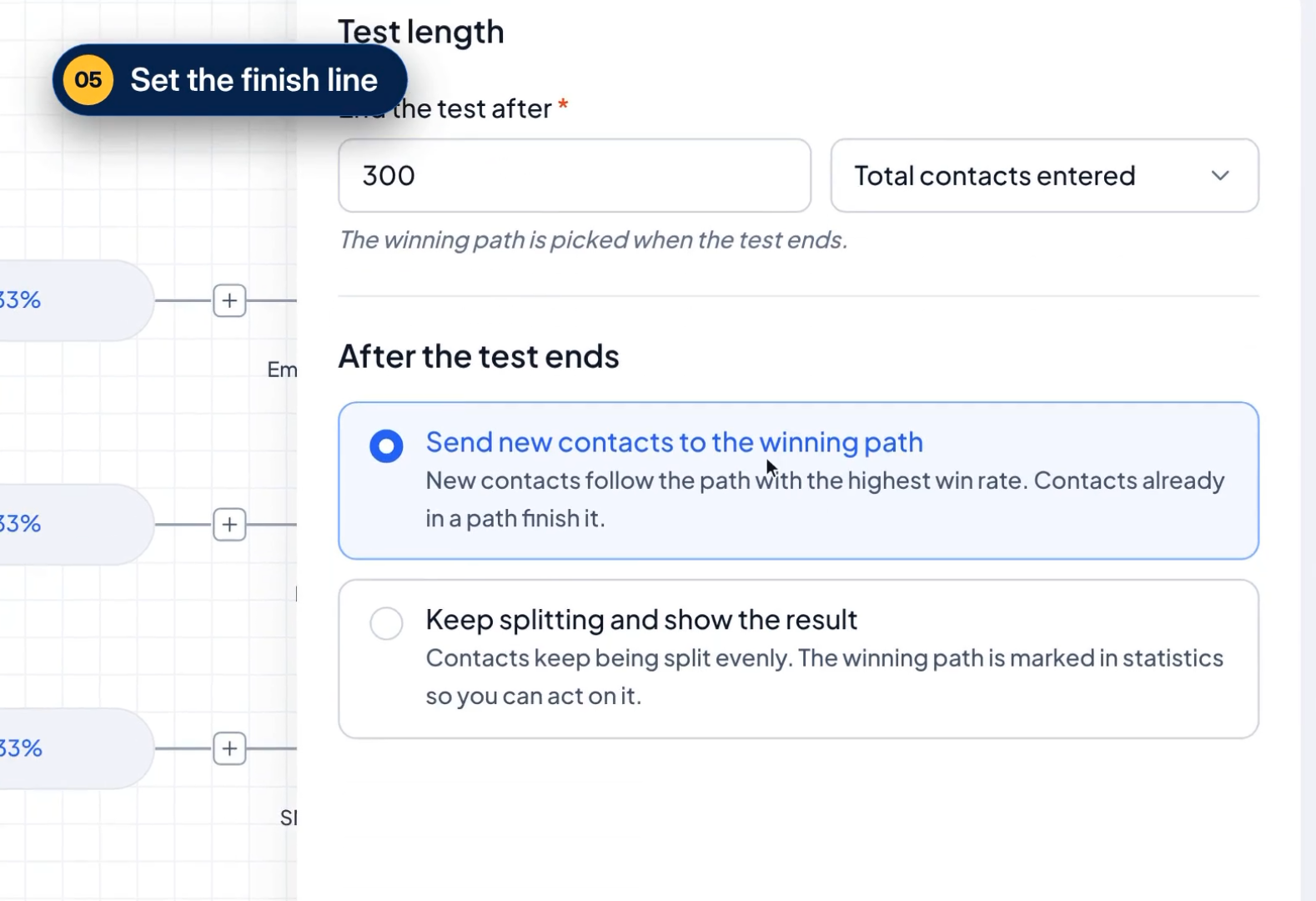
- Select a Test Length option to tell HighLevel when to stop the comparison.
- Choose the post test handling option, route new contacts to the winning branch or keep splitting them evenly.
- Add the actions you wish to compare inside each branch.
- Save the A/B Test action, then save or publish the workflow to activate the test.
- If you later reset the test, remember that saving after resetting clears all previous results and may cause contacts to follow a different path on re entry.
06What it looks like in HighLevel
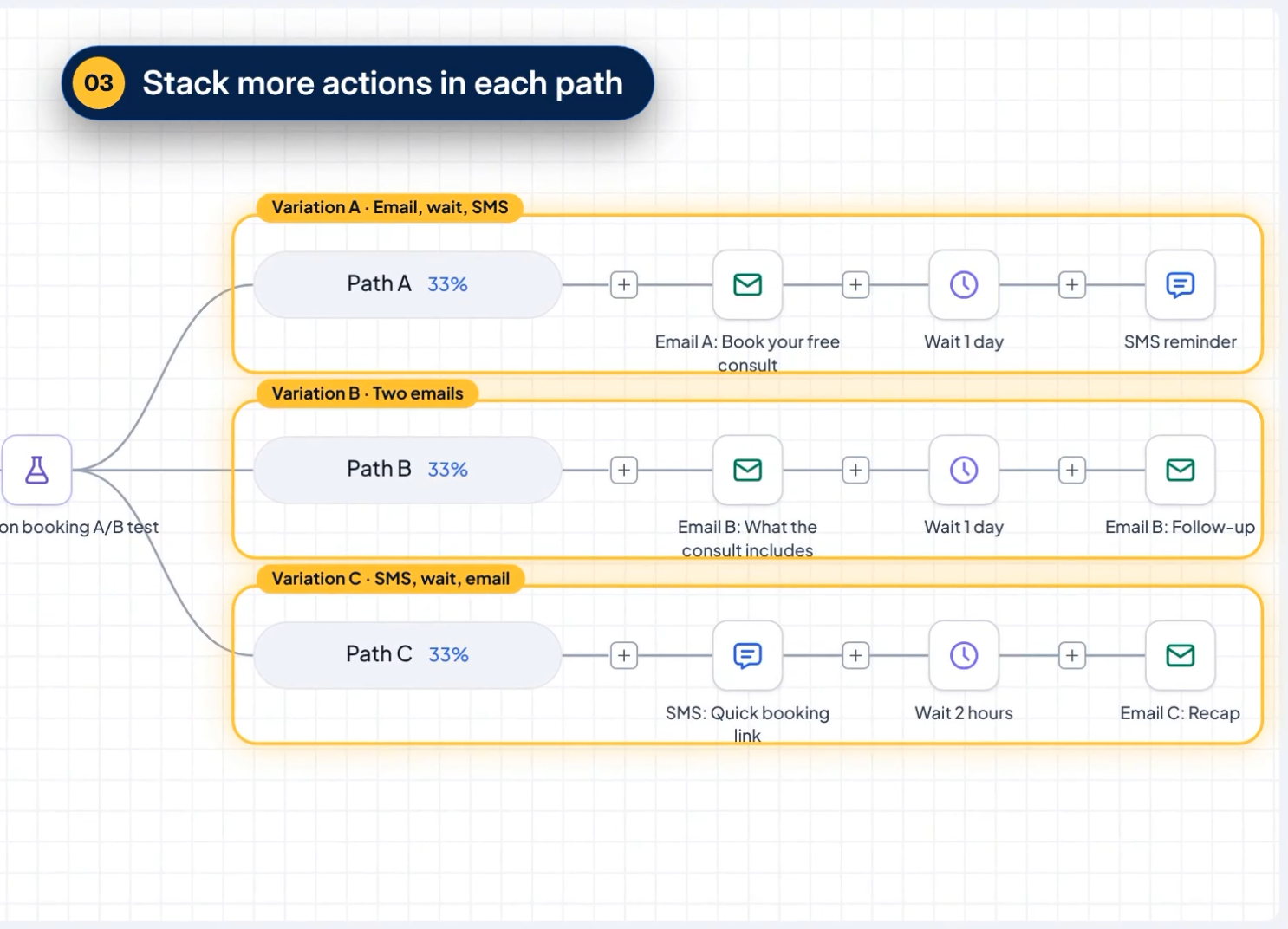
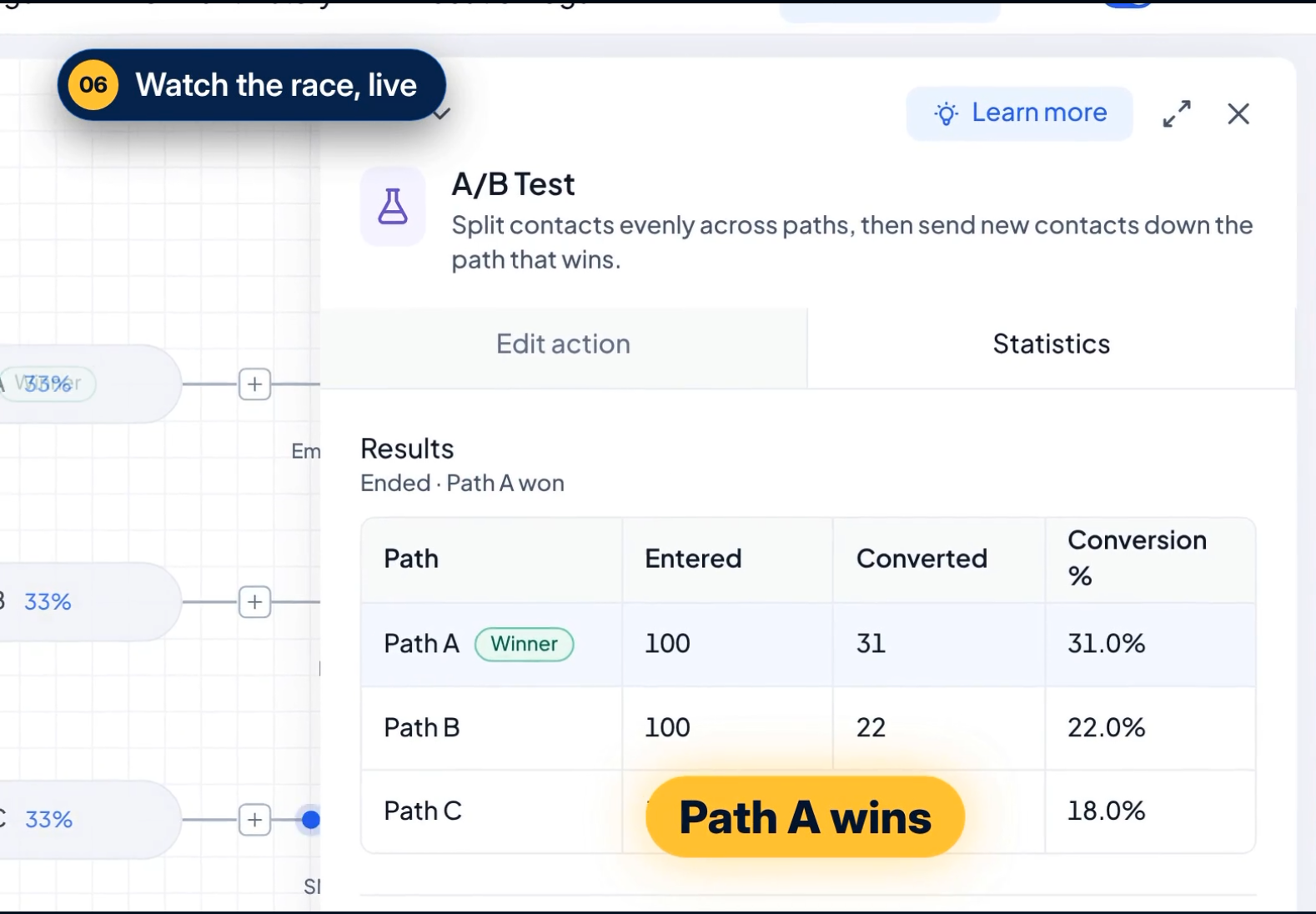
07Settings that matter
- Action Name. Identifies the test within the workflow.
- Paths. Defines the 2 to 10 branches that contacts will be split across.
- Winning Criteria. Specifies the conversion goal used to evaluate each path.
- Test Length. Determines when the test ends based on contacts entered, goal completions, or a date and time.
- After the Test Ends. Controls whether new contacts follow the winning path or continue to be split evenly.
08Things to know before you rely on it
- You can test between two and ten workflow paths.
- Winning criteria only measure conversions; they do not decide which path a contact enters.
- Test termination can be based on total contacts entered, a set number of goal completions, or a specific date and time.
- If multiple paths share the top conversion rate, the first listed path is treated as the winner.
- Resetting a test clears all previous results and may cause contacts to follow a different path on re entry.
- Even distribution is intended, but actual entry numbers can vary, especially with a small sample size.
09How it connects to the rest of HighLevel
- Learn how to create workflows with triggers, filters, and actions. Workflow creation guide
- Read the basics of workflow automation and how to set them up. Automation basics
- Check HighLevel pricing and plan options for workflow features. Pricing and plans
Michael's take

Wondering if the A/B Test action is worth the effort for your next campaign? The feature gives you a clear, data driven way to see which of your follow up sequences actually moves the needle, without guessing.
I’d start by setting up a simple two path test. One with a short email series, the other with a brief SMS flow. Watch the conversion percentages, then let the winner direct new leads. A quick reset lets you iterate as you refine your messaging.