
01Who this is for
- Marketing agencies can deliver a customized audit to each new lead, improving the relevance of outreach.
- SaaS Founders can automatically attach a performance review to inbound sign ups, speeding up nurturing.
- Real estate teams can send property marketing analyses right away after a contact is captured.
02Marketing audit reports, explained
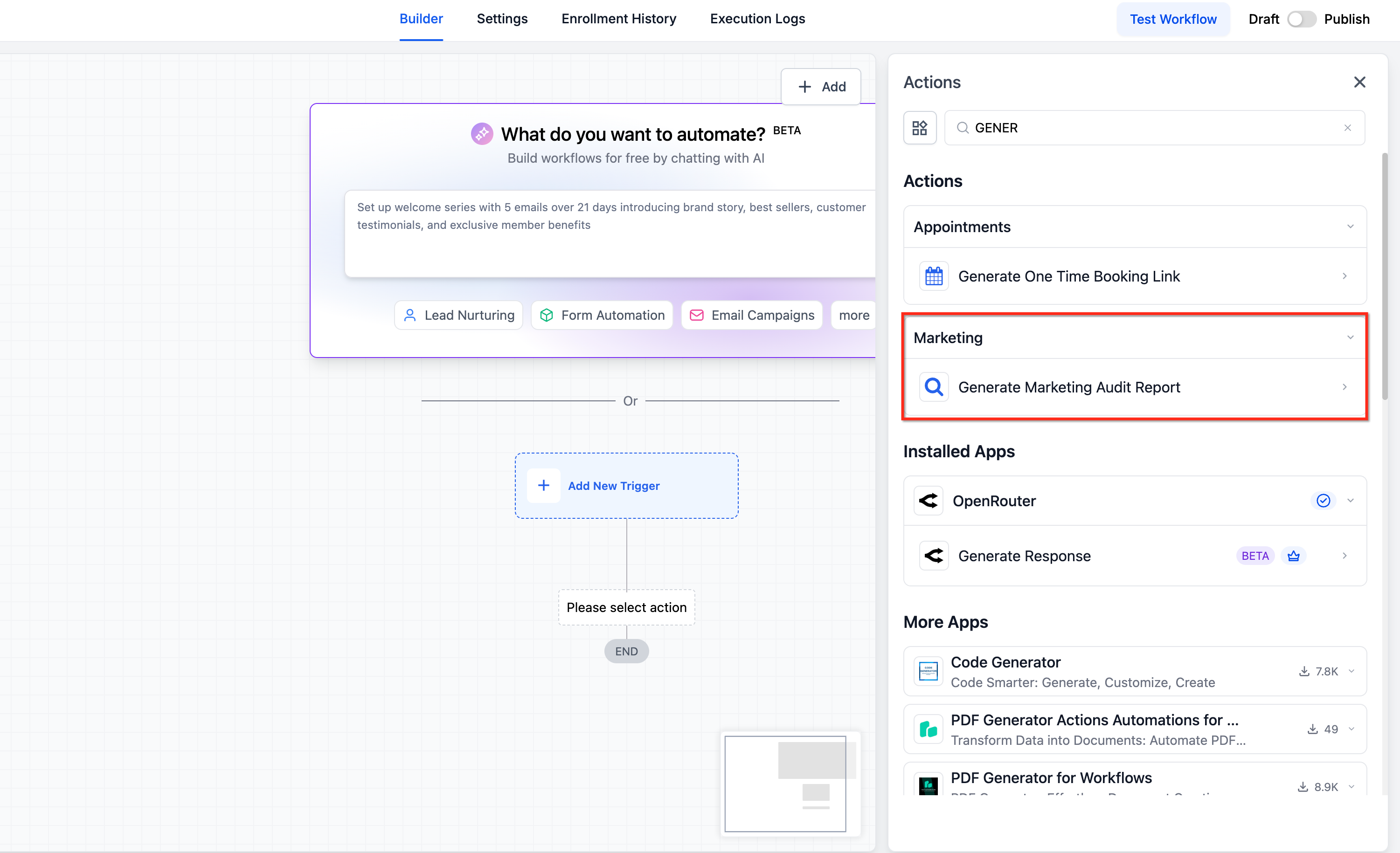
The feature introduces a Generate Marketing Audit Report action that can be added to any workflow. When the action runs, HighLevel builds a report for the specific contact and produces two dynamic custom values: a link to the report and the prospect’s business name.
These custom values become available immediately after the action finishes, allowing them to be dropped into later steps such as Send Email or Send SMS. The action works with leads that enter the workflow via forms, ads, imports, or any other trigger.
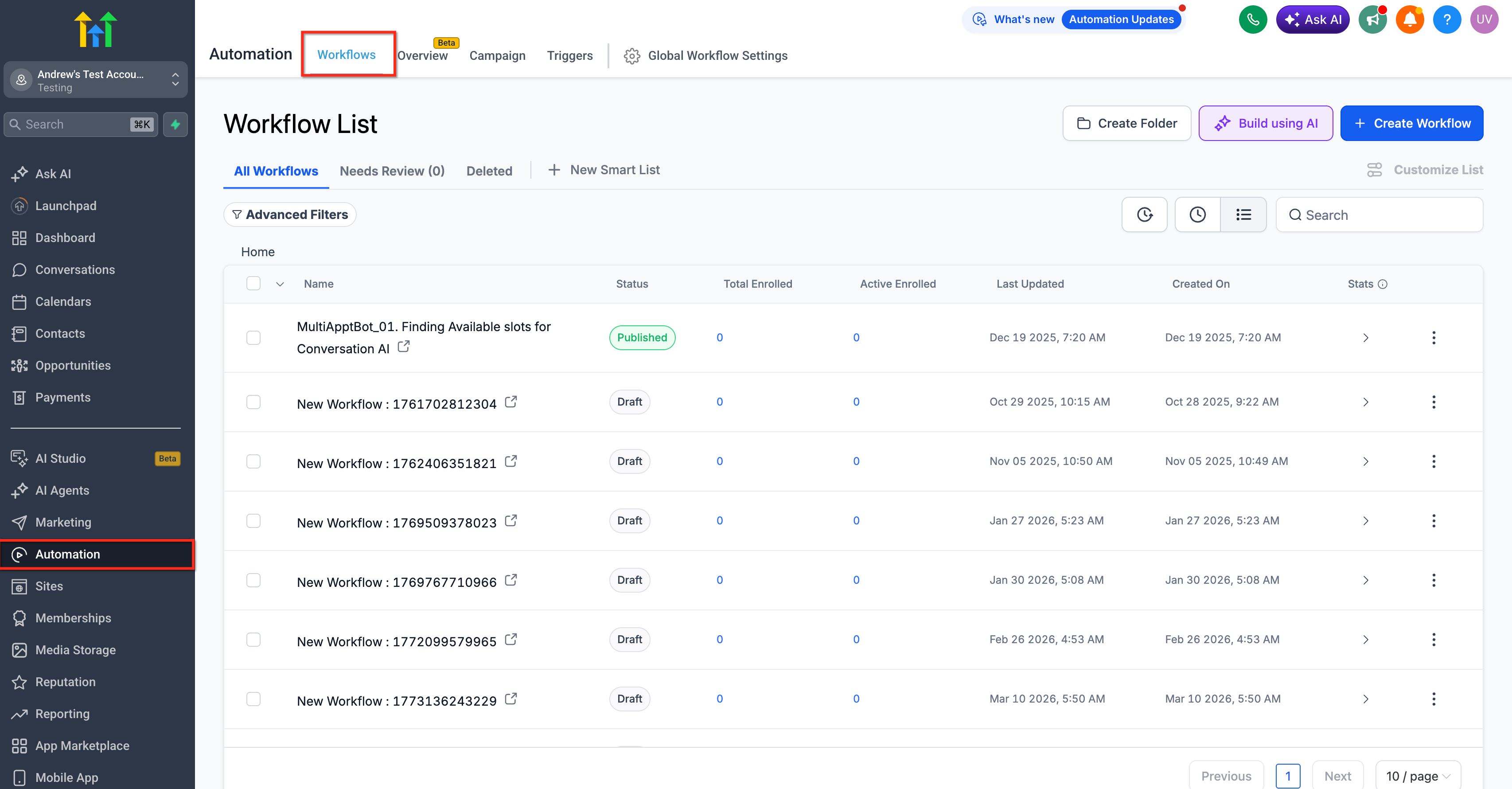
The automation lives inside the Workflow builder under Automation > Workflows. It is configured like any other workflow action, using the + Add Action menu.
03How businesses use marketing audit reports
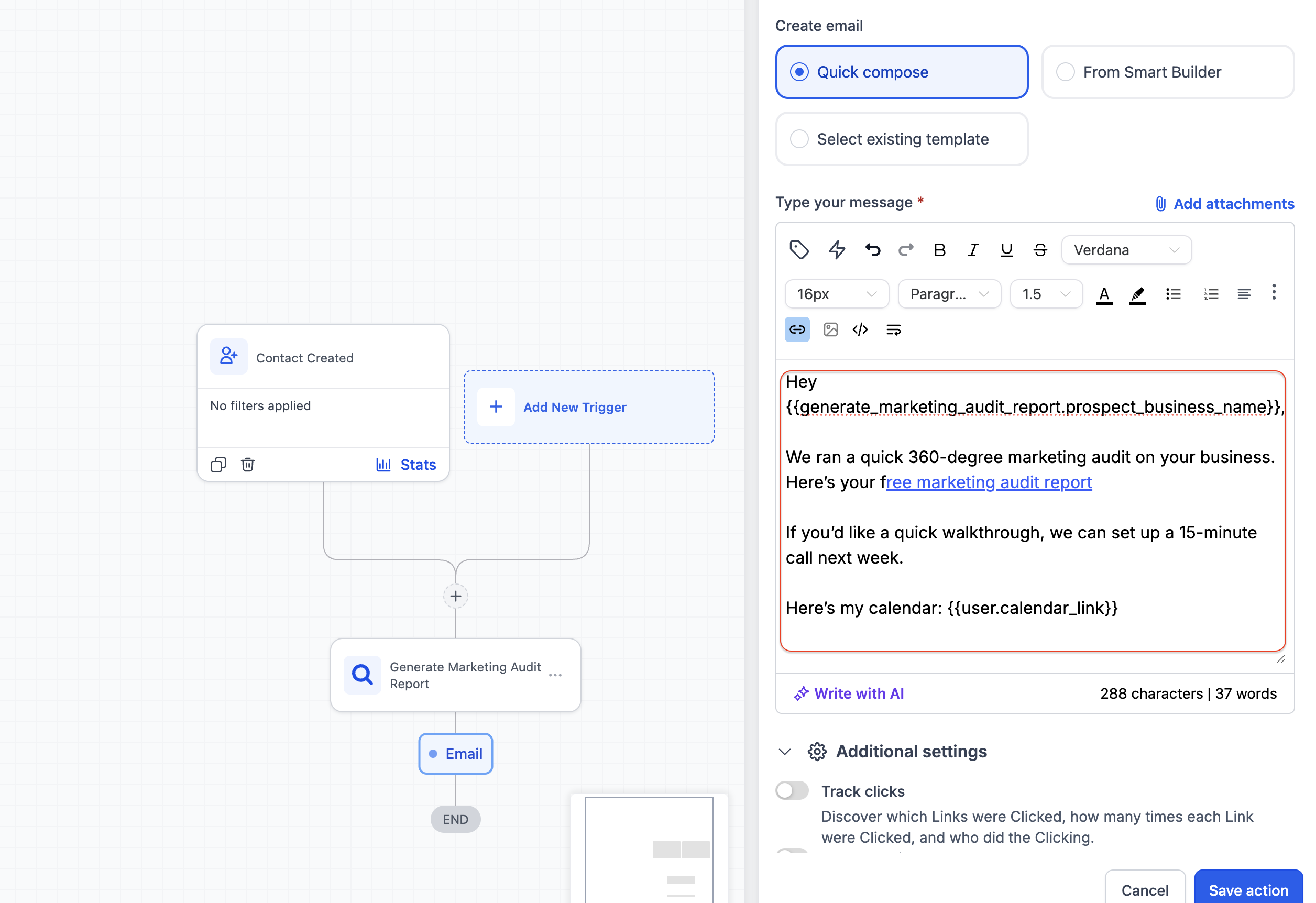
- Digital marketing agency. The agency creates a workflow that triggers on a new client form submission, adds the Generate Marketing Audit Report action, and follows it with an email that inserts {{prospect_business_name}} and {{prospect_web_report_link}} to deliver a personalized audit.
- SaaS startup. The startup builds a workflow that fires when a trial sign up is imported, generates the audit report, then sends an SMS containing the prospect's business name and the direct report link to engage the new user quickly.
- Real estate brokerage. The brokerage sets up a workflow triggered by a property inquiry, runs the audit report action, and then sends an email that includes the custom values to provide the lead with an immediate market analysis.
04Before you start
- Create or identify a workflow trigger such as a form submission, new lead, or import.
05How to set up and use marketing audit reports in HighLevel
Set up marketing audit report automation
- Open Automation > Workflows in HighLevel.
- Start a new workflow or edit an existing one.
- Add a trigger, for example a form submission, new lead, or import.
- Click + Add Action and choose Generate Marketing Audit Report.
- Add a follow up action like Send Email or Send SMS.
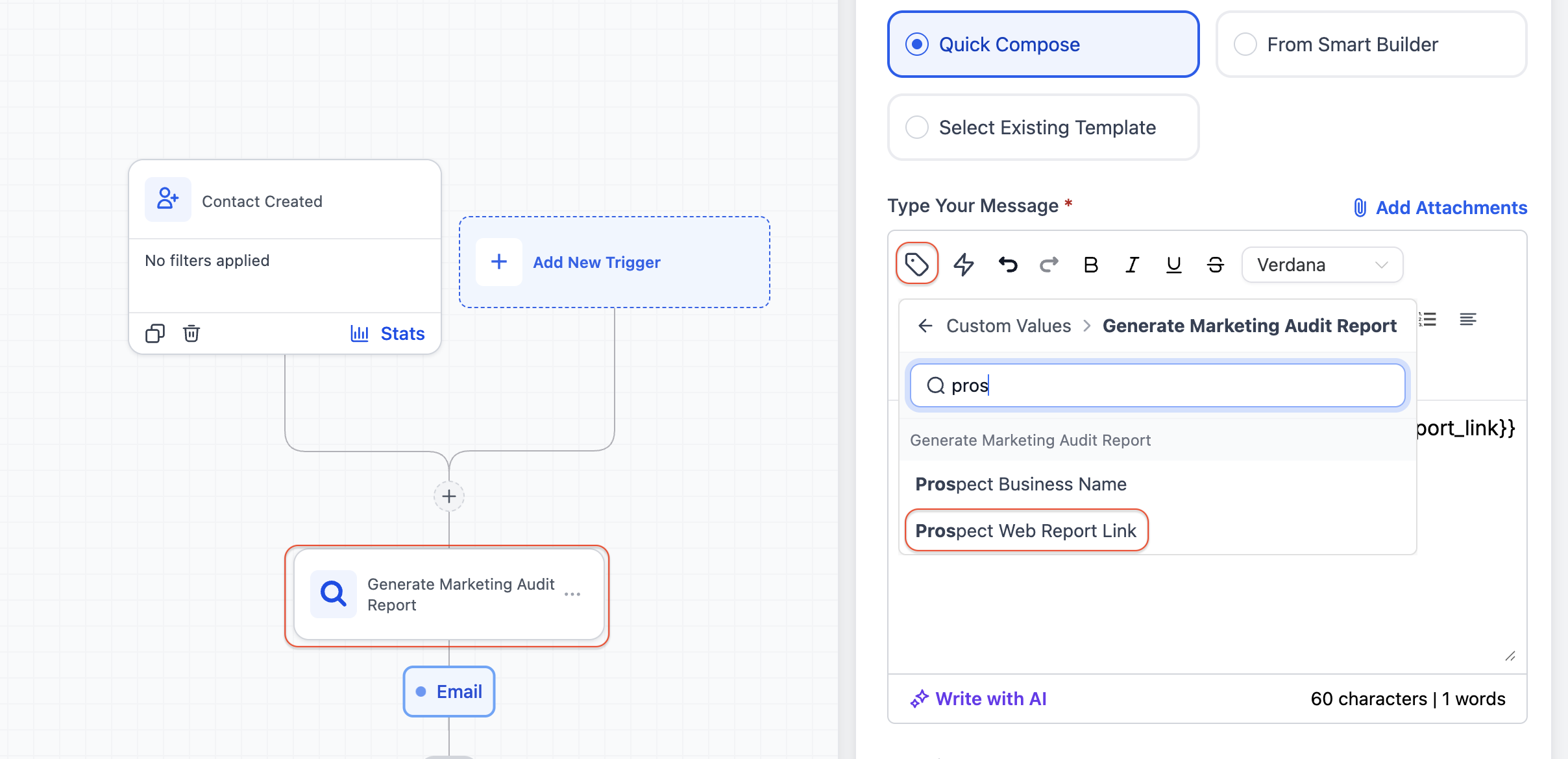
- In the message editor, place the Prospect Web Report Link variable.
- Also insert the Prospect Business Name variable.
- Ensure the Generate Marketing Audit Report action is placed before any Send Email or Send SMS steps so the custom values are available.
- Save the workflow and publish it.
06What it looks like in HighLevel
07Settings that matter
- Prospect Web Report Link. Provides the direct URL to the audit report created for the contact.
- Prospect Business Name. Contains the business name of the prospect for use in personalized messages.
08How it connects to the rest of HighLevel
- Learn the basics of building workflows before adding the audit action. Workflow basics
- Review how triggers, filters and actions work to correctly place the audit step. Workflow triggers
- See the full list of workflow capabilities that can be combined with audit reports. All workflow features
Michael's take

Wondering if spending time setting up automated audit reports will actually move the needle for your lead flow? The short answer is yes. You get a ready made piece of value delivered the moment a prospect shows interest, and you do it without lifting a finger for each contact.