
01Who this is for
- Founders who want the AI conversation to blend with their page design, creating a cohesive look.
- Marketing teams that need to position the chat near high intent sections like forms or offers.
- Web developers building custom HTML sites who require inline placement for tighter layout control.
02Embedded Voice AI chat widgets, explained
The Embedded Voice AI Chat Widget is a type of chat widget that renders inside the page content rather than floating in a corner. After you enable the Embedded/Inline placement, the widget becomes part of the page’s HTML flow, responding to the page’s styling and layout.
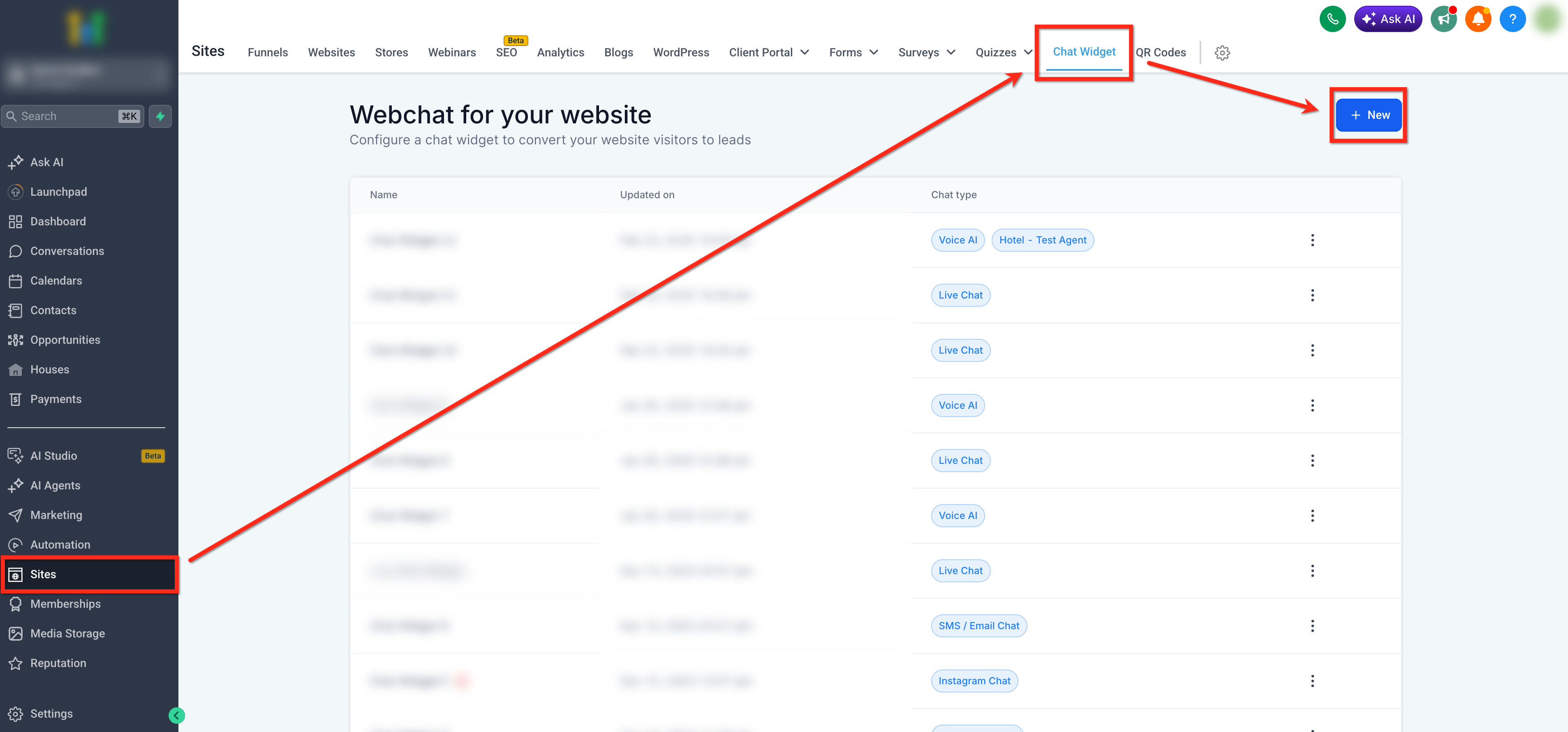
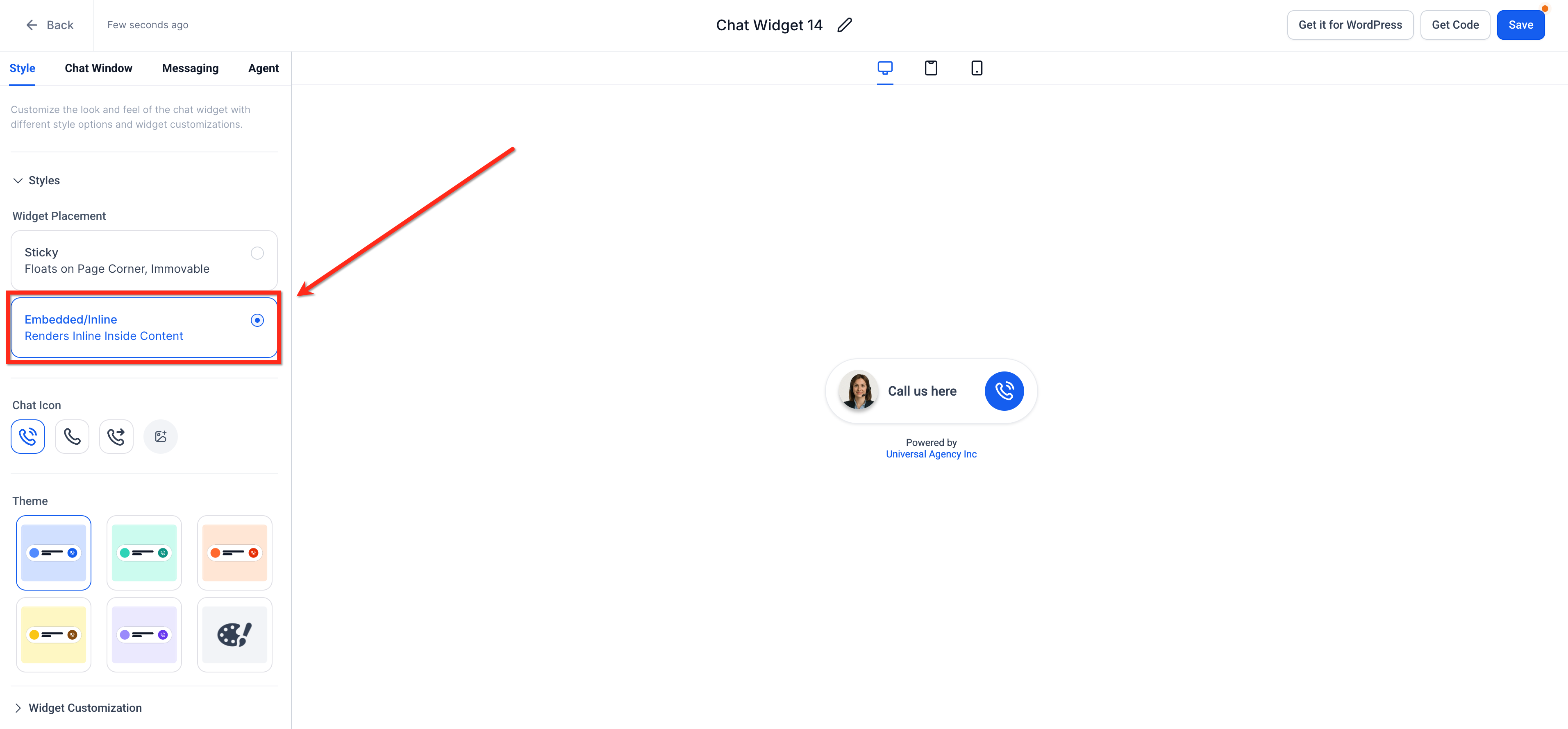
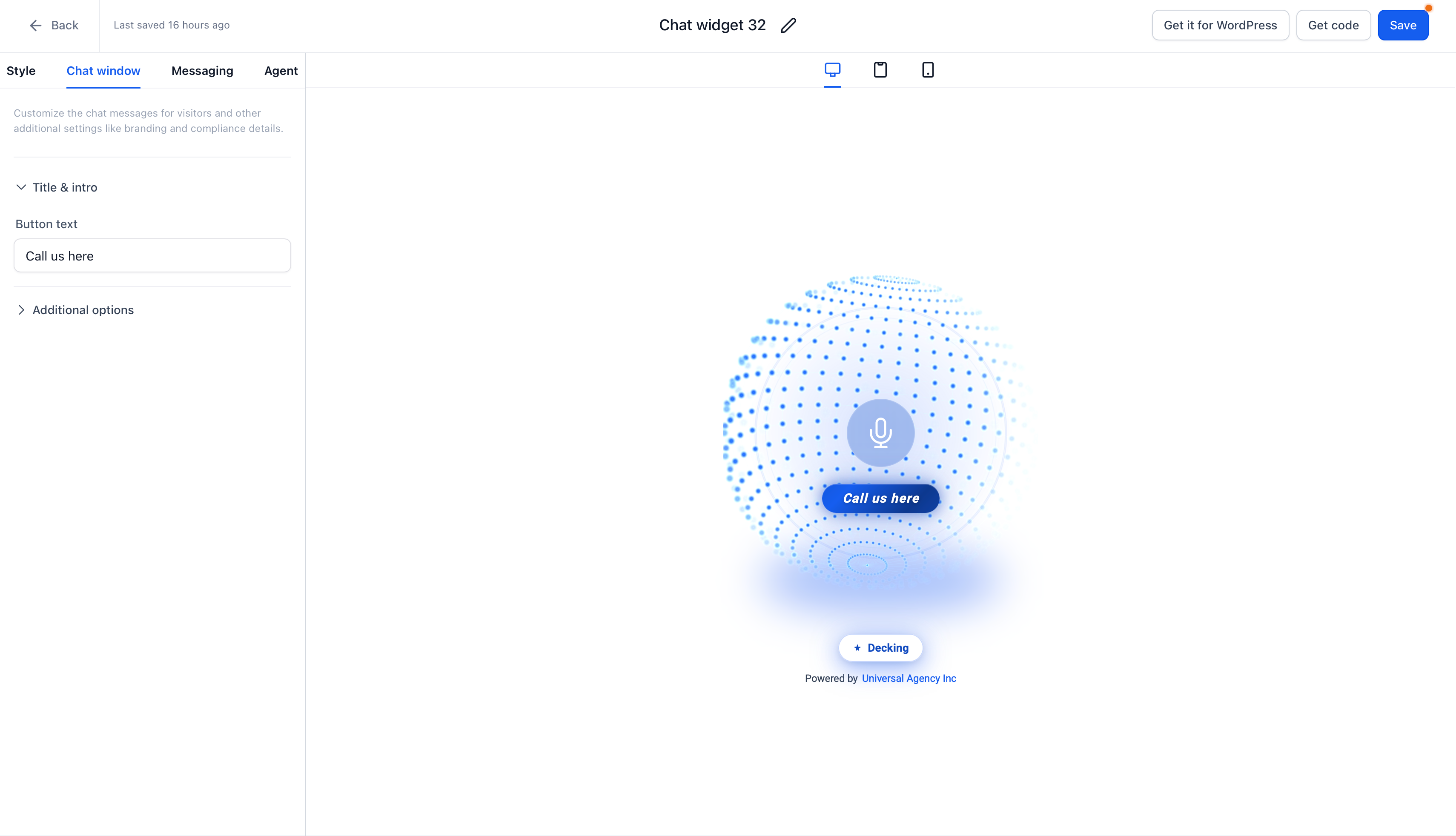
You configure the widget in the Chat Widget builder under Sites > Chat Widget. In the Style tab you select Embedded/Inline for placement, choose a display mode (Avatar or Visualiser) and set an interface size if you pick Visualiser. You also edit the button text that appears below the avatar and can adjust branding options.
When the widget is ready, you generate a unique embed code snippet. That code is inserted into any page using a Code element, such as in a funnel or website page. The widget appears inline, is mobile responsive by default, and can be mixed with sticky widgets on the same site.
03How businesses use Embedded Voice AI chat widget
- Real estate agency. The agency creates a Voice AI widget, sets it to Embedded, customizes the button text to "Ask about a property," and places the code block on property listing pages. Visitors can talk to the AI without leaving the page.
- Online course provider. The provider builds an embedded widget, chooses the Visualiser display mode with a medium size, and adds the embed code to the course enrollment page. Prospects can ask course questions directly within the enrollment flow.
- Dental practice. The practice sets up an embedded Voice AI widget, edits the button text to "Schedule a visit," and inserts the code into the services page. Patients can initiate scheduling conversations while reading service details.
04How to set up and use Embedded Voice AI chat widget in HighLevel
Create and embed an embedded Voice AI chat widget
- Navigate to Sites > Chat Widget and click + New, or open an existing widget.
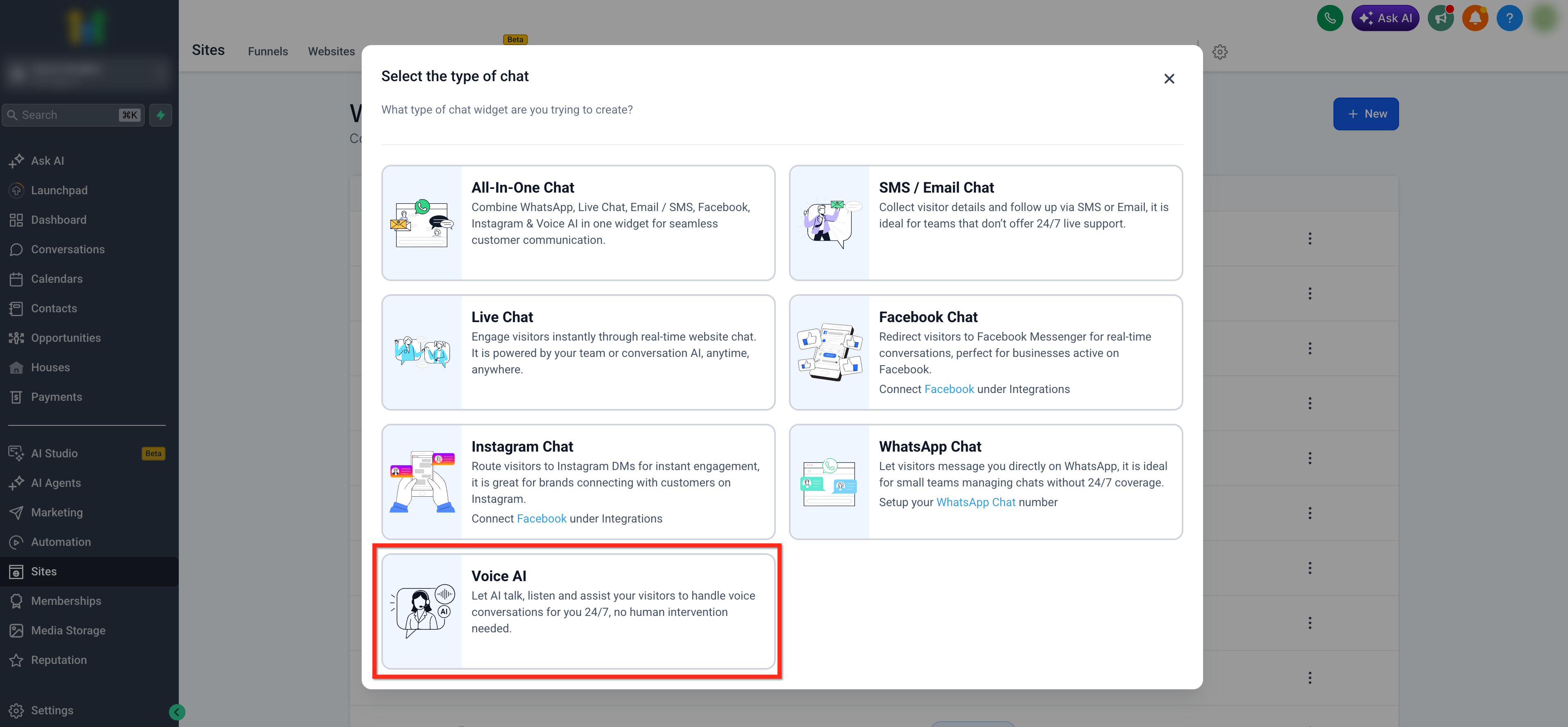
- Select the Voice AI chat option from the widget type list.
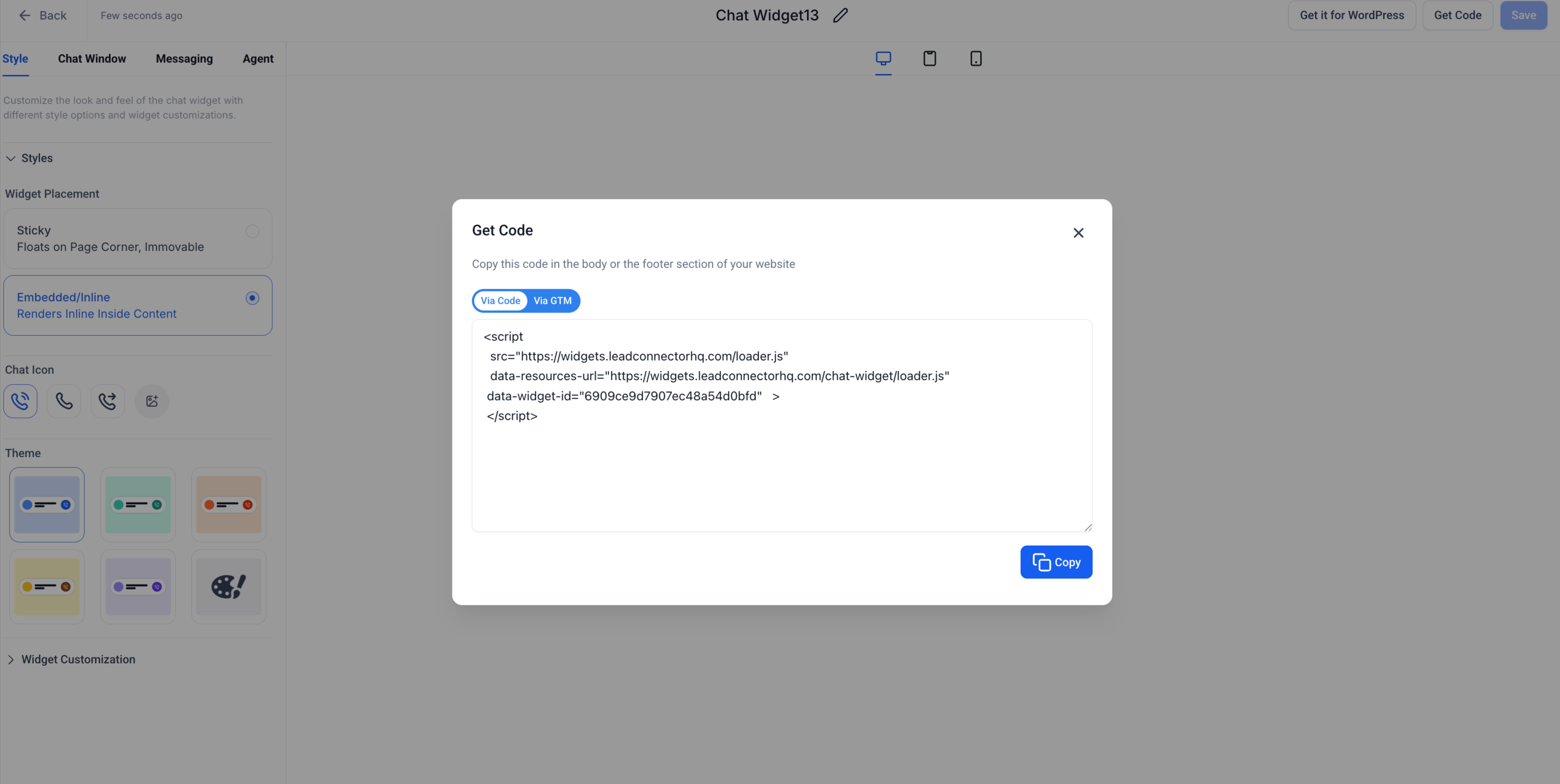
- Open the Style tab and choose Embedded / Inline under Widget Placement.
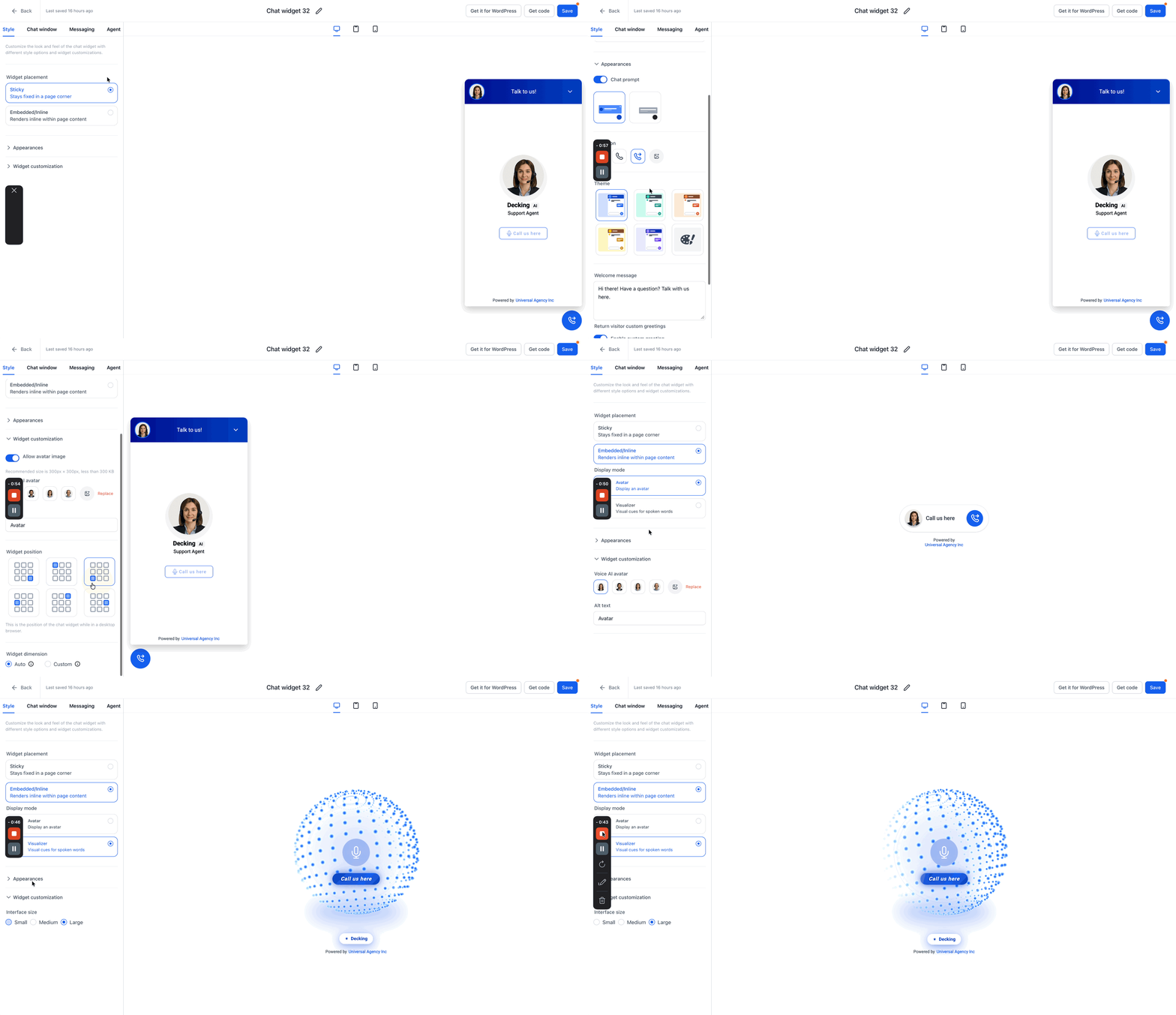
- Customize the widget’s appearance, select a Display Mode, set Interface Size if needed, and edit the Button Text.
- Click Get Code, copy the generated embed code snippet.
- In the target page, add a Code element from Quick Add > Custom.
- Paste the copied embed code into the Code editor, then save and publish the page.
05What it looks like in HighLevel
06Settings that matter
- Widget Placement. Determines whether the widget floats in a corner (Sticky) or appears inside page content (Embedded/Inline).
- Display Mode. Chooses between a static Avatar or a dynamic Visualiser for the Voice AI interface.
- Interface Size. Sets the size of the Visualiser display when that mode is selected; options are Small, Medium or Large.
- Button Text. Defines the text shown below the avatar in an embedded layout.
- Additional Options. Provides optional branding fields such as business name and compliance footer.
07Things to know before you rely on it
- The embedded widget automatically resizes for mobile devices; no manual settings are required.
- Settings that affect floating widgets, like widget position or contact form toggle, are hidden when Embedded/Inline is selected.
- Display Mode options are currently optimized only for Voice AI experiences.
- Multiple embedded widgets can be placed on the same site, sharing the same Voice AI agent.
- A mix of embedded and sticky widgets can be used across different pages.
08How it connects to the rest of HighLevel
- Install a chat widget and configure its workflow Chat widget installation
- Set up multiple chat widgets in a single subaccount Multiple widgets
- View HighLevel pricing and plans Pricing
Michael's take

The embedded Voice AI widget is a nice fit for sites that want the conversation to blend with the page design, but anyone looking for a quick floating bubble should skip it.