
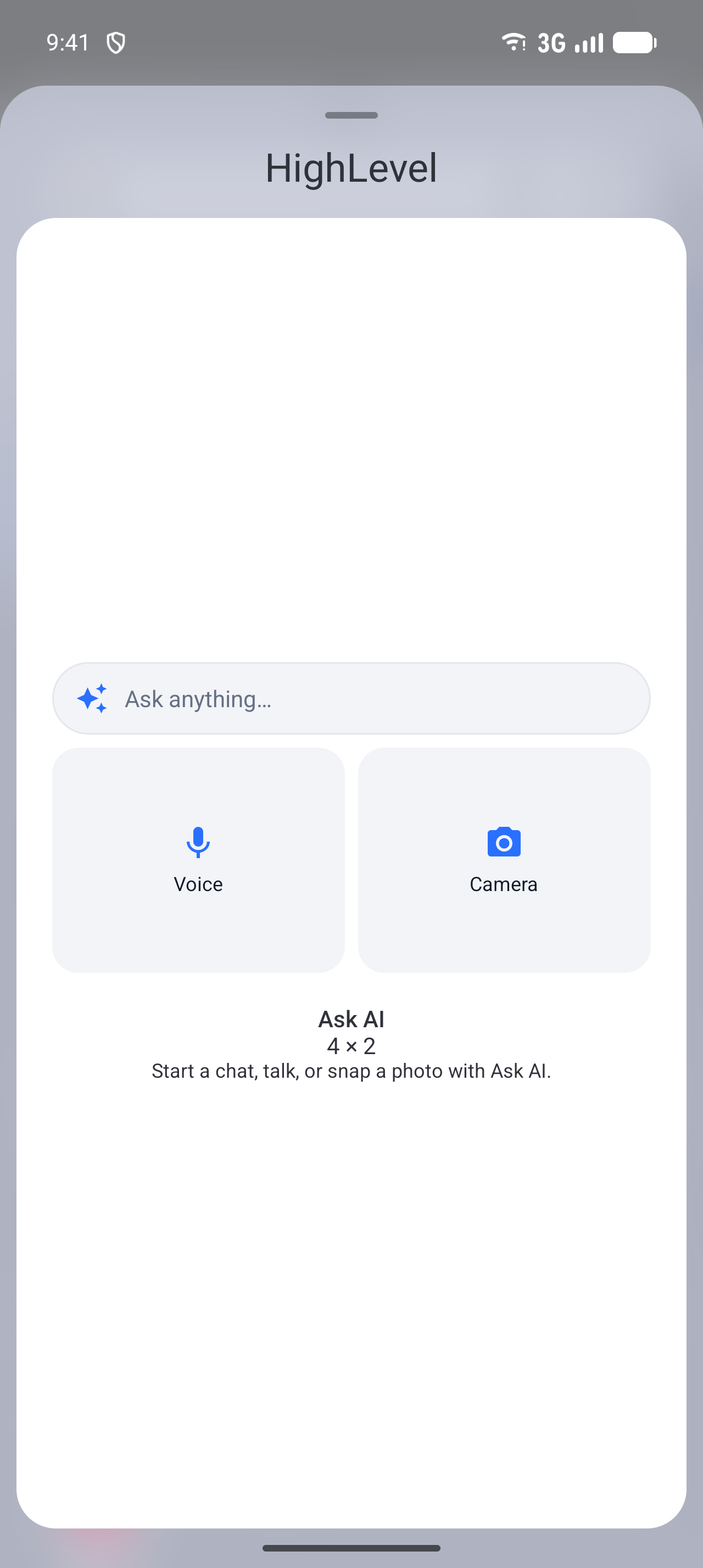
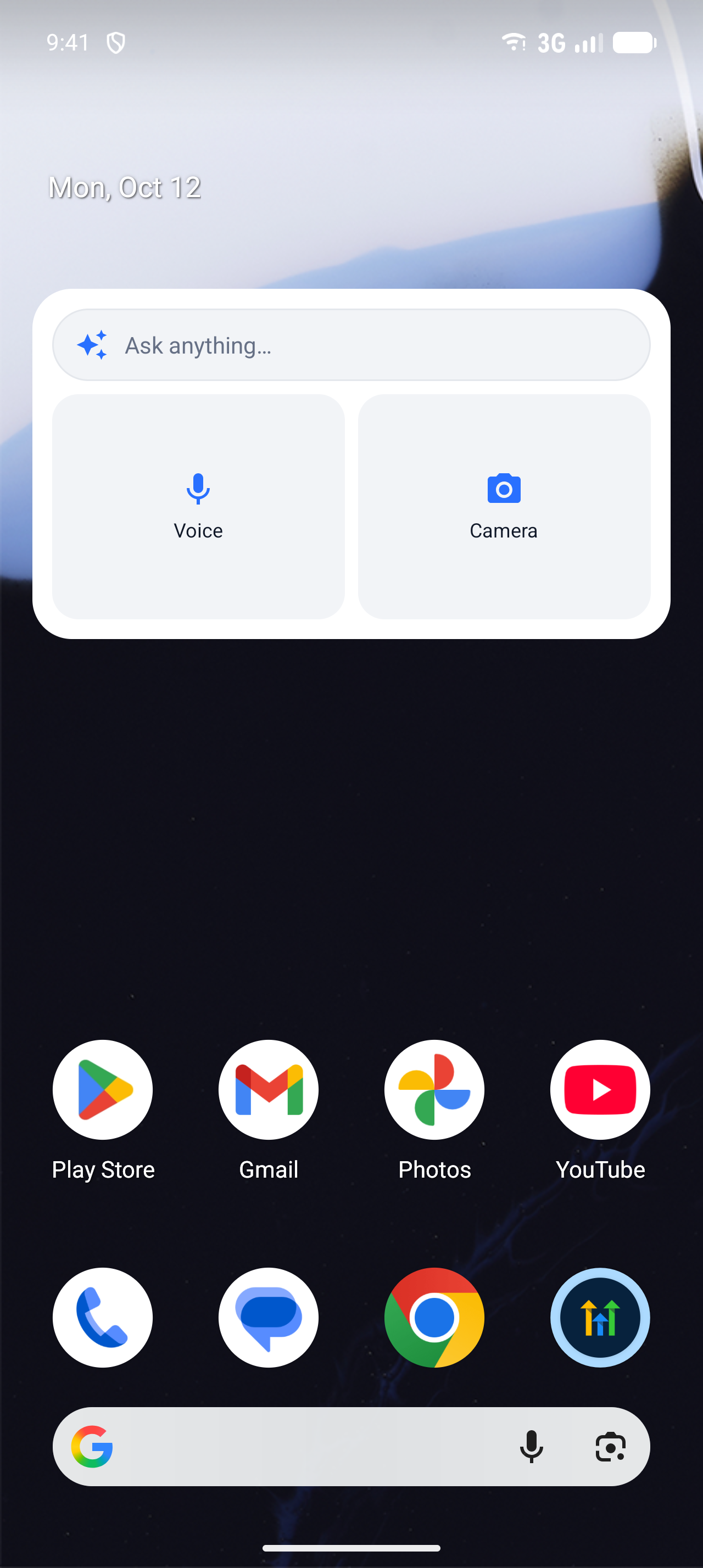
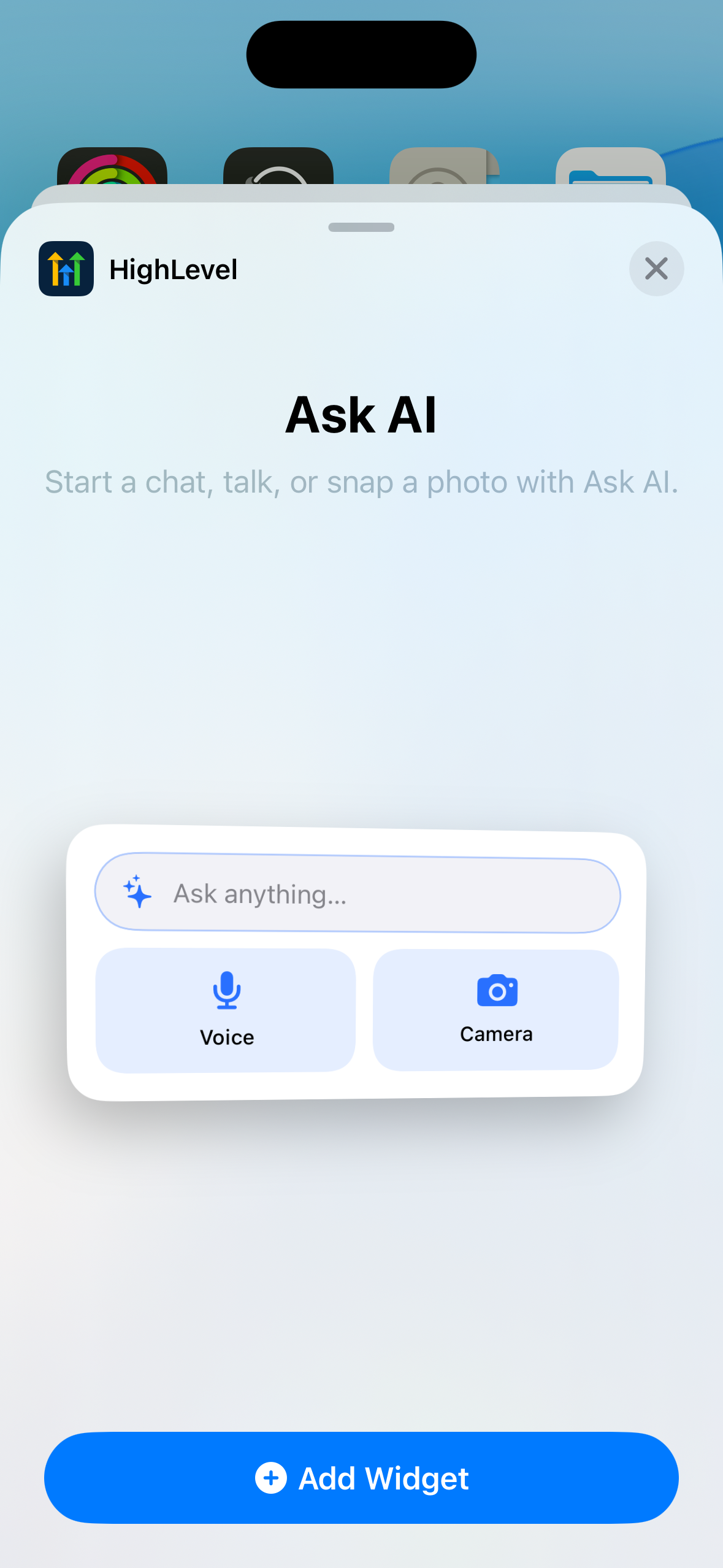
The new Ask AI home screen widget puts a chat bar, a Voice button and a Camera button on your home screen. One tap takes you straight into a fresh Ask AI chat, ready to type, talk or show it a photo.
Michael's take
My first impression is that this widget is a solid quality of life tweak rather than a game changing overhaul.
If you already have Ask AI on your phone, you can now place a chat bar, voice button and camera button right on the home screen and start a new conversation with a single tap.
I would test each button to make sure the chat opens, the voice mode activates, and the camera attaches a photo the way it does on the full app, especially when I’m signed out.
In a typical day I could snap a receipt on a job site, hit the camera button, ask the question and get an answer without ever leaving the home screen, which cuts a few steps from my workflow.
I’m a fan of any tool that trims friction and lets you stay focused on the work at hand.
Worth checking out for any Founder or agency owner who already runs Ask AI and wants to shave a few seconds off each query.
Why it matters for Founders
You spend your day switching between clients, jobs and apps. Each time you want Ask AI, you unlock your phone, find the app, open Ask AI, start a new chat and then choose how to ask. If you want to ask about something in front of you, like a document, a receipt or a job site, you also have to take a photo first and attach it.
- Save time:go from the home screen to asking a question in one tap.
- Get answers from what you see:snap a document, product or site and ask about it straight away.
- Work hands free:start a voice conversation with Ask AI while you're on the move.
- On brand everywhere:the widget uses your brand colours, including in White Label apps.
What changed
Add the Ask AI widget to your home screen and Ask AI is always one tap away:
- Chat bar:opens a new chat with the keyboard ready.
- Voice:opens a new chat in hands free voice mode.
- Camera:opens your camera, attaches the photo to a new chat and waits for your question.
The widget uses your app's language and brand colours in light and dark mode. Taps made while signed out are picked up again after you sign in.
How to turn it on
- Navigate:Long press an empty spot on your home screen and tap+(iOS) orWidgets(Android).
- Activate:Search for your app, pick the Ask AI widget and add it to your home screen.
- Enjoy:Tap the chat bar, Voice or Camera to start a fresh Ask AI chat.
Notes and availability
- Release Date:October 2026
- Available Version:v4.27.0 and later
- Platform:iOS (16.6+) and Android
- Status:Public (for accounts with Ask AI enabled)
- HighLevel:
- LeadConnector:
- WL App:Opt In. Turned on per company with the "Ask AI Home Widget" switch in the service dashboard. Off by default.
Questions Founders ask
What did HighLevel release in "Ask AI Mobile: Home Screen Widget"?
The new Ask AI home screen widget puts a chat bar, a Voice button and a Camera button on your home screen. One tap takes you straight into a fresh Ask AI chat, ready to type, talk or show it a photo.
What should a Founder do with Ask AI Mobile: Home Screen Widget?
Add the Ask AI widget to your phone’s home screen this week and try each button. Anyone already using Ask AI who wants faster access from their phone.
How do I turn on Ask AI Mobile: Home Screen Widget in HighLevel?
In HighLevel: Navigate: Long press an empty spot on your home screen and tap + (iOS) or Widgets (Android). Then Activate: Search for your app, pick the Ask AI widget and add it to your home screen. Then Enjoy: Tap the chat bar, Voice or Camera to start a fresh Ask AI chat.
Why does Ask AI Mobile: Home Screen Widget matter?
You spend your day switching between clients, jobs and apps. Each time you want Ask AI, you unlock your phone, find the app, open Ask AI, start a new chat and then choose how to ask. If you want to ask about something in front of you, like a document, a receipt or a job site, you also have to take a photo first and attach it.
How do I get this feature with setup help?
Start a free HighLevel trial through Michael Reimer's link and the CRM Pros team helps with setup in your first 7 days, with an onboarding call, three live calls every week and the affiliate community included.
Get More InformationOpens in a new tab Published November 2, 2026. Screenshots belong to HighLevel.