
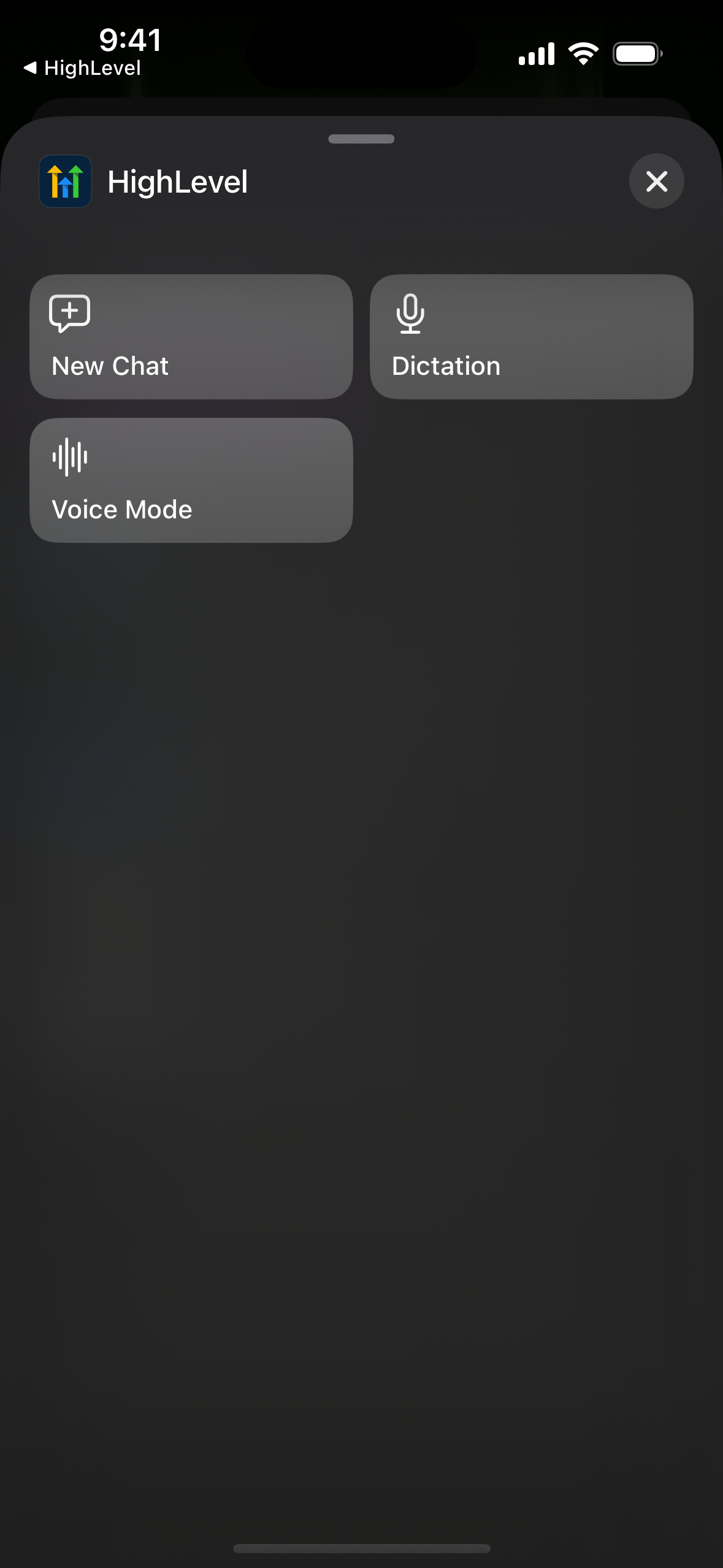
Ask AI now has three iOS shortcuts: New Chat, Dictation and Voice Mode. Put one on your iPhone's Action button, or start it with Siri or Spotlight, and Ask AI opens ready to listen.
Michael's take
The new iOS shortcuts feel like a small but useful tweak. It’s not a new AI model, just a quicker way to launch the app.
If you already have Ask AI on your phone, you can now assign New Chat, Dictation or Voice Mode to the Action button or call them with Siri or Spotlight.
I’d give each shortcut a quick run through. I’d make sure the mic turns on only when I expect it, and that an existing voice session isn’t cut off by mistake.
In practice I’d press the Action button while driving to dictate a quick client note or ask for a follow up email draft without unlocking the phone.
Tools should shrink the friction between thought and action, not add another step.
It’s worth a look for any Founder or agency owner who already runs Ask AI on iOS.
Why it matters for Founders
Your best ideas come when your hands are busy: Walking to a meeting, driving between jobs, or right after a client call. Unlocking your phone, opening the app, finding Ask AI, starting a new chat and tapping the mic takes too many steps. By the time you get there, the thought is gone.
- One press to ask:go from a locked phone to talking with Ask AI in seconds.
- Hands free updates:dictate notes or have a voice conversation while you're on the move.
- A fresh start every time:each press opens a new chat, so old topics don't mix into new answers.
- Works with Siri and Spotlight:use it even without an Action button.
- Safe by design:consent and access checks still apply, and the mic never starts unexpectedly.
What changed
Pick an Ask AI shortcut for your Action button. One press opens the app, even if it was closed, starts a fresh chat and, for Dictation and Voice Mode, turns on the mic. You can also sayStart voice mode in <app name>to Siri, or find the shortcuts in Spotlight. If a voice or dictation session is already running, nothing is interrupted.
How to turn it on
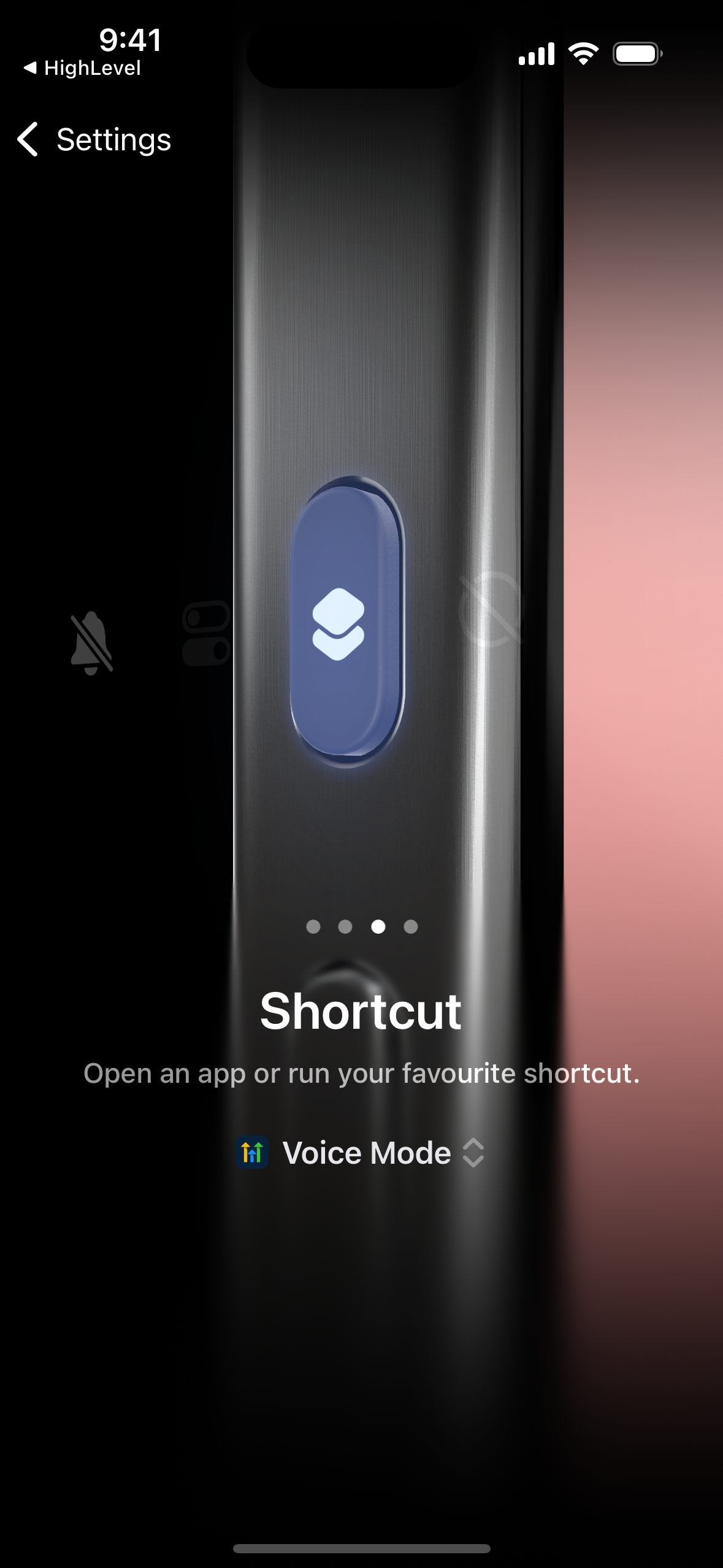
- Navigate:Open iPhone Settings > Action Button and swipe to Shortcut.
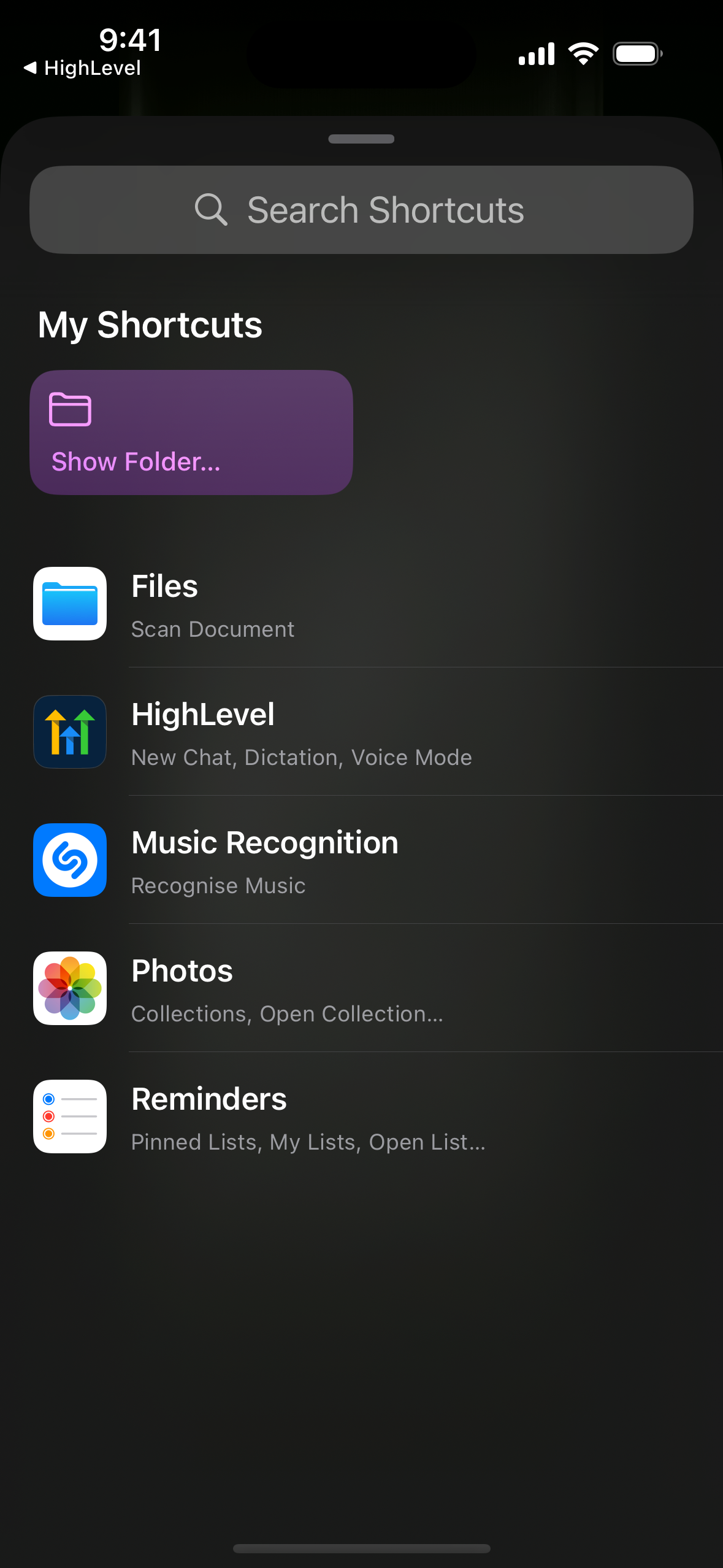
- Activate:Tap Choose a Shortcut, find HighLevel (or your app's name) and pick New Chat, Dictation or Voice Mode.
- Enjoy:Press and hold the Action button, and Ask AI opens ready to go. No Action button? Say "Start a new chat in <app name>" to Siri.
Notes and availability
- Release Date:October 2026
- Available Version:v4.27.0 and later
- Platform:iOS only (Action button needs iPhone 15 Pro or later; Siri and Spotlight work on iOS 16.6+)
- Status:Public (for accounts with Ask AI enabled)
- HighLevel:
- LeadConnector:
- WL App:
Questions Founders ask
What did HighLevel release in "Ask AI Mobile: IOS Action button"?
Ask AI now has three iOS shortcuts: New Chat, Dictation and Voice Mode. Put one on your iPhone's Action button, or start it with Siri or Spotlight, and Ask AI opens ready to listen.
What should a Founder do with Ask AI Mobile: IOS Action button?
Set up one of the Ask AI shortcuts on your iPhone’s Action button this week and try it on a walk or drive. Anyone who already uses Ask AI on an iPhone and wants to capture ideas without fumbling with the phone.
How do I turn on Ask AI Mobile: IOS Action button in HighLevel?
In HighLevel: Navigate: Open iPhone Settings > Action Button and swipe to Shortcut. Then Activate: Tap Choose a Shortcut, find HighLevel (or your app's name) and pick New Chat, Dictation or Voice Mode. Then Enjoy: Press and hold the Action button, and Ask AI opens ready to go. No Action button? Say "Start a new chat in <app name>" to Siri.
Why does Ask AI Mobile: IOS Action button matter?
Your best ideas come when your hands are busy: Walking to a meeting, driving between jobs, or right after a client call. Unlocking your phone, opening the app, finding Ask AI, starting a new chat and tapping the mic takes too many steps. By the time you get there, the thought is gone.
How do I get this feature with setup help?
Start a free HighLevel trial through Michael Reimer's link and the CRM Pros team helps with setup in your first 7 days, with an onboarding call, three live calls every week and the affiliate community included.
Get More InformationOpens in a new tab Published November 2, 2026. Screenshots belong to HighLevel.