
01Who this is for
- Founders who want to handle social media messages from their site without opening a separate chat tool.
- Marketing teams that need to meet prospects on the platform they already use for daily messaging.
- Support staff who prefer to keep all inbound conversations, SMS, email, WhatsApp, and Meta, in a single inbox.
02Facebook and Instagram chat widgets, explained
The feature adds a selectable chat type inside the HighLevel Chat Widget. Choosing Facebook Chat or Instagram Chat creates a bubble that, when clicked, opens the visitor’s Messenger or Instagram DM app. The conversation then proceeds on the native Meta platform.
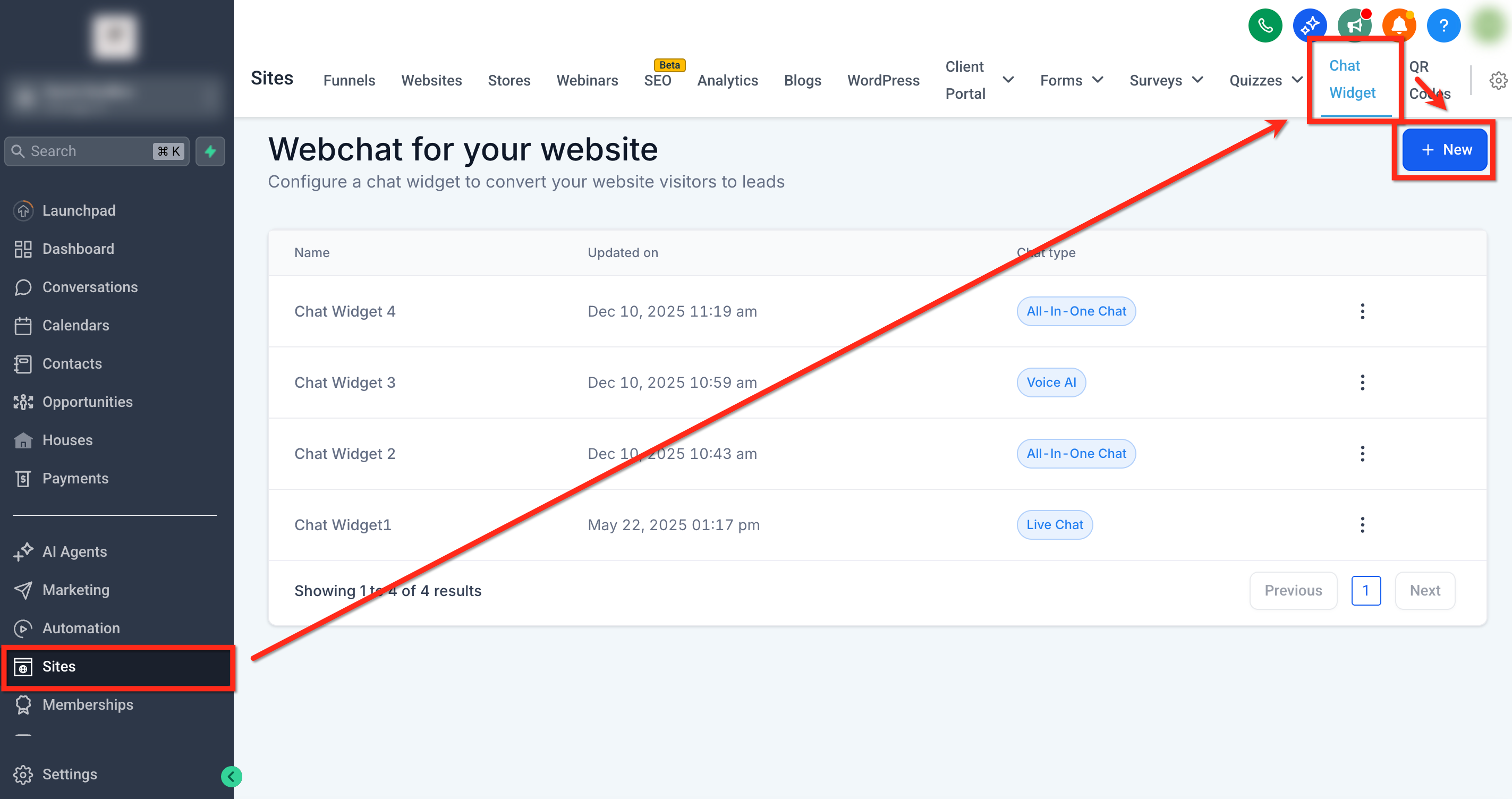
The widget is built in the Sites > Chat Widgets area. After selecting the type, you customize its look on the Style, Chat Window, and Messaging tabs. The linked Facebook Page or Instagram Business account is chosen in the Chat Window settings.
Once saved, the widget provides a code snippet that can be embedded on any external website, a WordPress site, or directly inside a HighLevel funnel or website builder. All Meta messages appear in the platform’s Conversations tab alongside other channels.
03How businesses use Facebook and Instagram chat widgets
- Real estate agency. The agency creates an Instagram Chat widget, styles it with its brand colors, and embeds the code on property listing pages. Prospects who click the bubble are taken to Instagram DM, where the agent continues the conversation.
- Ecommerce store. The store adds a Facebook Chat widget to product pages, selects the appropriate Facebook Page, and customizes the greeting. Shoppers start a Messenger chat without leaving the site, and replies are managed in the Conversations inbox.
- Health clinic. The clinic builds an Instagram Chat widget for its appointment page, connects its Instagram business account, and saves the widget. Patients click the icon, open Instagram DM, and the clinic schedules appointments through the native app.
04Before you start
- A Facebook Page or Instagram Business account must be connected to the subaccount via Integrations.
- The connected account must have messaging permissions enabled for the widget to function.
05How to set up and use Facebook and Instagram chat widgets in HighLevel
Create and install a Facebook or Instagram chat widget
- Open Sites > Chat Widgets and press the blue + New button.
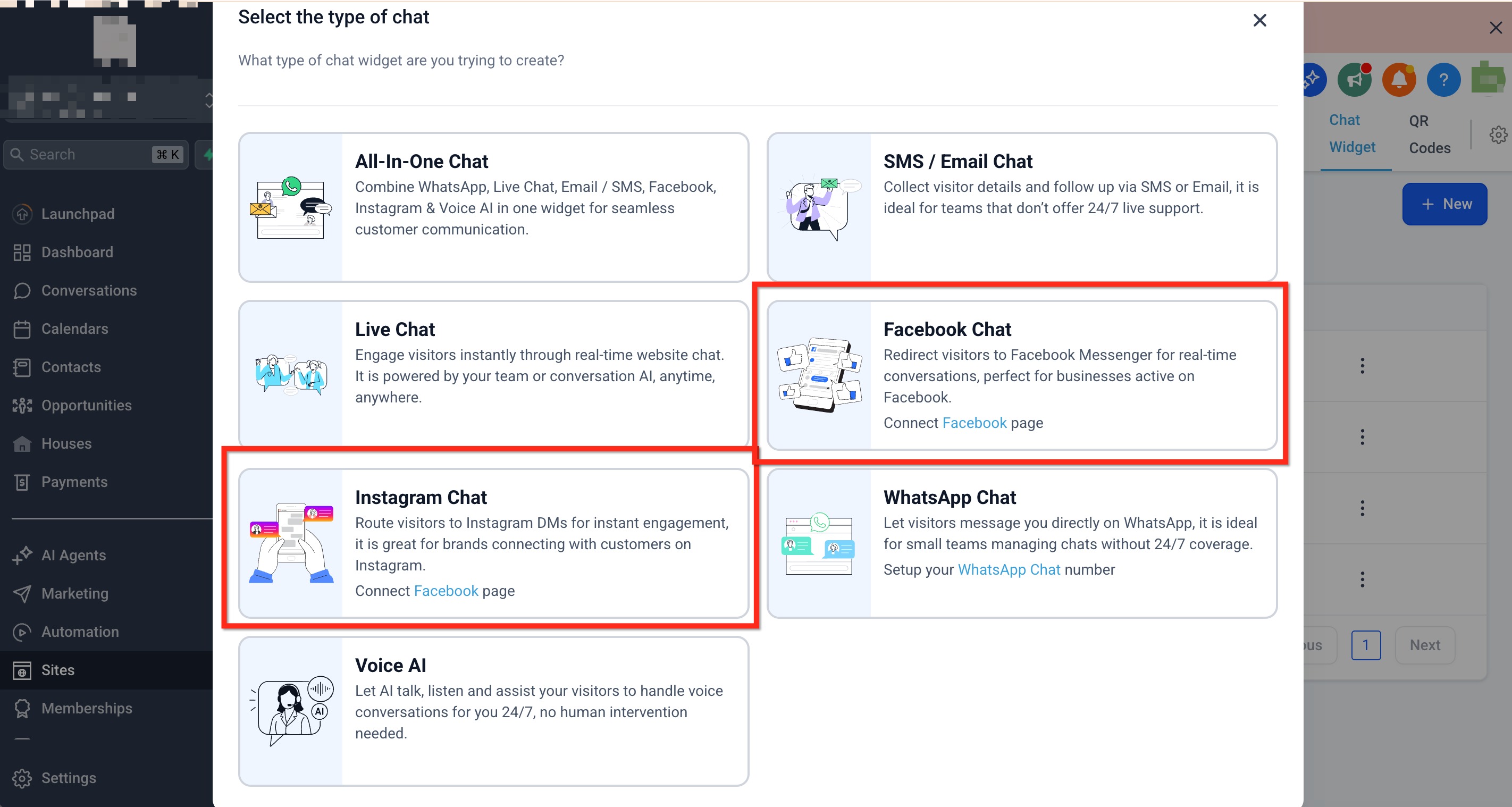
- In the pop up, select either Facebook Chat or Instagram Chat as the widget type.
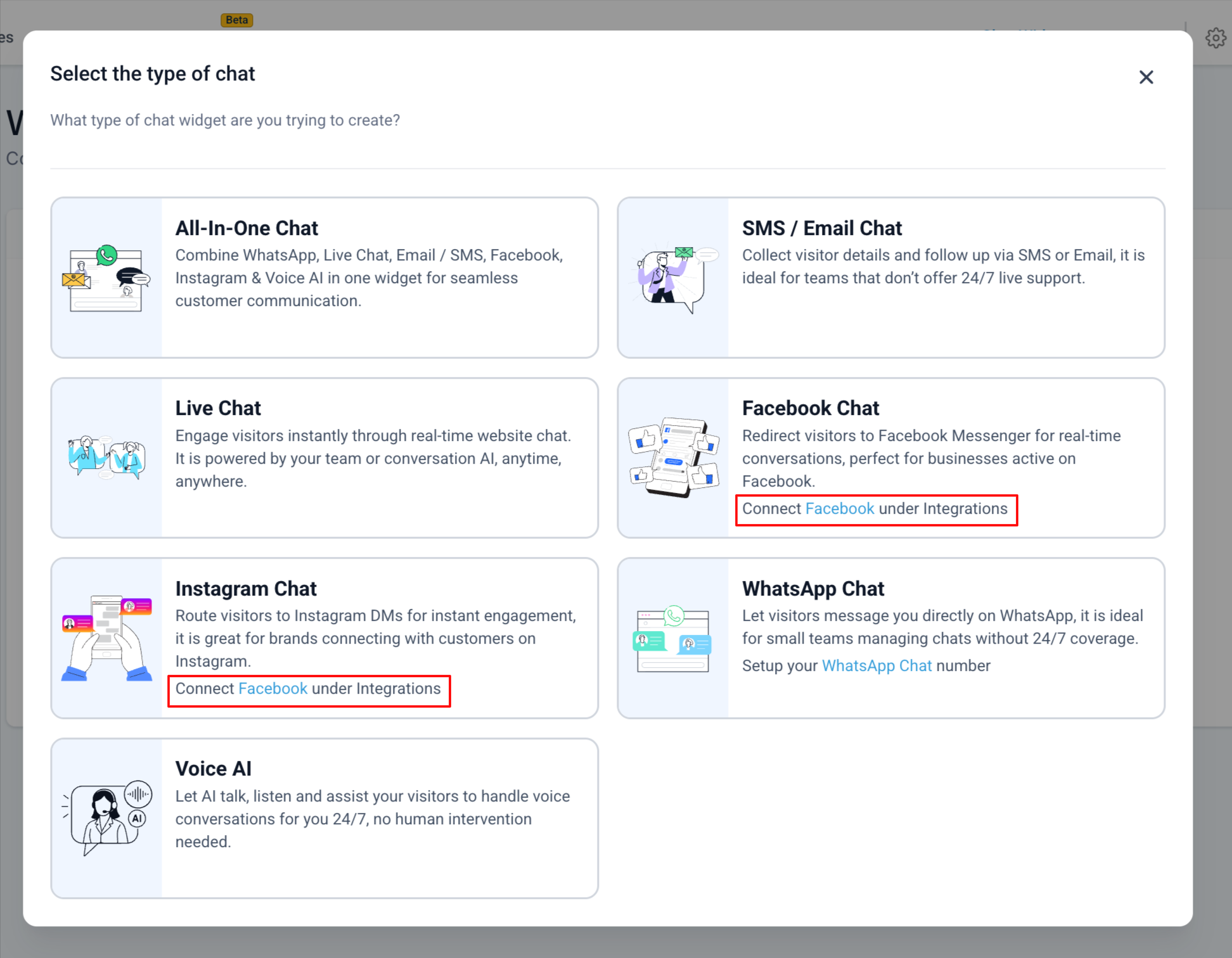
- If a page selection modal appears, choose the Facebook Page or Instagram Business account to use.
- If no account is connected, click the in modal link, connect the account under Integrations, then return to pick the chat type.
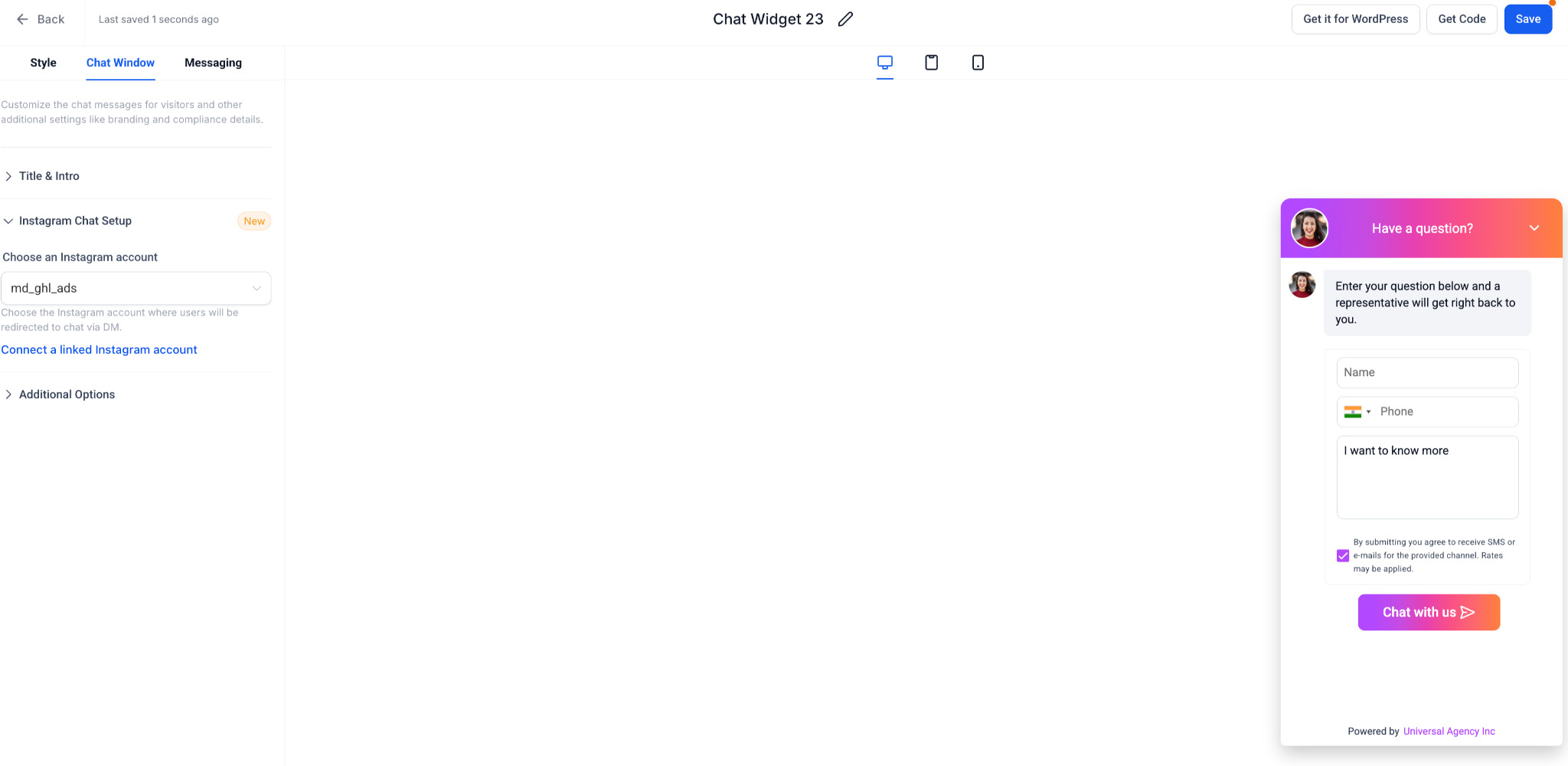
- Adjust the Style, Chat Window, and Messaging tabs to set colors, greeting text, and launcher icon.
- Within the Chat Window tab, change the linked Facebook or Instagram account if needed; use the Connect a linked Facebook/Instagram account button to add more.
- Save the widget after all customizations are complete.
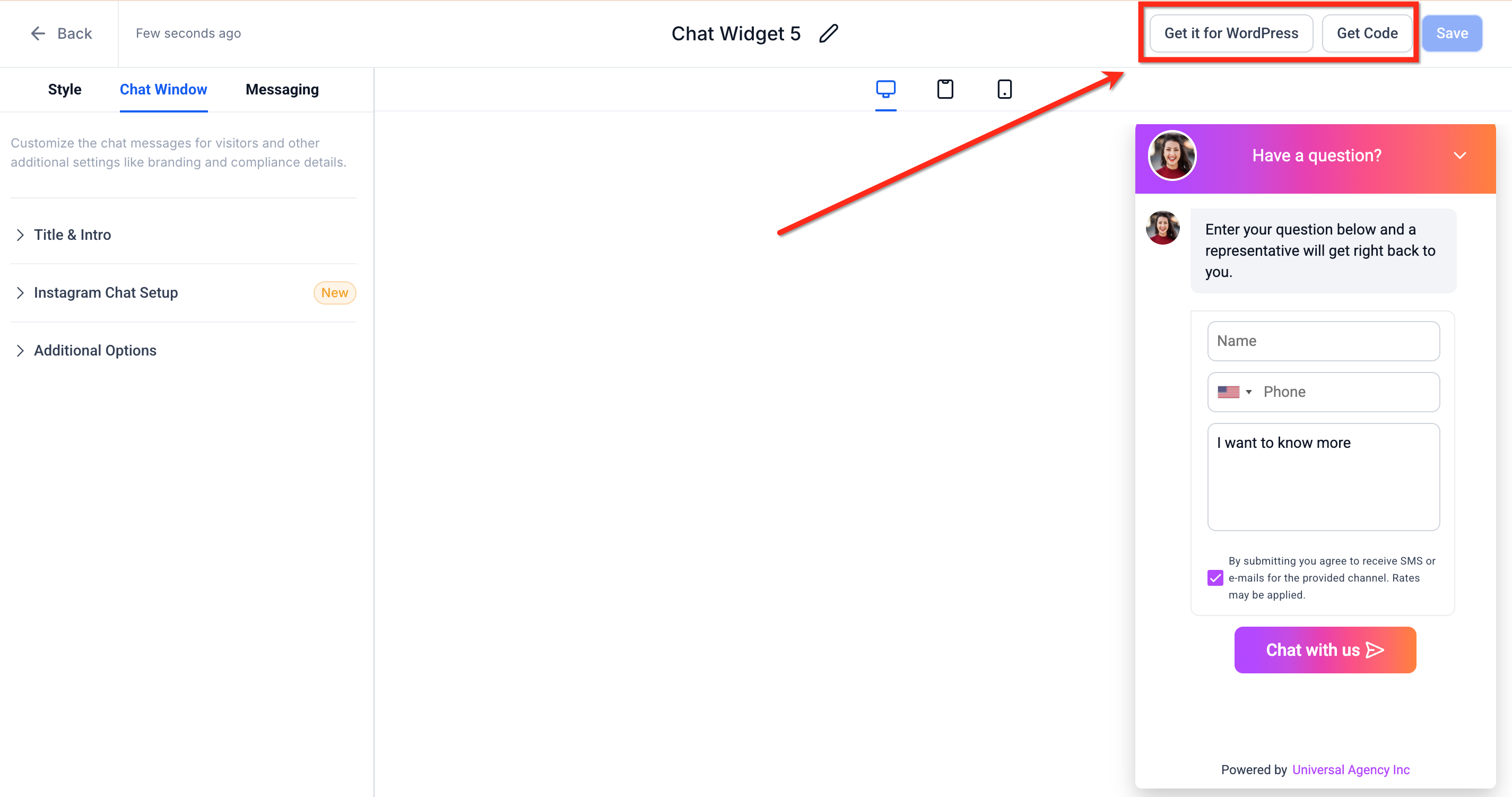
- Click Get Code (or Get it for Wordpress) and paste the snippet into the desired website or funnel page.
06What it looks like in HighLevel
07Settings that matter
- Style. Controls the visual appearance of the widget, such as colors, greeting text, and launcher icon.
- Chat Window. Determines which Facebook Page or Instagram Business account is linked and manages window related options.
- Messaging. Sets messaging related options, including the greeting text shown to visitors before they click the widget.
08Things to know before you rely on it
- A Facebook or Instagram widget cannot be selected unless the corresponding account is already connected to the subaccount.
- Each widget is limited to a single channel; you cannot enable both Facebook and Instagram in the same widget.
- Visitors must be logged into Facebook or Instagram; otherwise a Meta login screen appears first.
- Styling and placement behave the same as other chat types; only the conversation location differs.
09How it connects to the rest of HighLevel
- How to install HighLevel chat widget and configure its workflow Install chat widget
- How to set up HighLevel’s All in One Chat widget All in One Chat
- How to set up multiple chat widgets in one HighLevel subaccount Multiple widgets
Michael's take

Facebook and Instagram chat widgets are great if you already rely on Meta messaging for support.
Businesses that don’t use Facebook or Instagram for customer communication can skip this feature.