
01Who this is for
- Customer support teams get visitor details up front, ensuring every chat is tied to a contact record.
- Marketing managers can trigger follow up automations as soon as the form is submitted.
02Contact forms in chat widget, explained
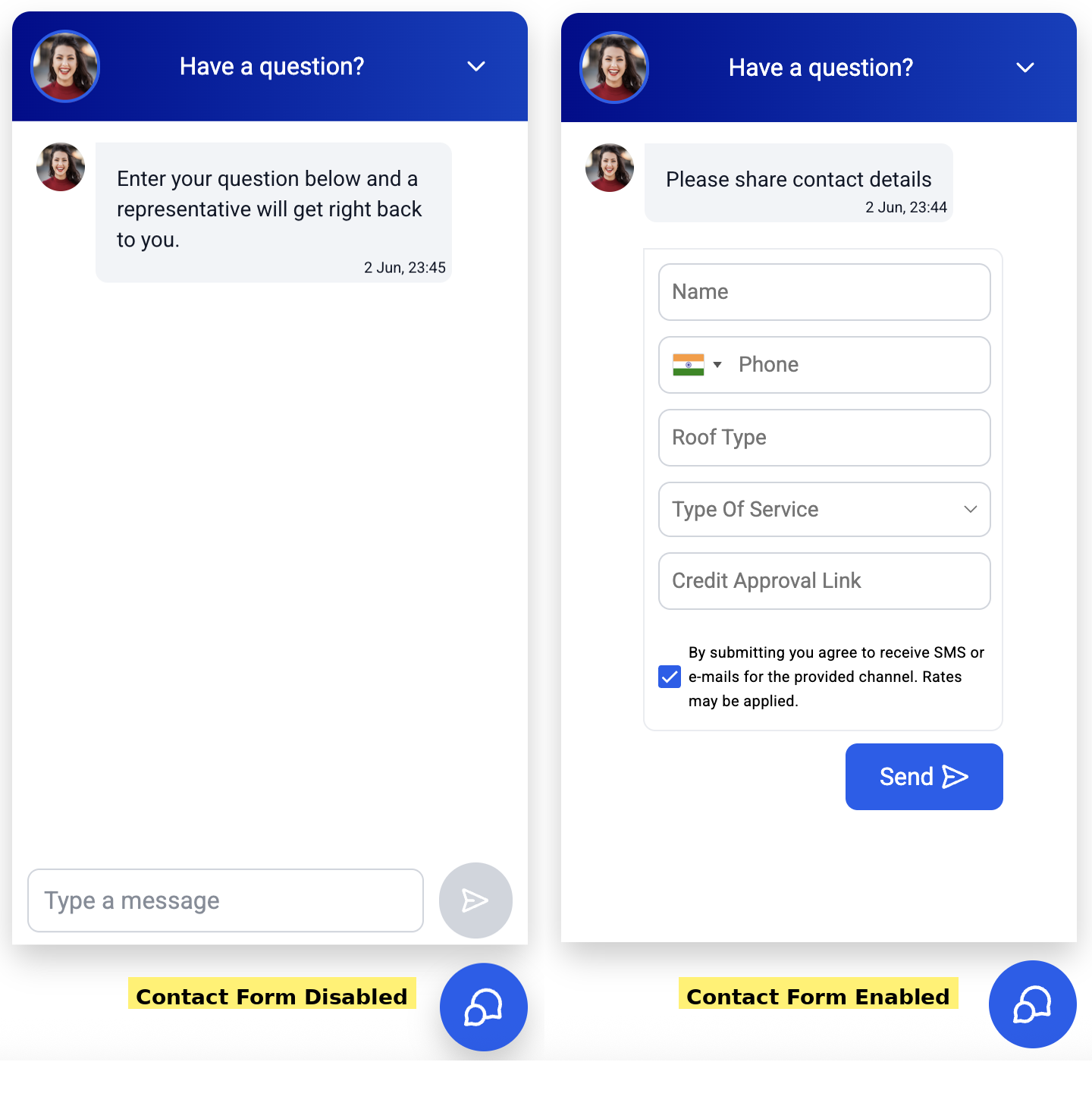
The Contact Form appears inside the Live Chat widget when the Enable Contact Form toggle is turned on. Visitors must fill out the required fields before the message box unlocks, guaranteeing a contact record for every conversation. The form respects smart re entry: returning visitors with an active session skip the prompt, while others see it again.
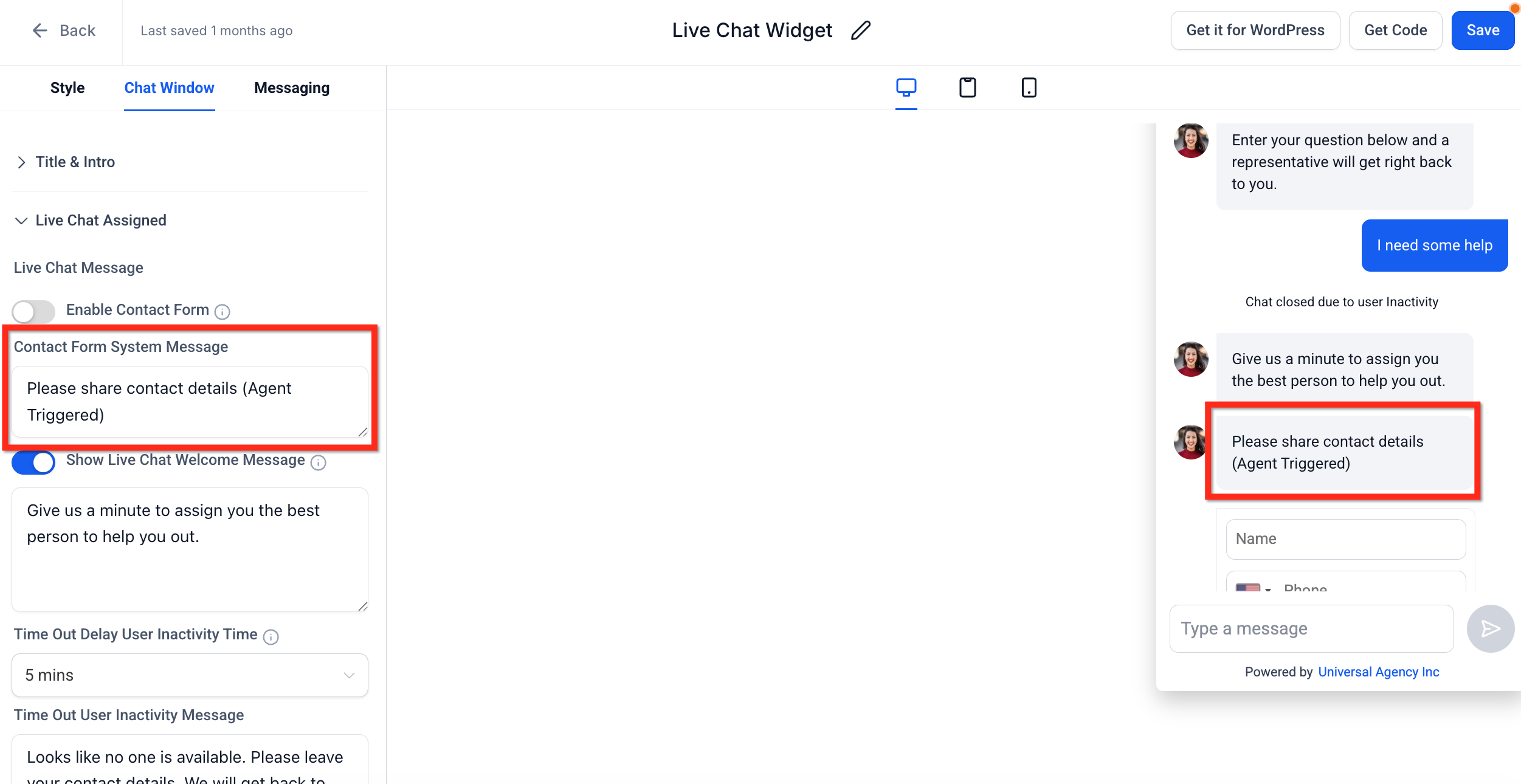
The feature lives in the Chat Widget settings under Sites > Chat Widget. In the Chat Window tab you find the Live Chat Assigned drop down where the Enable Contact Form toggle resides. Two editable messages, Contact Form Intro Message and Contact Form System Message, let you control the wording shown automatically or when an agent requests details. The setting works for Live and All in One (Live) chat types only.
03How businesses use the contact form in chat widget
- Real estate agency. The agency enables the contact form on its website chat widget, requiring name and phone number. Agents receive the details right away, allowing them to schedule showings and log prospects in HighLevel.
- Dental practice. The practice customizes the intro message to ask for name and email, then uses the form submission trigger to automatically send appointment reminders through a HighLevel workflow.
- Online retailer. The retailer adds a custom field for order number within the five field limit, forces visitors to fill it before chatting, and uses the captured data to pull order status within the conversation.
04How to set up and use the contact form in chat widget in HighLevel
Enable or disable the Contact Form for a chat widget
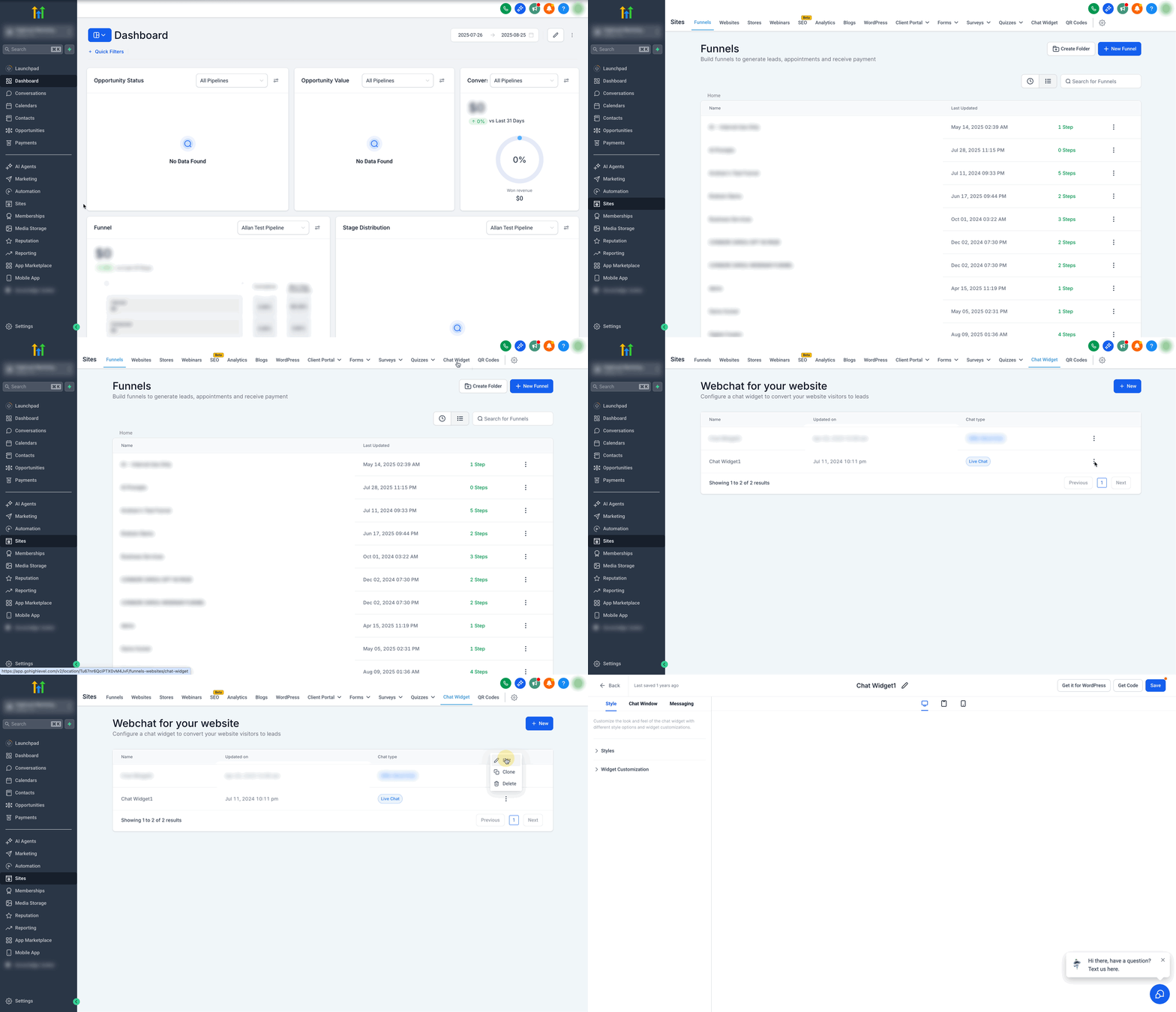
- Go to Sites > Chat Widget in the subaccount and pick the widget you want to edit.
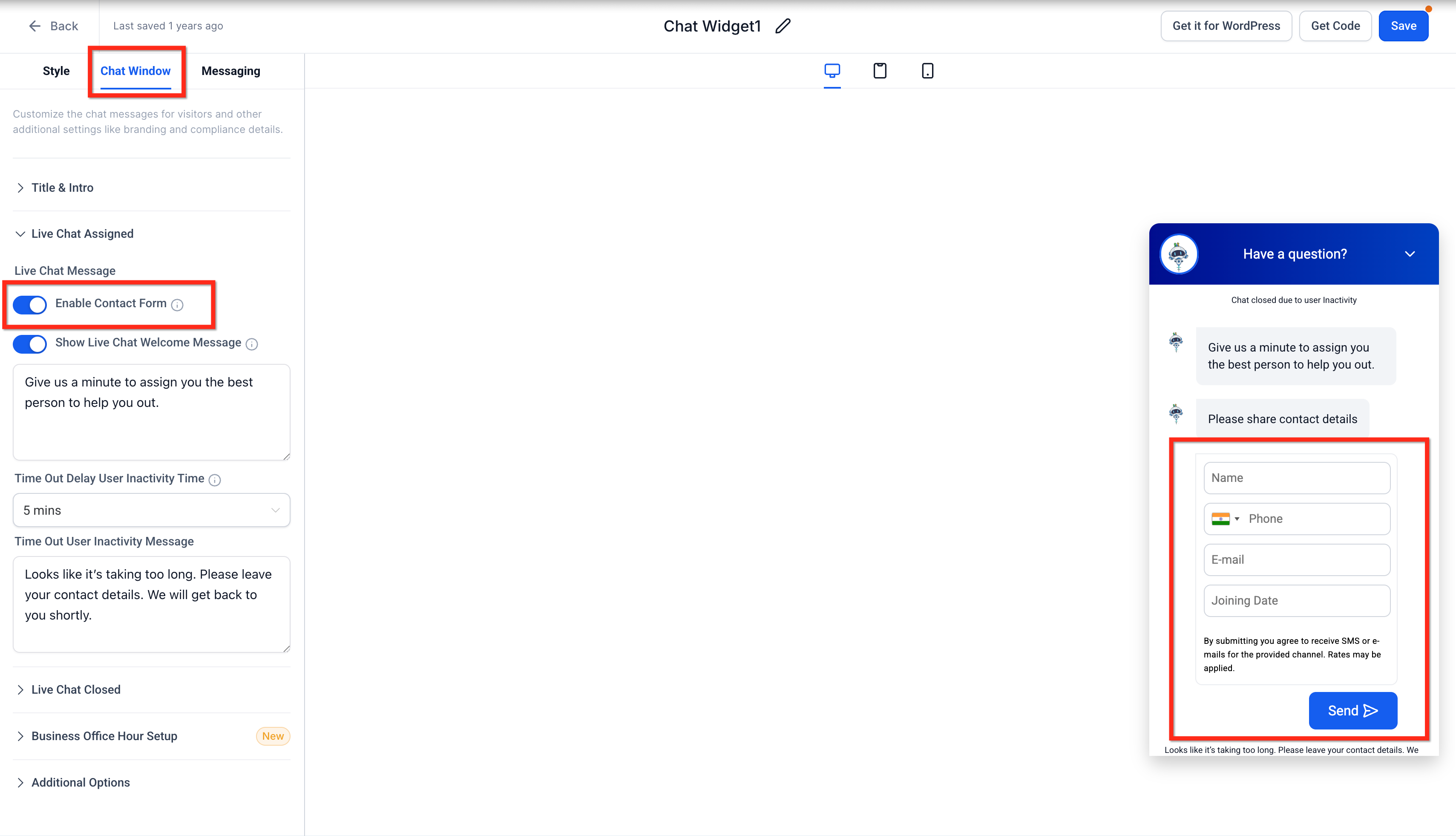
- Open the Chat Window tab and locate the Live Chat Assigned drop down.
- Toggle ON the Enable Contact Form option to require visitor details.
- Click Save to apply the change; toggle OFF the same option to remove the requirement.
Customize Contact Form messages
- After enabling the Contact Form, stay on the Chat Window tab.
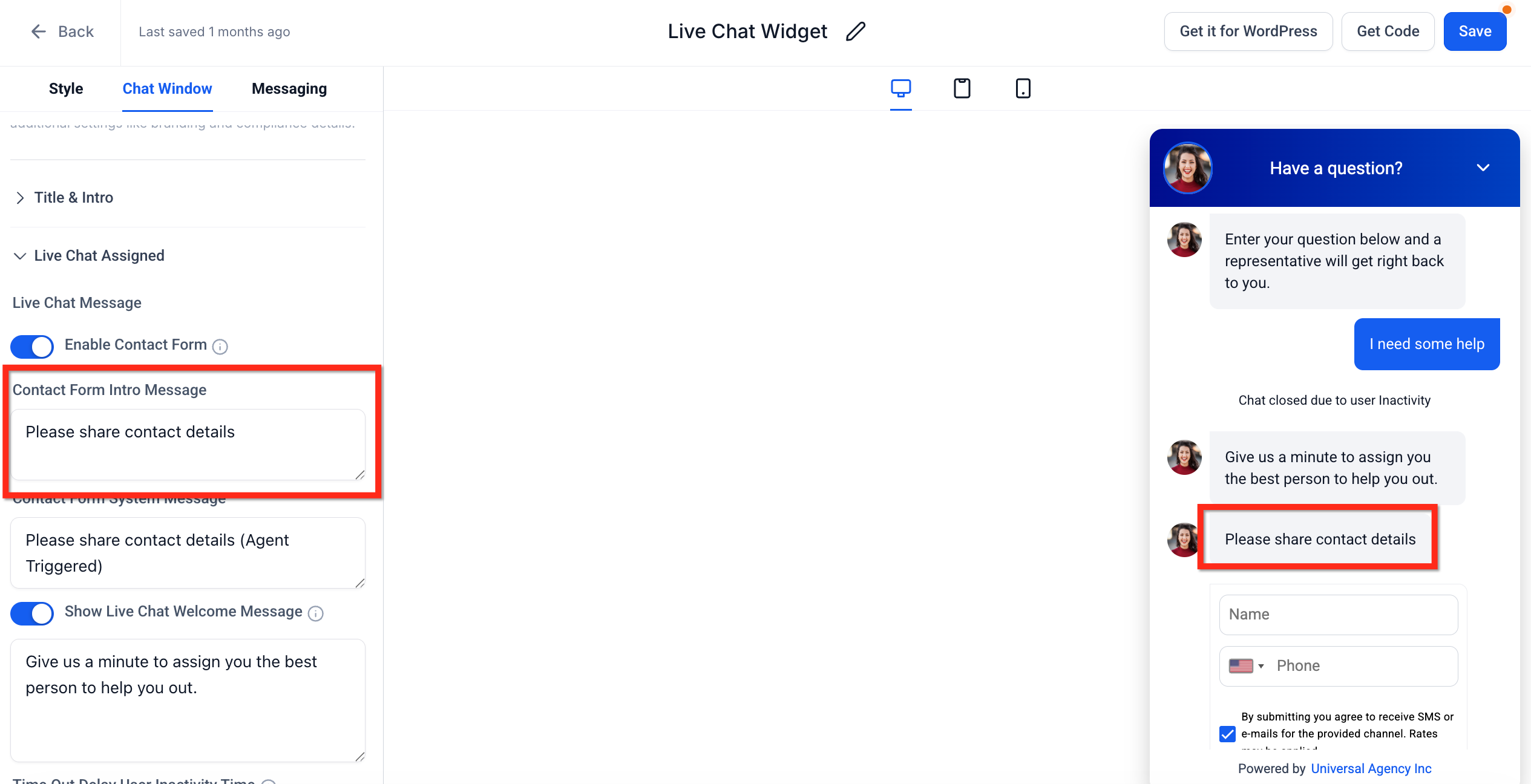
- Edit the Contact Form Intro Message field to change the automatic prompt, or leave it blank to skip the prompt.
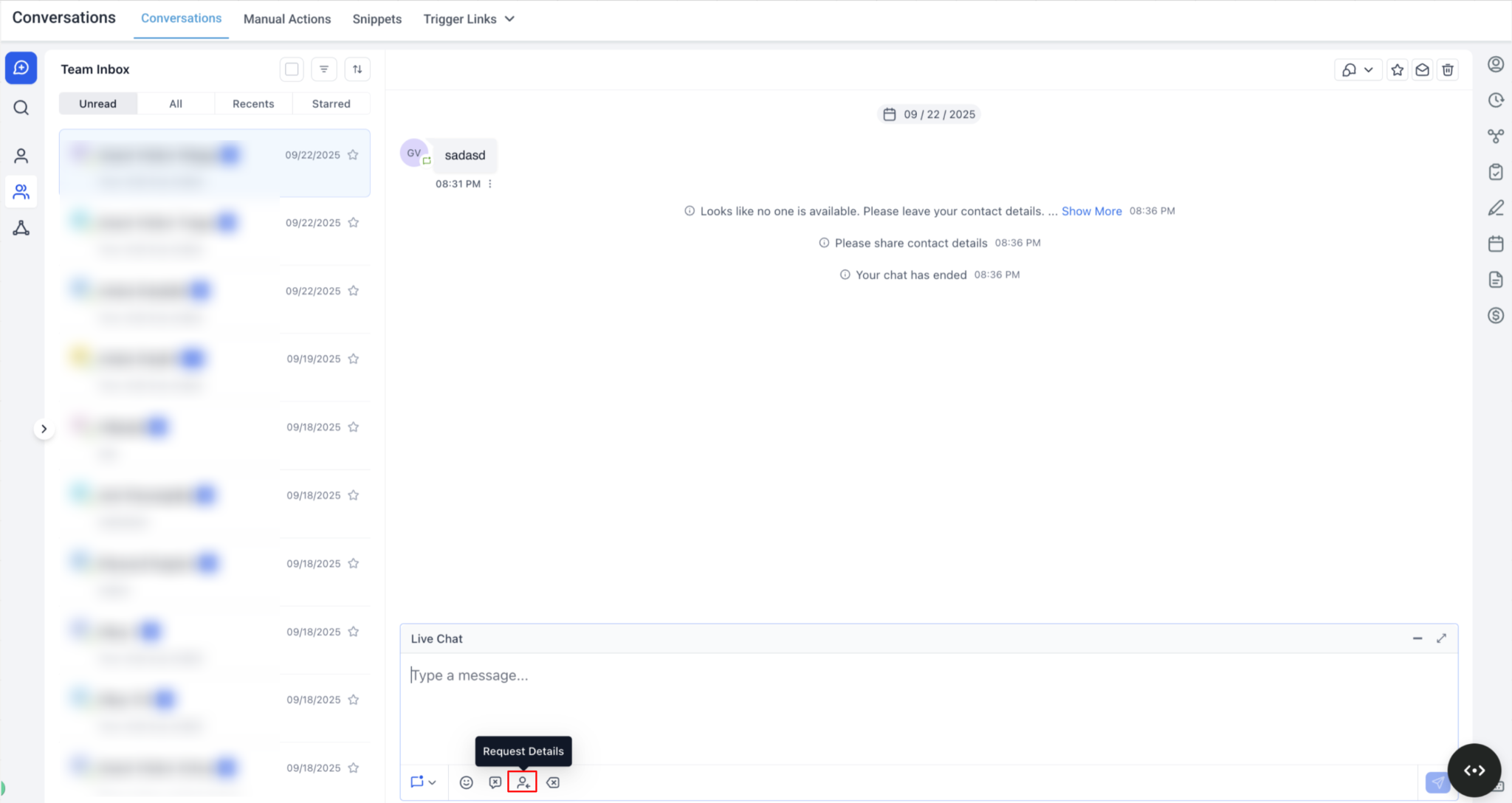
- Edit the Contact Form System Message field to change the text agents see when they request contact details.
- Click Save to apply the message changes.
05What it looks like in HighLevel
06Settings that matter
- Enable Contact Form. Determines whether visitors must submit a pre chat form before they can type a message.
- Contact Form Intro Message. The automatic prompt shown just before the form; leaving it blank skips the prompt.
- Contact Form System Message. The text displayed when an agent manually requests contact details during a conversation.
- Notification Sound. If enabled, visitors may hear a sound when the contact details request message appears.
07Things to know before you rely on it
- Name is mandatory; at least one of phone or email must be supplied to create a contact.
- A total of five fields can be used, including custom fields, within the form.
- The form applies only to the specific widget you configure, not to all widgets in the account.
- Intro Message field is visible only when Enable Contact Form is turned ON; System Message is always visible.
08How it connects to the rest of HighLevel
- Install the HighLevel chat widget Install chat widget
- Set up the All in One Chat widget All in One Chat
- Add the chat widget to a Shopify site Shopify integration
Michael's take

It guarantees every conversation lands in your HighLevel account, so you never chase an anonymous chat again, and you can fire off follow up automations the moment a visitor shares their details.
If most of your chats are already with known customers or you prefer a frictionless experience for low ticket inquiries, the extra step may deter visitors. In those cases the form can feel like a barrier rather than a benefit.