
01Chat widget, explained
The HighLevel chat widget is a small piece of code that shows a chat button on your website.
Adding the widget to Shopify requires copying the embed code from HighLevel and pasting it into your theme’s liquid file, then saving the changes.
02How to set up and use chat widget in HighLevel
Add chat widget to Shopify
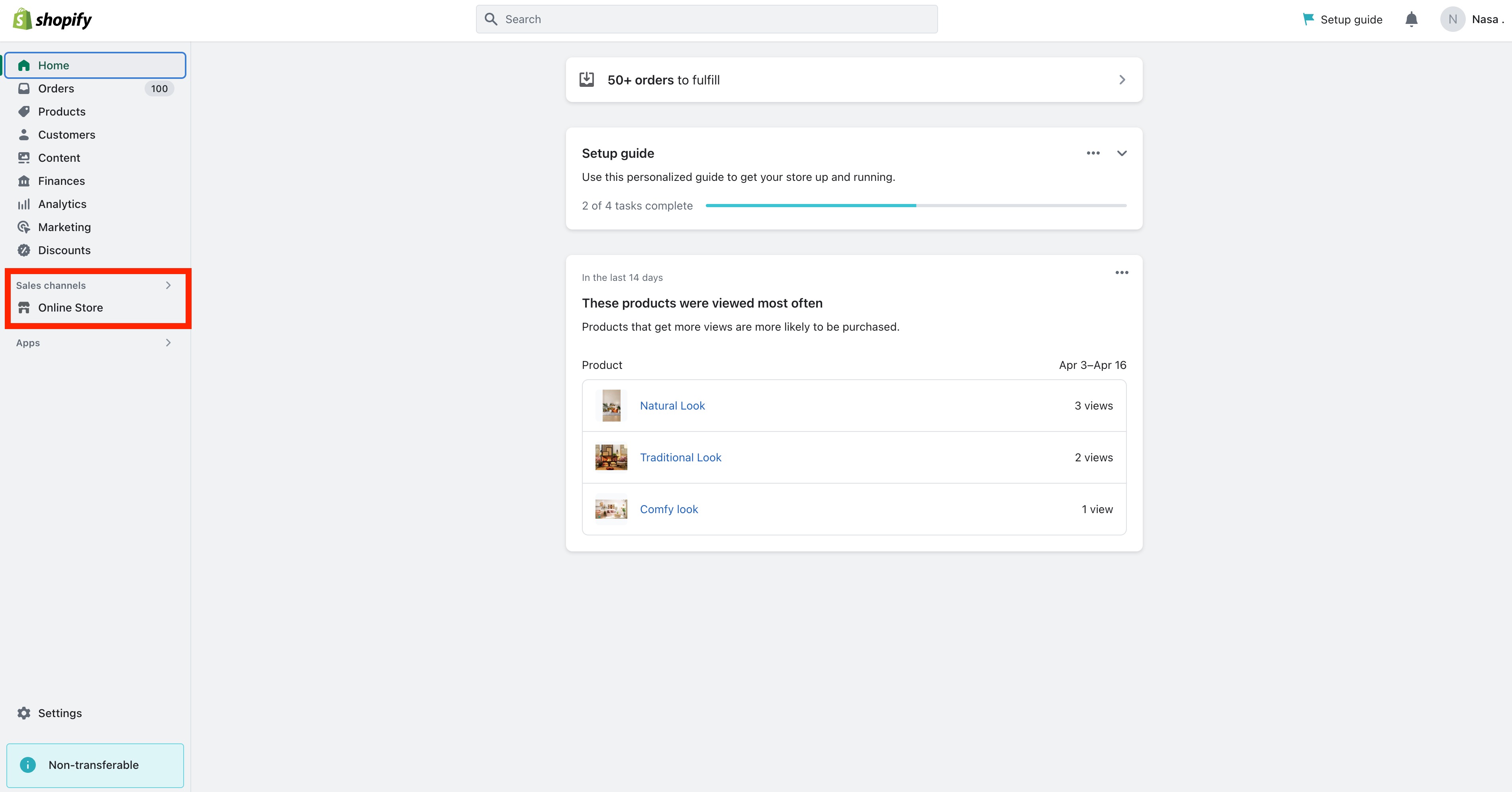
- Log in to your Shopify account.
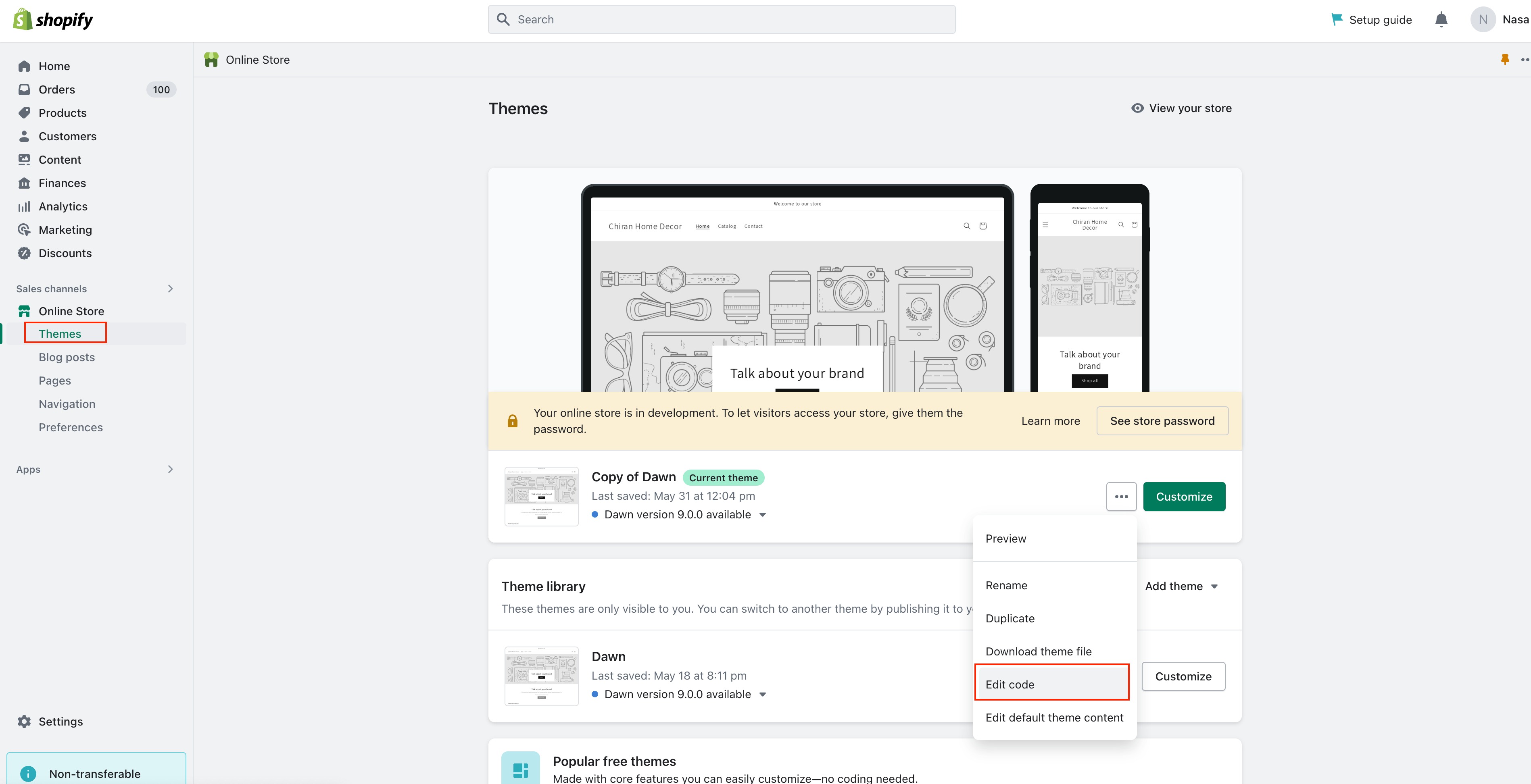
- Navigate to the Online Store section.
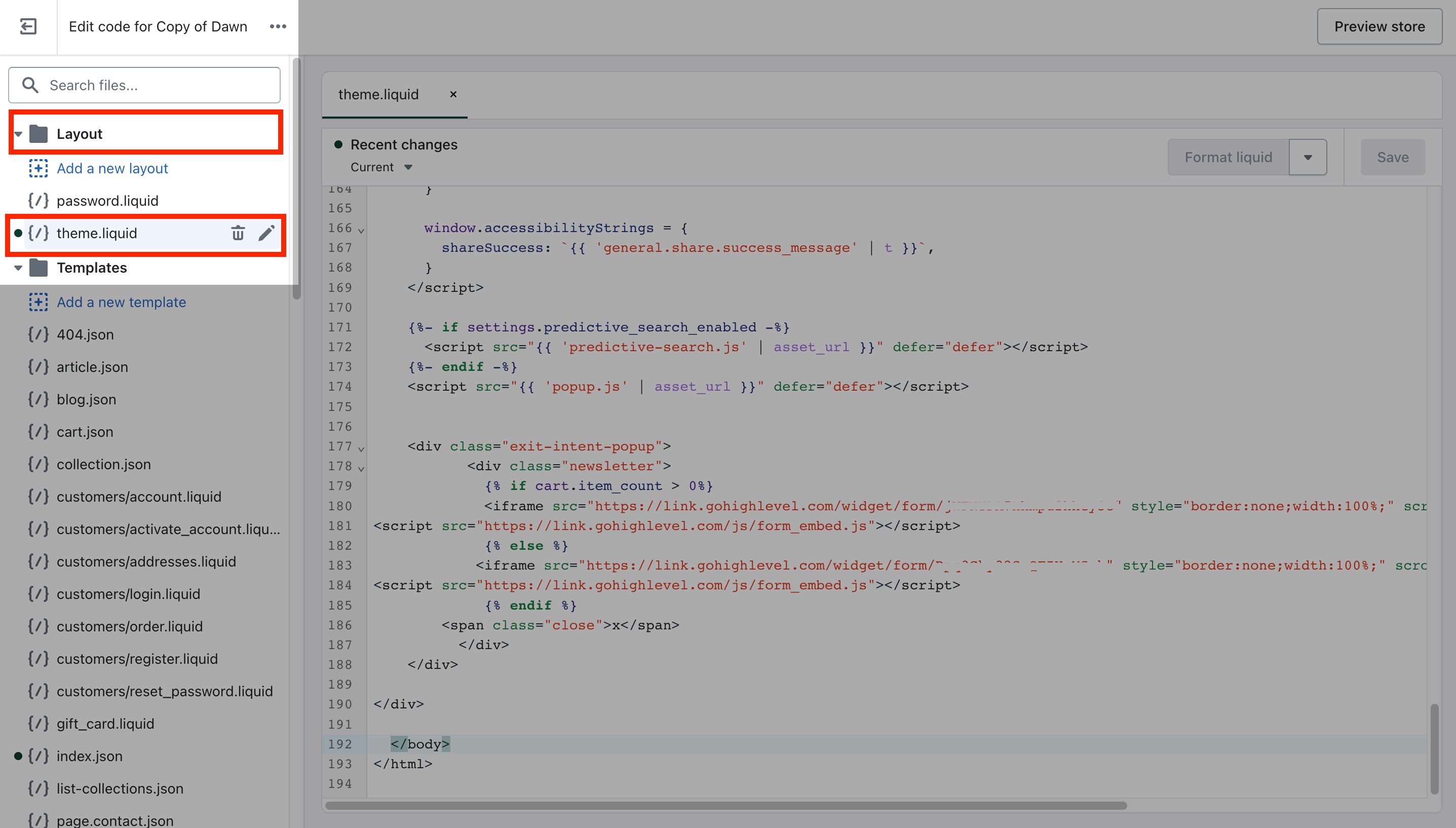
- Select the theme you want to edit and click Actions > Edit code.
- Open the Layout folder and choose the theme.liquid file.
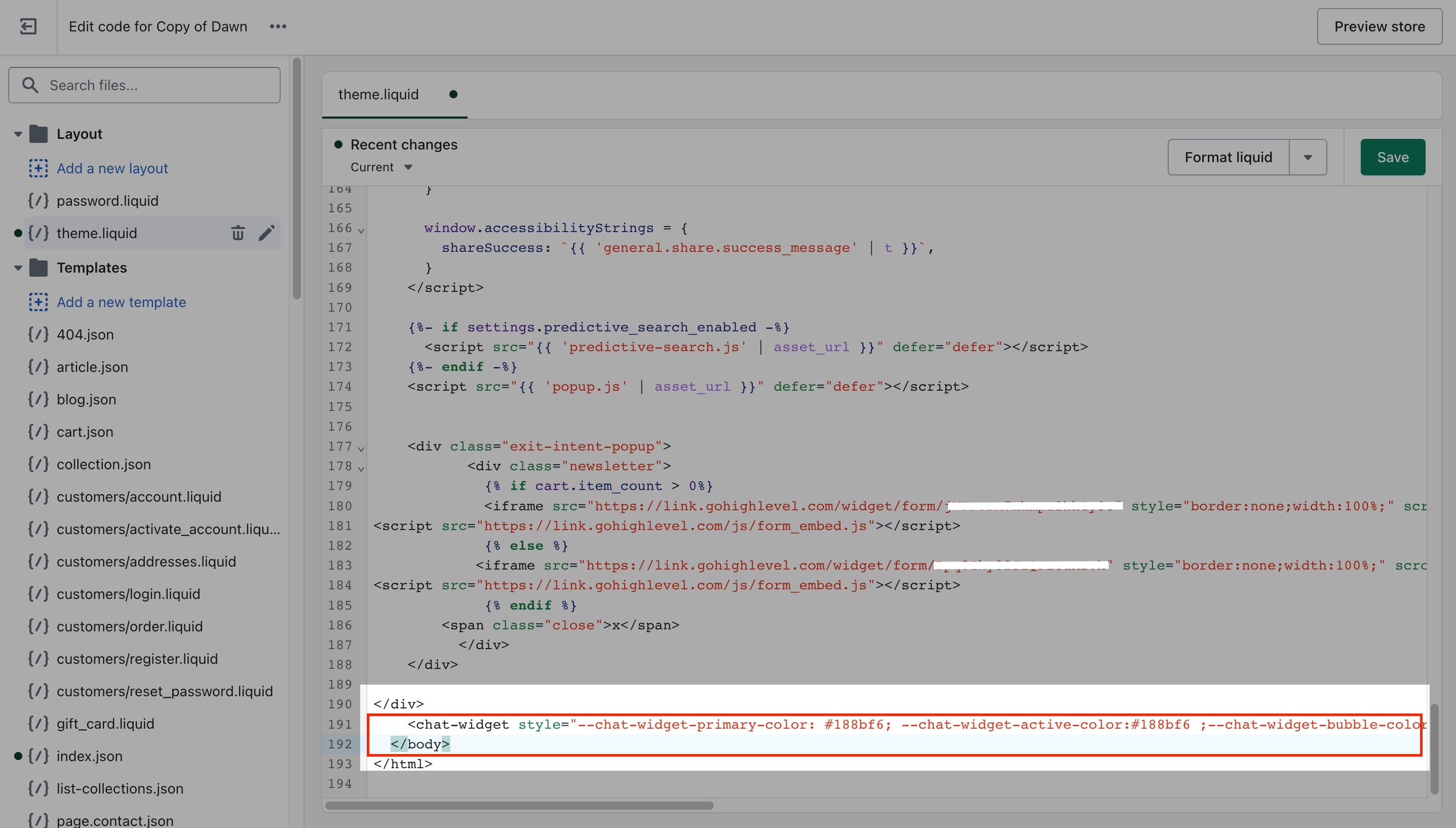
- Locate the </body> tag and paste the embed code above it.
- Save the changes.
- Refresh your website to preview the chat widget.
- Test the widget to make sure it works correctly.
03What it looks like in HighLevel
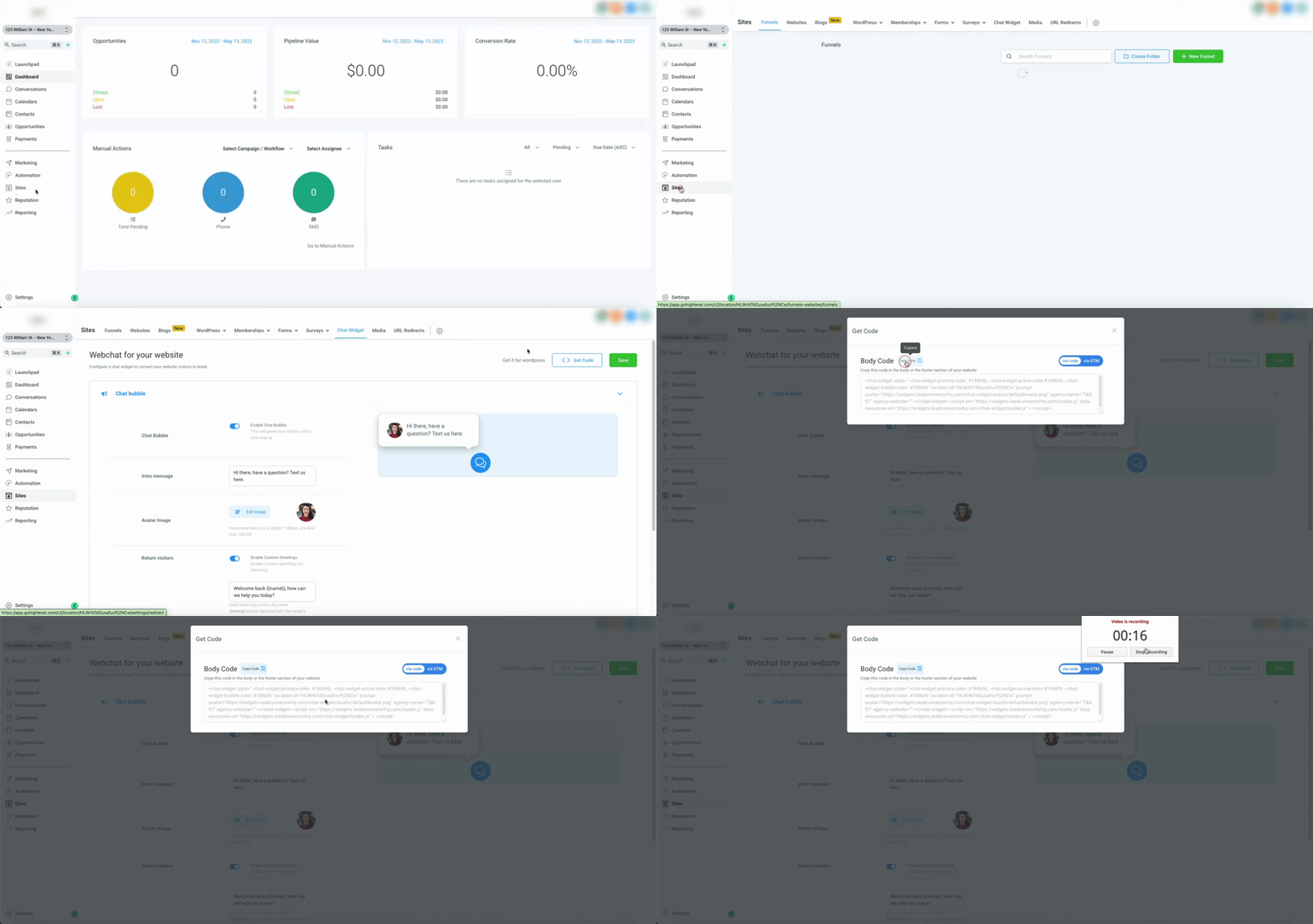
Michael's take

Michael ReimerFounder of CRM Pros, HighLevel Commander and Certified Admin
The chat widget feels like a small convenience that can become a real shift in how a Shopify store talks to shoppers.
Get More InformationOpens on HighLevelPublished November 2, 2026 · Updated November 3, 2026