
01Who this is for
- Community managers can motivate members by turning engagement into points and visible rankings.
- Sales team leaders can encourage task completion and call activity through badge milestones.
- Coaching program owners can track client participation and reward progress with leaderboards.
02Gamification in communities, explained
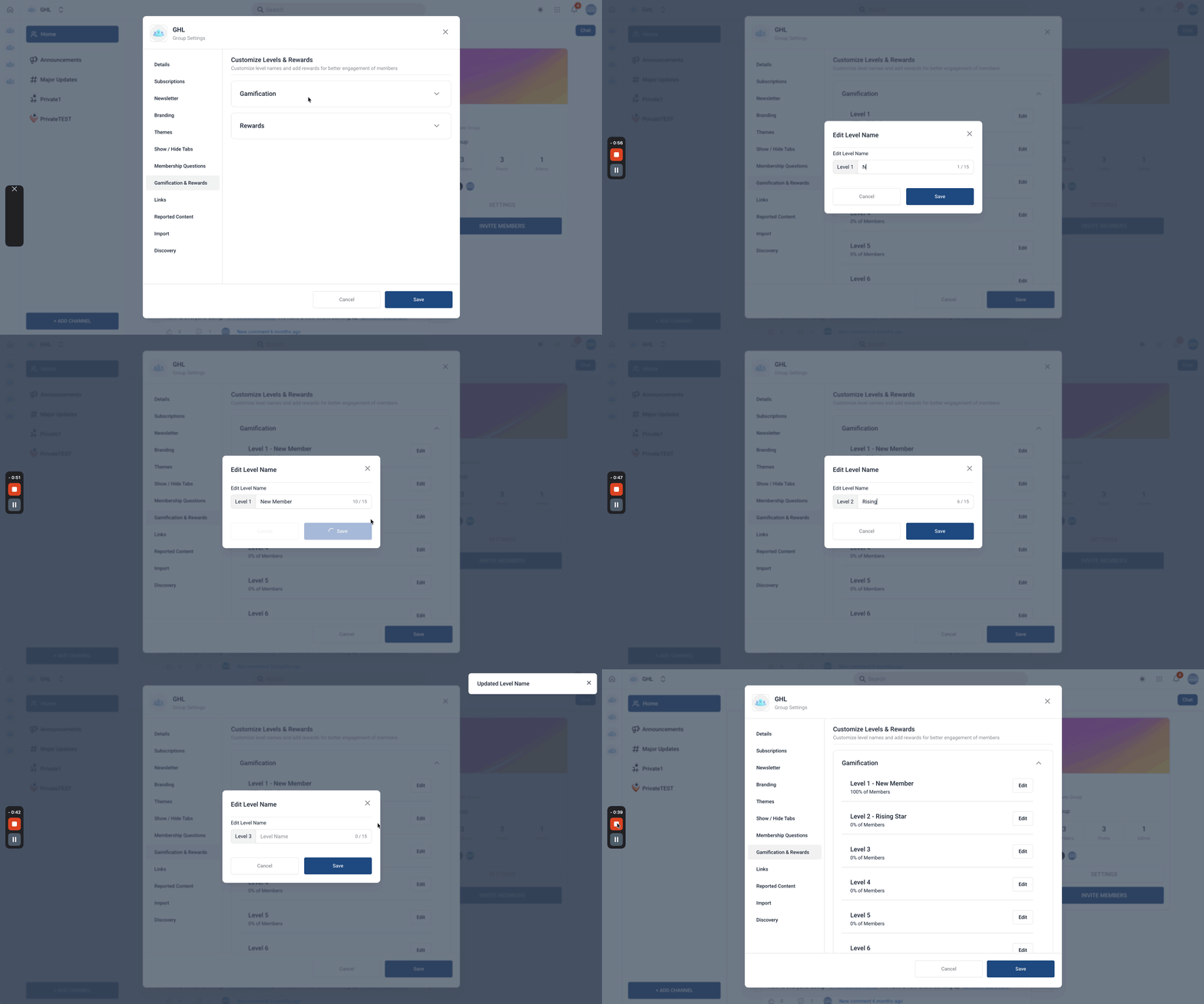
Gamification assigns numeric points to specific actions, grants badges when milestones are reached, and ranks members on a leaderboard. Points are earned for likes on posts, comments or replies, and the level system uses a preset point scale that cannot be altered. Badges appear on a member’s profile as they attain new levels, and the leaderboard displays rankings in real time.
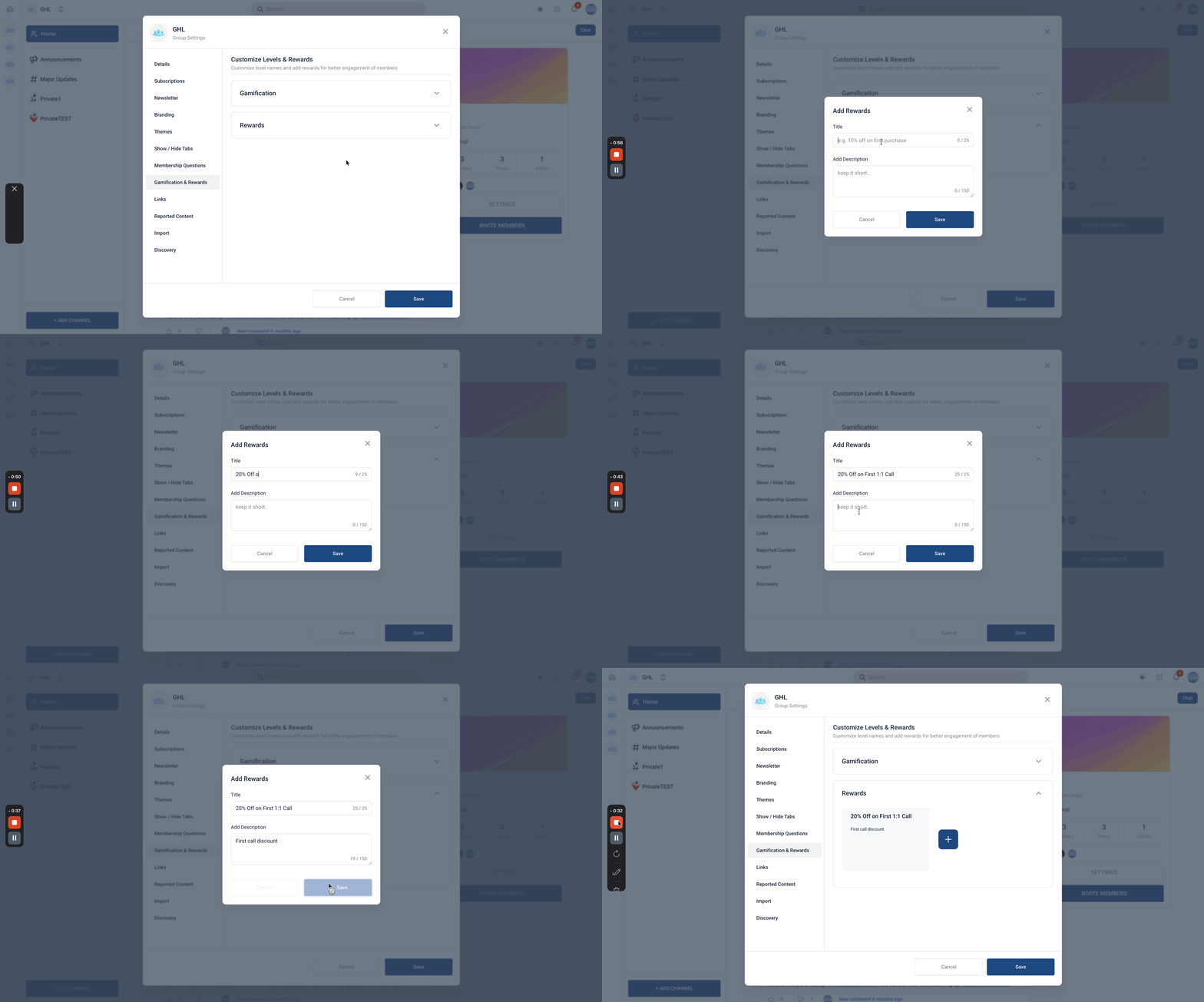
The feature lives inside each community group. After logging into a group, admins open Settings and select the Gamification & Rewards tab. From there they can rename level titles, enable the leaderboard, and add up to three offline reward entries. All changes are saved at the group level and apply only within that group.
03How businesses use gamification in communities
- Fitness coaching business. The coach edits level names to match program phases, enables the leaderboard, and adds a text reward for members who reach level 5. Clients see their points after each like, encouraging them to post workout updates.
- SaaS startup. The product team configures the leaderboard to display sales reps’ activity points, keeps the default level thresholds, and lists an offline reward for the top performer each month. Reps monitor their rank from the Leaderboard tab.
- Online tutoring platform. Tutors enable gamification in each class group, allowing students to earn points for liked forum posts. They add a reward note for completing level 3 and view member rankings via the built in leaderboard.
04The numbers and rules that matter
- Maximum of 9 levels.
- Level 1 to 0 points.
- Level 2 to 5 points.
- Level 3, 20 points.
- Level 4, 65 points.
- Level 5, 155 points.
- Level 6, 515 points.
- Level 7, 2015 points.
- Level 8, 8015 points.
- Level 9, 33015 points.
- Maximum 3 rewards can be added.
05How to set up and use gamification in communities in HighLevel
Set up gamification
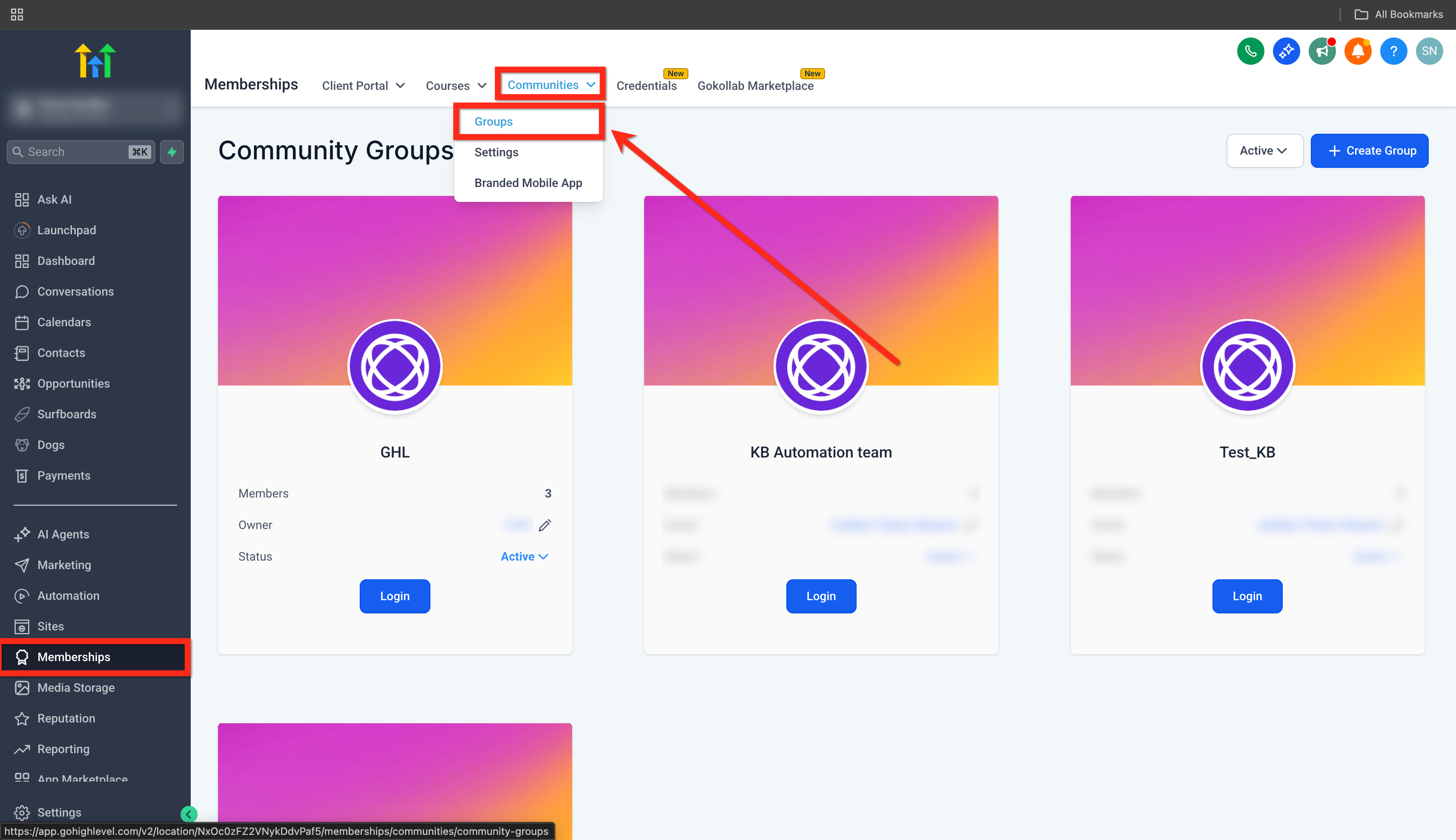
- Open Memberships > Communities > Groups.
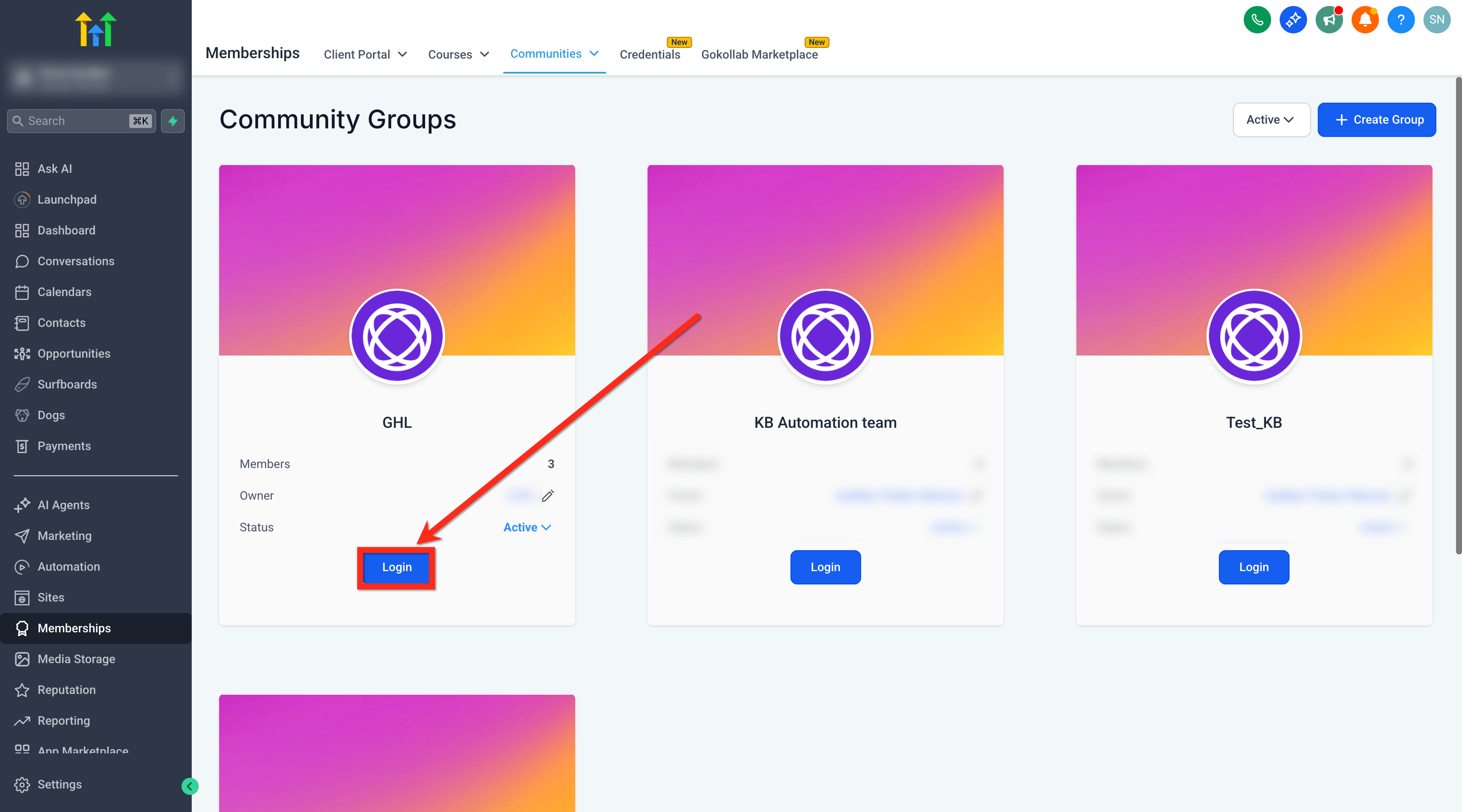
- Log in to the specific group you want to configure.
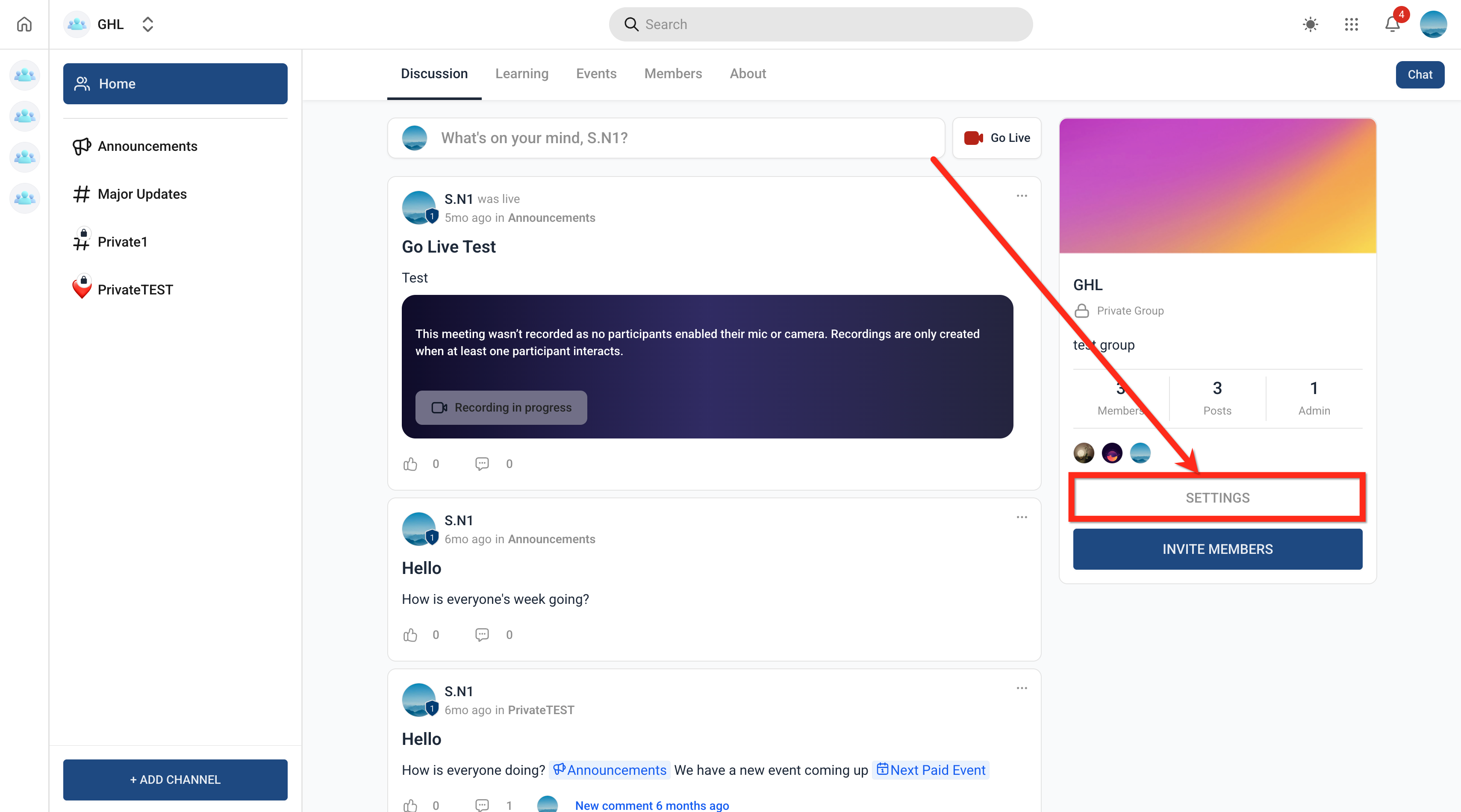
- Select Settings within that group.
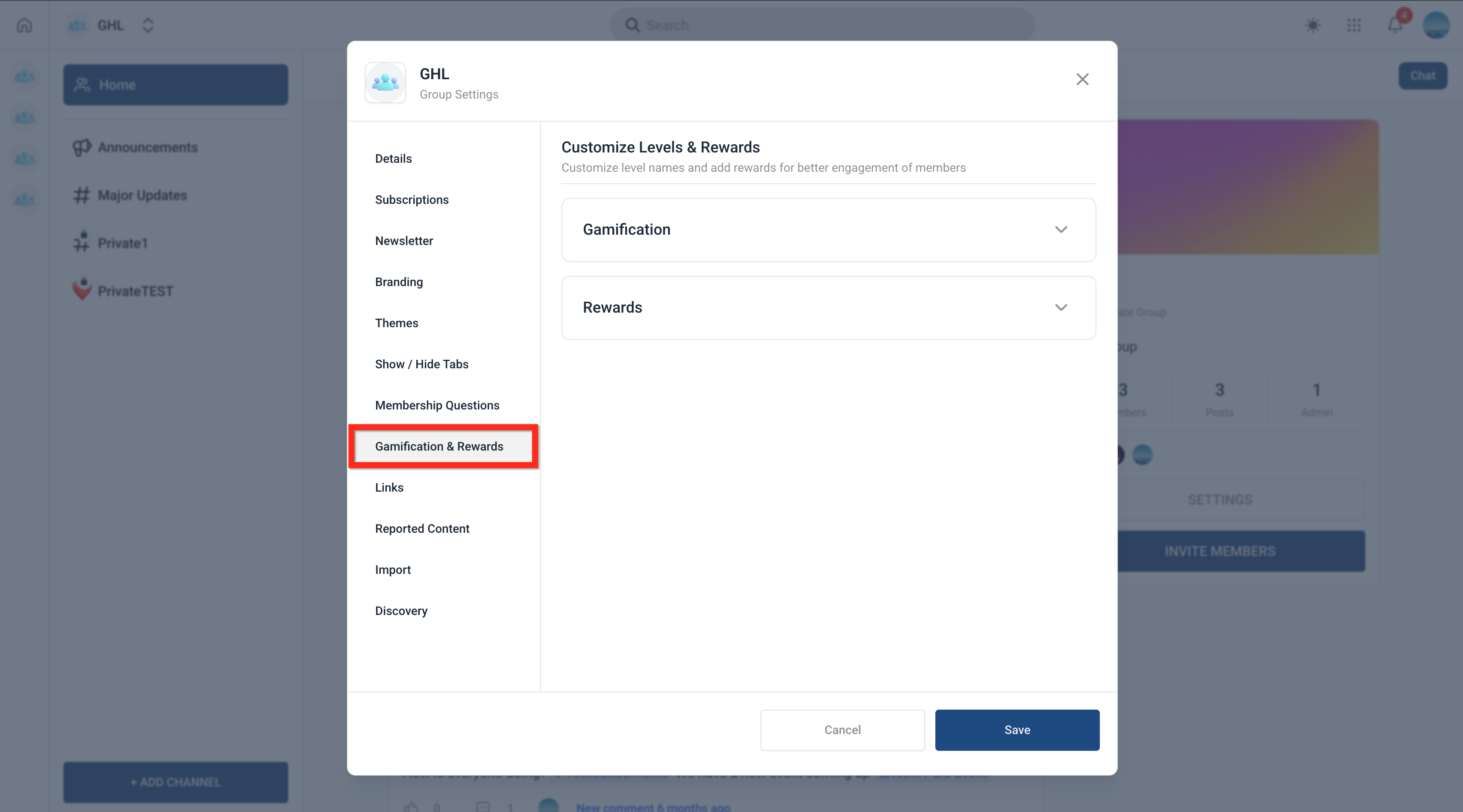
- Navigate to the Gamification & Rewards tab.
- Edit the level names if desired; note that the total of nine levels and the point values are fixed and cannot be changed.
- Add any offline rewards you plan to offer (maximum three).
- Enable the leaderboard and review its settings.
- Save the configuration to start tracking member performance.
Add a reward
- As an admin, go to Group Settings > Gamification & Rewards > Rewards.
- Enter the reward description as text, remembering that only three rewards can be added.
- Save the entry; the reward will appear on the left navigation inside the Leaderboard tab.
06What it looks like in HighLevel
07Settings that matter
- Level names. Controls the text label shown for each of the nine predefined levels.
- Leaderboard settings. Controls whether the leaderboard is displayed and how it is configured for the group.
- Rewards. Controls the offline reward text entries that appear in the Leaderboard tab.
08Things to know before you rely on it
- The system provides a maximum of nine levels; this count cannot be changed.
- Point values for each level are preset and cannot be edited.
- Only three offline rewards can be created for a group.
- Rewards cannot be linked directly to any gamification level.
09How it connects to the rest of HighLevel
- How to create and manage a HighLevel community Community setup guide
- Managing members inside groups in HighLevel Member management
- HighLevel pricing and plans Pricing information
Michael's take

I find that the visible points, badges, and leaderboard add a sense of friendly competition for many teams.
If the group’s culture isn’t competitive, the feature can add complexity, and some members may view the points and badges as a gimmick rather than a motivator.