
01Email notification preferences and custom video thumbnails, explained
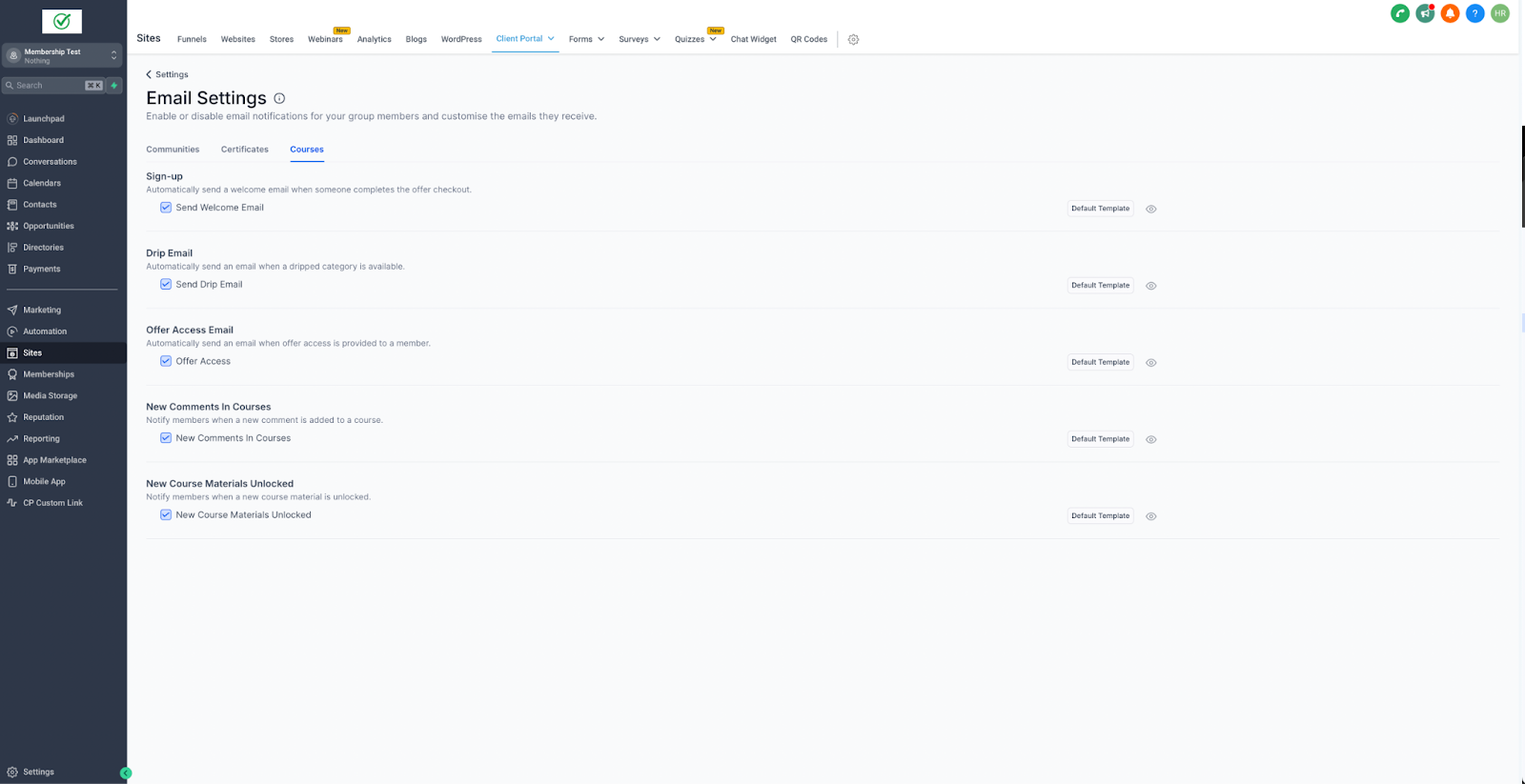
Email notification preferences give course creators control over which types of emails are sent to students. They can enable or disable messages such as sign up, access offer, drip, comment, and new material notifications, helping keep communications relevant and clear.
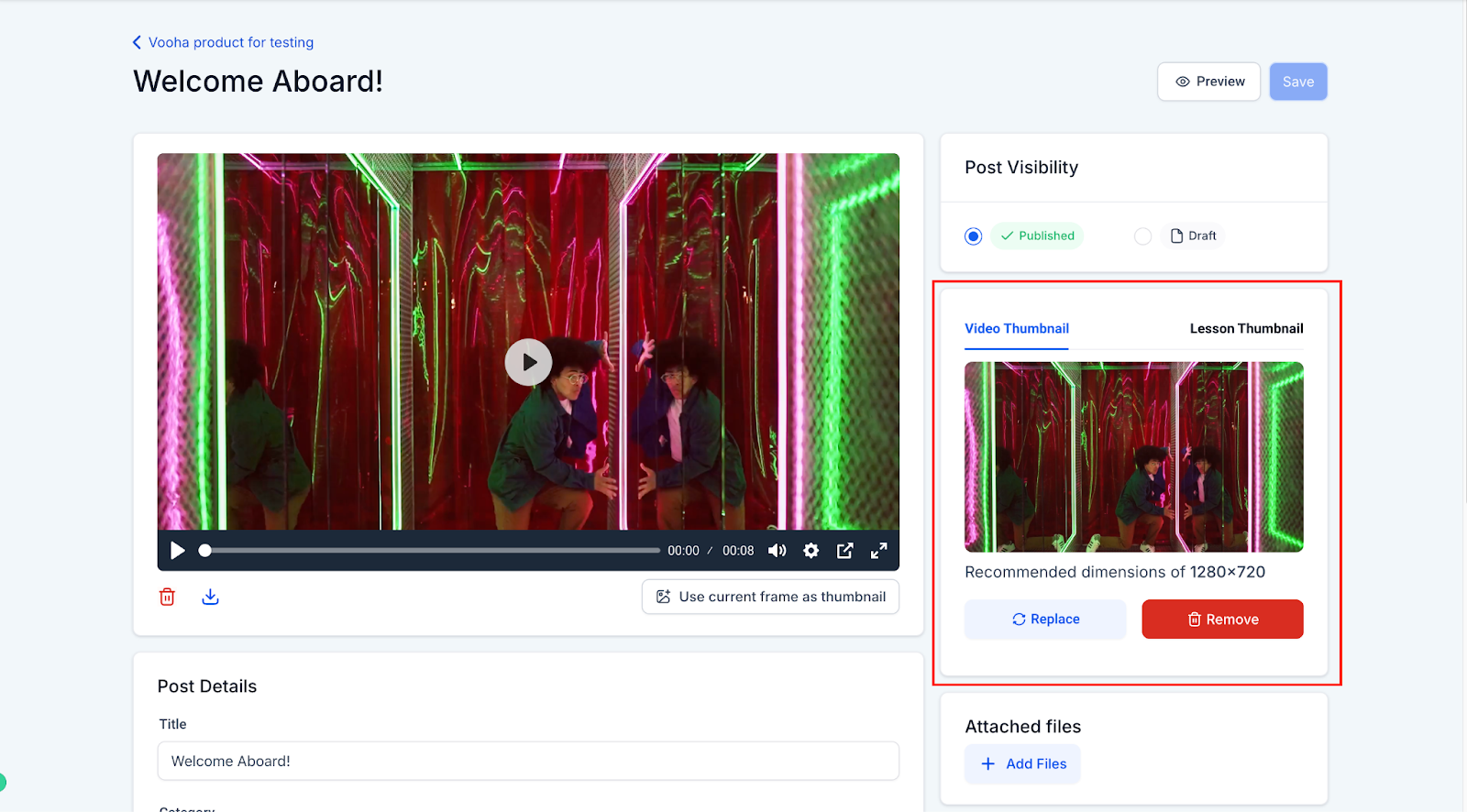
Custom video thumbnails let instructors upload a custom image or choose a frame from the video to use as the video thumbnail. A well chosen thumbnail makes a video more visually appealing and can help attract viewers.
02What it looks like in HighLevel
03Settings that matter
- Email notification preferences. Allows creators to manage whether emails are sent for different notification types, such as course updates, reminders, or announcements.
- Custom video thumbnails. Enables instructors to upload a custom image or choose a frame from the video to use as the video thumbnail.
Michael's take

When you have a busy membership site, students can receive many emails. Giving creators the power to turn off specific messages lets members see only the updates that matter to them.
The first thing I would get right is the email notification preferences for each course. I’d make sure only essential alerts. Like new material releases. Are active, and I’d turn off comment notifications unless they’re truly needed.