
01Who this is for
- Community managers - gain faster moderation by banning spammers without leaving the feed.
- Content creators - use the toolbar to produce well styled posts and comments efficiently.
- Support teams - download recordings shared in the community for offline reference.
02Community editor enhancements, explained
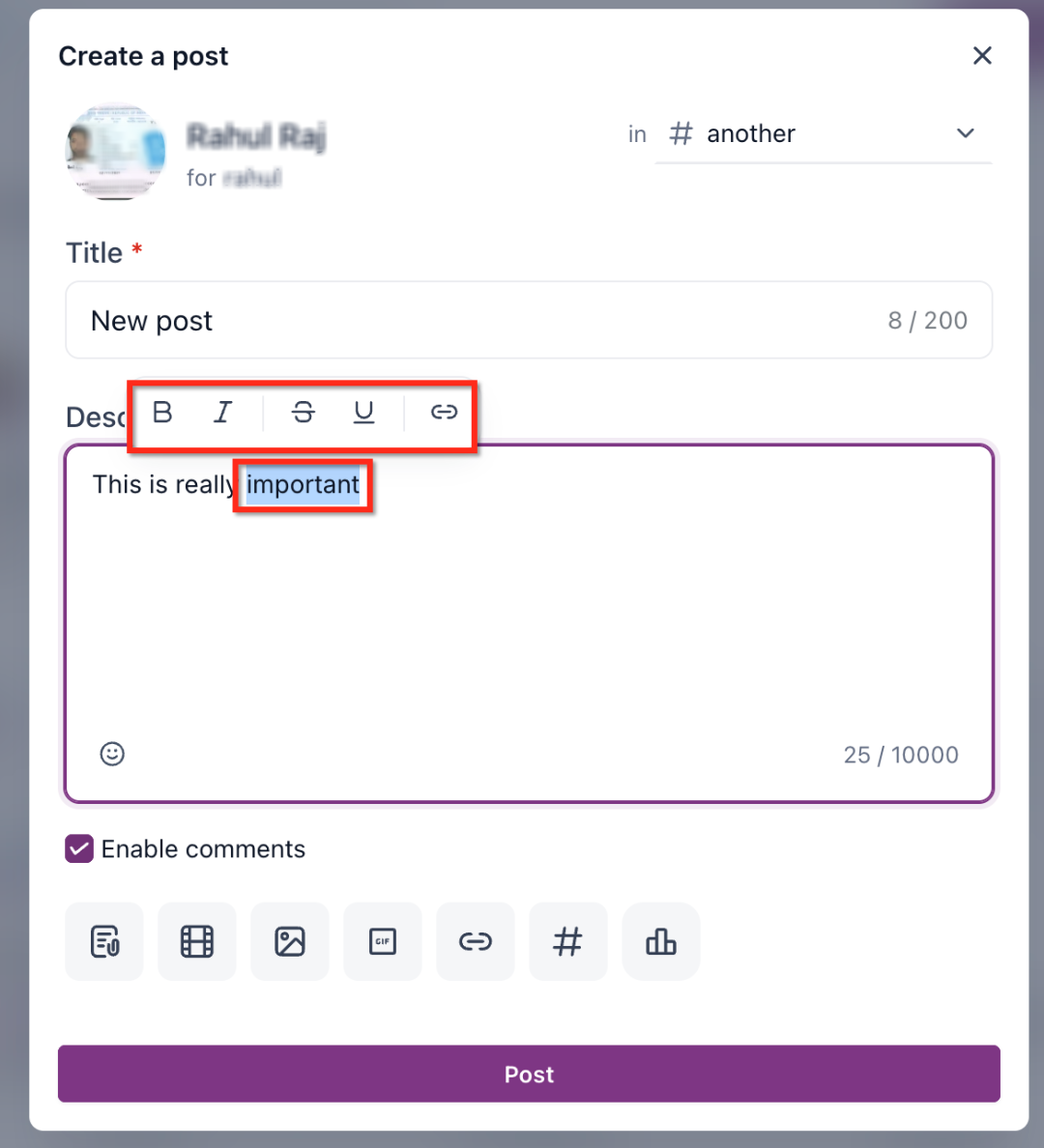
The Community Editor enhances the posting experience inside HighLevel Communities. When text is highlighted, a floating toolbar appears offering bold, italic, underline, strikethrough and link insertion. This removes the need to remember keyboard shortcuts.
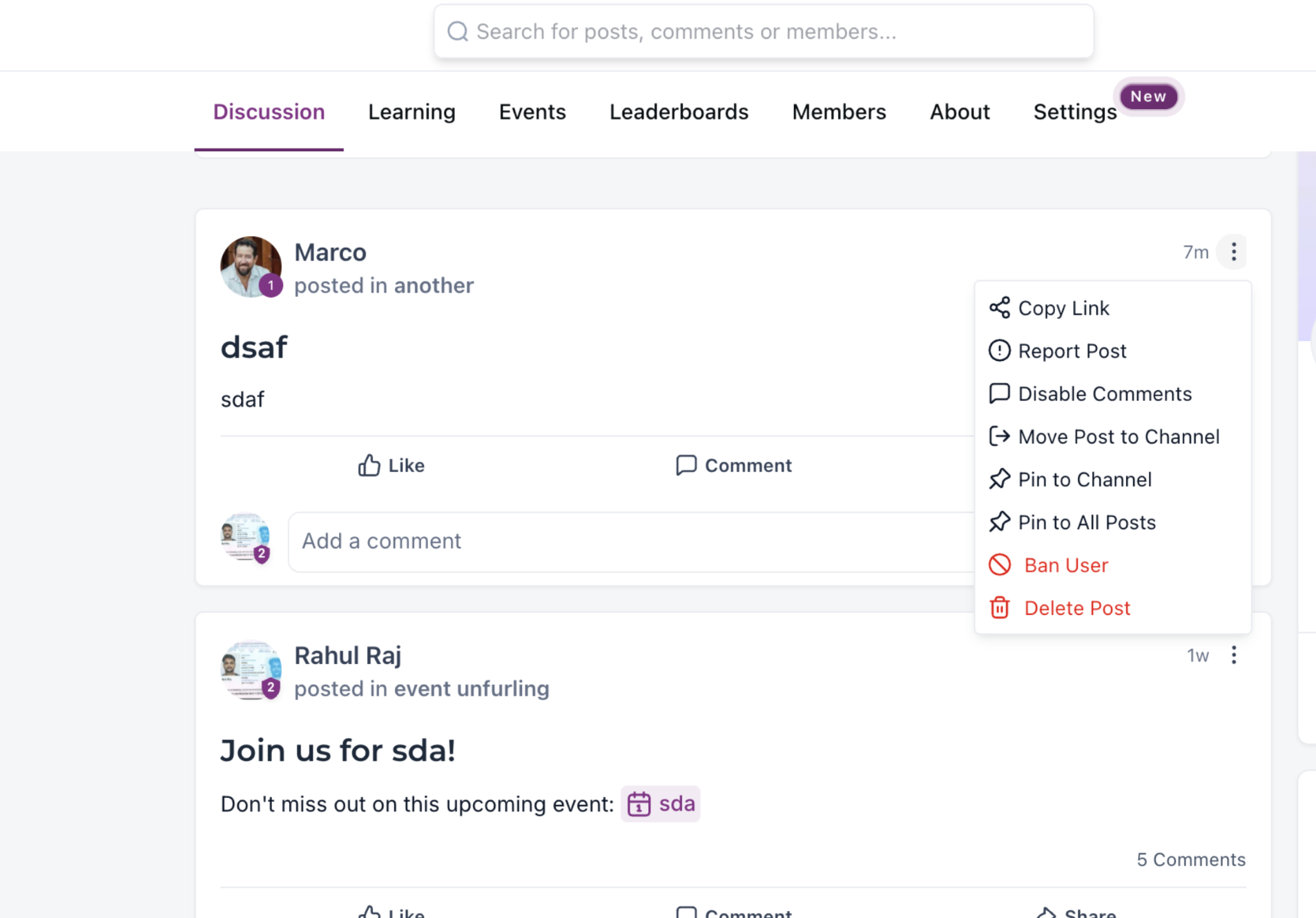
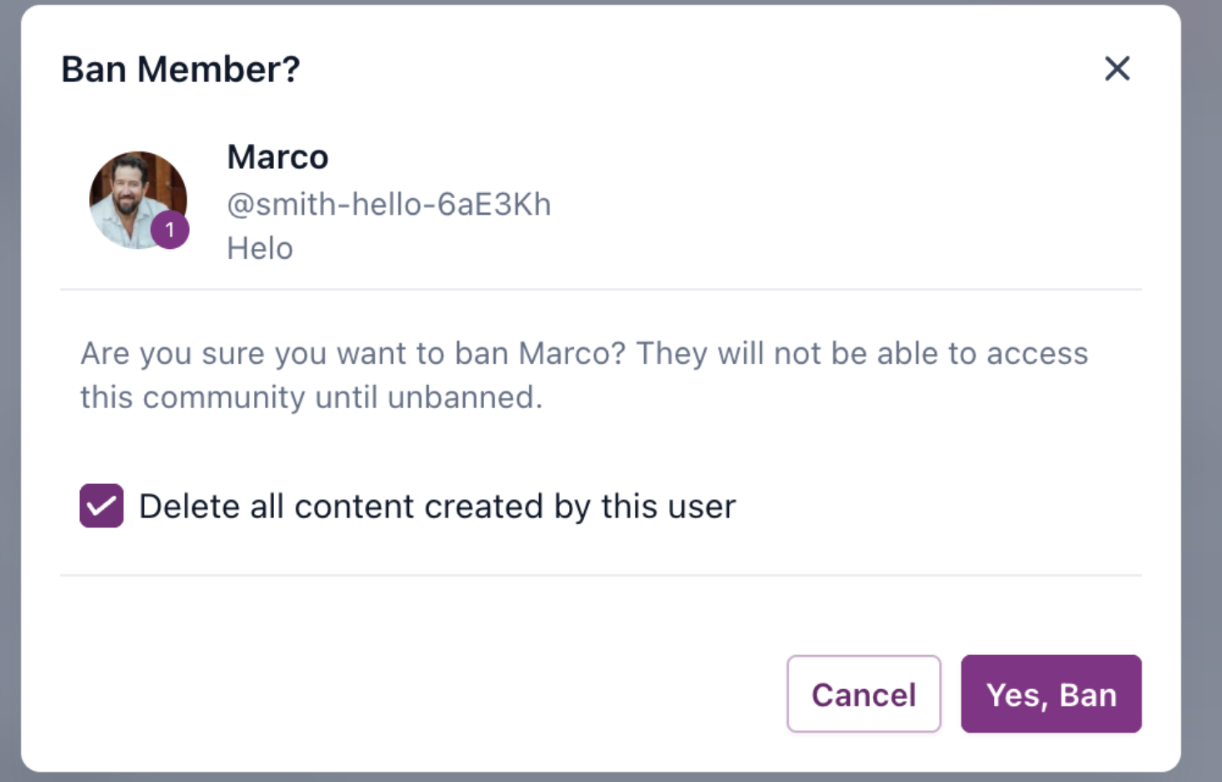
Moderators can now remove disruptive members directly from a post’s menu. Selecting the ban option opens a confirmation that includes a checkbox to delete all of the user’s content. Once confirmed, the user loses access and their content is removed if chosen.
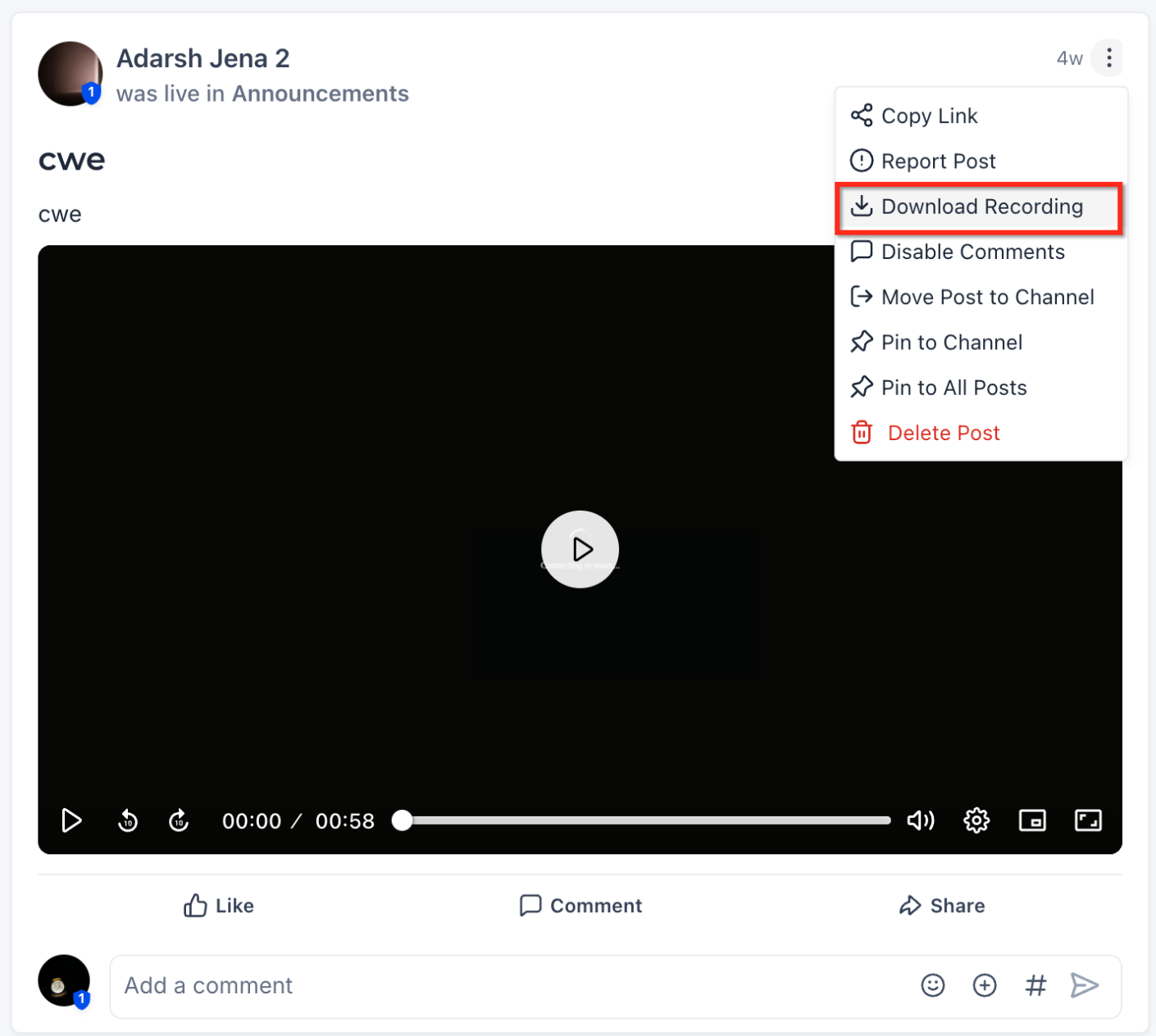
Video and audio recordings attached to posts can be downloaded through the same post menu. Clicking the download command saves the original file format to the moderator’s device right away.
03How businesses use community editor enhancements
- Fitness coaching community. A coach highlights a workout tip, uses the toolbar to bold key points, and inserts a link to a demonstration video. The coach then bans a member posting spam directly from the offending post and removes all of that user’s content.
- Online tutoring platform. A tutor posts a lesson summary, applies underline and italic formatting via the toolbar, and later downloads a student submitted audio recording from the post for offline review.
- Professional networking group. An admin creates a discussion, adds hyperlinks using the toolbar, and when a user posts inappropriate material, the admin bans them from the post and chooses to delete all of their prior posts and recordings.
04The numbers and rules that matter
- Downloaded recordings retain the format of the original file (typically MP4 for video and MP3 for audio).
05How to set up and use community editor enhancements in HighLevel
Ban a user directly from a post
- Find the post created by the user you want to remove.
- Click the three dot menu (⋮) located in the top right corner of that post.
- Select the “Ban User” option from the dropdown list.
- Check the box labeled “Delete all content created by this user” if you wish to erase their posts, comments and recordings.
- Click “Yes, Ban” to finalize the ban.
Download a recording from a post
- Navigate to the community post that contains the recording you need.
- Open the post’s three dot menu (⋮) in the top right corner.
- Choose the “Download Recording” command from the menu.
- The file begins downloading to your device automatically.
- Locate the saved file in your downloads folder for offline use.
06What it looks like in HighLevel
07Settings that matter
- Delete all content created by this user. Controls whether the moderator’s ban action also removes every post, comment and recording the user has added to the community.
08Things to know before you rely on it
- The floating rich text toolbar is optimized for desktop browsers; mobile browsers may show formatting options differently.
- When a user is banned, they cannot re enter the community until an unban action is performed.
- If the delete content box is selected during a ban, the removed posts, comments and recordings cannot be restored.
- Downloaded recordings keep the original file format, typically MP4 for video and MP3 for audio.
09How it connects to the rest of HighLevel
- Learn how to set up and manage a HighLevel community. Community setup guide
- Manage members inside groups, including banning and unbanning. Member management
- Create channels, posts and handle content such as recordings. Content management
Michael's take

Wondering if the new editor tools are worth the switch? The floating toolbar lets anyone add bold or links without learning shortcuts, and moderators can silence spammers without leaving the feed.
If I were setting up a new community, I’d enable the toolbar for all members and train moderators to use the one click ban with the delete content option.