
01Who this is for
- Marketing managers running appointment based lead campaigns benefit because the booking step stays inside Facebook, reducing friction.
- Service providers such as consultants, home repair firms, or health clinics gain a smoother path from lead capture to scheduled appointment.
02Embedded appointment booking, explained
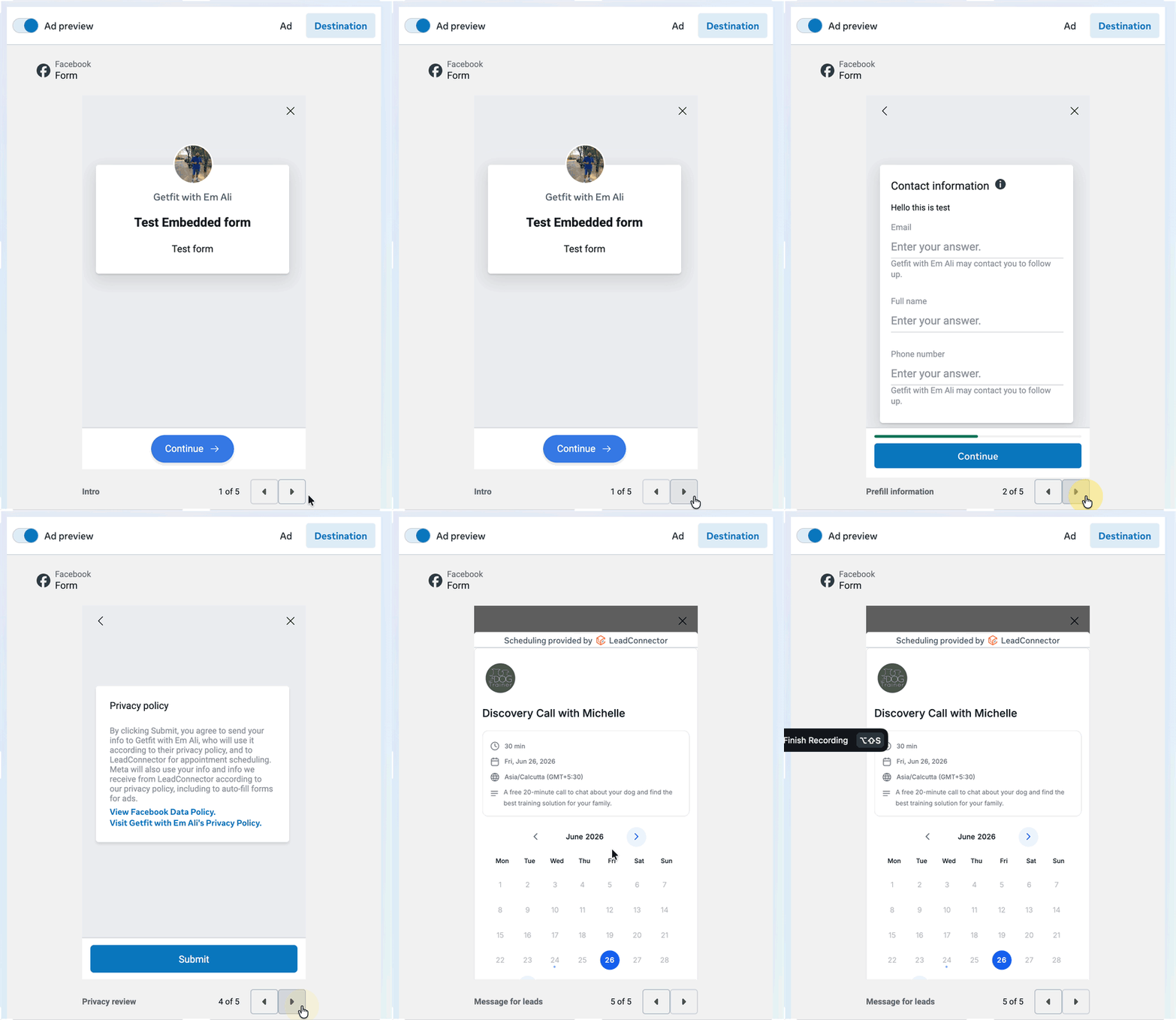
The feature adds a calendar widget to the thank you screen of a Facebook Lead Ads Instant Form. When Meta supports it, the widget appears inside the mobile app and shows the open slots from a HighLevel calendar link you provide. Lead details entered in the form can be transferred to the booking flow, so the user does not have to type them again.
The calendar lives in your HighLevel subaccount under the Calendars section. You supply the public scheduling link for the calendar you want to use, and Meta detects the provider automatically. If the placement is not the Facebook mobile app, the link opens in an in app browser instead of embedding.
03How businesses use embedded appointment booking
- Consulting firm. The firm creates a HighLevel calendar for discovery calls, copies its public link, and adds that link to the Book time action in a Facebook lead form. Prospects who fill the form can immediately choose a call time on the thank you page.
- Home repair service. The service sets up a calendar that offers on site visit slots, then pastes the scheduling URL into the Instant Form’s Book time field. When a homeowner submits their information, the calendar shows available repair windows directly in the app.
- Software demo provider. A demo team builds a HighLevel calendar for product walkthroughs, copies the link, and embeds it in the Facebook lead ad. Leads can schedule a demo right after completing the form, with their contact data pre filled.
04Before you start
- A HighLevel calendar with a public scheduling link must exist.
- Access to Facebook Ads Manager is required to create the lead ad.
05How to set up and use embedded appointment booking in HighLevel
Set up embedded appointment booking
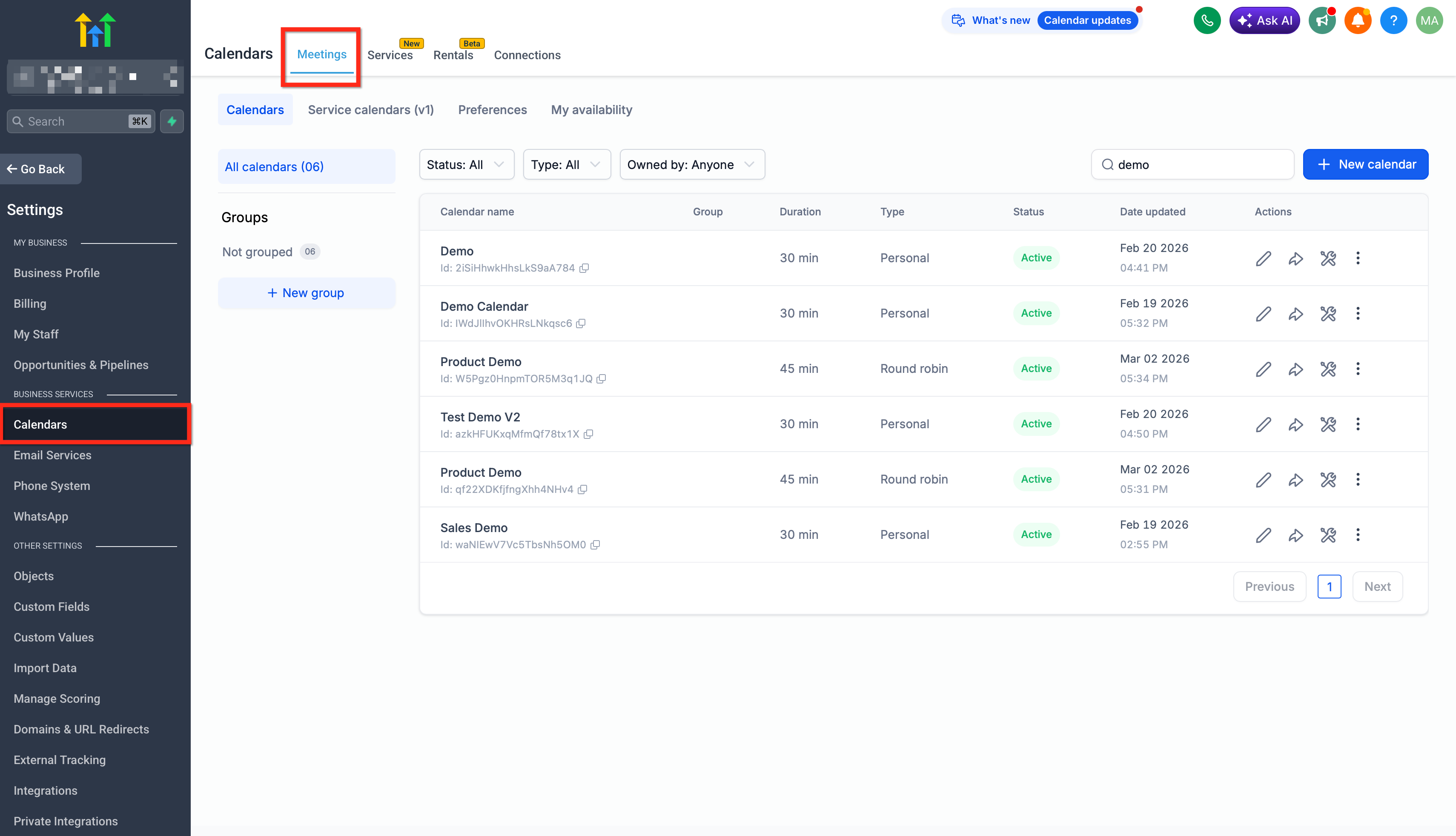
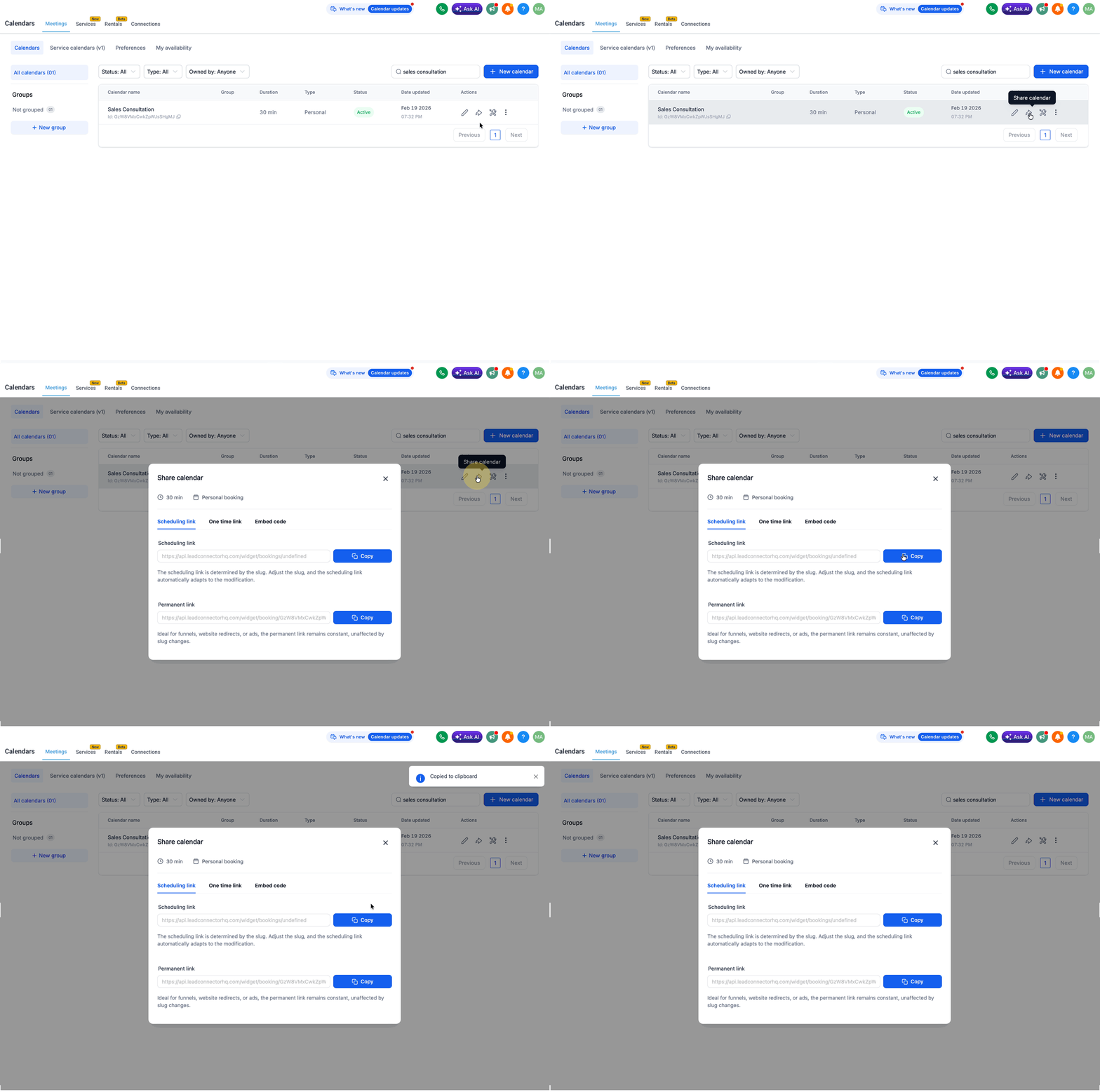
- Open your HighLevel subaccount and go to Calendars > Calendar Settings (or Settings > Calendars) to select or create the booking calendar for the campaign.
- Copy the public scheduling link of the chosen HighLevel calendar.
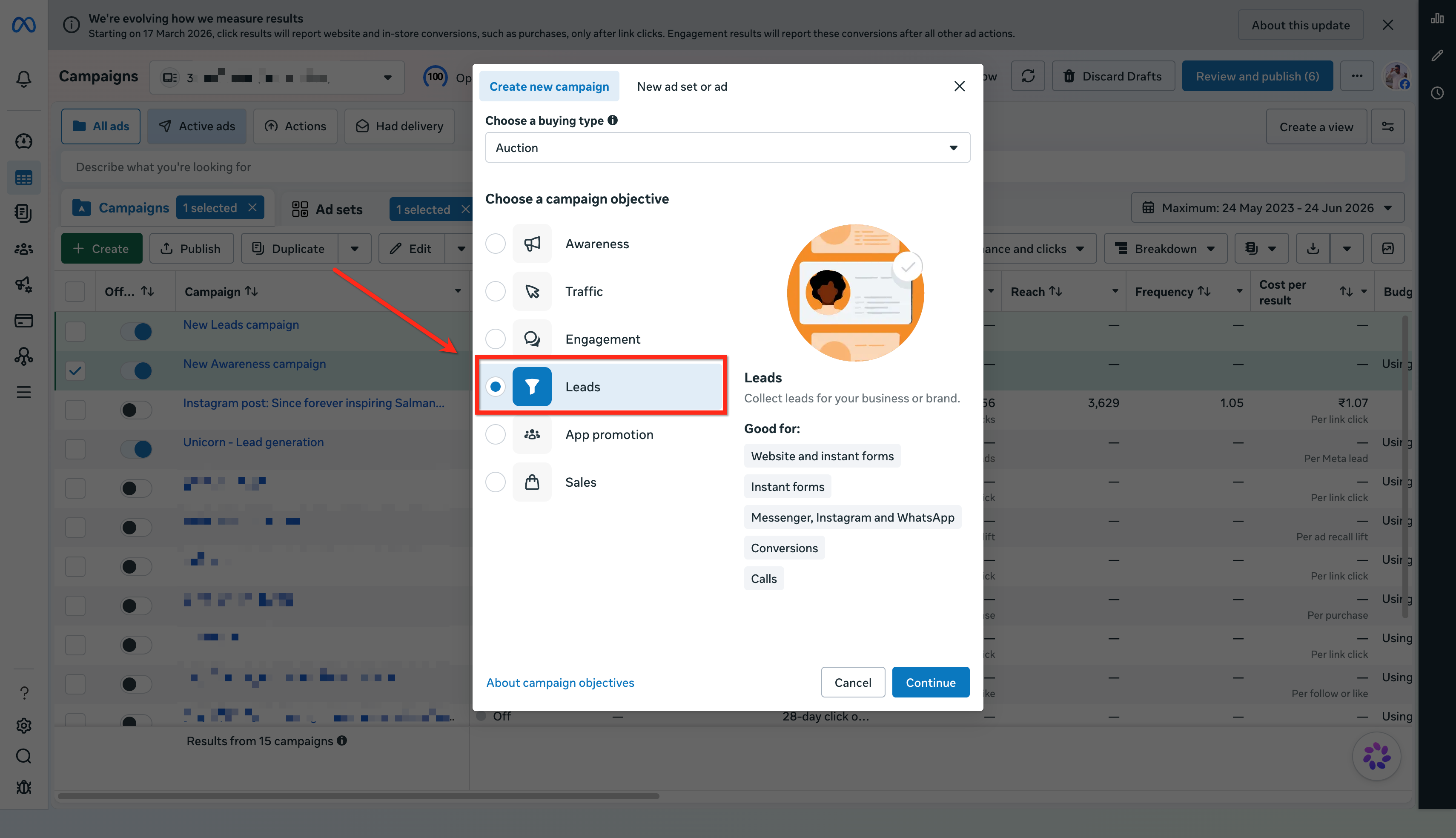
- Log into Facebook, open Ads Manager, and click the + Create button.
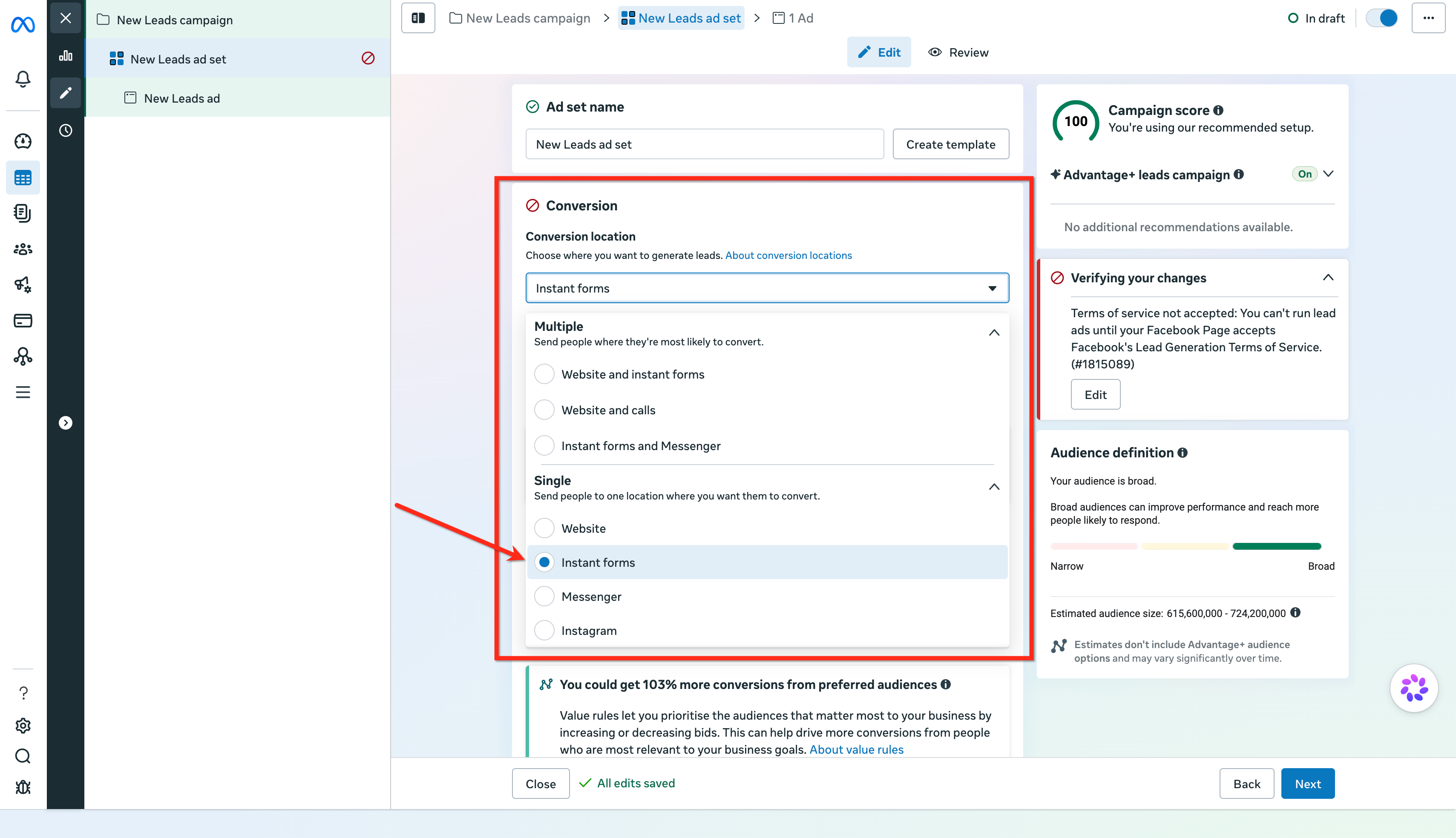
- Proceed through the ad creation steps and, at the ad set level, choose Instant forms as the conversion location.
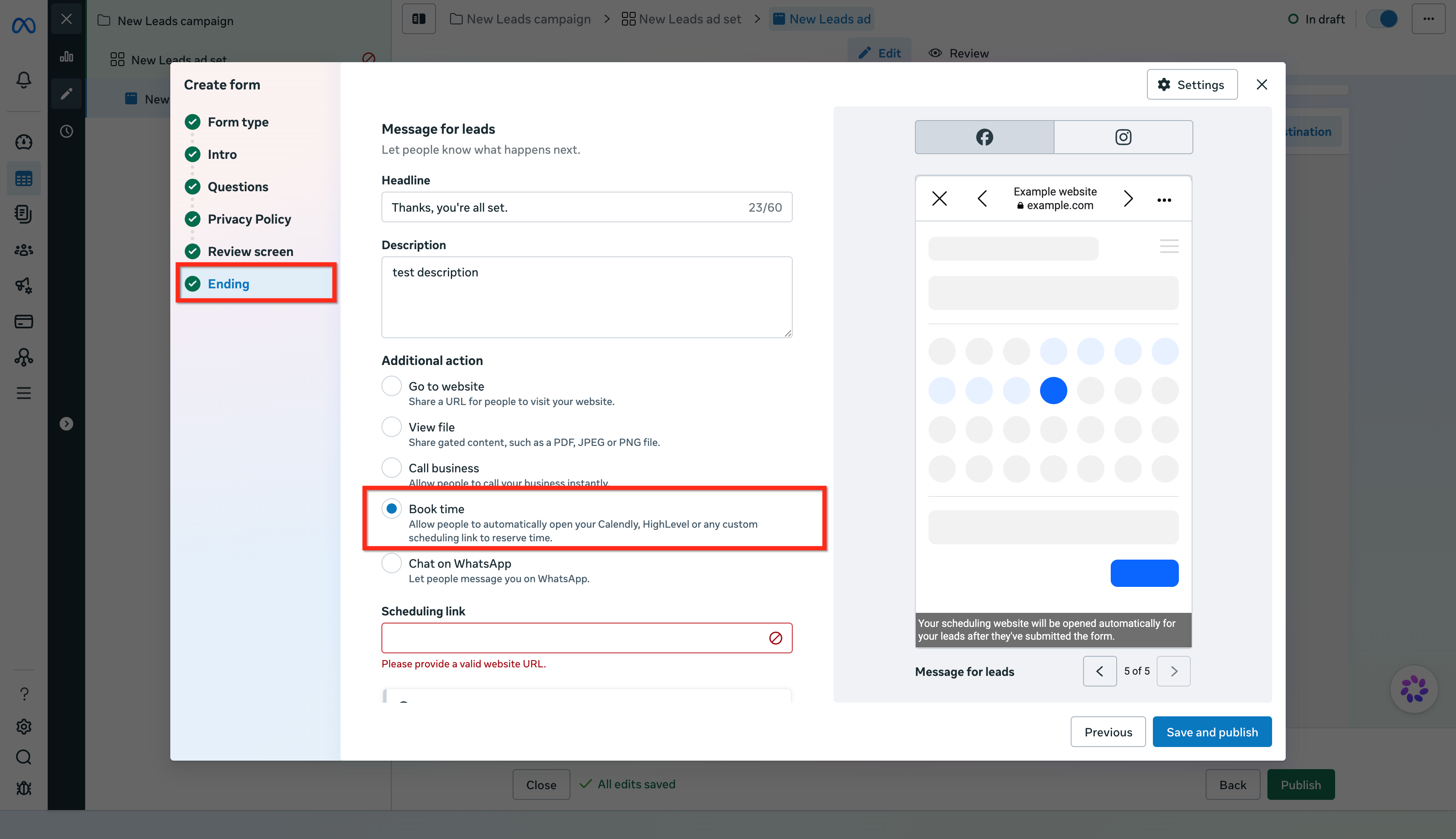
- Build an Instant Form; in the Ending section select Book time under Additional actions.
- Paste the HighLevel calendar URL into the Scheduling link field; Meta will show a live preview when supported.
- Ensure the calendar link uses the LeadConnector domain; otherwise the embedded preview may not work.
- Finish the remaining Instant Form fields and click Publish when the ad is ready.
- Optionally, set up HighLevel workflows that trigger on Facebook Lead Form Submitted and Customer Booked Appointment to send confirmations and reminders.
- Important: Embedded appointment booking is currently available only for ads delivered on the Facebook mobile app; other placements may open the link in an in app browser.
06What it looks like in HighLevel
07Settings that matter
- Calendars > Calendar Settings. Controls which HighLevel calendar is used and its availability for the embedded booking experience.
- Settings > Calendars. Provides another path to access calendar configuration and create new booking calendars.
- Book time under Additional actions. Enables the Book time CTA on the Instant Form, triggering the embedded calendar widget.
- Scheduling link. The field where you paste the public HighLevel calendar URL that Meta will embed.
- LeadConnector domain HighLevel calendar link. Specifies that the calendar URL must use the LeadConnector domain for the embedded preview to work.
08Things to know before you rely on it
- The embedded calendar works only for ads delivered in the Facebook mobile app; other placements may open the link in an in app browser.
- Branded domain calendar links may not display the embedded preview and can fall back to a separate booking page.
- Meta controls the instant form layout and preview; HighLevel provides only the calendar link and its availability.
09If something goes wrong
- Embedded calendar loads but no time slots appear. Check the HighLevel calendar’s availability settings, assigned team members, conflict calendars, buffers, date specific hours, and booking rules. Test the calendar link outside Meta to confirm it shows open slots.
10How it connects to the rest of HighLevel
- Learn how to embed a HighLevel calendar using HTML code. Embed calendar with HTML
- Hide third party calendar details with private mode for synced Google and Outlook calendars. Private mode for synced calendars
- View pricing and plan options for HighLevel. HighLevel pricing
Michael's take

Leads often drop off after filling a Facebook form because they have to click through to another page, reenter their details, and then decide whether to book. Embedding the HighLevel calendar on the Thank You page can reduce those extra steps and turn the form submission into a quicker appointment.
The first setting I would get right is the scheduling link. Make sure you’re using the LeadConnector domain version of the calendar URL. The embedded preview in Ads Manager only recognizes that format, so a branded link can silently break the flow.