
Several regions have changed how they observe time, and we now supports the new rules everywhere time zones are used. British Columbia, Alberta and Manitoba no longer fall back an hour on November 1, 2026 and stay on permanent daylight time, and Morocco has moved to permanent UTC+0. Choosing the mat
Michael's take
My first take is that this is a modest but useful tweak. It fixes a handful of regional time rules that were about to bite anyone who relied on correct appointment timing.
If you already set time zones for contacts or in your Business Profile, you now have new options to choose the exact regional zone instead of using a generic U.S. zone.
I would open a test contact in each of the four zones and verify that a scheduled appointment lands at the expected hour on both desktop and mobile. I’d also run a quick workflow that fires at a specific time to make sure it still triggers.
In practice this means a client in Vancouver will get a reminder at 9 am local time even though the rest of the country fell back an hour. The same holds for a prospect in Casablanca with no surprise hour shift.
I believe technology should keep the clock ticking the way you expect it to, not force you to build workarounds for a calendar quirk.
If you have any contacts in those regions, take a moment to switch them to America/Vancouver, America/Edmonton, America/Winnipeg or Africa/Casablanca.
What changed
Overview
Several regions have changed how they observe time, and we now supports the new rules everywhere time zones are used. British Columbia, Alberta and Manitoba no longer fall back an hour on November 1, 2026 and stay on permanent daylight time, and Morocco has moved to permanent UTC+0. Choosing the matching time zone keeps appointments, notifications and workflows aligned with local time.
New time zone for British Columbia
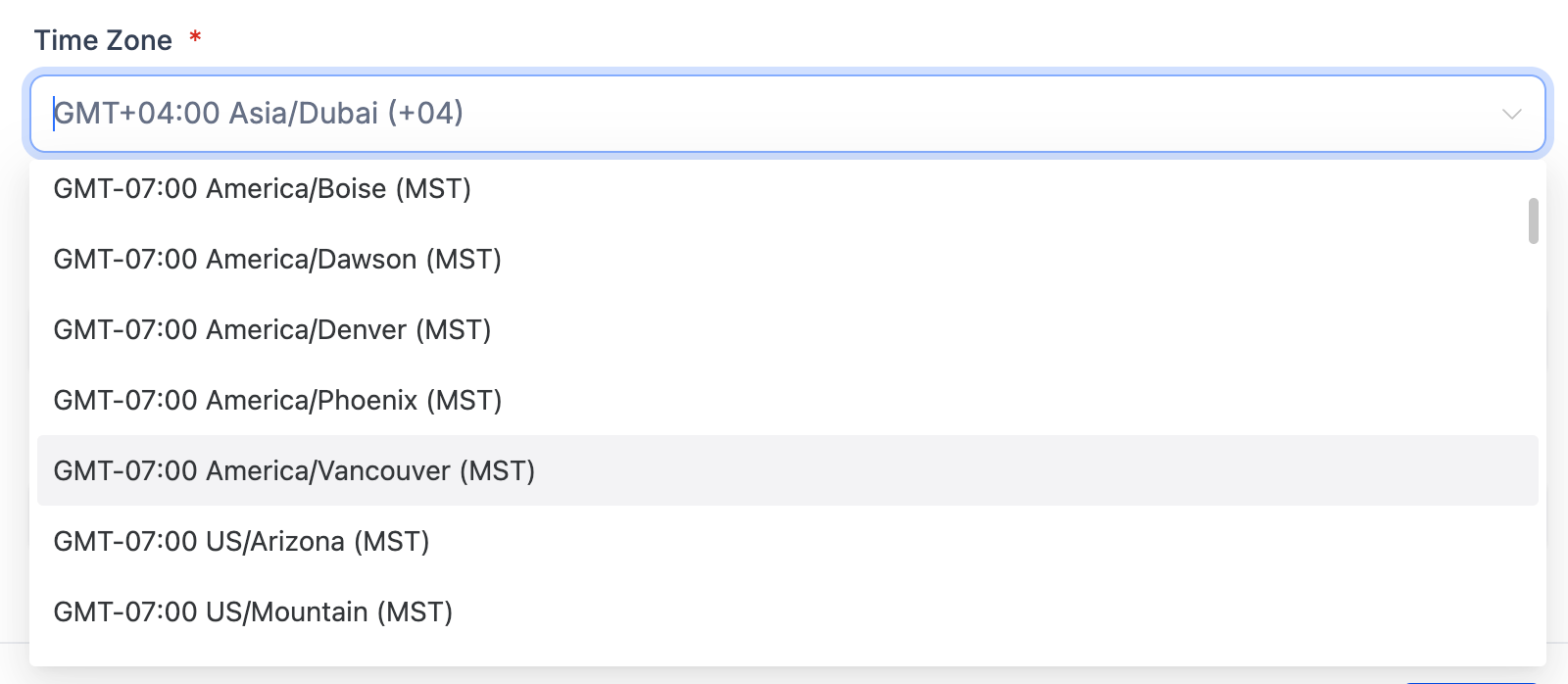
America/Vancouver is now available as a time zone option and stays on UTC 7 year round, with no fall back on November 1, 2026.
Updated time zones for Alberta, Manitoba and Morocco
America/Edmonton (Alberta) now follows permanent UTC 6 from November 1, 2026. America/Winnipeg (Manitoba) now follows permanent UTC 5 from November 1, 2026. Africa/Casablanca (Morocco) now follows permanent UTC+0, in effect since September 20, 2026.
Accurate times across modules
The updated rules apply wherever these time zones are used, including scheduling, notifications and profile, so times no longer drift by an hour.
How to turn it on
- Wherever you set a time zone in app, such as your location time zone in Business Profile, select the one that matches your region: America/Vancouver, America/Edmonton, America/Winnipeg or Africa/Casablanca.
- If you are using a U.S. zone such as US/Mountain or America/Los_Angeles as a stand in, switch to the matching zone above.
- Review existing contacts that are still on a U.S. zone and update their Time Zone. Existing contacts and settings are not changed automatically, because US/Mountain and America/Los_Angeles are also used by businesses in the United States.
Why it matters for Founders
- Appointments and notifications reach customers at the correct local time.
- Workflows that depend on time of day run when you expect them to.
- No more manual workarounds to line up with the new local time.
- Your U.S. contacts stay untouched, since no time zones are switched automatically.
Questions Founders ask
What did HighLevel release in "Canada & Morocco Time Zone Updates"?
Several regions have changed how they observe time, and we now supports the new rules everywhere time zones are used. British Columbia, Alberta and Manitoba no longer fall back an hour on November 1, 2026 and stay on permanent daylight time, and Morocco has moved to permanent UTC+0. Choosing the mat
What should a Founder do with Canada & Morocco Time Zone Updates?
Update the time zone setting for each affected contact or profile to the new regional zone this week. It's worth checking out for anyone with clients or staff in British Columbia, Alberta, Manitoba or Morocco.
How do I turn on Canada & Morocco Time Zone Updates in HighLevel?
In HighLevel: Wherever you set a time zone in app, such as your location time zone in Business Profile, select the one that matches your region: America/Vancouver, America/Edmonton, America/Winnipeg or Africa/Casablanca. Then If you are using a U.S. zone such as US/Mountain or America/Los_Angeles as a stand in, switch to the matching zone above. Then Review existing contacts that are still on a U.S. zone and update their Time Zone. Existing contacts and settings are not changed automatically, because US/Mountain and America/Los_Angeles are also used by businesses in the United States.
Why does Canada & Morocco Time Zone Updates matter?
Appointments and notifications reach customers at the correct local time. Workflows that depend on time of day run when you expect them to. No more manual workarounds to line up with the new local time. Your U.S. contacts stay untouched, since no time zones are switched automatically.
How do I get this feature with setup help?
Start a free HighLevel trial through Michael Reimer's link and the CRM Pros team helps with setup in your first 7 days, with an onboarding call, three live calls every week and the affiliate community included.
Get More InformationOpens in a new tab Published November 6, 2026. Screenshots belong to HighLevel.