
No action is needed. Your existing products, sites and checkouts keep working as before.
Michael's take
My first take is that this feels like a solid quality of life upgrade. It isn’t a brand new payment engine, it just removes a hard ceiling that was getting in the way.
If you’re already using Payments on an AI Studio site, you can now keep adding products past the old 100 limit without any extra steps.
I’d spend a few minutes adding a batch of products in the picker to make sure the bulk select works and that the new pagination loads quickly for a larger catalog.
In a real shop I’d use the bulk add to pull in an entire season’s line, then point checkout pages to a specific selection or direct customers to individual product pages to showcase everything I have.
I still think tools should get out of the way and let us focus on the sale, not on workarounds for limits. Removing that barrier is a small win that adds up over time.
Overall it’s a straightforward fix that makes managing big inventories on AI Studio a lot less painful.
What changed
What's fixed
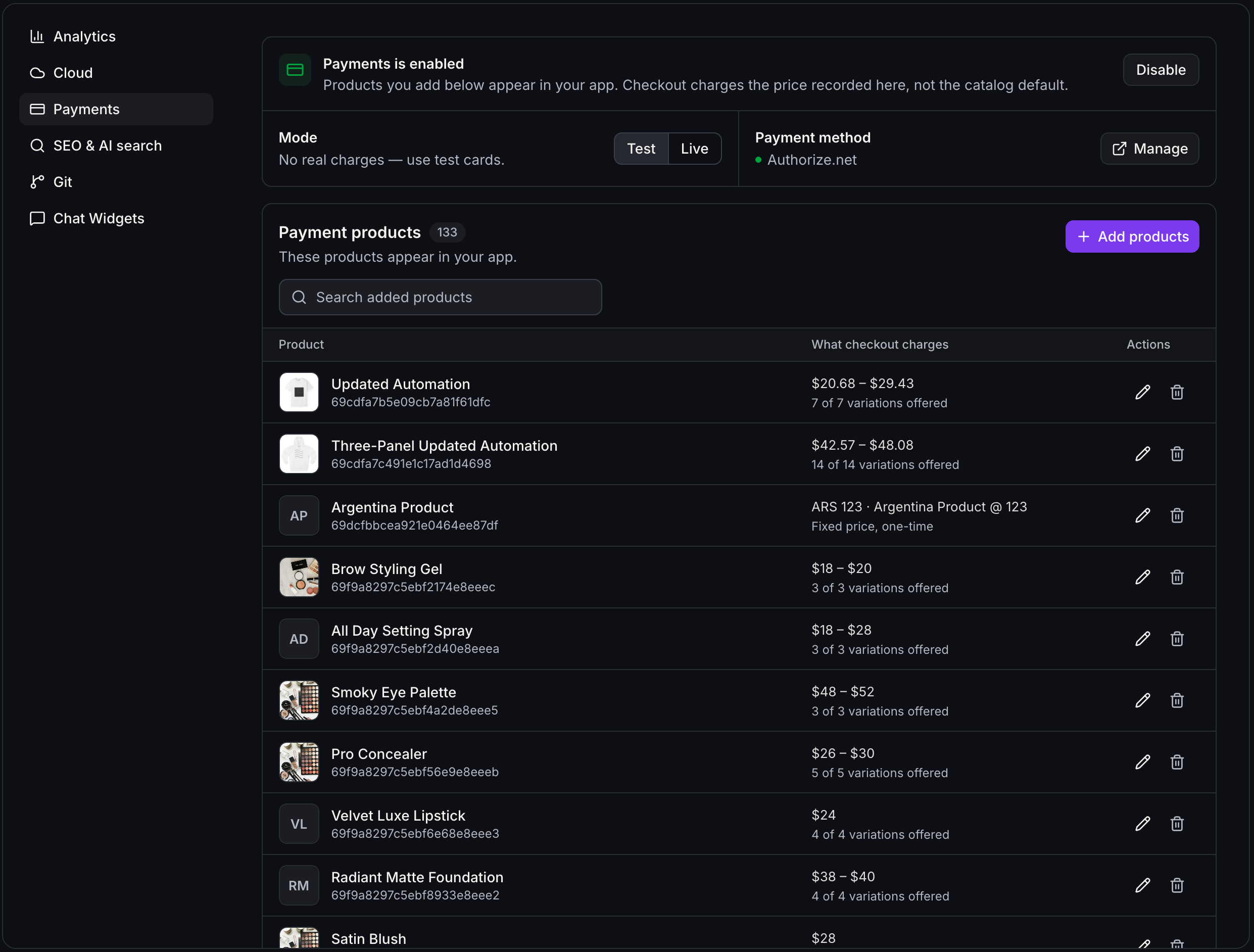
- No more 100 product limit.The Payments panel used to stop at 100 products. You can now add as many products from your store as you need.
What's improved
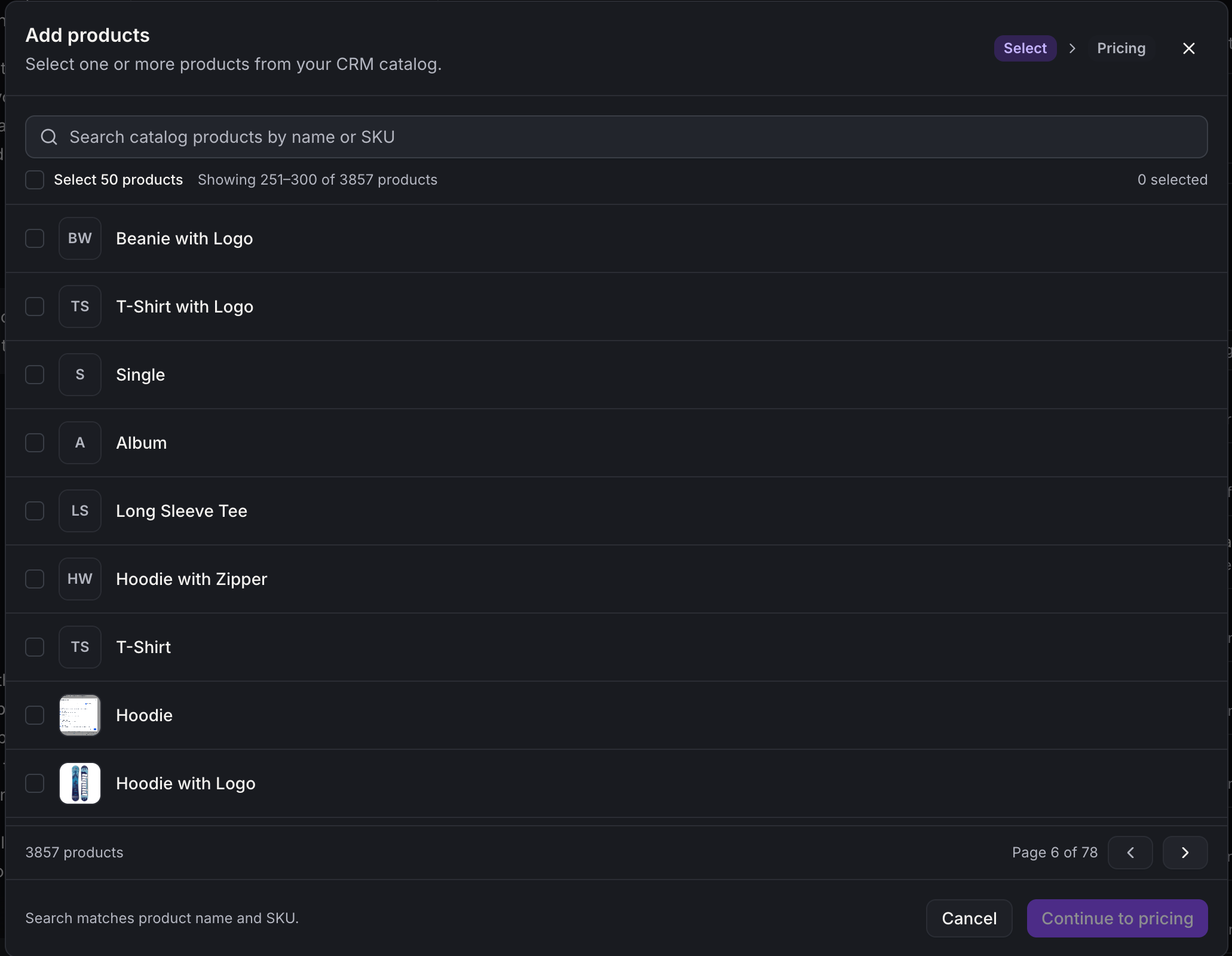
- Add products in bulk.In the product picker, select a whole page of products at once and add them in one save.
- Faster product list.Your added products load a page at a time, with search across all of them, so large catalogs stay quick to manage.
- Browse your full store.The product picker now pages through your entire store and marks the products you've already added.
Notes and availability
- When checkout is set to "All products", buyers are offered your first 100 products. To sell beyond that, choose the products to offer or link to individual product pages.
- A storefront product list shows up to 500 products, and storefront search covers those same products.
No action is needed.Your existing products, sites and checkouts keep working as before.
Questions Founders ask
What did HighLevel release in "Payments: Sell more than 100 products from your AI Studio site"?
No action is needed. Your existing products, sites and checkouts keep working as before.
What should a Founder do with Payments: Sell more than 100 products from your AI Studio site?
Open your Payments panel and try adding a full page of products at once to confirm the new bulk picker works for your catalog. Founders and agencies with AI Studio sites that need to sell more than a hundred products.
How do I get this feature with setup help?
Start a free HighLevel trial through Michael Reimer's link and the CRM Pros team helps with setup in your first 7 days, with an onboarding call, three live calls every week and the affiliate community included.
Get More InformationOpens in a new tab Published November 6, 2026. Screenshots belong to HighLevel.